Unable to control printer with firmware 01.08.02.00

I’m not able to load/unload/move the bed or head, refresh filament in the AMS using either the Handy app or Studio app on the P1S

All Iget is this error “Retrieving printer information, please try again later” in the studio and a simple “error” in the handy app

I power cycled the printer didn’t solve the issue
I factory reset the printer and that didn’t solve the issue
I uninstalled and reinstalled the apps and that didn’t solve the issue

I downgraded to v01.07.00.00 and now I’m able to control my printer/ams

What’s interesting is that I noticed I was not able to raise/lower the bed, move the head, load/unload filament, but I was able to at least refresh the filament in the AMS. Now I can’t do anything at all except send a print and view the camera.

6 Likes

Welcome to the forum!

01.08.02 introduced “authorization control”. Are you using the newest version of the app and Bambu Studio?

Yes. I have the latest version of everything. I also tried the beta version. I also forced it to reinstall the network plugin

Did you try going back to 1.08.01 before going back to 01.07.00?

Not yet. I needed to get a print started. I’m going to try and update back to the latest tomorrow to see if it was a firmware install glitch

2 Likes

Gotcha. I stayed at 01.08.01 so I could keep using the Panda Touch. If that works and 01.08.02 doesn’t I think it’s got to have something to do with the authorization control.

Mine has been very odd too

2 Likes

I’m having the same issue. Same firmware. I didn’t try downgrading, but I did a factory reset on the printer as well as a clean reinstall of Bambu Studio. No change.

I’ve also been having this issue, I had to manually connect the printer but that helped

1 Like

The same issue here…I can’t control printer from handy ou bambu studio, last version of firmware, last version of bambu studio and handy. I can’t control movements (homing, move x, move y…), stop print button, change filament of external spool…but i can turn the light on.

2 Likes

I’ve downgraded my P1S to 01.08.01.00 and it solved it. Ironic… after so much noise around the new athentication method… it doesn’t work now and broke connectivity :slight_smile:

2 Likes

I updated back to 01.08.02 and the problem came back. Looks like 01.08.01 will work. Downgrading to that. I’m glad that it’s not just me who’s having issues. I think the firmware came out before studio/handy was updated.

1 Like

same issue here, I have opened a ticket with support

1 Like

Verified. 01.08.01 does work. Printer is happy with this firmware. I can’t get it to work with 01.08.02 with the latest studio/handy

how are you guys downgrading? in the handy app app when I go to I want downgrade it show “No content yet”

1 Like

Never mind figured out how to it “Offline” via SD card

1 Like

ahh yeah, I could not downgrade using the handy app. Glad I was able to directly on the printer.

I was in the middle of a 2 plate print when my x1c decided it no longer wanted to talk with either my laptop or the app. I had to reboot my home router and it finally was able to communicate again. I suspect it was trying to hold on to an IP address and was conflicting with something, but I do not know for sure.

AMS Firmware: 00.01.06.62

P1S firmware: 01.08.02.00

Bambu Studio: 2.1.1.52

Bambu Handy: 3.3.0

Issue:

I am experiencing a persistent issue with my Bambu Lab P1S where the filament type keeps reverting to an old value, even when I try to manually change it. This happens regardless of whether I’m using the AMS or the external spool, and even when using official Bambu filament with RFID.

Problem

When I load a new filament (even with RFID), the printer (via Bambu Studio or Handy) automatically reverts the filament type to the previous one.

The same problem occurs with both AMS slots and the external spool, even when the AMS is physically disconnected.

I cannot force it to save a new filament type — it changes back within seconds or minutes.

What I’ve Tried:

Factory Reset of the P1S from the printer’s maintenance menu.

Uninstalled and reinstalled both Bambu Studio and Bambu Handy.

Tried with AMS connected and disconnected.

Verified issue using only official Bambu filament with intact RFID tags.

Cleared filament settings manually in Bambu Studio.

Created and deleted custom filament profiles.

Checked for latest firmware and software updates.

My current Work around

I disconnected the printer from the cloud and enabled LAN-only mode, then turned on Developer Mode. After rebooting the printer, Bambu Studio now allows me to change the filament type and color.

However, when I reconnect the printer to my cloud account, it restores all the previous filament types and colors and refuses to let me make any changes—until I go back to LAN-only mode.

Also, even in LAN-only mode, the AMS still does not read RFID tags.

I just got this printer and it was on the latest update. After reading these coments should I try to downgrade as well?
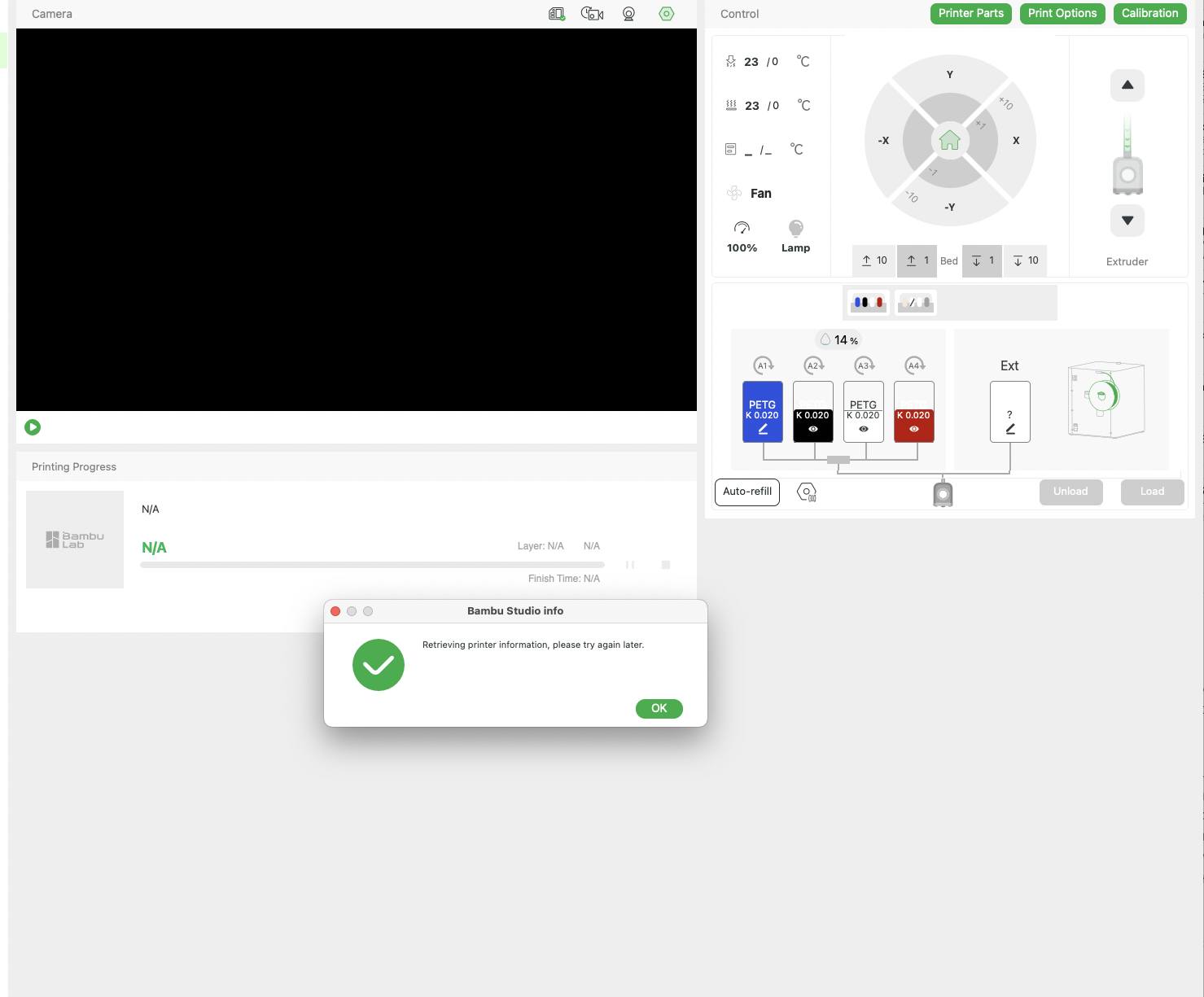
It’s happen to me too. I have a ticket, waiting reply