I am trying to print Fiberon PET-GF15 Dark Gray on my H2D. However I am unable to edit the AMS with the correct filament type after loading the filament. I seem to have run into a Catch-22 of sorts.
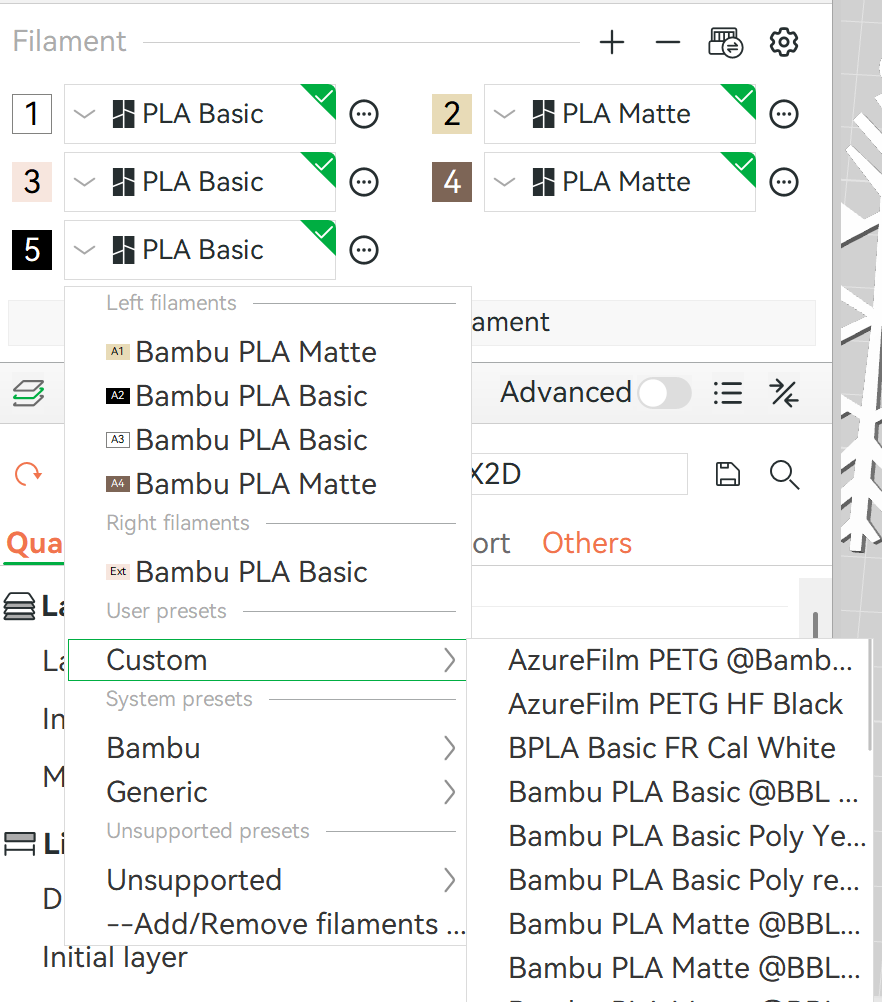
I have successfully downloaded and added the Fiberon PET-GF15 filament profile from the Polymaker website to my beta version of Bambu Studio (v.2.8.4.61). It appears under Prepare > Project Filaments > Filaments > User Presets > Custom.
I have successfully edited the profile with updated information from the Polymaker website, the plate manufacturer, etc.
Here is where I run into trouble. After successfully slicing the model, I am unable to print the model because I can not add the filament correctly in the Device settings or from the LCD screen on the H2D. Any suggestions or thoughts?
I have heard of people creating special PETG filament profiles with their PET-GF15 settings just copied over but this should work as is. I do not understand how to add a filament to the list presented when you load & edit filament into the AMS?
Thank you.
you should not load cf/gf filaments into your ams, itll just wear it out.
use external spool holder. (or from a drybox)
I am not sure what exactly is the issue.
You do not see it under the custom list as I have this Azure and others?
Lets revise this.
You can load fiber filled filaments in your AMS, but keep in mind it will wear out faster.
Especially with the AMS 2 and the HT that have ceramic feeder units. If your going to wear out anything, its going to be PTFE tubes.
In most situations, the benefit to using the AMS outweighs the risk of wearing it out faster.
Hi.
In my case, the profile name was likely the issue. Creating a new profile with the same settings but a shorter name did the trick.
I look forward to hearing back from you.
@JamboBambu
Thank you for responding. No, I see it there fine. I can slice as well with no issue. Problem begins when I go to print and there is no PET-Gf loaded that I can select. And it is not listed because there is no option for it in Devices tab or on the face of the printer under Spool icon.
I load “generic ABS” into the AMS, tell the printer it’s ‘Generic ABS’.
I then have a polymaker HT profile I adjusted myself starting with the ‘Generic ABS’ profile, and saved as a custom one from there.
I slice it with that profile.
When I send it to the printer, it lets me select which spool to use, and I choose the ‘generic ABS’ from the machine’s selections that matches the color I need. It then runs the previously sliced print without issue.
Regarding GF, or CF versions, I do the exact same thing with ASA. There’s no generic ASA-CF to select from on screen, but I just choose that when I send the gcode over.
Thank you. That’s helpful.
I thought about that. I’ll try shortening it. Thank you for the suggestion.
And I agree with the concern but this spool was bought to print a 30g model once every 3-4 months. I suspect the PTFE tubes have experienced worse. In addition, I bought the Fiberon formulation of PET-GF because it seems to have less glass fibers on the surface. Whether that’s true or not we will see.
Thank you for your suggestion.
Thank you for your suggestion. I already replied to both you and @CincinnatiDesigns.
Oh and one other reason I purchased the Fiberon formulation of this filament type is because Polymaker actively markets it as “AMS compatible.” We will see if that is true as well. Thanks again,
Ive run close to 200 rolls of CF/gf filament through my HT and i finally just changed out $8 or less worth of PTFE tube from the AMS to the tool head. Worth it to me. At this point if I have to change out some gears I don’t care. The hassle of not pushing it through is worth it.
Sounds about right. How did you get that to work software wise?
What nozzle size are you trying to print with?
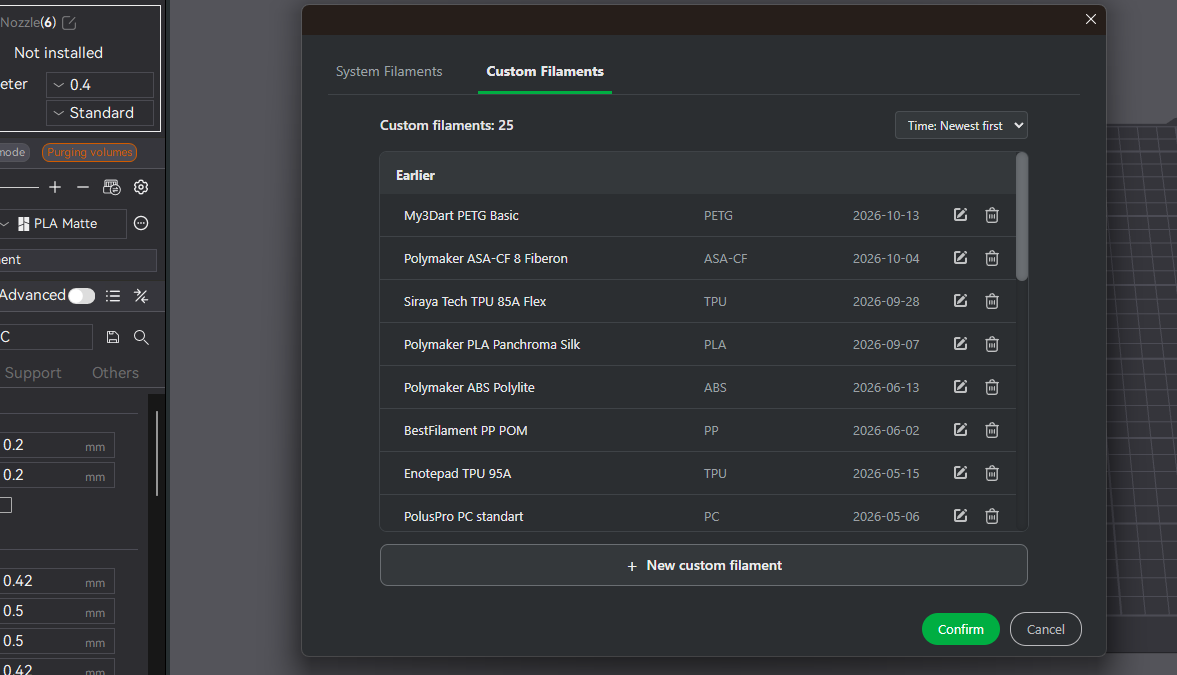
To be able to select a custom filament for the AMS, it must first be created within the list of custom filaments. The profile you added is internal project profile only; the AMS and the printer have no knowledge of it. Consequently, you cannot select it in the AMS.
once it’s set as a user profile and the added in Bambu Studio, it will show in the AMS, but it’s a pain to get the AMS and Studio local, cloud profiles to all sync. I end up having manually change it back ever time I want to slice.
SOLVED
Thank you @maxspb69 for your response. I understand what you are suggesting but if you go in that same screen to create a custom filament, PET-GF is not listed as an option you can choose. I think this is a omission in Bambu Lab’s list of filament types and I plan to open a ticket.
However, just before reading your post, I think I solved it. I finally realized I could go into Filament Manager in Bambu Studio and add the filament as a spool to the Filament Manager database. Now the spool shows up in the Device tab of Bambu Studio when you edit an AMS slot.
When I went to the printer, only PET-CF still appeared. I do not know if it has had time to sync yet but I am hoping to make it appear there as well. I suspect it is the same problem as adding a custom filament that @maxspb69 suggested. PET-GF just does not exist in the base filament type database.
I am using the standard 0.4mm nozzle