I recently bought X2D, but I’m far from new in 3DP. I printed with X1Cs, P1S, H2D, as well as Prusa MKS3, Ender3 and in the ancient times DaVinci and UP 3DPlus 
I had underextrusion issues on both extruders from day 1 with X2D. Sometimes to the point that it causes spaghetti, because the infill doesn’t connect with the previous layer (lower volume = faster cooling = insufficent layer adhesion). The cube shown below was printed with PETG on the main (left) nozzle.
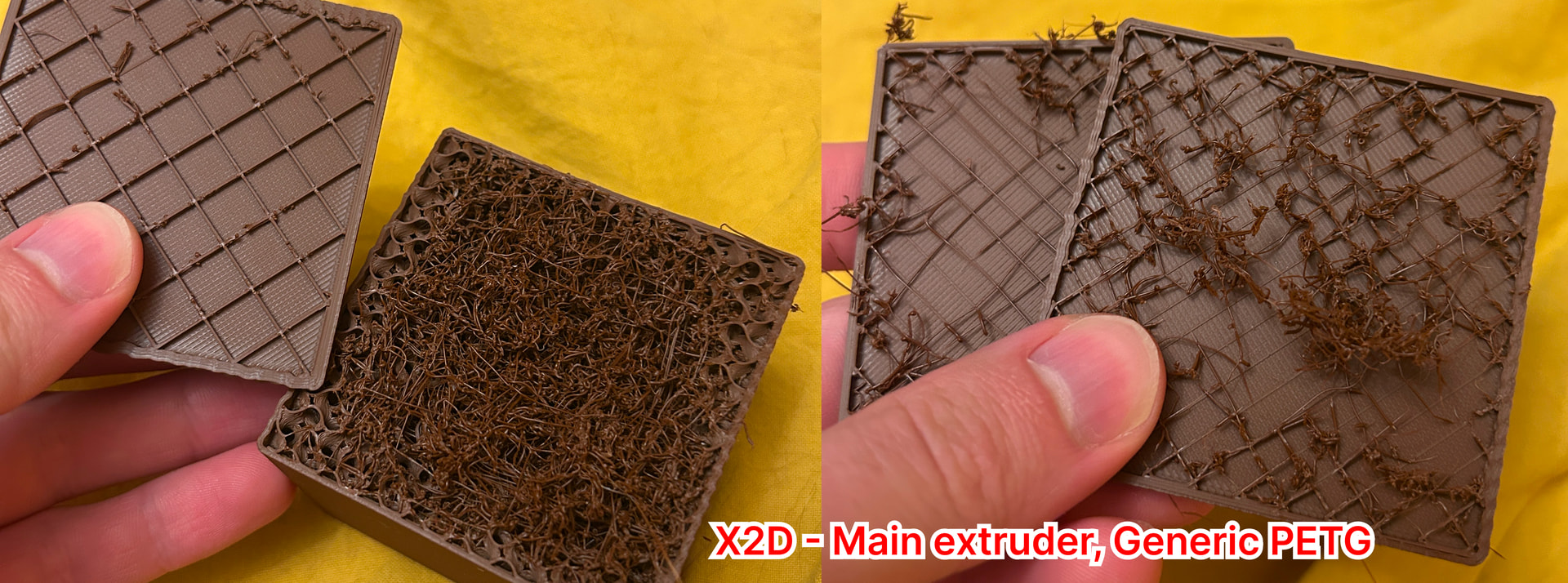
MAIN ISSUE:
The walls are always perfect. Where the underextrusion mainly shows is the top layer. I can clearly see the gaps between each line and the layer beneath. I’m not talking about some exotic filament pushed through Auxiliary Hotend. This below is Bambu Lab PLA Basic printed with the main, direct drive hotend on the Bambu Lab X2D with Bambu Lab default profiles and presets.
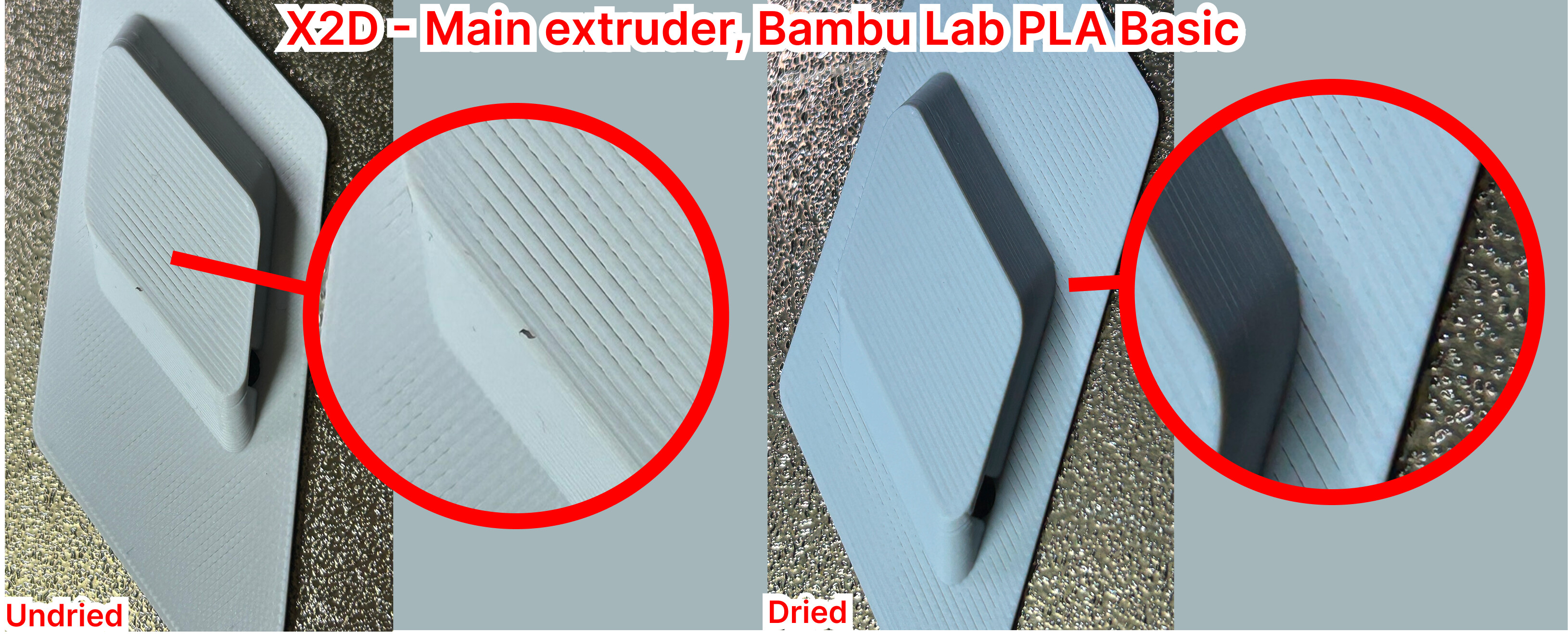
The result has been the same after a week or so, after drying the PLA in 50deg for 24h and after the recent firmware update.
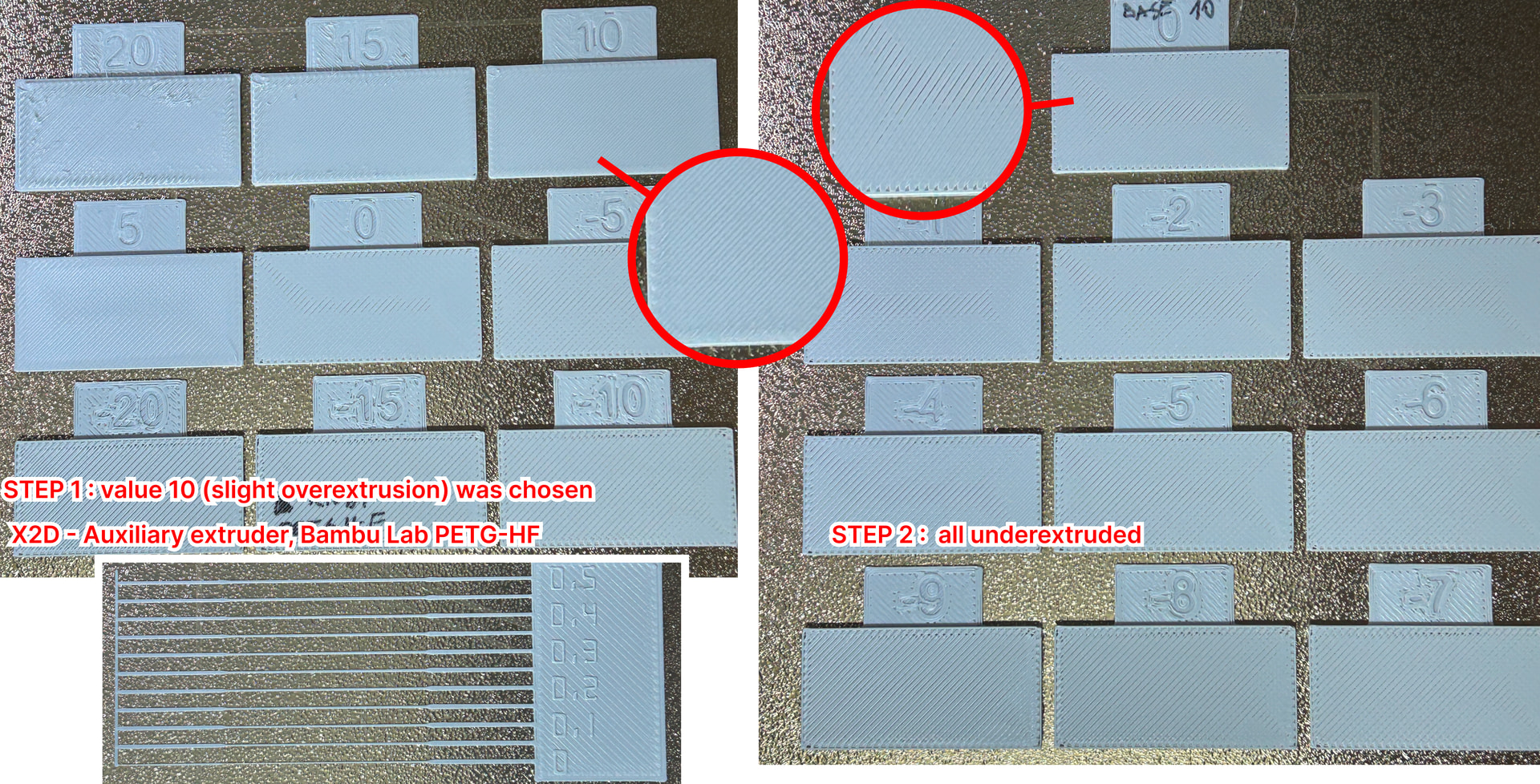
Calibration of the right nozzle:
The Flow Rate calibration seems to be broken in a different way - I chose 10 in the first step which was over-extruded, but in the second step (which I assume is a precise adjustment) all the samples were underextruded, a “0” was far from previously chosen “10”.
Flow rate - well… the value should be even above 0.5  PETG-HF was used there.
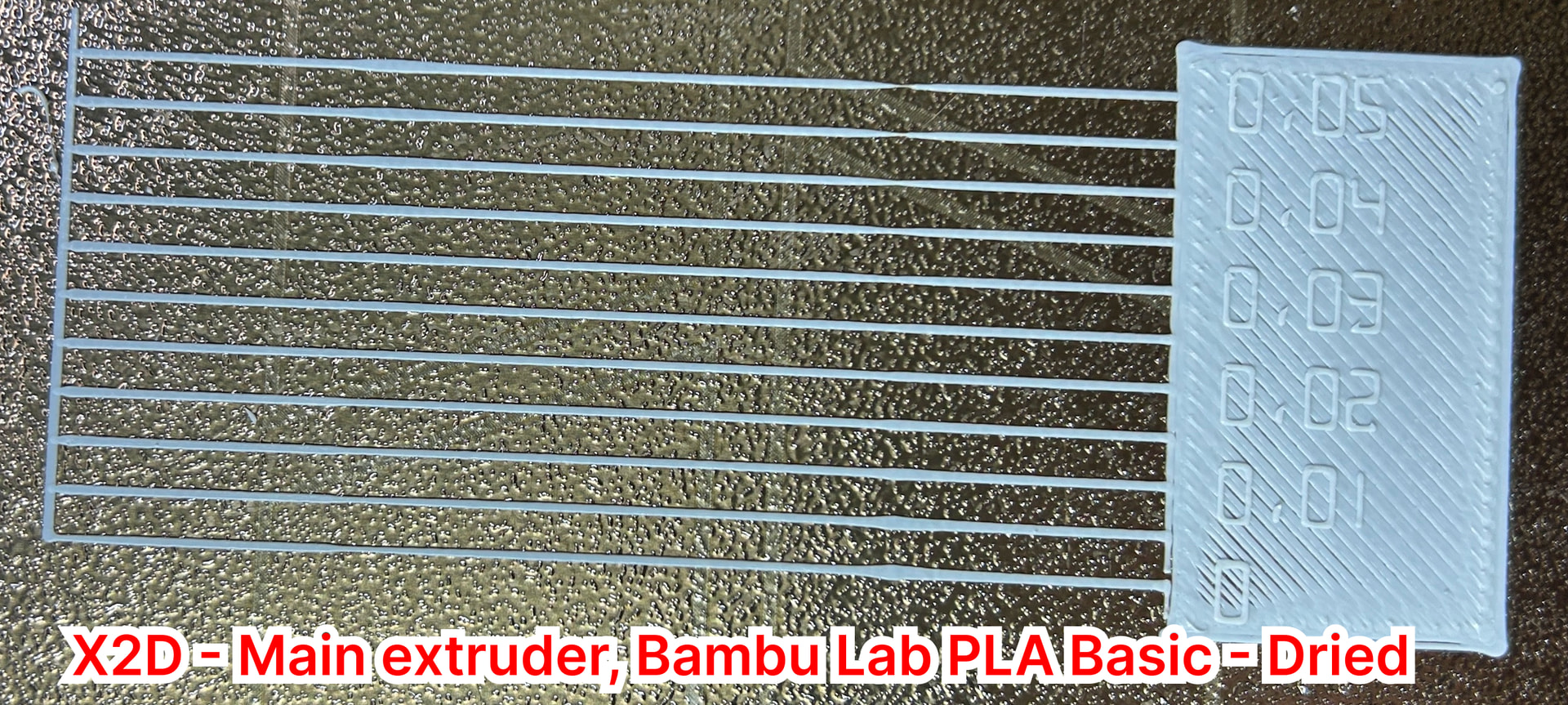
Calibration of the left nozzle (main nozzle, PLA)
Pressure Advance (Flow Dynamics) showed proved K=0.025 to be the smoothest. The rectangle from that print was of course underextruded
Main point:
The results are pretty repeatable, so I imagine, that the right settings and flow rates could be manually found - but that is not the point. I’m using Bambu printer with Bambu filament printing on Bambu profile - and for a simple model from PLA - I expect it to print decently.
I need to point out that whole calibration sequence of calibrations (Flow Rate & Flow Dynamics) takes 2 hours and require multiple user interventions - I cannot imagine doing that for every filament. I don’t have that much time to tinker with printers anymore - I need a tool not a toy. That’s what I chose Bambu Lab, cause multiple X1Cs I have are working flawlessly without calibrations.
Hence the question is: Are other X2Ds capable of printing well with Bambu Lab’s own filaments? Without additional calibrations and tinkering for every spool?