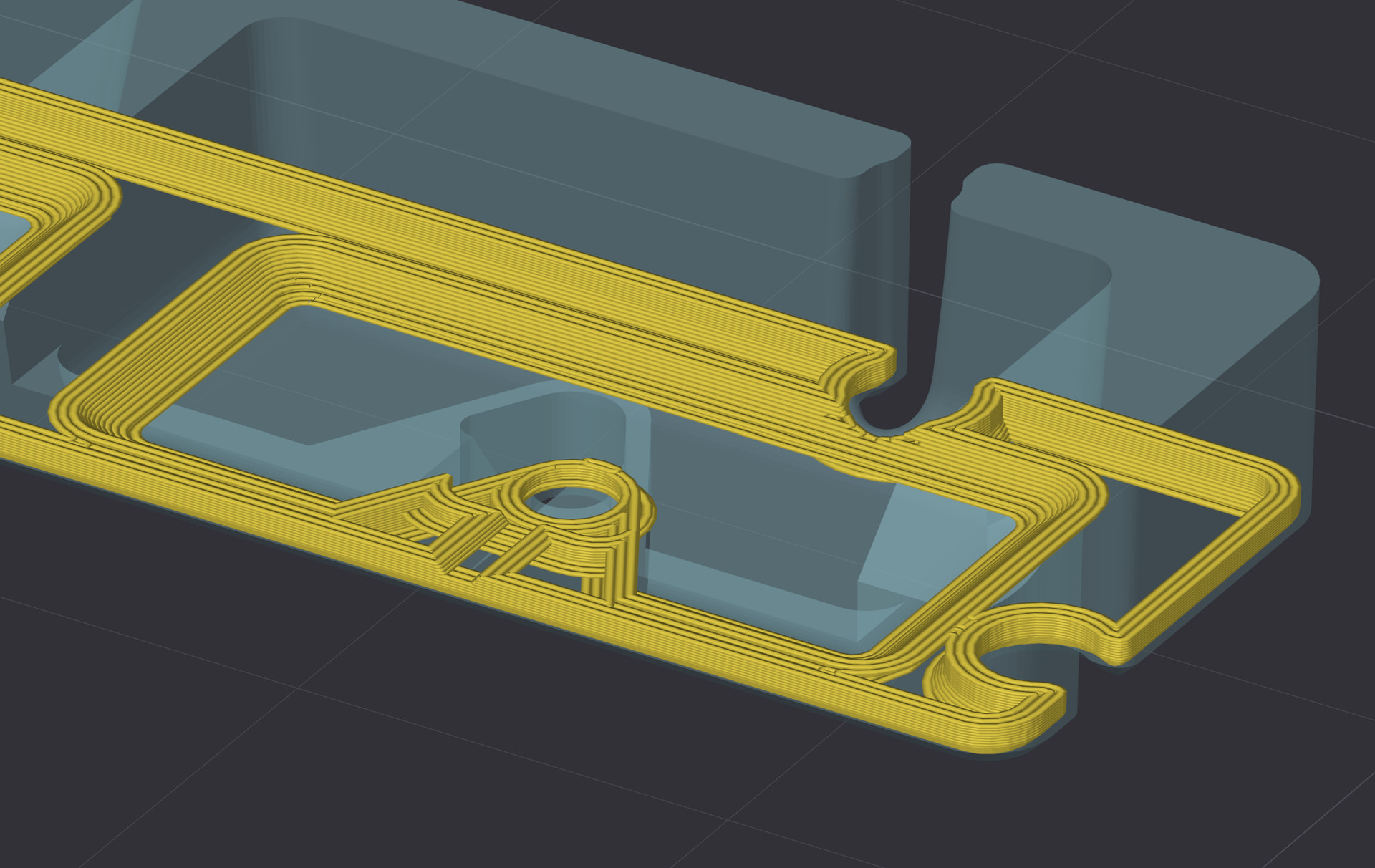
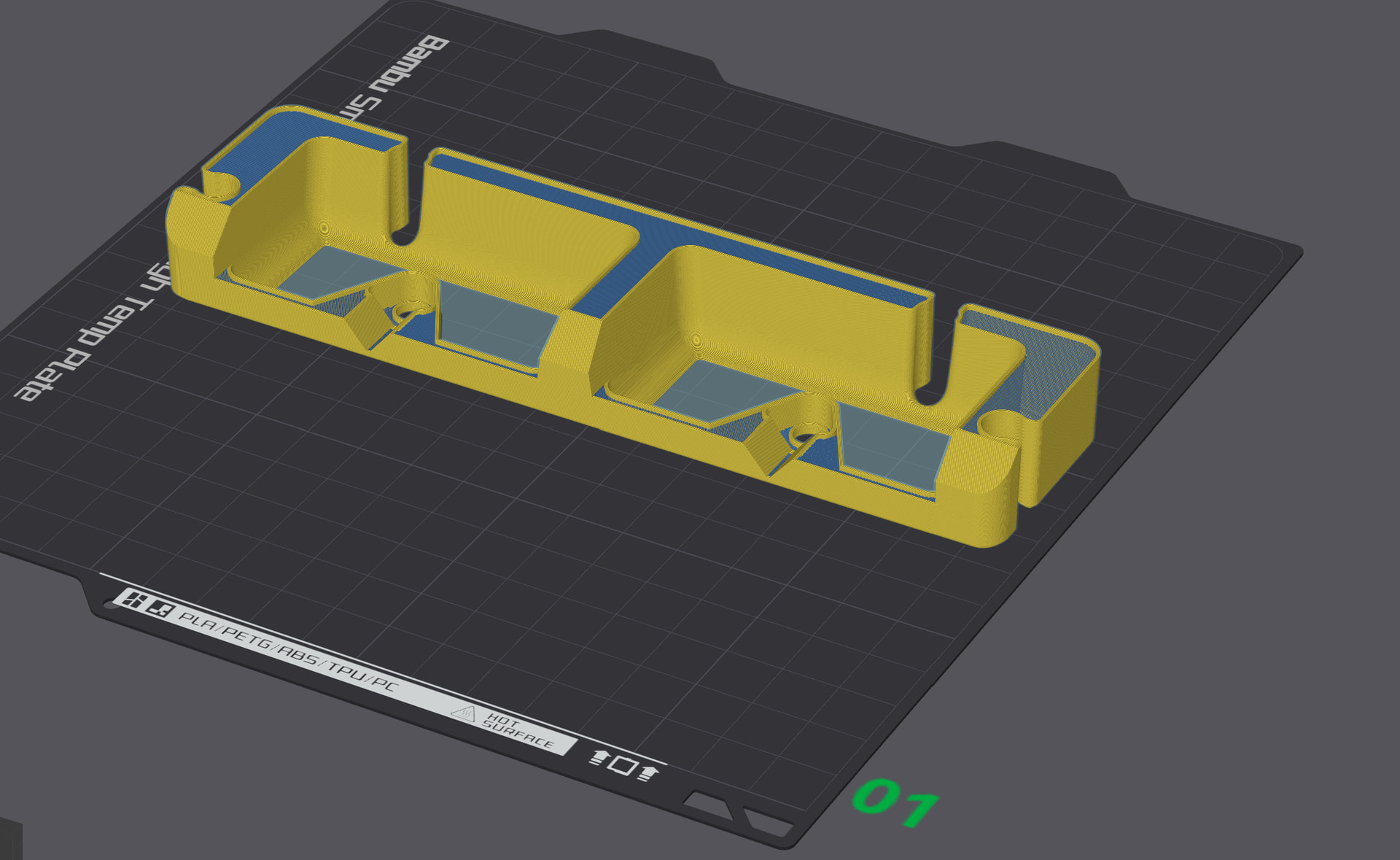
I’m starting a new project printing TPU on my Bambu Lab H2D, and while it seems to work in principle, I’m getting strange artifacts in the first layer preview.
The problem:
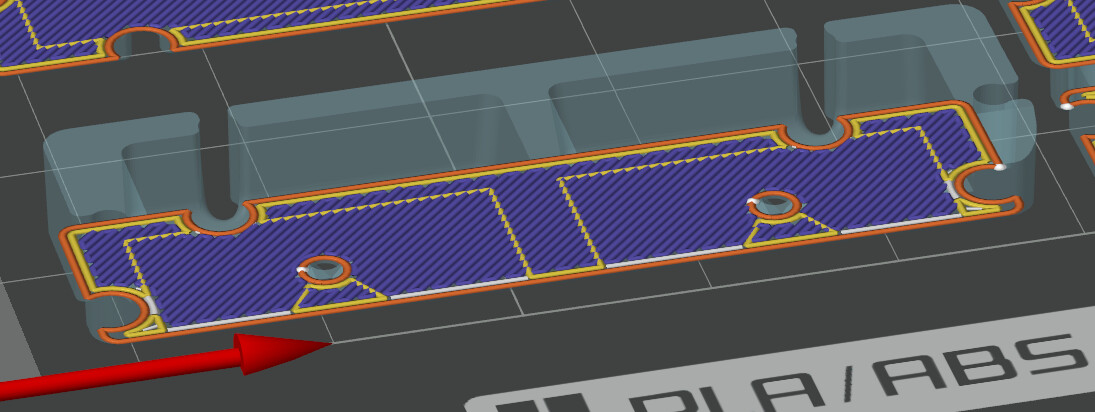
Features from higher layers are appearing as internal walls on my bottom layer (see image). This creates unnecessary structure and overhead that shouldn’t be there.
What I’ve tried:
Imported the model from Fusion 360 as both STEP and STL format - both show the same issue
Toggled “Detect thin walls” on/off in the slicer - no difference
The model itself is a solid body in Fusion 360 with no internal features or pockets
What I expect:
Just a simple inner wall, outer wall, and bottom infill - nothing more.
Question:
Has anyone encountered this before? Is this a mesh/export issue, or a slicer artifact that I can safely ignore? Any suggestions on how to fix it?
Probably yes. It’s likely an error that occurred when exporting from the program in which it was created. Try repairing it or exporting it as a different file. These are typical signs that the 3D model is corrupted and the slicer doesn’t know what to do.
Actually, Fusion is very robust when it comes to exporting and rarely makes mistakes. Are you sure you actually connected the edges and lines in Fusion within the sketch? I simply assume that, although the lines appear to be connected, they are not.
You can upload the 3MF file in this forum / your comments, and then we can analyse them if you’d like.
Thanks for the suggestions! I’ve attached the 3MF file with both bodies imported as STEP and STL files.
You’re right about Fusion being robust in my experience - The model itself is solid and exports cleanly.
I’m curious to see what you find when you analyze the files. Could this be something specific to how Bambu Lab’s slicer interprets the geometry, or is there something in the mesh that’s causing it to misread the internal structure?
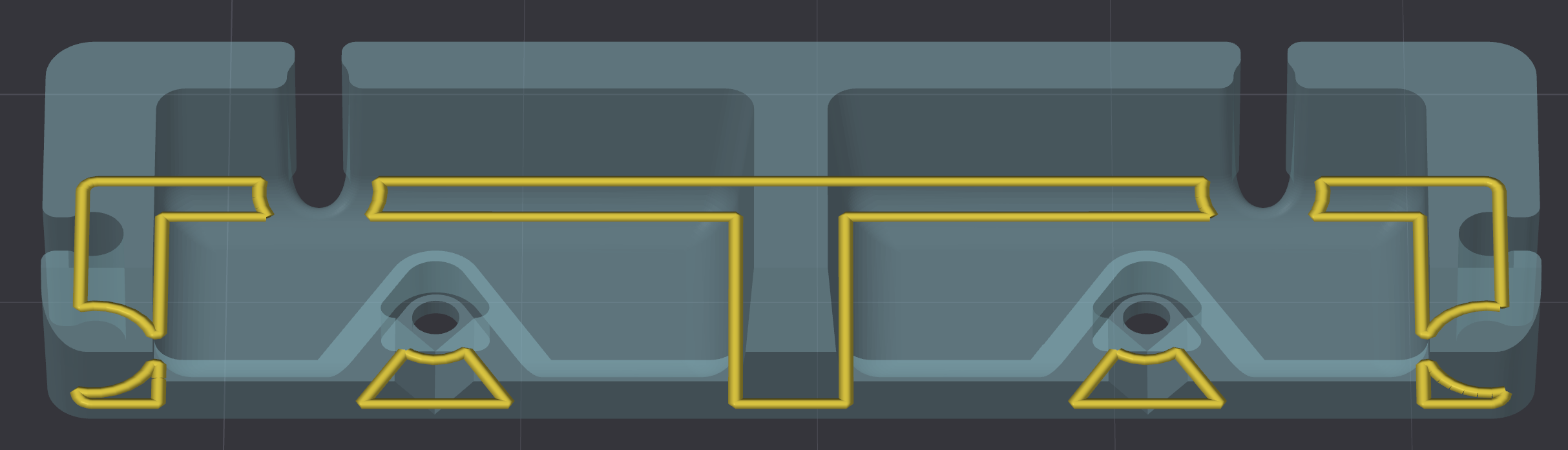
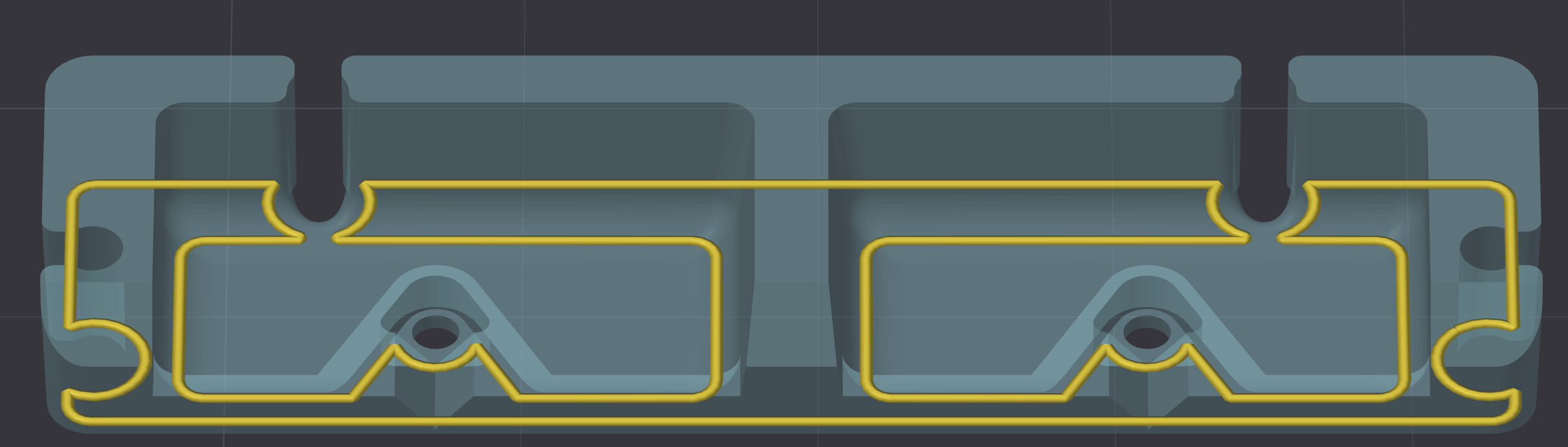
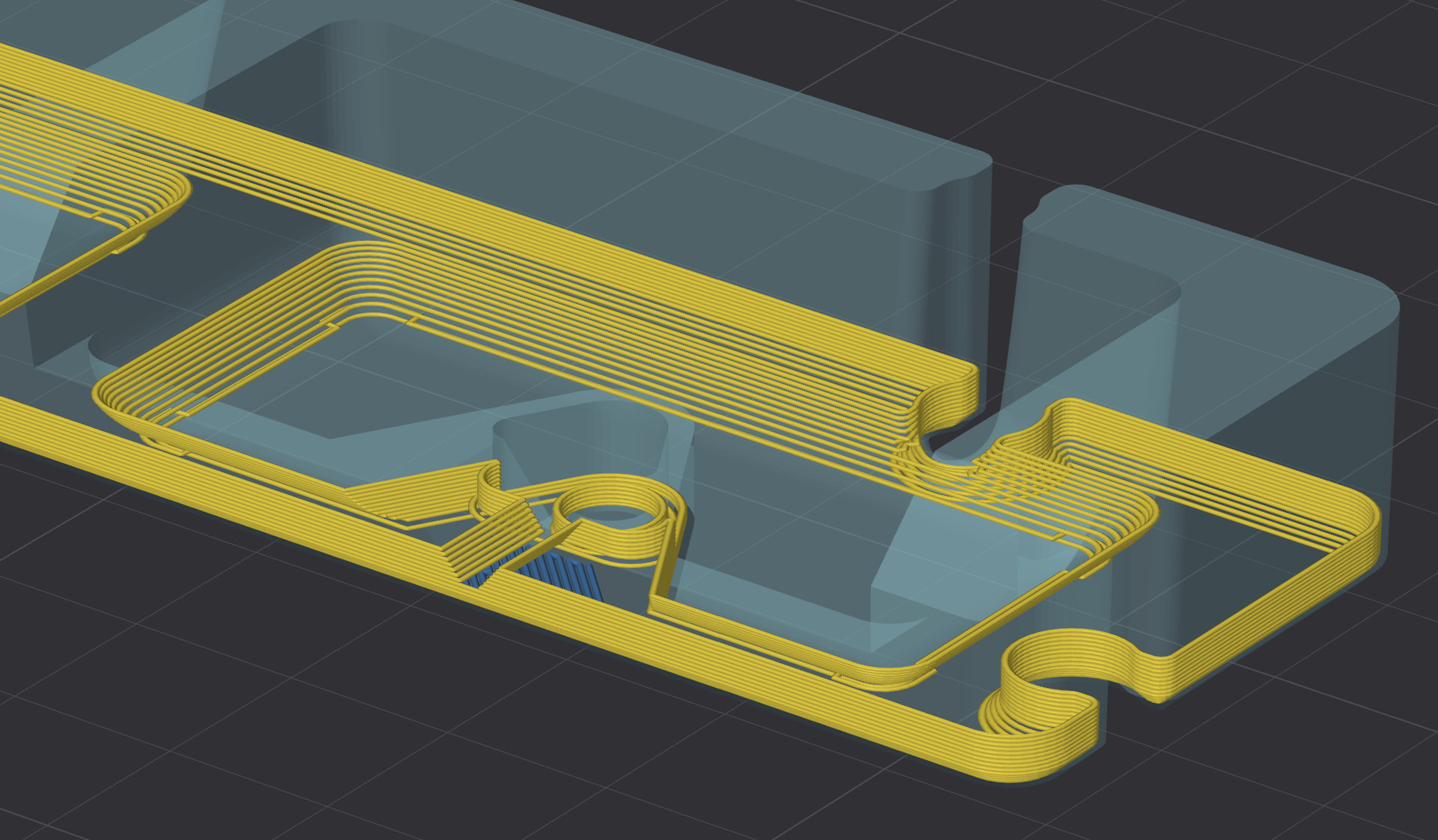
Then I enlarged the model to see what was going on, and that’s when I noticed the problem: Your inner wall isn’t straight - it’s rounded and slanted: It’s just not that obvious with the small model, but try enlarging it:
So that’s exactly what the slicer does - with this small model, it tries to recreate the curved walls as well, which was, of course, difficult, so it ends up looking more like a step in the inner walls.
Solution: Design the interior walls straight in Fusion.
Alternative: Use a 0.2 nozzle and lower the layer height. Now, this isn’t a good idea when using TPU, but it might be worth trying if you ever want to print with a different material.
To sum it up: There’s no export error; the model is simply too detailed, or rather, the inner walls are too curved. Like I said: Enlarge the model a lot, and you’ll see what I mean:
In addition to my detailed initial comments: I opened the file in Blender and zoomed in:
What you see in the image is the bottom side, so, upside down: Take a look at the rounded holes: The slicer simply can’t reproduce them that small - not with a 0.4 nozzle.
Those are exactly the places you mentioned in your post. Even with a 0.2 nozzle, it would be almost impossible to print that, or let’s just say very difficult, given how small you want it to be - total width only 5 cm of the print.
Thanks for the detailed explanation! I’ll dig into this and simplify the model for 3D printing. I’ll also check if I can better align the model with the layer heights. Both Fusion and the slicer are set to 0.2mm for the bottom layer, but something feels off - they don’t seem to match 1:1.