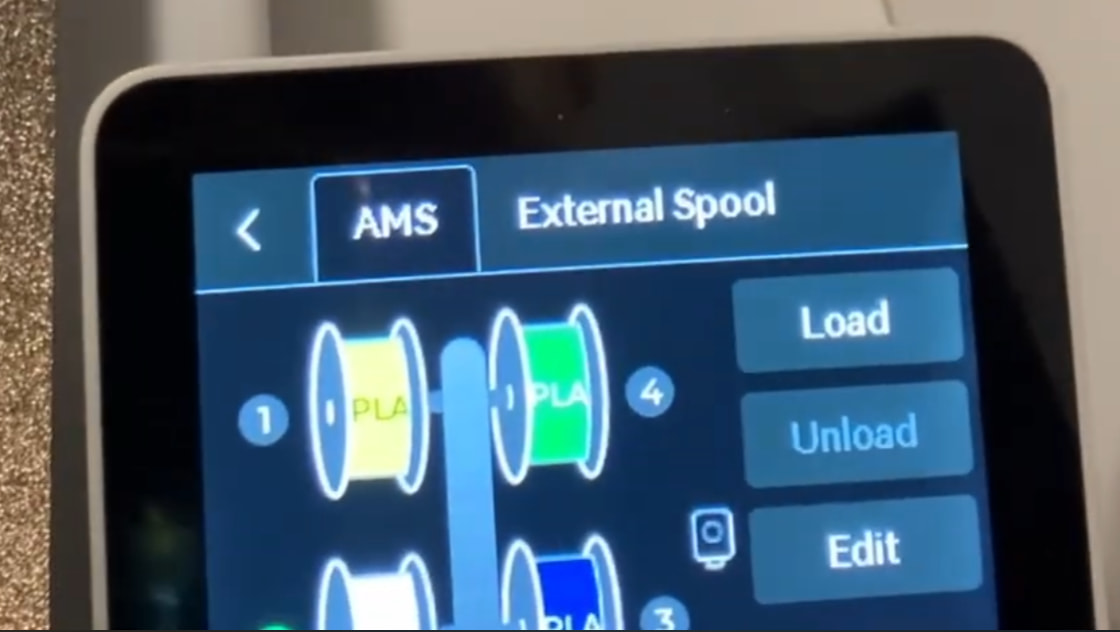
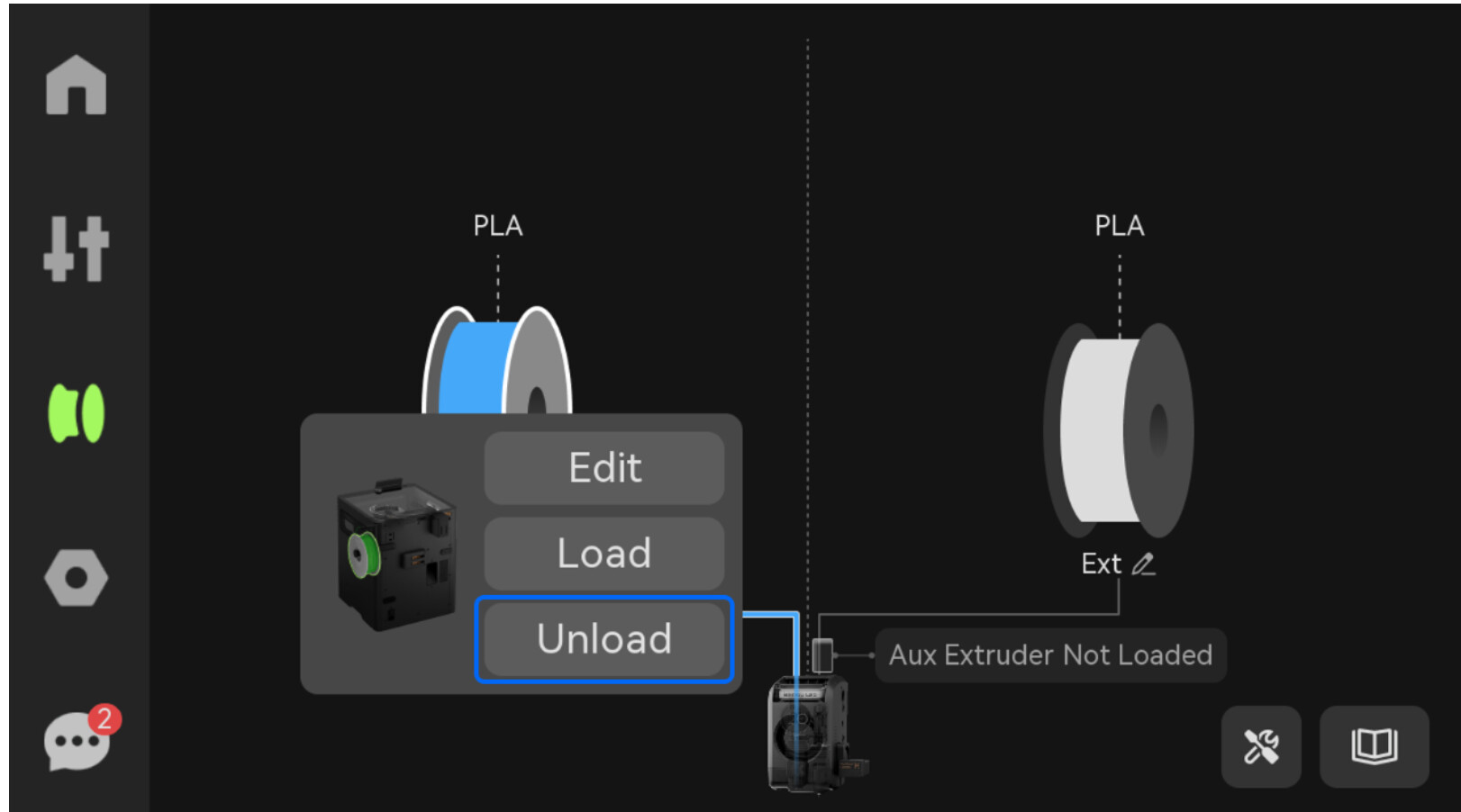
Request a Unload command be added to the Filament screen on all systems.
If you have an error message and are attempting to work on the extruder, the AMS commands on the printer screen do not provide an unload function. Manual unloading through the printer, the switching unit, and the AMS places a great strain on the parts and the filament.
You often have to unload to work on the print head and if filament is loaded, the filament just keeps advancing while you are trying to reverse it.
Users need this option at their fingertips.
thank you
- Which printer/AMS combination are you referring to exactly? Most combinations offer this feature.
- If you have an AMS connected, the filament is usually unloaded automatically.
So these printers definitely offer this feature:
P1 / P2 series
A1 series
H2 series
X2 series
Note: I can’t list all the combinations right now.
Of course, the “Unload” function is only displayed if the filament has NOT yet been unloaded. If it has already been unloaded, then it cannot be selected.
Could you please explain in more detail: Was the filament not unloaded automatically?
Edit: Or do you mean in Bambu Studio software? Also available…
PC
mobile app
I was having repeated problems with my right nozzle on my h2c. filament from an ams-ht was trying to load into the nozzle and the nozzle it wasn’t taking it. When the error message popped up, I wanted to attempt to resolve the issue without canceling the long print. I x out of the error message and could see the filament was all the way to the print head but for whatever reason it wasn’t being grabbed by the extruder. At this point I tried to unload filament by selecting the filament in the ams unit, but unload wasn’t an option, only edit, load, and reload options. Once I released the PTFE tube from the extruder the AMS just kept shooting out more filament. This happened to me 3 separate times. It has also happened to me just before that on the left nozzle as well. Not wanting to try to manually pull the filament back through the switch and the ams unit I just canceled the print which stopped the AMS from feeding out filament and cut off the excess filament.
That Unload button only appears when the filament is loaded into the Extruder. Right now on my X2D I don’t see that option and AMS slot 1 is stuck. The motor only tries to load, which puts a mechanical strain, and it’s gripping the filament hard. I need the Unload button to light up even though filament hasn’t reached the nozzle so that the motor will help instead of fight me!
Please start a separate thread for this so people can help you faster. Make sure to include some photos as well. Otherwise, your comment might get buried and go unnoticed in this thread.
ya, what I figured for a work around is to hit problem solved resume while standing in front of your AMS. When the filament rewinds onto the spool there is a second or two where it slows down. Right then and there, push the white cup and pull the filament out by hand. The machine will throw another error saying its out of filament.
Once you have the filament out, inspect the first 3 feet or so closely. What i think happens is it fails to load, repeats that failure and put serious dents in the filament. So, when it tries to load again, it gets right to that big dent and can’t get traction to spin anymore and finishes the loading problem.
technically, they don’t need to fix the unload button, they need to add a filament rewind button to solve this problem.