Hi I’ve been trying to make this seemingly trivial print… print. I’ve printed dozens of versions changing outer wall speed from 200 to 100, 50, number of walls, variable layer hight, order of walls etc.
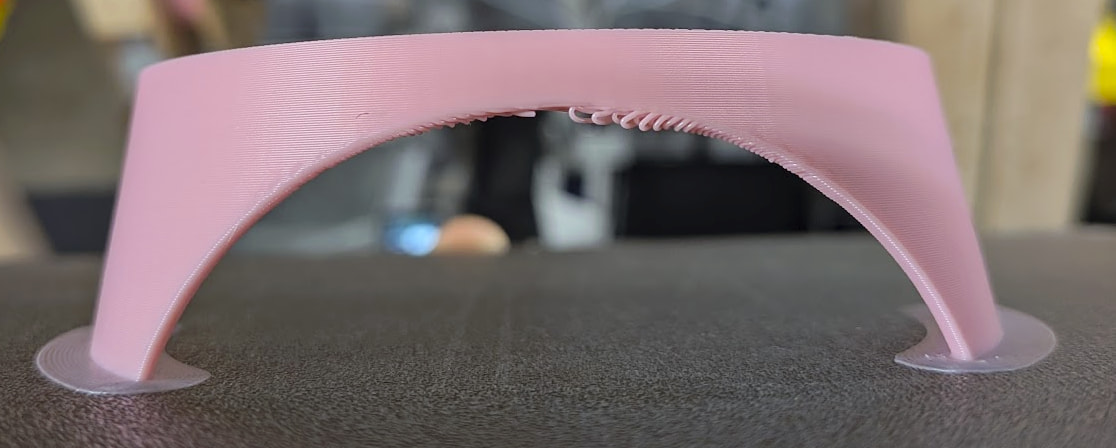
Interestingly I managed to print a beautiful ones without support and had a horrible artefacts with support (and vice versa). It seems an extremely unstable geometry to print. As if the slicer randomly organised the head moves and extrusions in ways that ended in disaster.
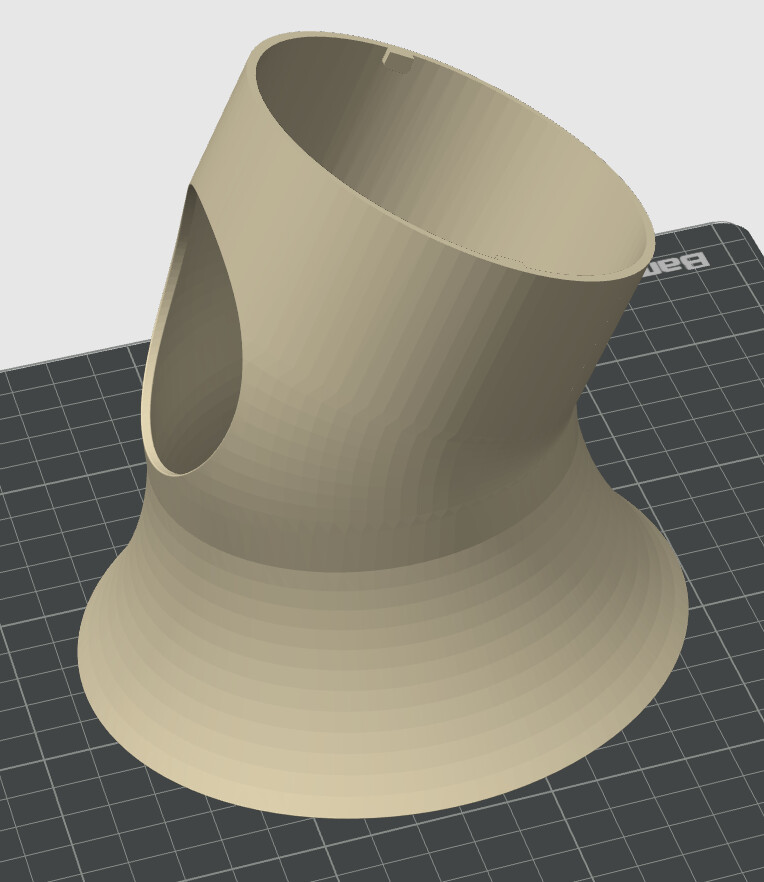
I even modified the original project from intended 40 degree angle to now 28 as a massive compromise. I positioned the cut out directly in front of the chamber fan. I tried open frame (open doors, without top cover). The issue still occurs. I studied the printhead paths but the most suspect areas are not the ones failing.
The issue:
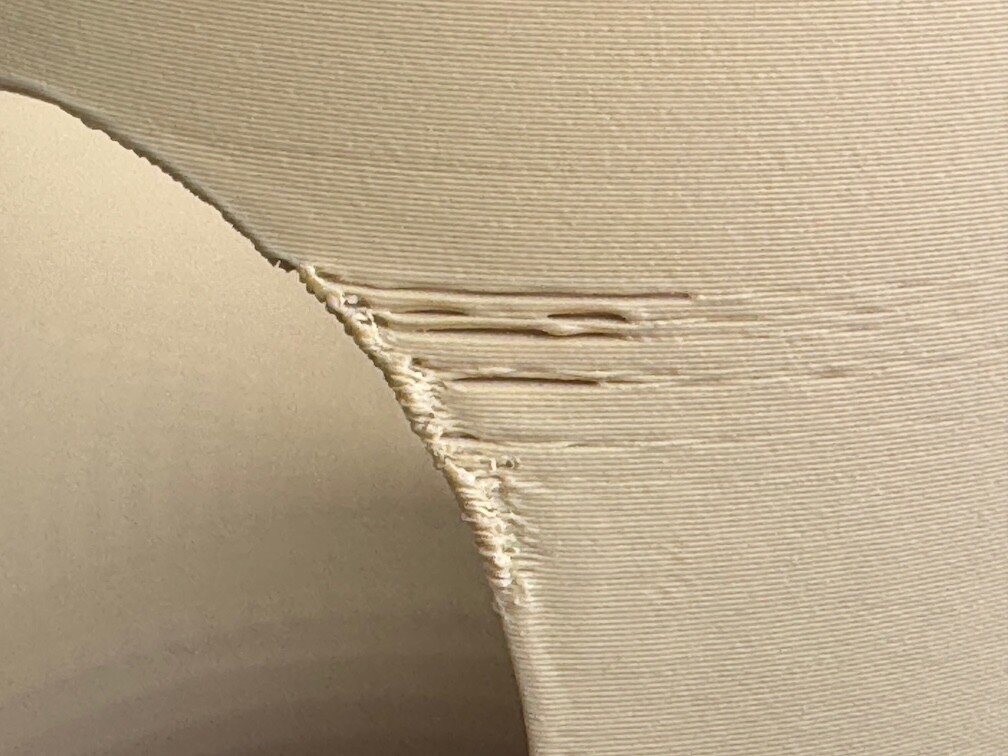
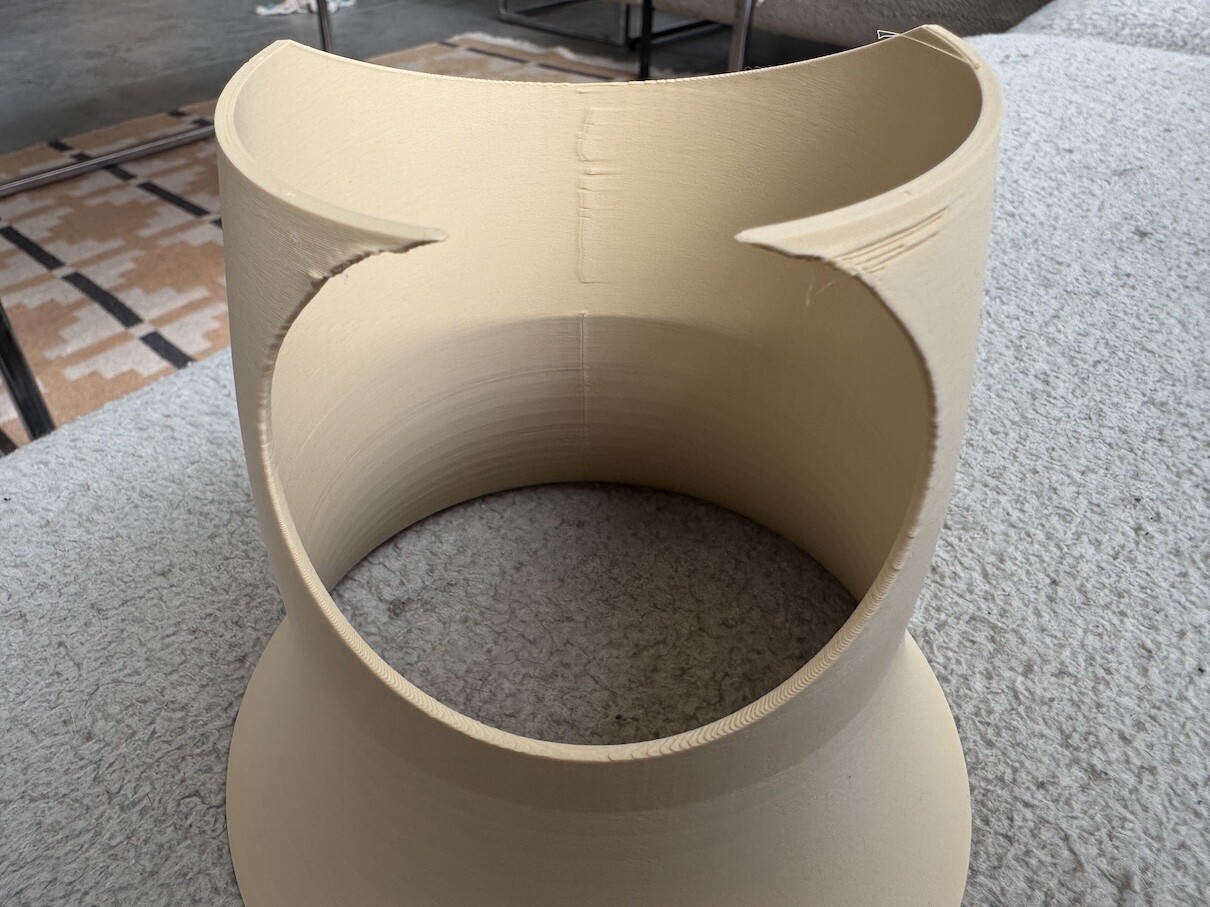
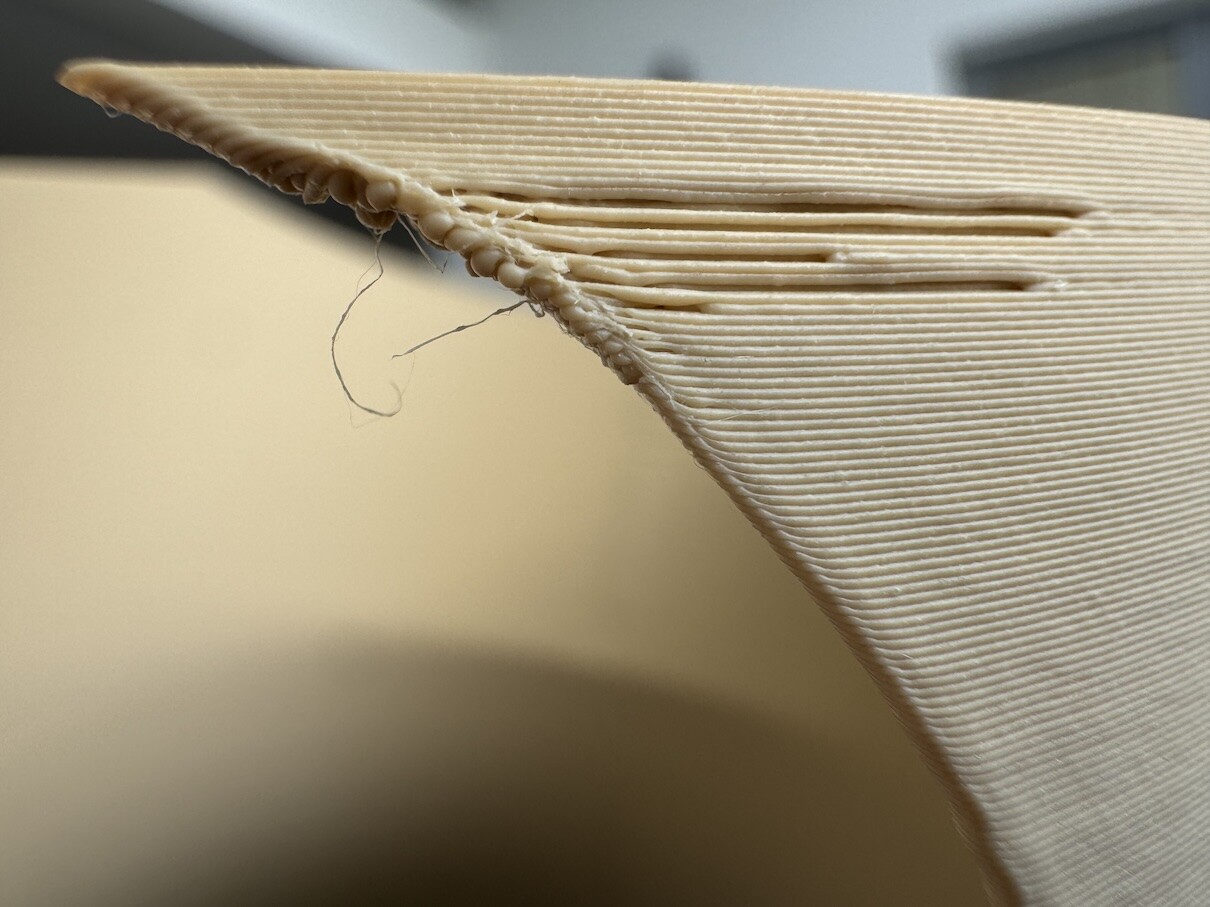
Outer surface shows dramatic under-extrusion-like artefacts. When looking on the underside it is clear the printer was printing “in the air” (or with insufficient support) and the outer surface ended up lacking support to print on.
I print in 4 diff colours of Bambu PLA Matte across different spools of each color. I have had a handful of absolutely immaculate prints across the experiments but never able to recreate at will.
rints but 80% show smaller or larger degree of the issue.
I printed on Textured PEI, CoolPlate and CoolPlate Supertack. I try most variations on A1 too but it shares the problems except it takes longer and seems a little worse. I cannot quite print it upside down.
I will admit that I have a noticeably more success with 1 of the colours (brown) but it stil fails from time to time. The spools are used within 2-5 days. Ambient 25-28C, 40%RH.
20 prints later 95% failure. 100% fan + 100% aux. Min layer time 40s, 2 models per plate (to extend print time), printing at 10mm/s, 200C (down from 220C recommended) and more. I tried everything on P1S and A1. Basically every print fails. With support 30deg, 50deg also 20deg, no support.
Any ideas? Are you able to print this on stock P1s, A1 or anything else? Any help highly appreciated.
test.3mf (109.5 KB)
Check your pressure advance/flwo dynamics? [[and/or flow rate, but im guessing PA]] Slightly before it fails it is lookin rather rounded.
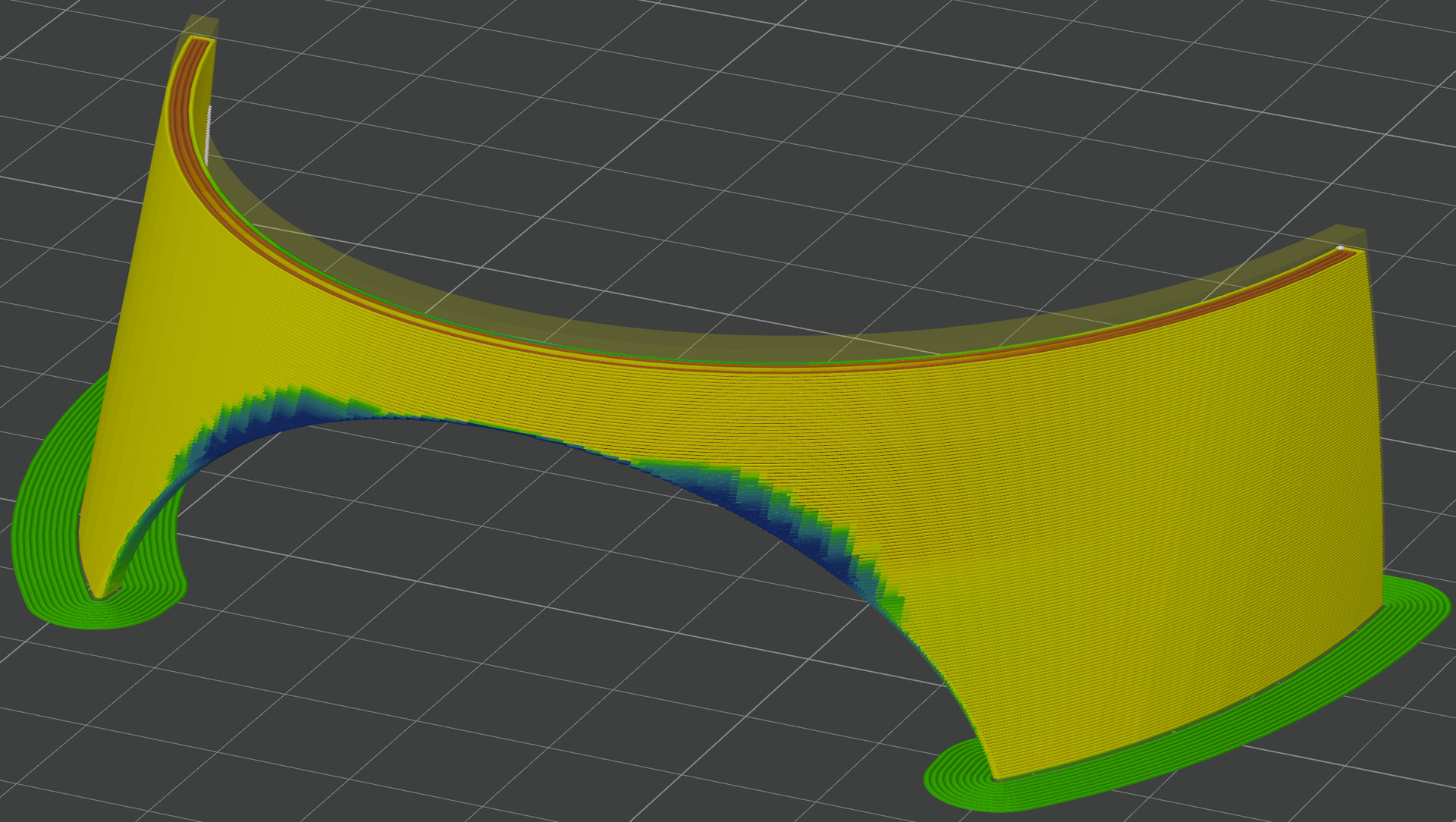
Check your slicer preview’s speed as well to see if that area is getting “slow down for overhangs” applied to just that area but not the above or below, which would also hint towards better PA setting. If slowdown doesnt start until AFTER the bad area recovers, then maybe you just need to slow down earlier for the less severe overhangs [the 10/25/50/75/100 settings]
What do your seam placement settings look like (Alligned, back, etc.)? To me it looks like it’s the seam what causes this. Maybe try to change seam placement to back while keeping the orientstion of the object. Also i’d suggest changing the wall printing order to inner/outer.
really appreciate the responses. Thank you. I am performing the calibration but I keep choosing 0 as the best so far. Lets see. On the question of seam. On the full model I have a vertical painted seem in the middle of the model (away from the opening) and setting seam away from overhangs (beta) enabled. On the contrived cut piece I do not. I’ll check and re-print with seam aligned and away from the problematic area.
I calibrated both printers (full calibration, manual flow and manual dynamic calibrations). One print on p1s was successful (I’d be happy if all came out this way) second failed. A1 print failed the same way as before (picture below). As if the PA settings did not take? Screen of A1 PA results.
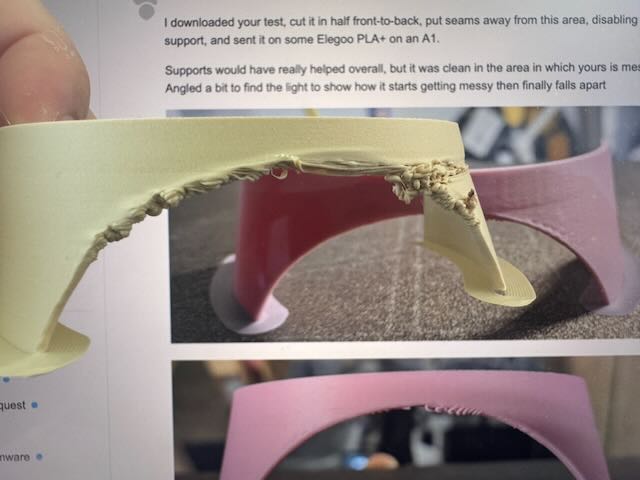
I downloaded your test, cut it in half front-to-back, put seams away from this area, disabling support, and sent it on some Elegoo PLA+ on an A1.
Supports would have really helped overall, but it was clean in the area in which yours is messy. Angled a bit to find the light to show how it starts getting messy then finally falls apart
rearview is worse, as the fillet angles up and away inwards
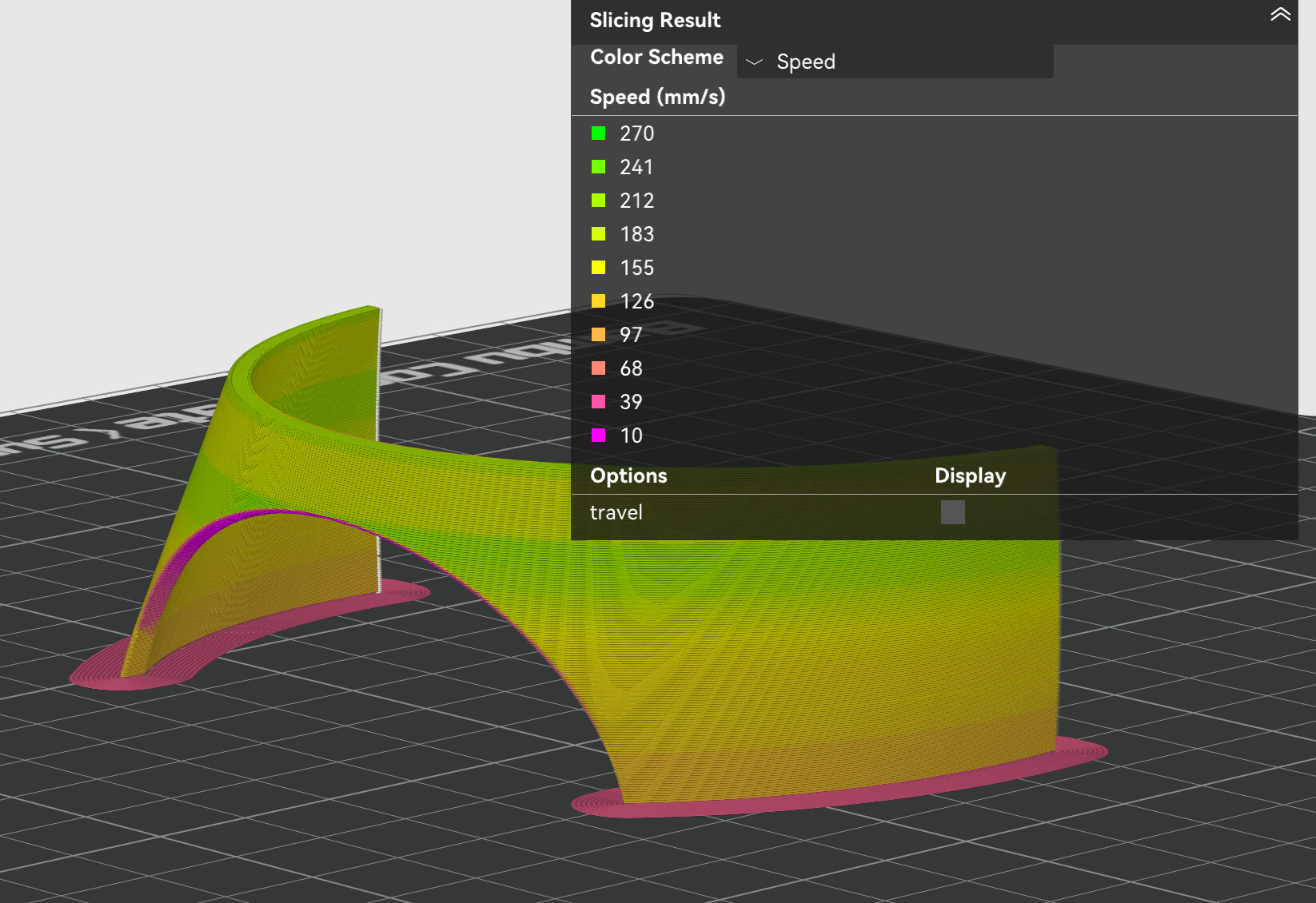
This is how my normal profile handles the speedup/slowdown around the corner, maybe compare to what you sliced. Preview → speed
Thank you so much and this kind of gives me hope however it is also quite frustrating because when I open the file and reset everything and disable supports this is what I get:
In BambuStudio this is what the speed looks like.
Are you using Orca directly? I can’t find the view you shared
I stood there and watched/recorded in slow-motion what transpired exactly. It is a curling up tip of the overhang that is being hit by the nozzle and as a result some of the extrusion all over that edge.
I’ve remodelled the edge making the geometry more substantial (rather than a tapering slender tip). Reapplied few of the slowing down tricks and so far I am able to print this reliably with only support contact artefacts. I’ll try the improved geometry with A1.
Thank you everyone for help and thank you again for PA suggestion which I think helped remove some artefacts from my P1S.