I think this is usual at least, as I couldn’t find anything similar.
I’m printing batches of a simple handle, essentially a curvy cylinder. They print well except one in each batch, which usually has a few nodules on it. I worked out this was always the back right handle, so I assume that is where it starts, or ends, each layer or something like that.
So, I’ve added a sacrificial tower so that gets messed up and all the handles work. That has done the job nicely.
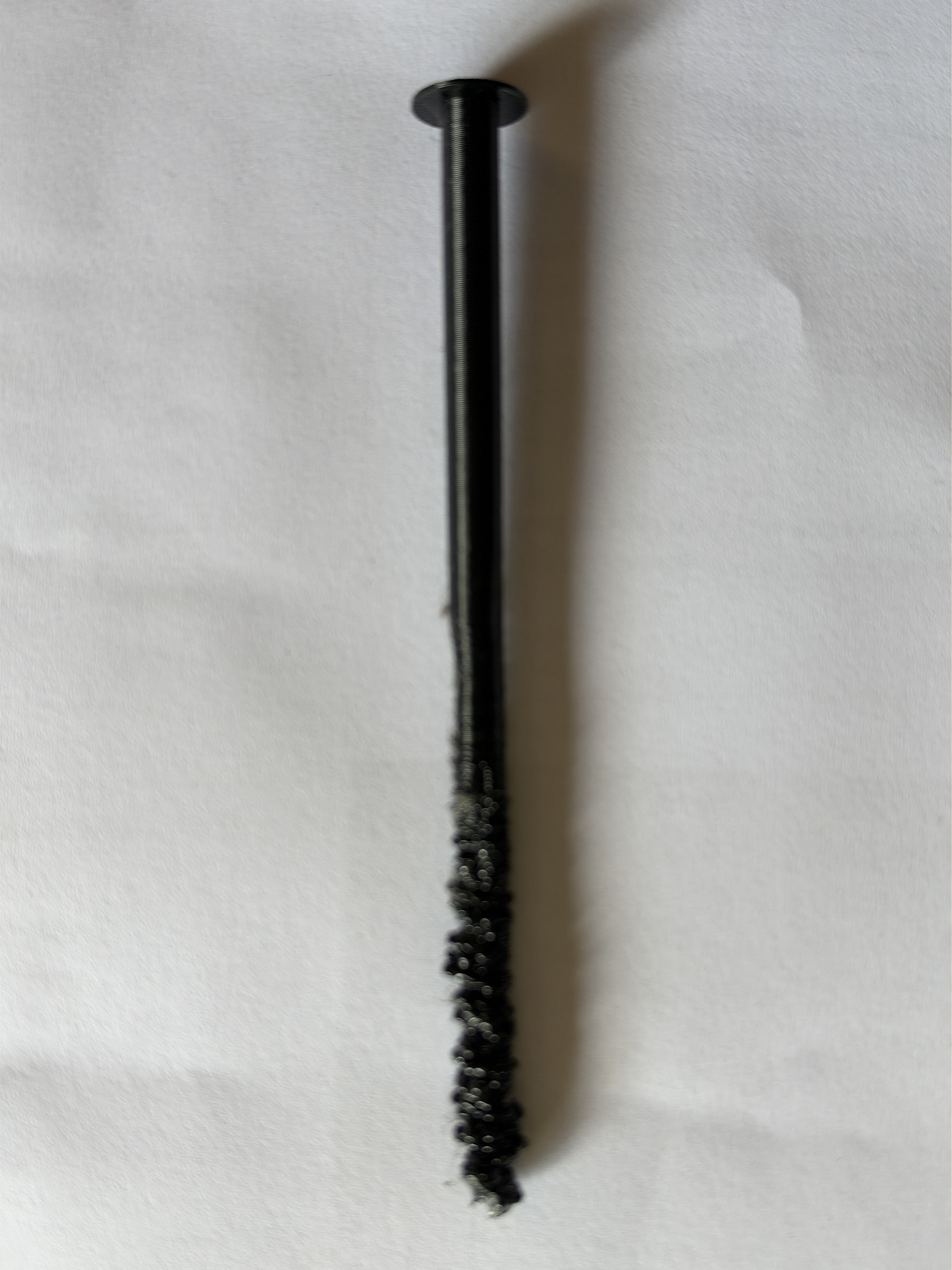
This is the sacrificial tower, and I found this very interesting. Firstly, it is MUCH MUCH more messed up than the dozen or so lumps I was getting on that one handle. Secondly … it seems to print perfectly well for the first half then goes absolutely nuts. As I said, though, it’s only on this and all the handles printed perfectly all the way up.
The sacrificial tower seems to be working nicely as a purge tower for you, giving a sacrificial object to let extrusion pressure stabilize before moving over to the parts. Very clever!
As for that tower going crazy halfway up, seems like it has to be moving around. (since TPU is literally meant to flex.) One way to test that: Replace the cylindrical tower with a right angle – basically, a panel with a corner, to add rigidity to the wibbly-wobbly material
Hard to say about the handle w/out seeing it (them) or the slice, but for the tower I’m guessing either too wobbly as it gets higher (any strings or blobs on the nozzle will whack it), and/or too fast for some reason once it gets past a certain height. Printing little narrow tubes/things like that will need to go extra slow and give it time between layers (eg. minimum layer time in filament settings). Or “slow down by height,” or something similar.
If you can upload a sample project, could be interesting to take a look. And, which TPU?
I’m not worried that the tower fails like that, it’s sacrificial and has resulted in all the items that matter printing perfectly now.
Before the tower one handle, back right, ended up with nobbles on it. By adding that tower, which uses far less filament, all the handles themselves are now great.
That’s probably true for that sacrificial tower, but it wouldn’t have been in the original. I don’t have a photo of the original handle fails, but it’s not the failure shown in that image. With the original print I had a heap of TPU handles. It didn’t matter how many, but the back right one, and only that one, had nobbles on the back of it. I’d print, say, 10 and get 9 good ones and one I had to chuck.
I’ve replaced the back right handle with the sacrificial tower, and now all handles print perfectly and the tower gets stuffed up, which is fine as that’s sort of what it’s for.
I think if the tower was bigger and more rigid, it would just have the nobbles on it. However, as the tower is so tall and thin, I think as it gets taller it bends more and thus it got really messy. It went from just little bumps to, well, the mess you see there.
One reason I don’t think it’s the cooling/layer issue is it doesn’t start until a certain height. It also happened on the bigger handles, or more correctly, just on one of them.
Interestingly, I do a print will taller handles as well, and use the same diameter tower (just taller). The mess starts at exactly the same height. I think that’s the point: that diameter, in that TPU, starts bending … and the mess starts.
It’s not a problem I need solved; the tower is meant to be sacrificial. It’s just an interesting observation and a curiosity.
Part of my thinking was your note that only one, and always the same one, suffered nobbles. And therefore, it is the one where the TPU nozzle pressure is settling out, and more susceptible to bits of overextrusion.
I may be wrong, but that’s my hypothesis. Another way to test it would be to tell Bambu Studio (or your slicer of choice) to use a prime tower instead of your sacrificial tower. If the nobbles return, then my hypothesis is falsified. If they don’t, then it’s provisionally validated, subject to more data and tests