The prime towers use quite a bit of filament, especially when printing multiple colours, and so do supports. Both will be thrown away after. What about using the supports as a prime tower?
you can enable purge into supports

I knew it was a good idea 
Thanks for the replies
Just out of curiosity. When one of the filaments I am using is support interface filament, will it flush that into your support base also?
Because in that case it would weaken your support structure, and it’s better to use a prime tower I guess.
In my opinion, you should always use the prime tower, although I could be wrong. This is because not every layer has enough substance to balance it out. However, you can make the Prime Tower significantly smaller.
Now, to answer your question: It depends on whether you print the entire support in support filament, which very few people do because it’s expensive. Or you print the support in PLA and only the intermediate layer, i.e., the contact surface, in support filament.
How exactly the slicer does this is beyond my knowledge if you completely dispense the Prime Tower. As I said, all the options are more about keeping the Prime Tower as small as possible. I’ve seen printouts that skip the prime tower, and most of them didn’t look good anyway.
But to sum it up briefly: Yes, you’re right, you shouldn’t mix different filaments.
__________
What makes more sense, the better alternative: a flush object, but only if you use the same material. You place as many of the objects as possible on the plate that need to look good, and one object that doesn’t matter, e.g., a functional part. Then all the excess filament is injected into it.
On the left are the objects that need to look nice, on the right are functional parts where the color doesn’t matter. From: Ukdavewood

Agreed - what I would like to see is:
- Being able to prime and where necessary flush into defined useful objects rather than a tower or creating flush waste. Even if the prime object needs a bit of cleanup.
- Also if possible being able to allow the prime object layers to get slighty ahead of behind the main print object - to minimise the amount of non flush/prime in the extra objects - and therefore avoid extra time.
That’s already possible, my entire comment above yours is about it, including the video. 
Or, starting at minute seven of the video, you can even see how to set it up. As I said, I don’t think it makes sense to leave out the Prime Tower completely, but you can do it.
Here is an example from Reddit:

_________
Here is another interesting video on the subject.
Is Zero Waste possible with a BambuLab AMS 3D printer?
When I last tried it - if you turn off the prime tower then flush-into objects doesn’t work properly - but it may be that they have improved BambuStudio since then will recheck when I do my next big print.
Infact I went as far as writing a gcode post processor to strip out the prime tower after BS had done its flush-into slicing.


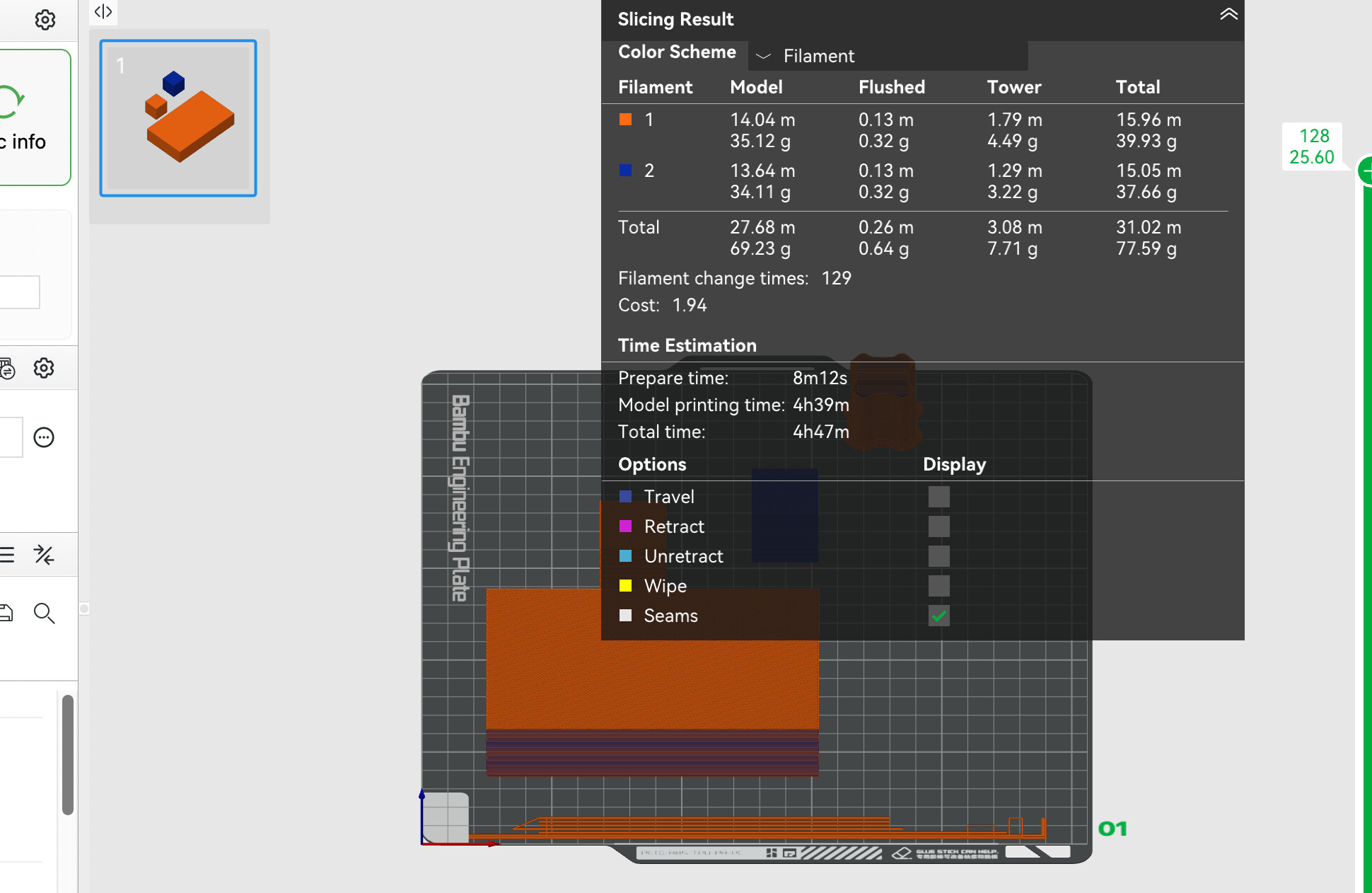

Edit: Just tested it myself. You’re right. Apparently this is no longer possible without restriction in the latest slicer software. I’ll have to see if the Orca slicer can still do it.
Just checked on GitHub. At some point, Bambu added this limitation. I didn’t know that.
I’ve been searching GitHub like crazy, trying to find out which version could do what and what it couldn’t. Even in the German forum, people complained about this, but no solution was found. At some point, it must have been possible, as the video shows. All I found was a comment from Bambu on the topic from 2025:
- “We will discuss whether to remove this restriction”
Keep in mind, it’s a “Prime” tower, not a “Purge” tower. The purpose isn’t to flush material, it’s to get the pressure up in the nozzle prior to starting the print. Not sure how much the distinction matters in the context of this discussion. But Bambu might have configured the slicer to “reinforce” that distinction. Dumping large amounts of filament in to a support might have negative consequences, maybe increasing the probability a support will be deformed by heat during the “purge”.
The question that arose during the discussion was whether an flush object could be used to build up pressure in the nozzle if quality was not an important factor. So yes, a distinction was made in the discussion. 
That used to be possible, as the video shows, and as older Reddit posts confirm, but at some point it was restricted? According to Bambu, this was probably because it caused some 3D models to collapse. But I think every user should decide for themselves whether they want to take that risk.
Take a close look at Ukdavewood’s example. The slicer doesn’t really allow it and actually uses much more filament. I was surprised myself when I tested it. Without prim tower, filament consumption is higher. That should never be the case in this scenario, because it suddenly refuses “infill in object” - because the slicer somehow fails to fill the waste into a flush object nor use it to build presure.
Others are welcome to test it too, maybe Ukdavewood and I made a mistake.
The problem for Bambu is, they have to provide technical support to all the customers who try and can’t make it work. Easier by far for them to restrict functionality they know leads to failures.
Remember, Bambu’s marketing theme is 3D-printer-as-appliance, take it out of the box, plug it in and go even if you know nothing about 3D printing. They’re not aiming at us “prosumers” as much and they have separate product segmentation for enterprise users.
If I were them, I’d assume any user smart enough to understand this particular issue is smart enough to work out a solution for themselves…