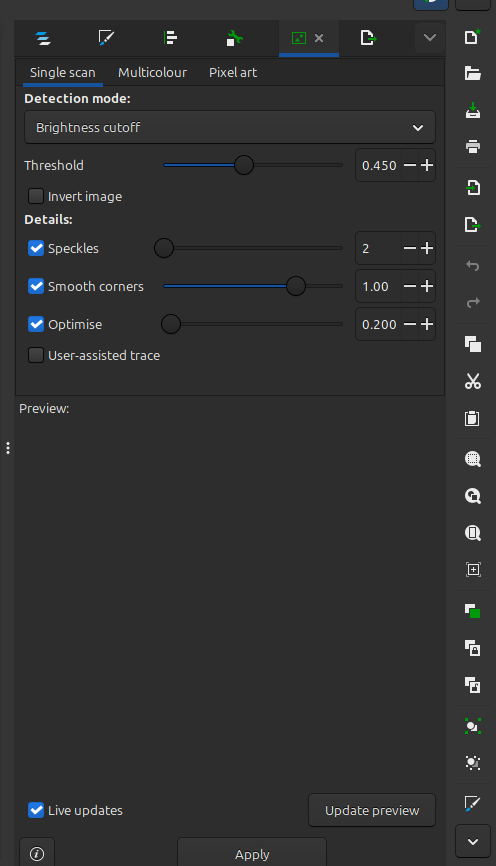
I’m trying to add a 2 color logo for a bookmark for a charity. The logo colors are red and black, but I would be happy if it is only black or red. I’m trying to use Inkscape and have watched multiple videos on how to create the file with multicolor layers.
My problem is I don’t get the screen everyone shows so I’m stuck. I have tried reloading Inkscape without result. I load the JEPG file - it looks fine. I go to Path, Trace Bitmap, Multicolor, but I only get the screen below instead of the 2nd screen. The logo becomes basically black in preview but will not add properly as an SVG in Studio.
What happens if you hit Apply, then right-click on the new image it generates and Ungroup it?
Do you get multiple objects with the different colours?
If the logo is just red and black, then 2 scans may be all you need.
I’ll try it again, maybe I was impatient, but when I hit update nothing, apply nothing. Hence, I have no idea what happens next other than getting a 99% B/W image.
I have a fast system so I figured I would see something after hitting apply.
I will try again, wait a minute or so and then try the right click.
I have tried reducing the scans from the default 8 to 4 but seen no change. I will try 2.
Just a thought, must I do the single scan first, then the multicolor?
Since your posted screen is like mine, I guess Inkscape changed the screen.