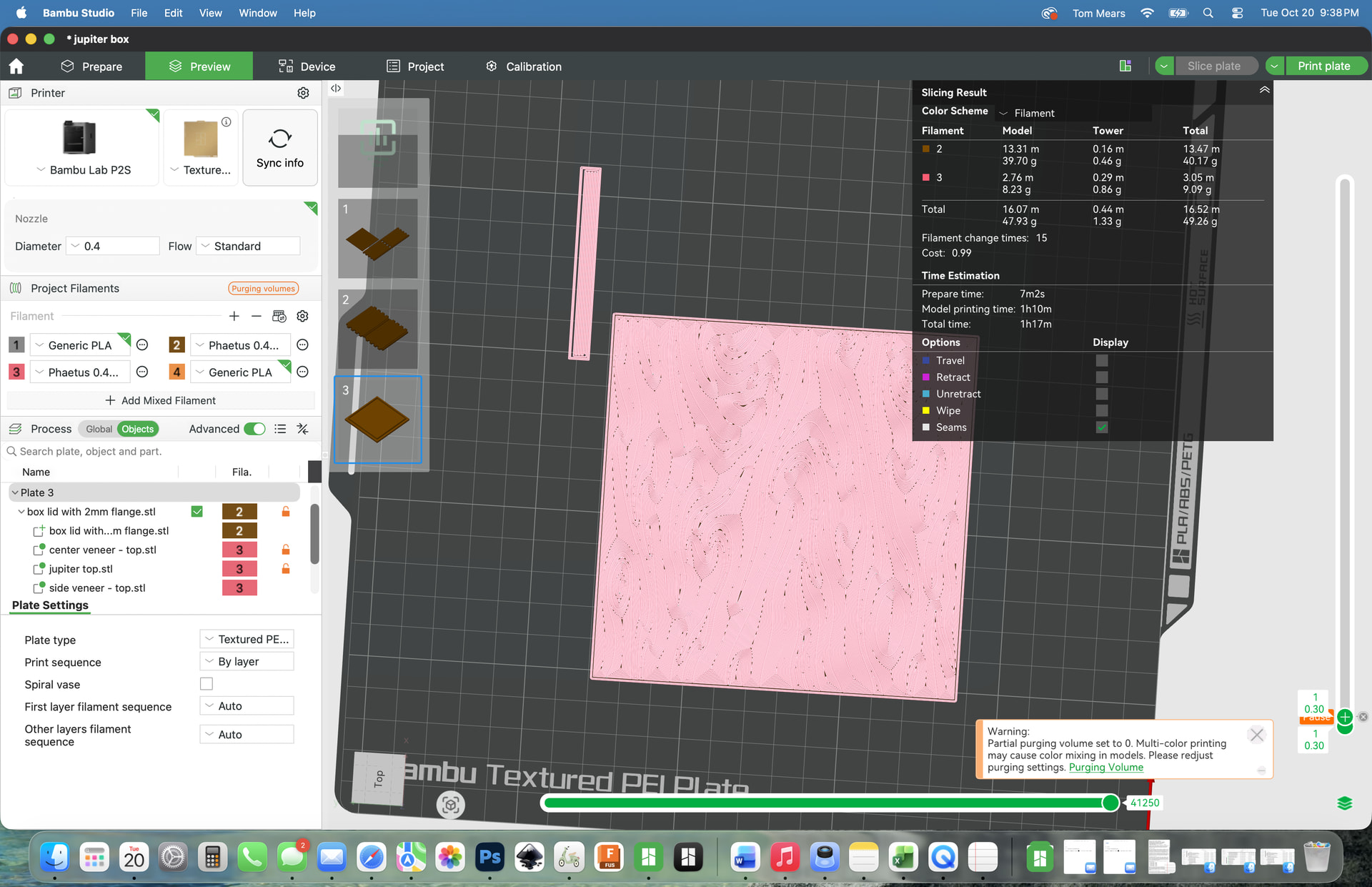
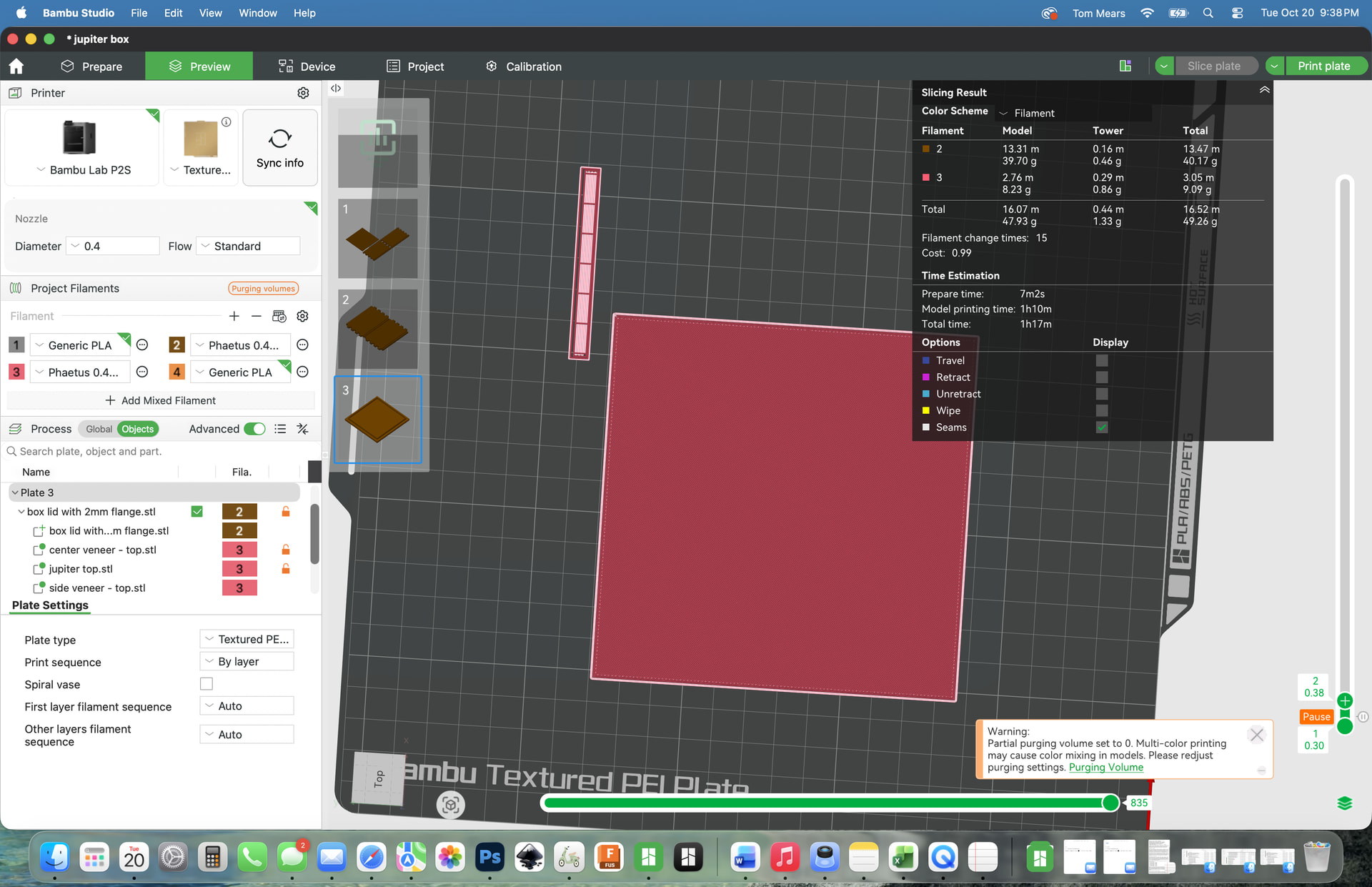
I’m seeing a weird color rendering issue. The first layer of my print in preview shows up as a very pale version of the color selected. Subsequent appearances of that color in preview are the expected darker color. It does’t seem to matter what color is selected for the bottom. This effect is new…the same model printed a week ago was not doing this. It happens on both my H2C and P2S. It prints just fine and I am not mixing colors. The “pink” color is a single filament throughout.
Any ideas?
Is it just the slicer showing the difference in printing parameters between the first layer and other layers?
It’s purely cosmetic in the slicer preview. The print itself comes out just fine. Although I did spend an hour thinking I changed something when I hadn’t. When I finally got around to printing the thing it seemed to work fine with no oddities.
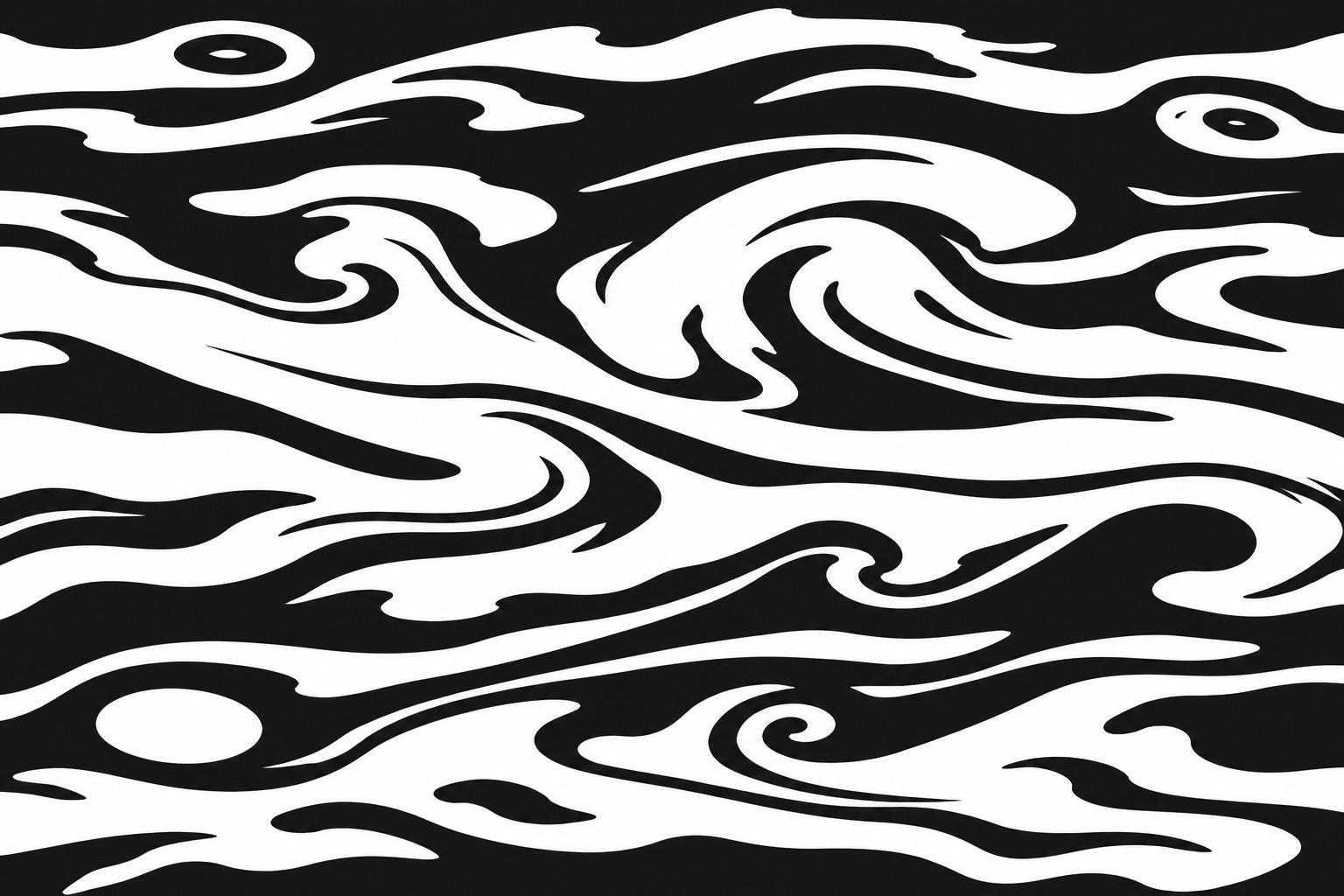
I tried another version of the same model just now but with different modifier on the first layer and it does not do this. The only thing that is different is that version 1 with the issue has a different shape to the bottom modifier than version 2. They do the same thing, use the same colors, have identical settings, but they have a different shape.
The “offending” modifier looks like this one. While the non-offending one looks like the one at the bottom. Both were converted from an svg into an .stl using TinkerCad then uploaded into Bambu. They create swirly grain patterns on the 0.3mm first layer of a print.
Hi, I’m guessing this is a rendering artifact due the the line orientations on the first layer with the “offending” pattern. The slicer tries to apply shading to the base filament color of each layer, presumably to simulate light scattering differences of an actual print, based (at least in part) on predominant line orientation. The effect can be observed by scrolling through several solid layers printed at different orientations, but is typically a lot more subtle. The rendering engine is not the most sophisticated in this regard, and does at times produce some odd shading.
I’ve never noticed any special color treatment being applied to the 1st layer specifically (in the filament color coding legend), but it’s possible (or a bug)… I could check the code to confirm.
As to why the appearance changed from last time… something must be different now. The shading could vary by Studio version, as I know there have been some rendering changes relatively recently to help represent mixed colors. Graphics driver/system update? Different orientation of the part on the build plate?
Cheers,
-Max