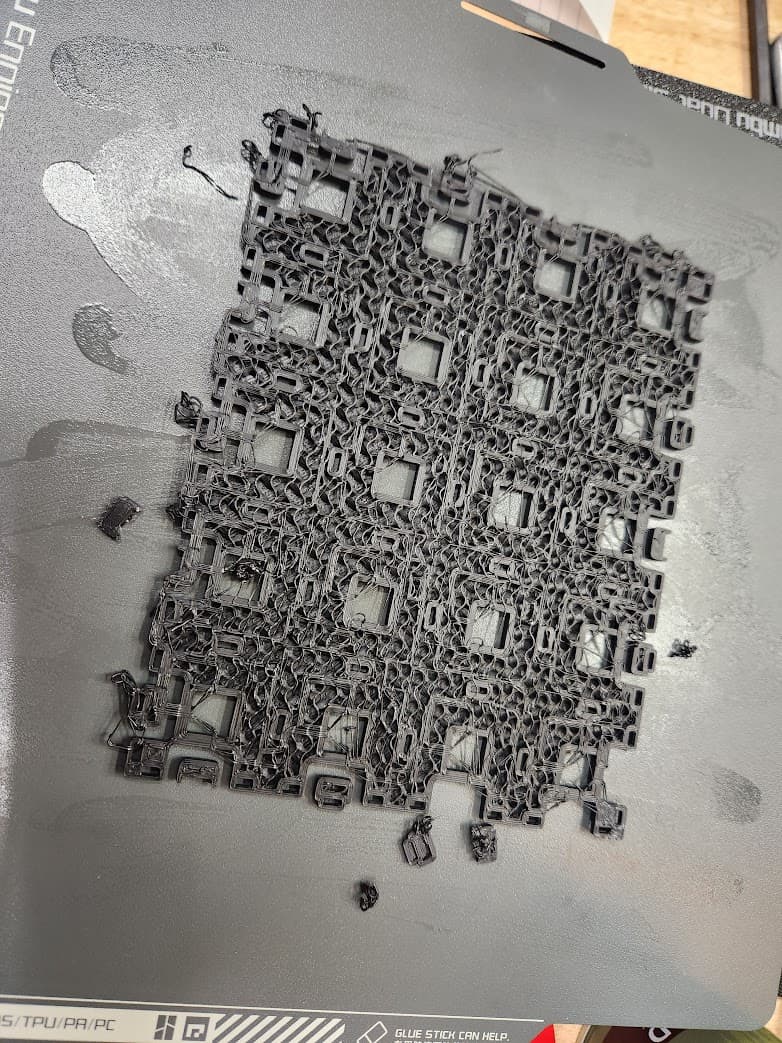
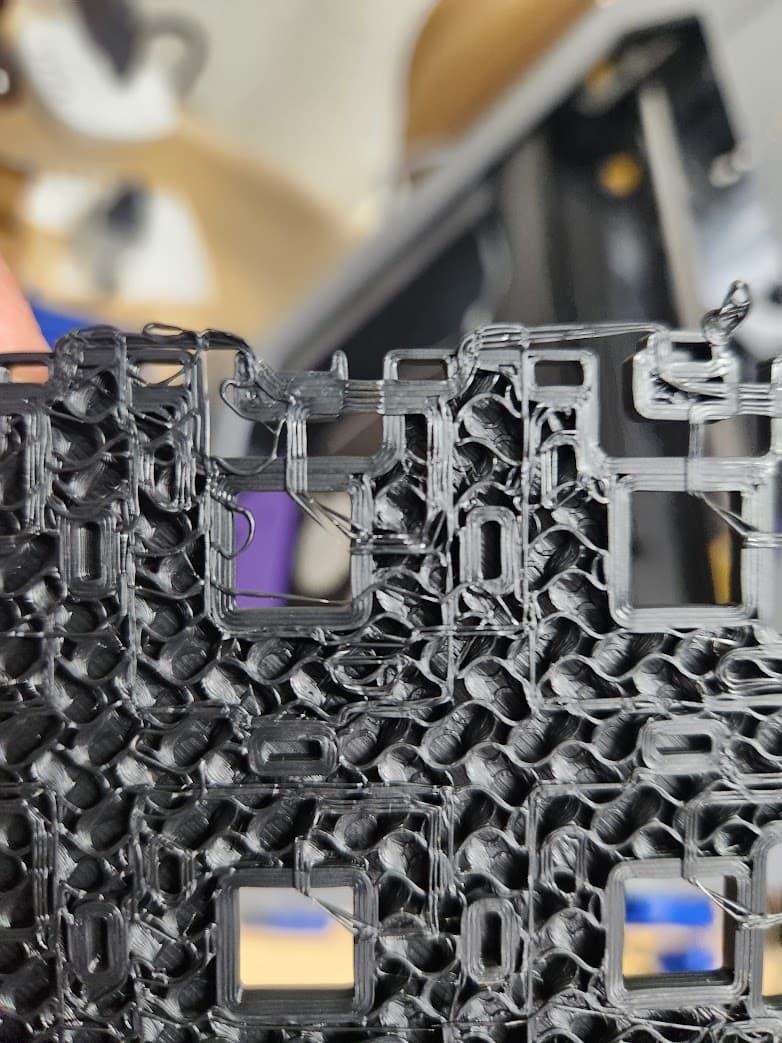
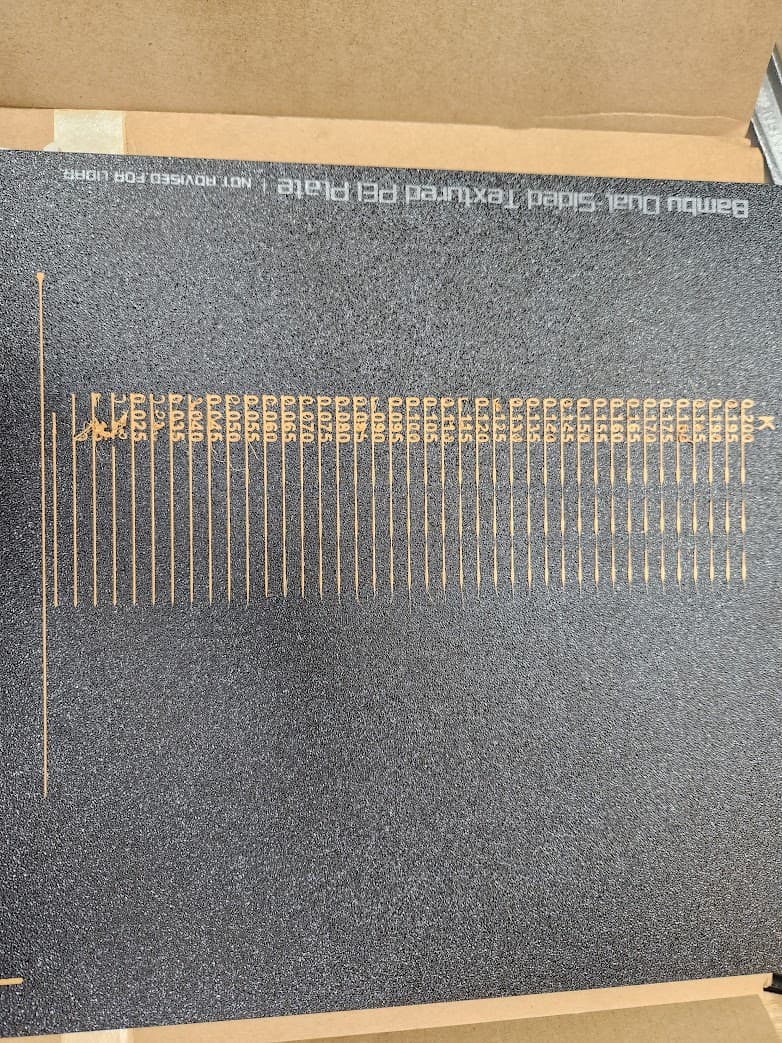
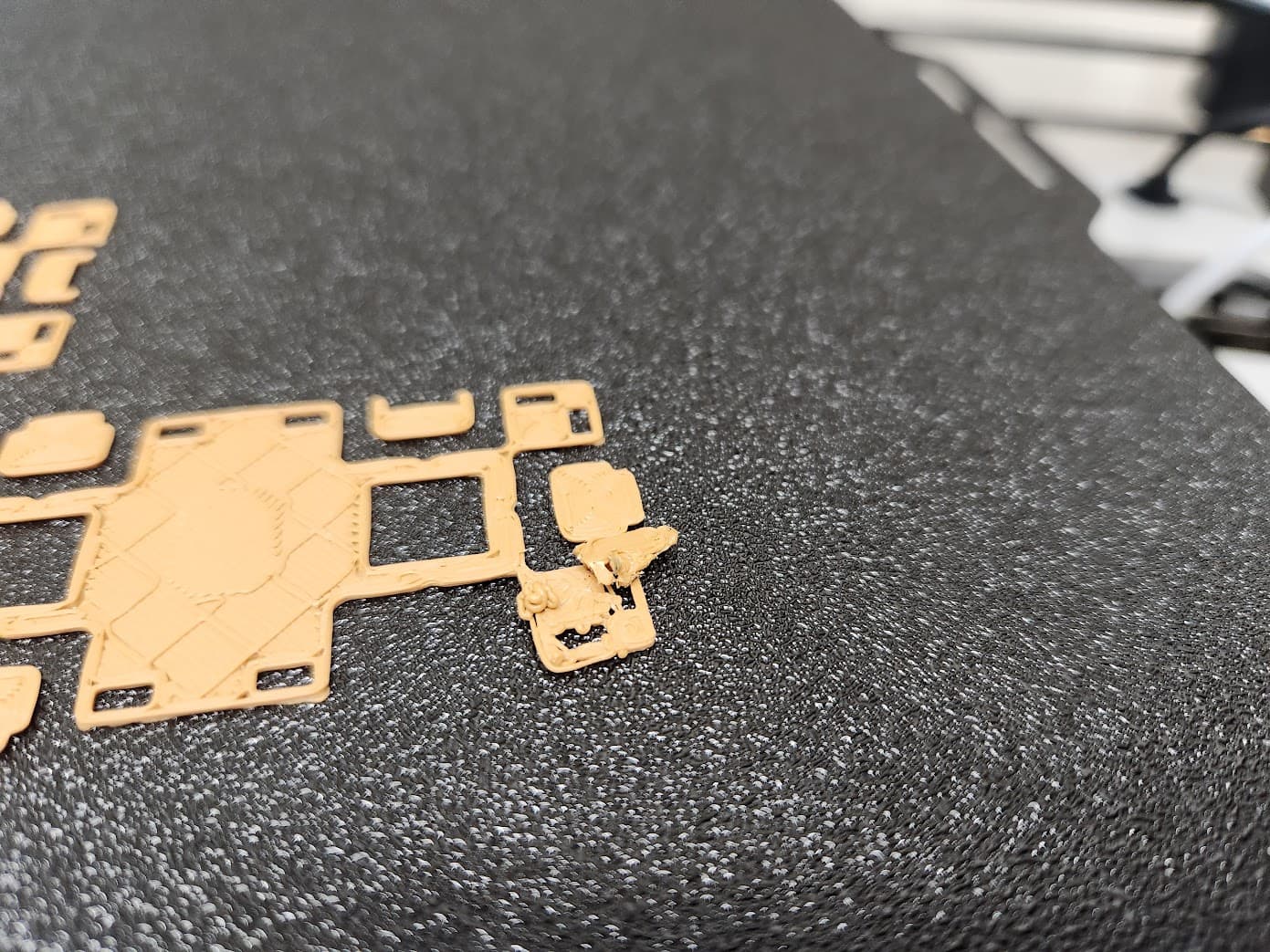
I need some help diagnosing this issue. The printer seemed to be working fine for a couple weeks, but now it has started to have this issue(pictures below) that is causing me some major issues. The issue seems to really be noticeable on prints that have a lot of ‘small’ parts on the first layer. It doesn’t really cause me issues on big prints with a large footprint on the bed. That said, on the prints it does cause issue with, it usually ends in one of the ‘lifted’ areas getting dragged off the plate, resulting in a failed print.
The issue is there regardless of nozzle or filament type. The issue doesn’t seem to only be a ‘first layer’ problem, as you can see in some pics, it happened well after first layer.
I have gone through every troubleshooting step I could think of and find, including:
Disassemble extruder, clean it.
Tried 3 different nozzles(0.4 SS, 0.4 HS, 0.6 HS)
Manually leveled the bed
Did every calibration test on Orca Slicer for each filament I have
Tried 6 different filament types/brands
Cleaned all plates with dish detergent(PEI, Eng and Cool plate)
Increased the z offset
Any help is much appreciated! I’m working with Bambu customer service too, but figured maybe someone here is experiencing the same and might have some feedback.
Looks like a plate adhesion issue? Try add a brim in the slicer. Check slicer settings, especially the plate type selected and temps. Try a higher plate temp, 50-60C for PLA apparently fixes adhesion issues for some.
I don’t like the Bambu plates. Any of them. I’m using a cheap AliExpress “carbon fibre” plate almost exclusively now, with a light spray of 3dlac every now and then if I’m printing petg or very small parts or details in the first layer.
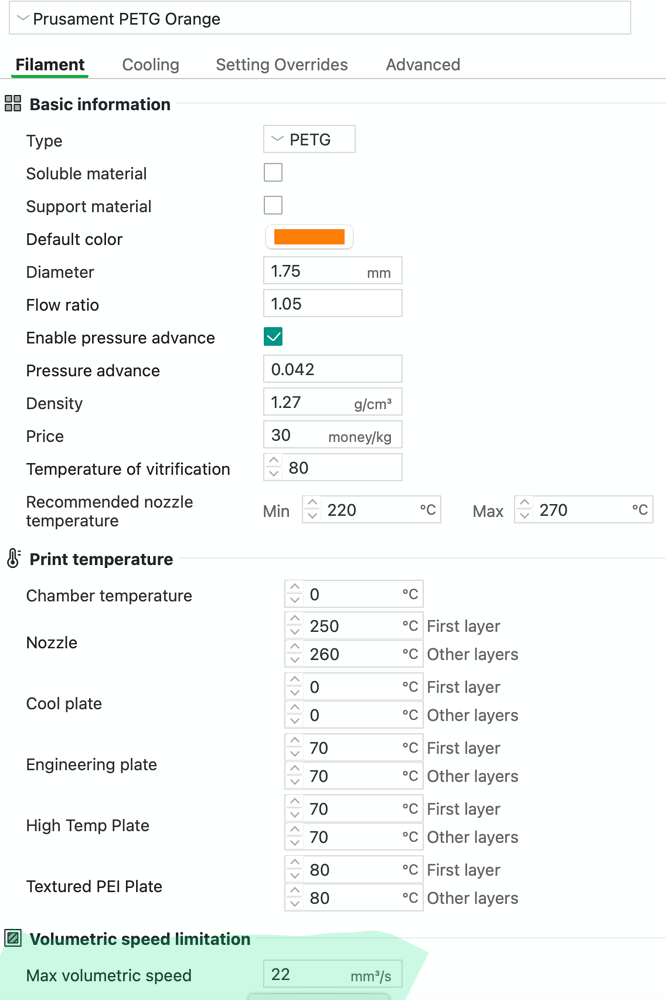
But digressing, I think you’re issue is an adhesion issue. At the speeds the print heat is moving, it doesn’t take much of a piece of filament sticking up to catch it and tear the whole piece off, if that first layer isn’t properly stuck down. I use the generic profiles for all my filaments with no other changes other than the max flow rate. Try reducing the max flow rate in the filament profile, which will slow down the overall speeds. eg.10-12. you have to ignore the manufacturer recommended filament temperature ranges too, as it needs it to be hotter to print faster.
Thanks so much. What is the actual flow rate setting called? I don’t see a ‘max flow rate’ setting under the filament profiles. I actually ordered a couple of well-reviewed cheapo plates from AliExpress, so hopefully that will help. When using those plates, what plate do you have selected in Orca/BambuStudio?