I am using the latest version of Bambu Studio.
I have the P1S with the AMS system.
Slot 1 is empty, slot 2 has PVA, slot 3 has Gold Silk PLA, and Slot 4 has Red Silk PLA. When I refresh, only the 3 slots with filament show up which makes sense. But for some reason, the software is forcing me to use the PVA. For some models, I want to just use the same PLA as the model to help avoid waste and lower print times. I’ve tried setting it to default and the same slot as the PLA. So the model is Slot 2 and I choose Slot 2 for supports.
I’ve also tried changing and removing the PVA. If I remove it, it always automatically chooses the opposite slot for supports, so the model is slot 2 and supports are slot 3.
I’ve tried rebooting, saving/reloading, moving the models around to different platforms, etc… nothing works.
This just started today. I tried slicing the model with PVA interface supports originally but due to the print time, I decided to just go back to using the PLA for the supports on some of the plates. Even making sure that all the plates use the same PLA for supports doesn’t work.
How do I get this to stop forcing the support material? I could remove everything but the specific PLA but in that case, the AMS is now useless. I also want to be able to choose multicolor models and the PVA supports in the future so going to a single spool is not going to work.
Any help is appreciated.
Your post is somewhat confusing.
Have you resliced the models that you want to use the model filament as support filament?
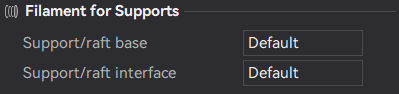
You need to pick what you want to use as support in the drop down menus.
Yes.
I picked the same material/slot as the model. Even when I do that, it still adds a different material.
AMS
Slot 1: PVA
Slot 2: Gold Silk PLA
Slot 3: Red Silk PLA.
Model is set to use Slot2: Gold Silk PLA.
Filaments for support, both of them are set to Slot2:Gold Silk PLA
I then slice and it shows the supports as a completely different filament anyway. Slot 1: PVA as an example.
screenshots
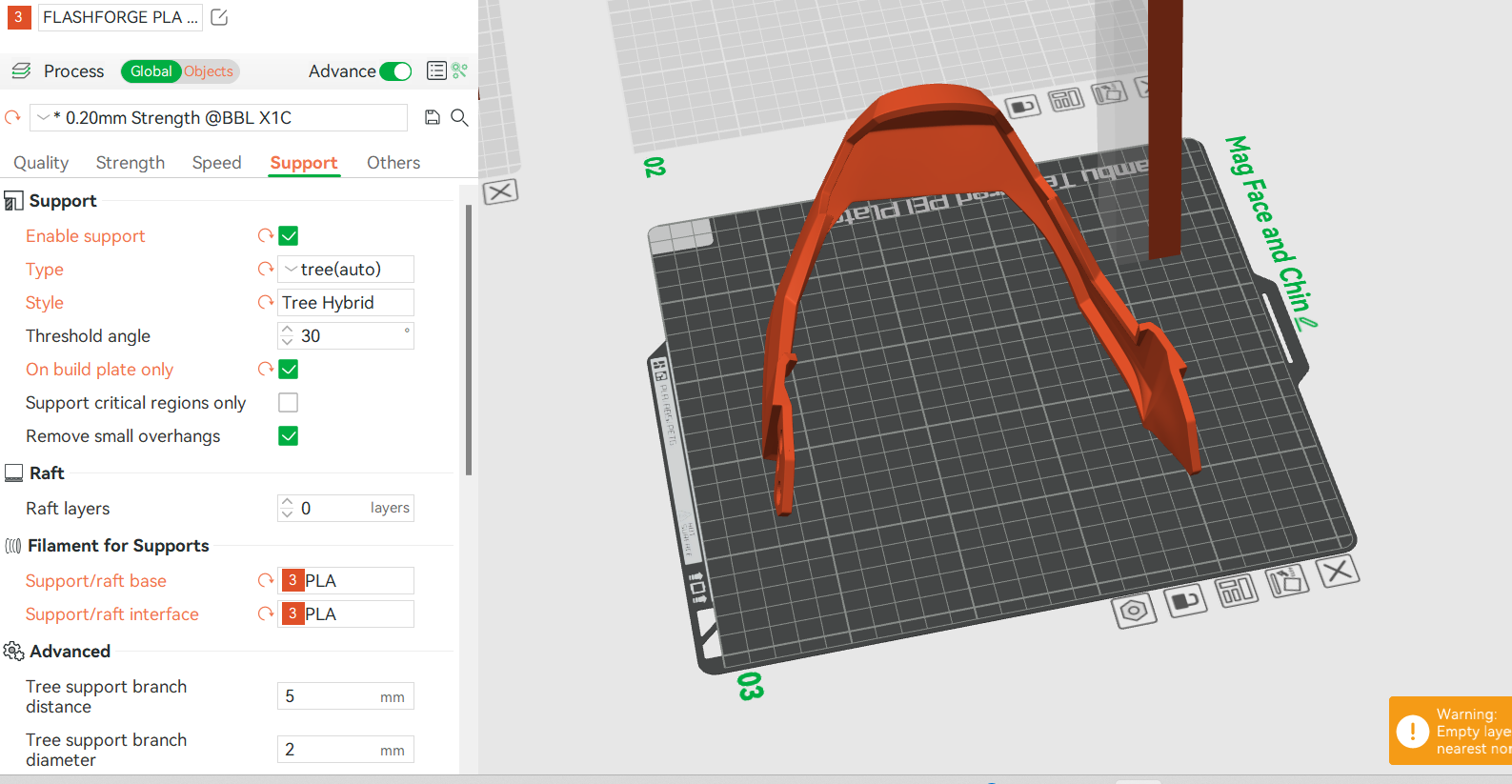

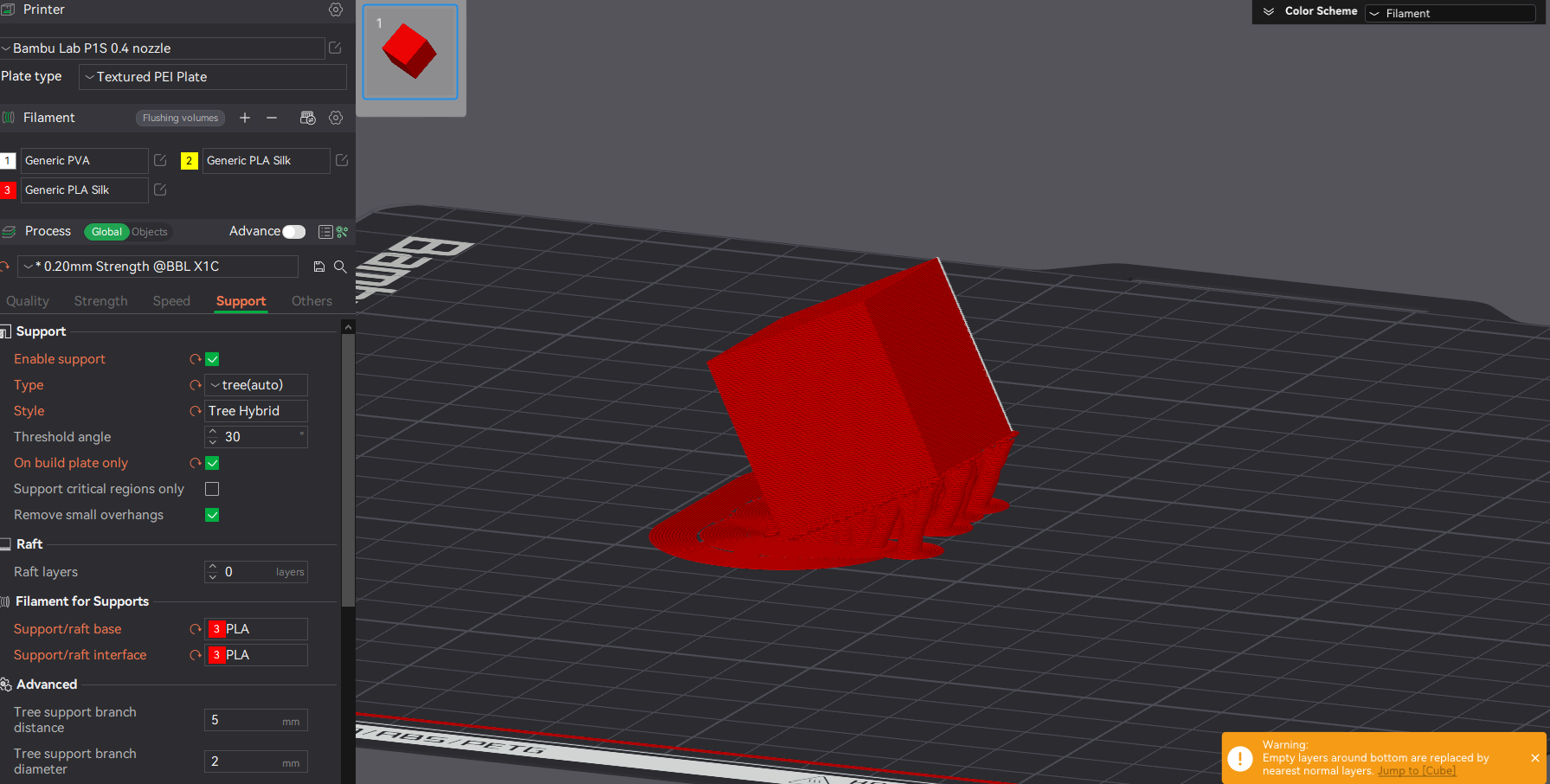
Version is 1.8.4.51. Says it’s the latest.
Yep tried rebooting and it didn’t help.
It almost looks like it’s stuck somehow
Yup, same version as me.
One last thing to check.
I noticed you have multiple plates. If you click on the part on the plate you are slicing and change to “Objects” instead of “Global”
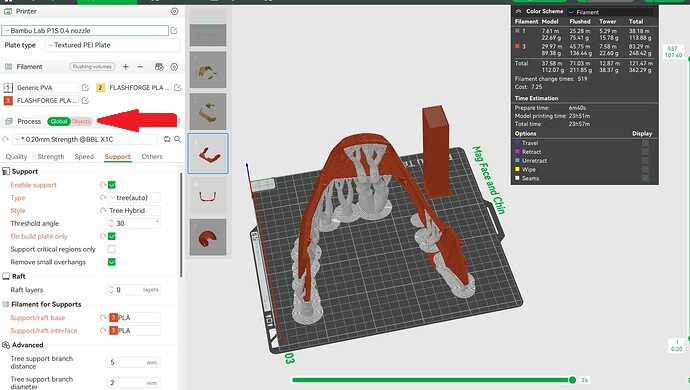
Check to see if the setting for “Filament for Support” is correct. The Objects setting will override the Global setting. This has tripped me up before.
One thing you can try is set the first filament as the gold PLA and make the PVA the second or third one
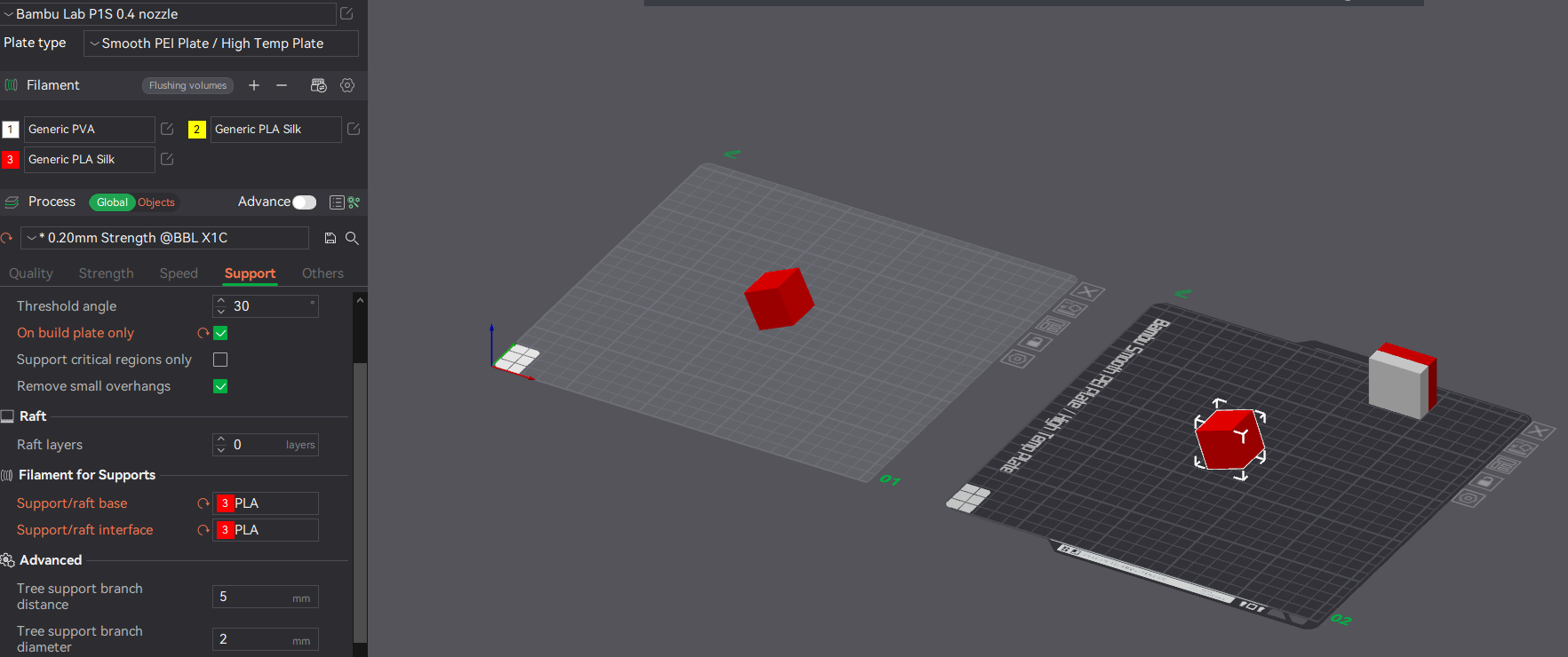
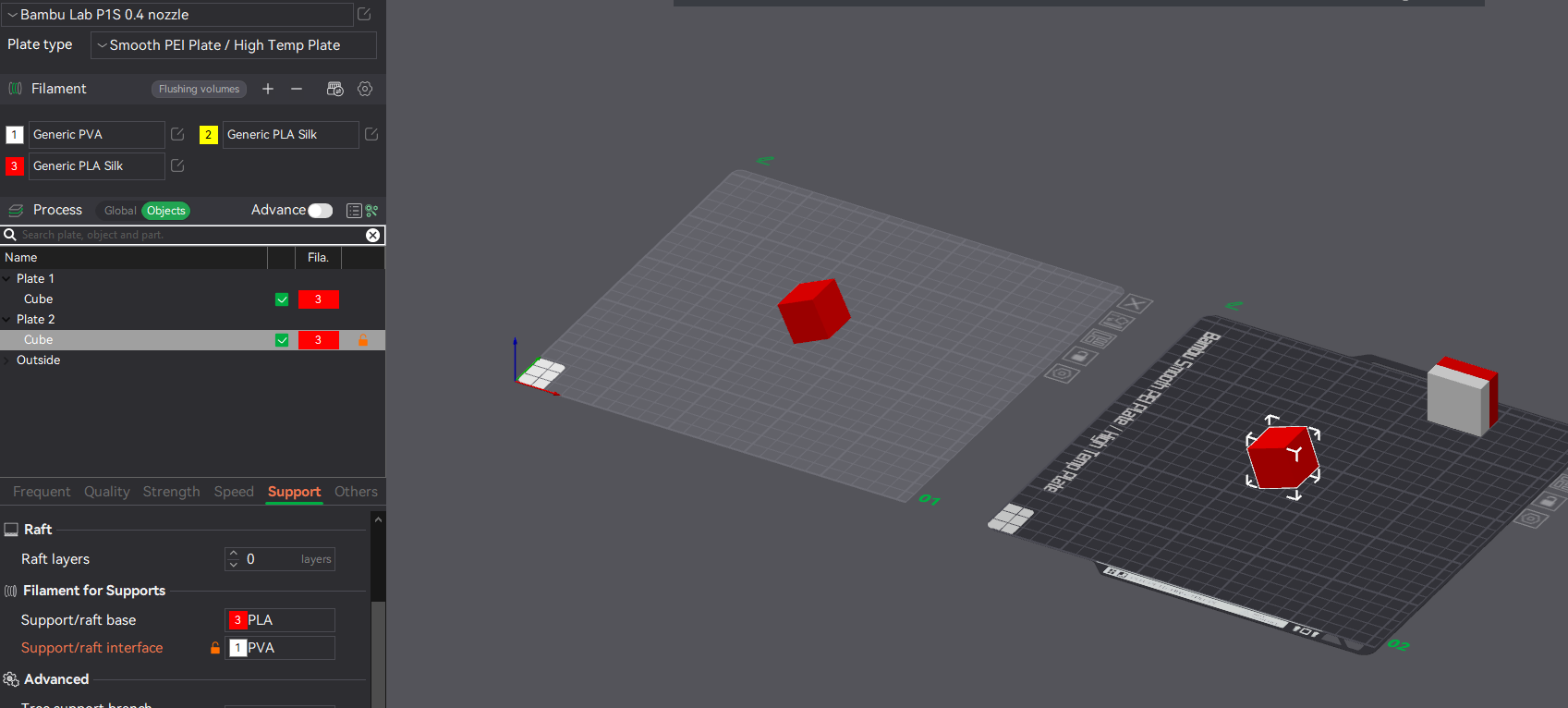
yep. they were set correctly.
I tried one more thing.
Starting completely from scratch.
Redownloading the model then reorienting it, setting up filament, etc…
This cleared whatever the problem was.
Still weird that it even happened in the first place.
Thanks for the help.