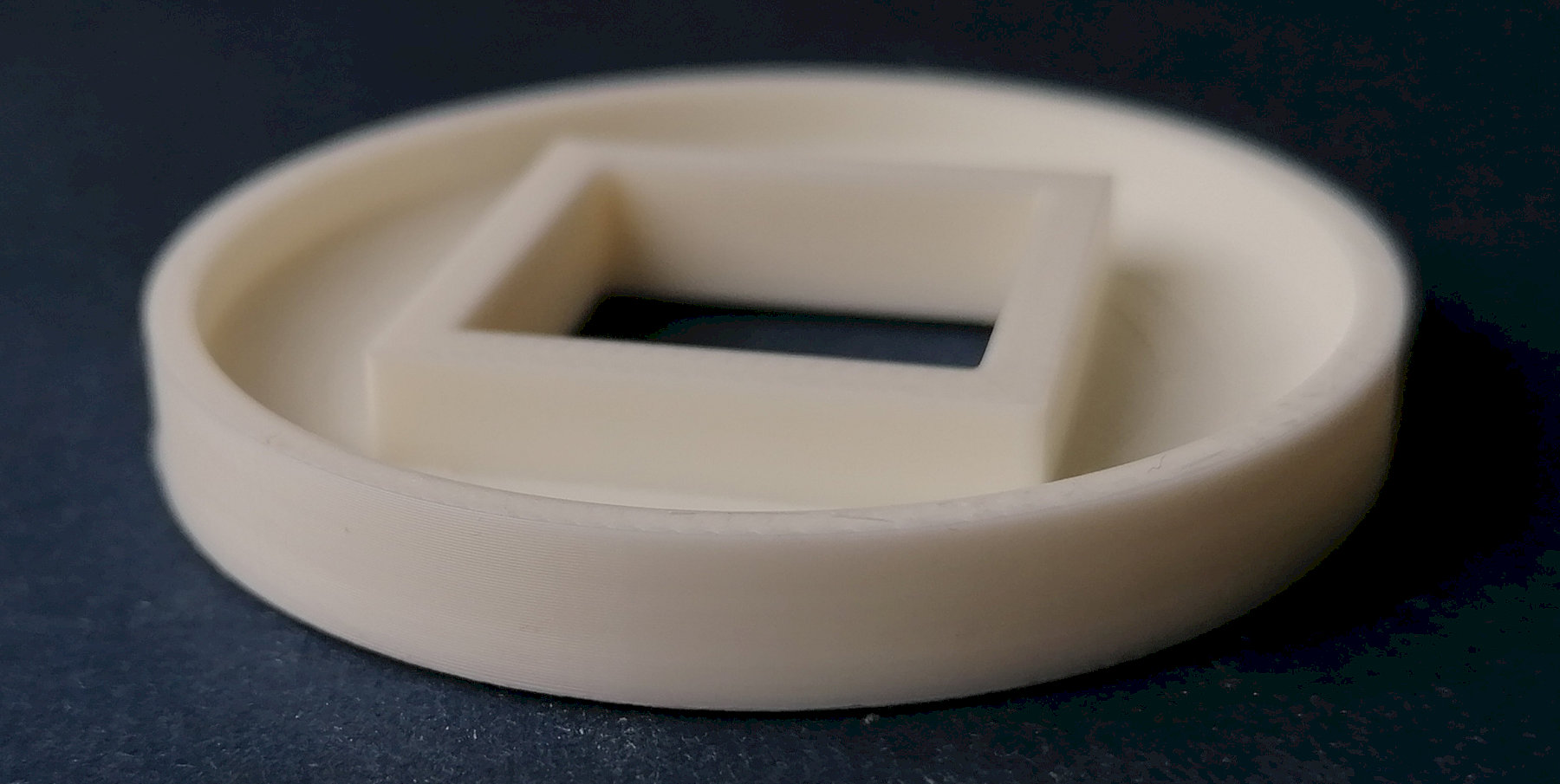
I try to print some empty cylindrical forms in PLA (Azurefilm) and near the base appears some lines which are not present in bambu studio sliced result. What I could do to avoid this? I printed other complex objects without this poblem. I use the default 0.4mm print head with 0.12 high quality settings 3 wall loops, without infill. The wall is about 2,5mm thick, aproximatelly where the line apears. Also the surface is not smooth enough, for 0.12mm layer height it could be more uniform, withot those thin lines. What do you think?
Does the layer time change drastically at that line?

Check out the post below for some possible solutions. I haven’t tried it yet but I was going to try using a fillet on the inside bottom corner of a box to see if it works as an alternative to the curved bottom suggestion below. I don’t think a small fillet will help, I think it needs to be rather large. You could experiment with a few different fillet sizes or try one of the alternatives below.
Try print outer walls first, then inner then infill. See the “Order of walls” option.
Overhangs may not print well when the outer wall is printed first.

Thanks you guys for suggestions, I will try theese and I will write here the results.