I’m using Bambu PETG Basic, based on the calibration tiles for ironing the best surface was the 80/40 setting.
I printed multiple parts that came out great on the previous roll of filament. Replaced the roll when it ran out and now the 2 prints I’ve printed have these rough sections. Not sure what to adjust… is it too much heat? Not enough speed? It’s not the entire surface of the pieces, although this last piece it’s most of the top surface.
I’m going to ask the most obvious question first, before we dive into a detailed failure analysis, since you said the error occurred when you changed the filament spool:
Did you dry the filament as instructed by Bambu? Yes, even newly unpacked filament often needs to be dried - at least when it comes to PETG.
Whenever you see things change from printing properly to not printing properly, and especially if it happens on a filament change, it’s almost always something to do with filament and/or moisture content.
When something has printed properly before that pretty much eliminates the print files. And it generally gives the printer a clean bill of health if it was also the last thing that printed and it printed properly. Top that with a filament change between when it worked and when it didn’t and that’s likely the culprit.
You can have printer failures of various kinds too but it’s rare. Much more common that it’s something to do with the filament.
And PETG is a filament that really shows water effects. How dry it is when you cut open the factory bag is not a guaranteed thing either. Those bags leak water vapor. That’s why the desiccant bag is in there. It’s to scavenge water. But if more water gets in there than the desiccant bag can sequester, you can get wet filament. Filament can arrive from the factory too wet to print properly.
I didnt bc both rolls came in the same shipment and no other part of any of the prints had any issues… just the ironing, the prints themselves are great otherwise. Also, other portions of the ironing are good, its only certain areas that have this issue… I am watching a higher portion of the same print have a pretty clean finish (that center portion is a sacrificial bridging layer). Thats why I dismissed not drying being the cause.
My printer has had issues with the nozzle dragging down into the print or the plate though… replaced the eddy sensor recently hoping that was the issue… cant be sure yet bc its intermittent and I havent tested enough after the replacement, but I dont think thats what was happening during the ironing.
The previous properly printed parts werent the same file, but the issue with the ironing was across various parts/files. I assumed moisture would be more wide spread versus just affect the center of a roll. Ill dry the roll and try the same part to see.
Just because they were shipped at the same time doesn’t mean they’re from the same batch. It’s not even certain that they came from the same factory. And even if they did, one package could have absorbed moisture.
It is a misconception that filament is delivered to customers in a dry state. While this is rarely noticeable with PLA, it can make all the difference with PETG.
So please dry the filament first, and then we can continue troubleshooting.
If you have a hygrometer handy, you can indirectly measure moisture content in the filament. Put the spool into a gallon ziplock bag with the hygrometer, seal it, and let the humidity reading stop changing. That humidity value is proportional to the water content in the spool and you can use that number as go/no-go on your filament.
For my use here, PETG has too many issues if the number is above 20% or so. PLA is a little more tolerant for me at 25%. Those are my no-go numbers, though. I try to keep my filament below 10% for best results.
The numbers that work best for you will depend on any tuning you’ve done and your own personal preferences for what you accept in your own prints. But find what numbers work for you and what numbers don’t and you have an easy way to know in advance if a spool is too “wet”.
I realize being in the same shipment doesnt mean they came from the same batch. I shouldnt have even mentioned that in my statement but I didnt think my issue was related to moisture.
Today I had a new roll, ran through a drying cycle… same file, same print, same identical result. The print is basically perfect until it irons. The ironing produces an almost identical blemish and then continues to print nicely until it reaches another section for ironing and again it does that section perfectly.
I then ran a job with a different file/part… same results… print goes perfectly and the ironing results in the same flaws, then it continues on to print perfectly fine again.
Im waiting for this print to complete to go back and run the one I had success with 2 days ago to see if that will complete flawlessly.
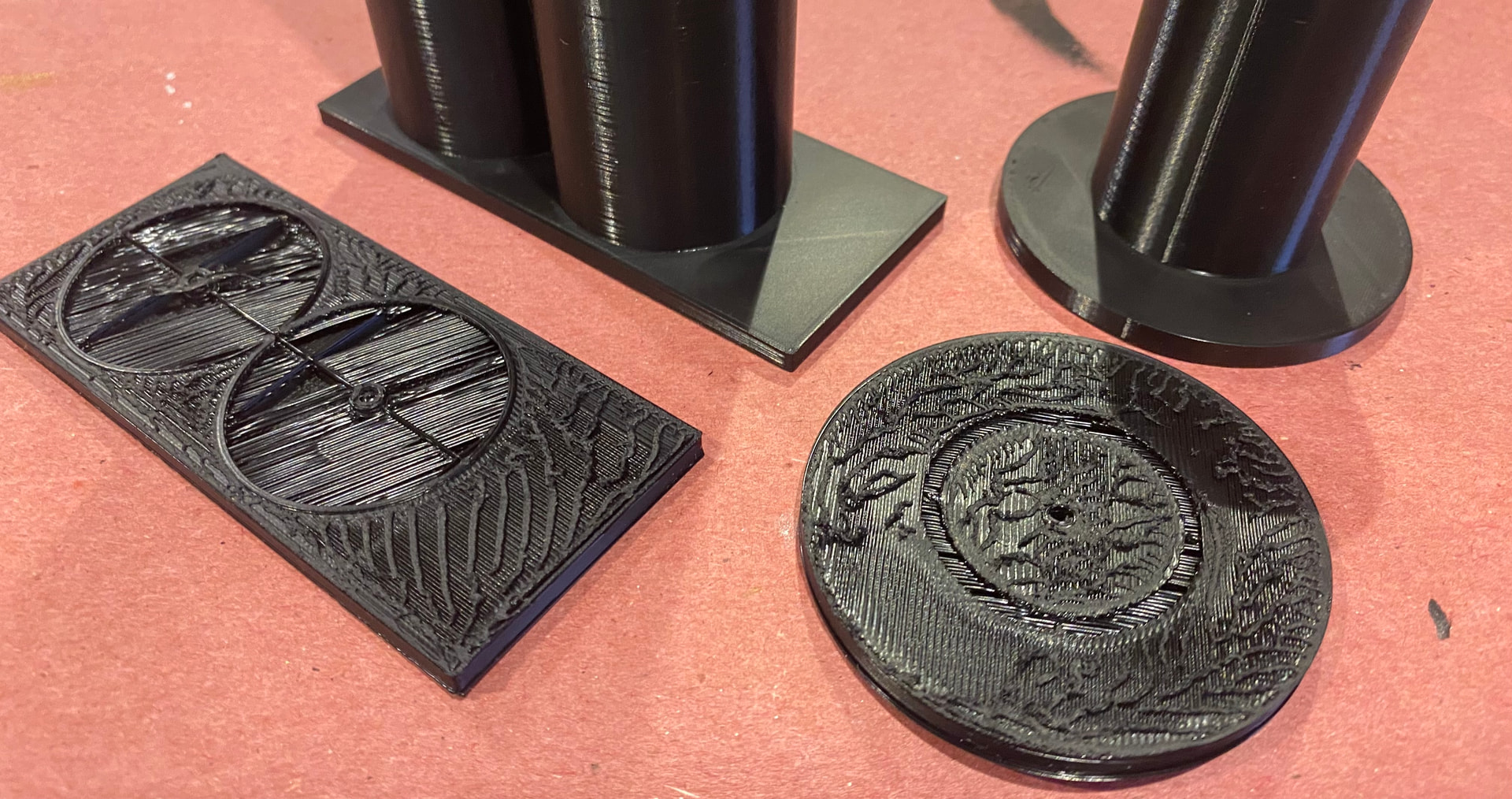
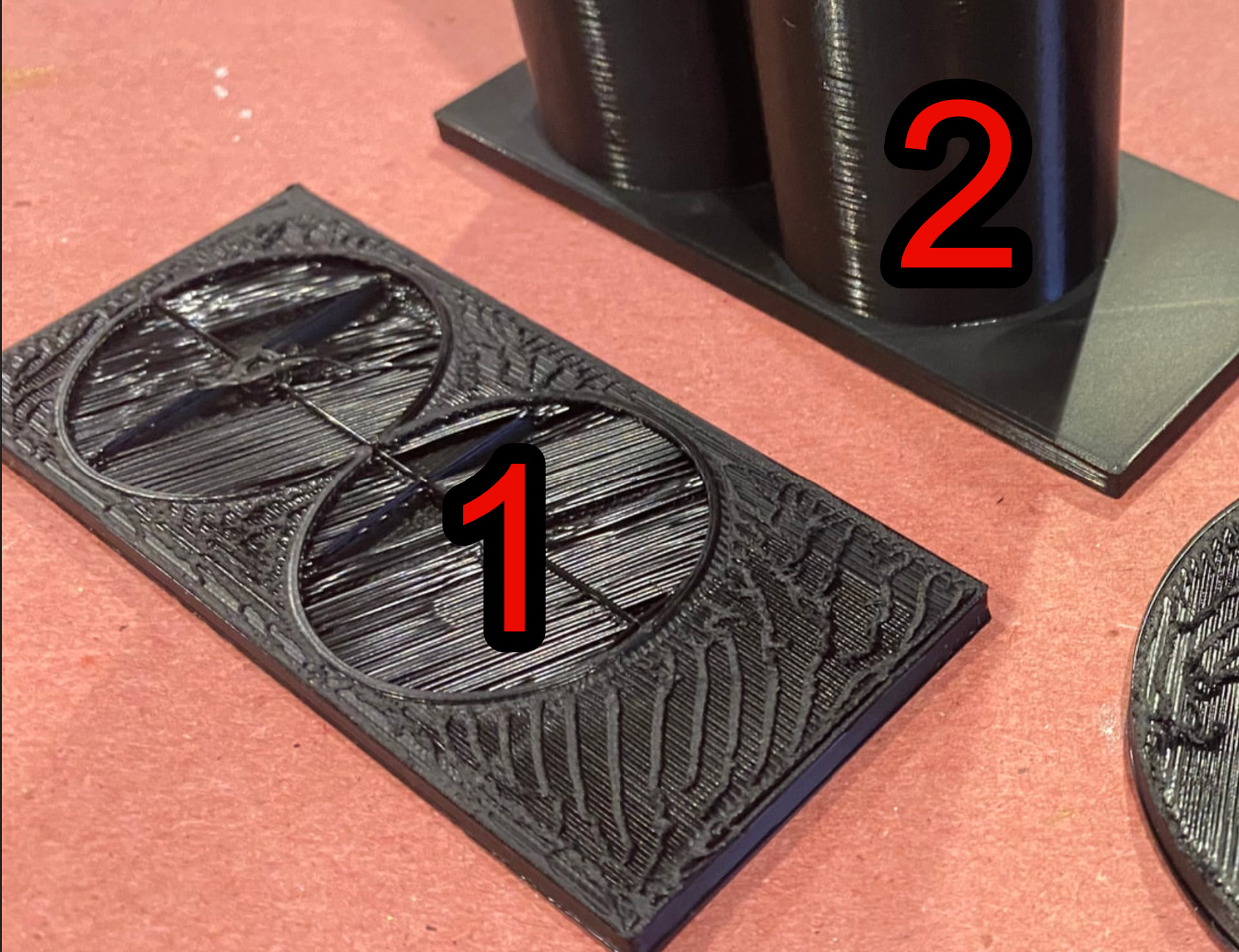
Attaching pics of todays part (identical to yesterdays, its so similar that I had to check timestamps on the pics to be sure its not a pic of the part from yesterday), and the second/different part…. something to note the nozzle is moving perpendicular to the lines, not parallel to them as they appear. The print would have been fine if I had ironing turned off.
Thanks for the tips, Im going to try these suggestions. The hygrometer in my AMS usually sits at 10 (I think it bottoms out there), its been at 20 while I ran all these prints that gave the same issue/flaw.
There’s a number of things to consider with AMS readings. AMS1 or AMS2? And is there desiccant in there?
Any desiccant will probably overwhelm the filament moisture. Much more water capacity in true desiccants than in filament (which is a very weak desiccant).
If desiccant is involved that 10-20% number is really the desiccant and not indicative of filament moisture. Because of the low amounts of water actually involved, any humidity measurements on a spool of filament should be done with just the filament and a hygrometer in a sealed container.
Since AMS units hold 4 spools, if you had other spools in there you would be seeing a kind of average on moisture content. Again, you want to make the measurement of the spool by itself.
But 10% is a common value where cheaper hygrometers bottom out. I use similar hygrometers and they bottom at 10% too. They really ought to display something like “lo” instead of 10%. It confuses a lot of people.
AMS hygrometers, IMO, should really just be used to keep tabs on drying functions (if a 2) and on-board desiccant (if a “1”). Since there are multiple spools in there, you could have a very wet spool and a very dry spool and see a humidity reading somewhere in between.
Since true desiccant can hold a lot of water, any readings with desiccant involved are likely just telling you about your desiccant. Filament behaves like desiccant but has a very low water capacity. As a desiccant itself it’s terrible because of that.
Chamber is 36-37 and nozzle fluctuates 246-248 (I never played with different heat settings for ironing, I will look into that, but it was working a few days ago with the settings I have now)
I just used a new spool (dried) and printed the last part that I had print correctly… it failed the same way.
Here is a pic of the parts that printed nicely a few days ago vs the ones I just printed today… the only difference being the spool (nice parts used a spool straight out of the box I didnt dry, flawed ones printed immediately after the drying cycle).
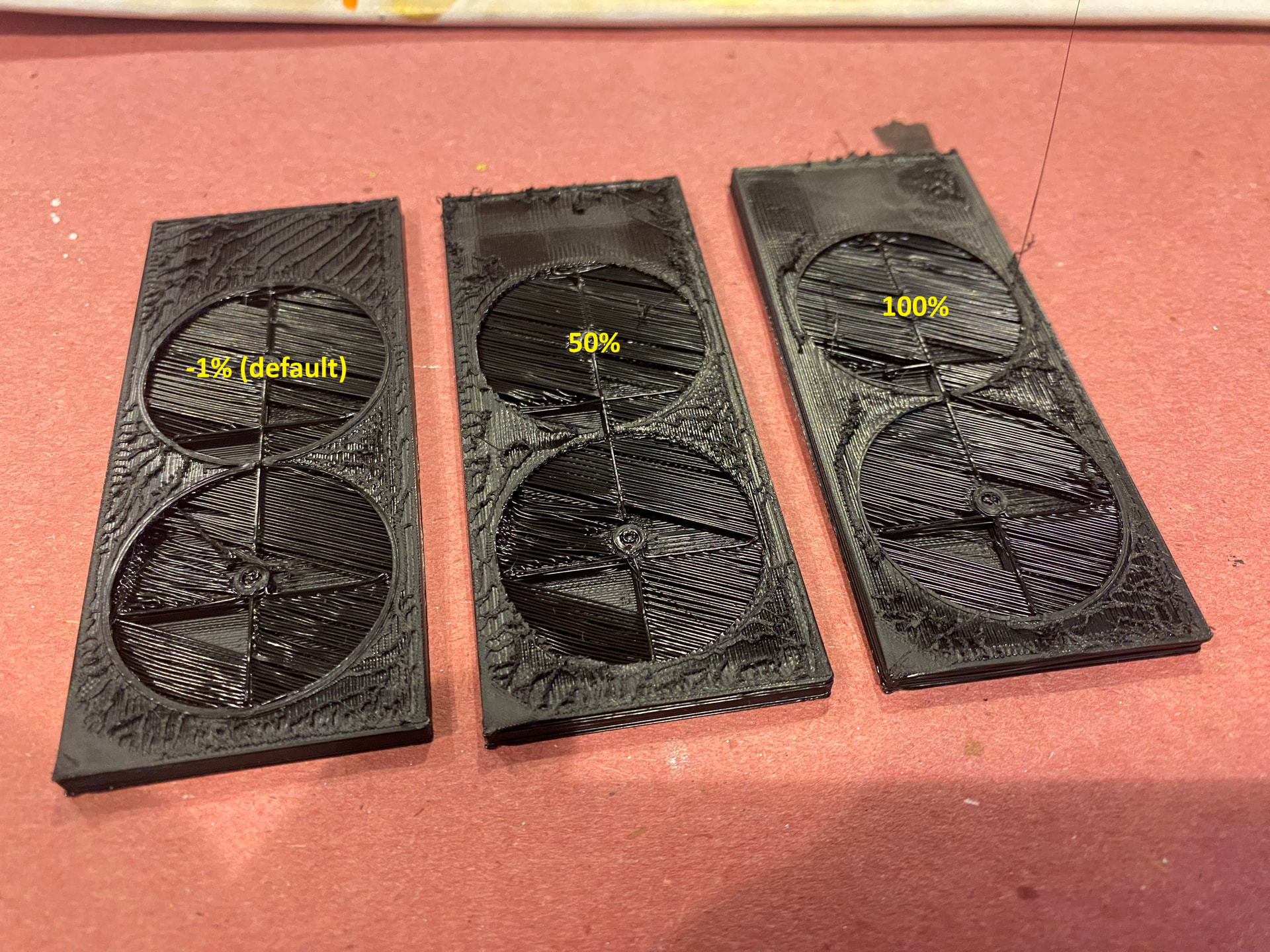
EDIT: I see there is a fan speed adjustment in the filament settings for ironing, mine was set at -1% default, Im going to play with the fan speed to see if it helps. There is no direct temp adjustment for ironing specifically that I can find… worst case I guess you can add a modifier for that.
Still no dice, and I dont see a way to control temp through modifiers
My only option is probably to just turn off ironing (at the 100% its basically removing most of the ironing anyways), that last printed layer is way nicer than what the ironing is doing
Unfortunately, I do not have much experience wirh ironing, especially PETG. But a chamber temp below 40°C sounds reasonable for PETG.
Sadly, time is the other factor for heat creep. I think your thoughts on increased cooling was a good idea, even if it did not give the desired result.
Since PETG loves to stick to the nozzle, I am hesitant to consider increasing ironing speed which would increase flow and bring down the ironing time. It could fail rather spectacular.
I myself try to avoid ironing as I usually find the standard surfaces quite acceptable.
Im just at a loss as to why this wasnt happening a few days ago and now it is, and isnt improving with any adjustments I make (which shouldnt be necessary).
Is the nozzle super clean. Not the inside, the outside. It looks like it’s dragging plastic all over the place. Did you try a spare nozzle like Gerrit reccomended?
Your vertical walls don’t look perfect on #2 either. Are you using default setting for the filament? What if you print a calibration cube with ironing on?
I noticed you posted a similar issue to this one back in January. It looks like you fixed it by switching nozzles, but I think you went from a .2 to .4 for that project.
That is why I was inquiring about the chamber temp. A degree or two in the chamber can make a big difference. But with less than 40°C in the chamber, I doubt it is as simple as that.
The other thing was already mentioned many times. I had all of my bagged rolls of PETG go bad within hours from moisture ingress when a particularly heavy thunderstorm front came through. But moisture has been mentioned several times and you wrote about having dried the roll.
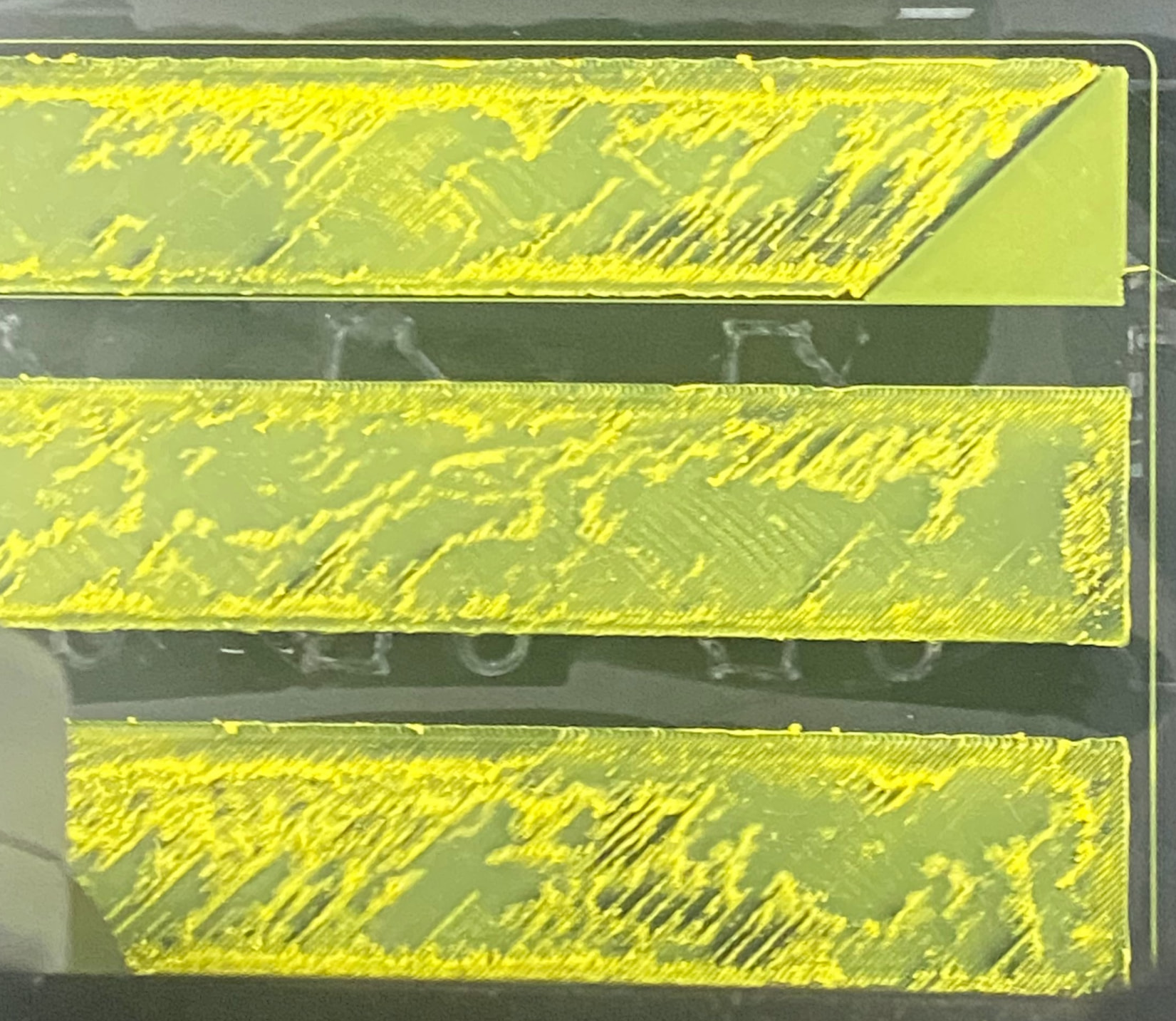
BTW, did you do a cold pull at any point? And what does the underside look like? Just asking in case the actual problem is hidden by the bad top surface. A partial clog or slightly bent nozzle may not show as prominently until ironing starts.
Also, just for confirmation, this is all with a .4mm nozzle? I have never had heat creep issues with those.
The .2mm nozzles on the other hand frequently develop heat creep.


 &
&