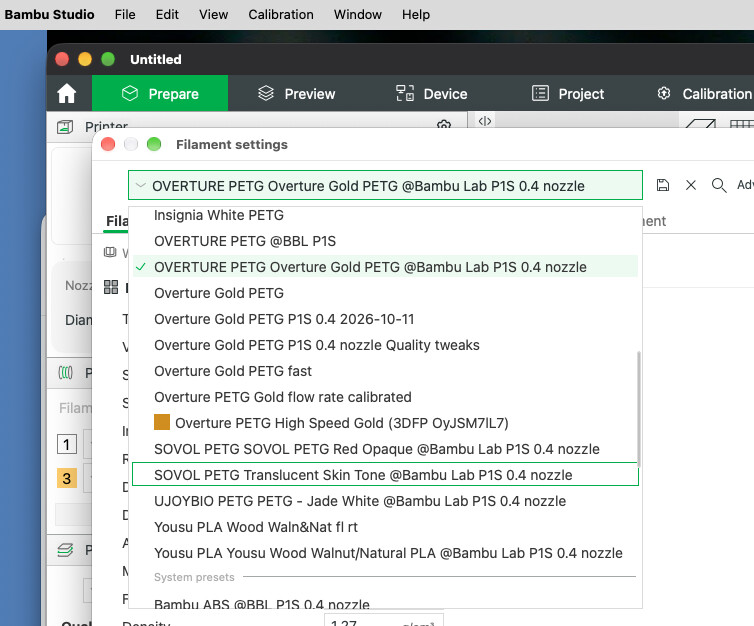
Can I delete or merge any of these? The “2026-10-11” profile has the temp and flow rate settings, but the flow dynamics can’t (apparently) be set except in calibration.
FWIW, OrcaSlicer keeps the Pressure Advance (flow dynamics) value in the filament preset, where it overrides any values set on the Device page, is not erased by restoring factory settings, and can be backed up like any other file.
OK, and it’s not in the project filaments section, but in the process section… Studio looks different. Orca might be the greatest slicer in the known universe, but this forum section is for Studio and its differences from Orca are substantial. Anyway, here’s what I have:
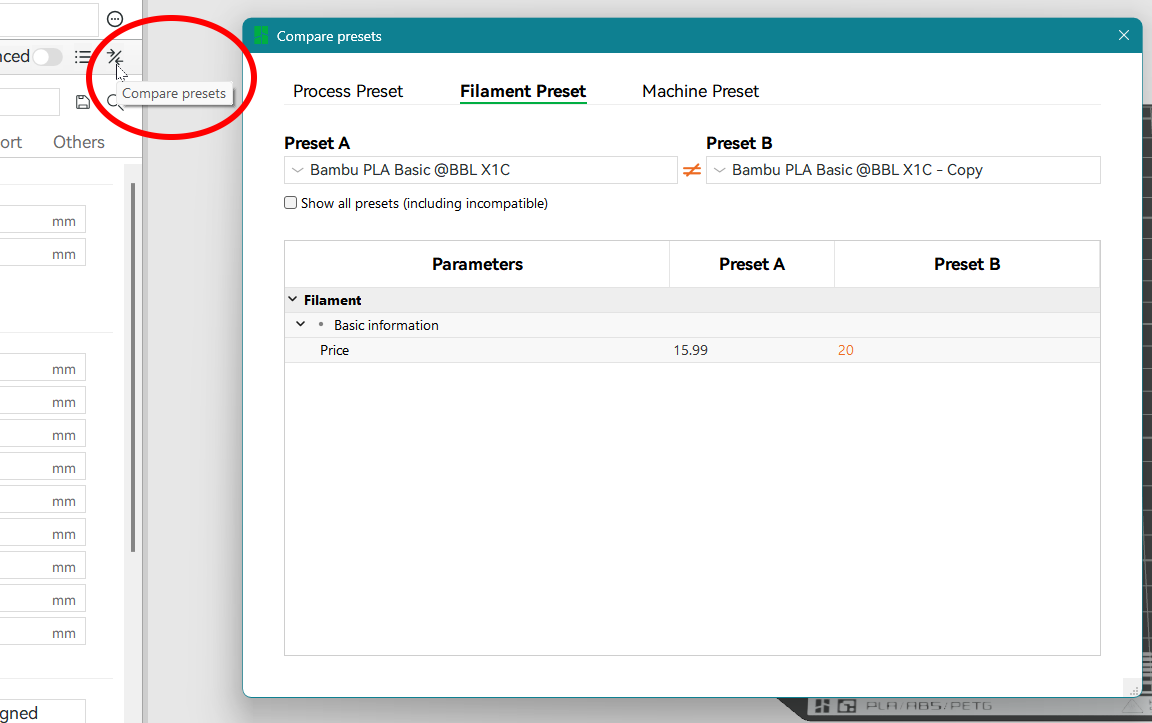
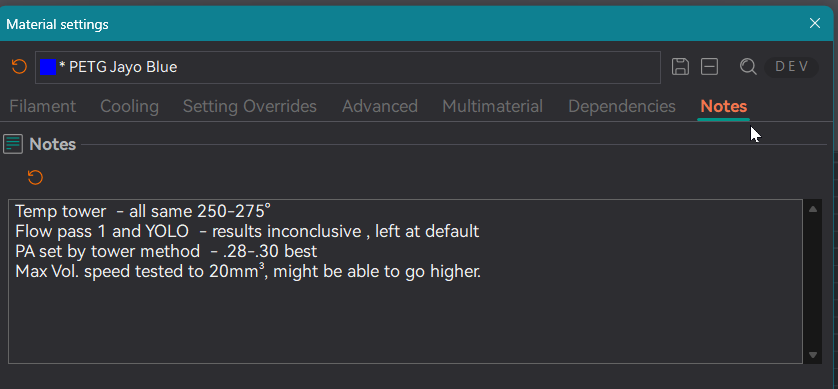
I generally print from OrcaSlicer; I keep Studio on my PC to stay aware of the differences and to assist forum users. I keep Orca in my preferred dark mode; the light background screenshots are all from Studio. I have no real custom presets for Studio, so I specifically mentioned that the “Notes” example was from Orca and that you can keep the same notes in Studio. I try to help locate icons by including highlights and some of the surrounding area for context, so you don’t have to play “Where’s Waldo?” while searching.
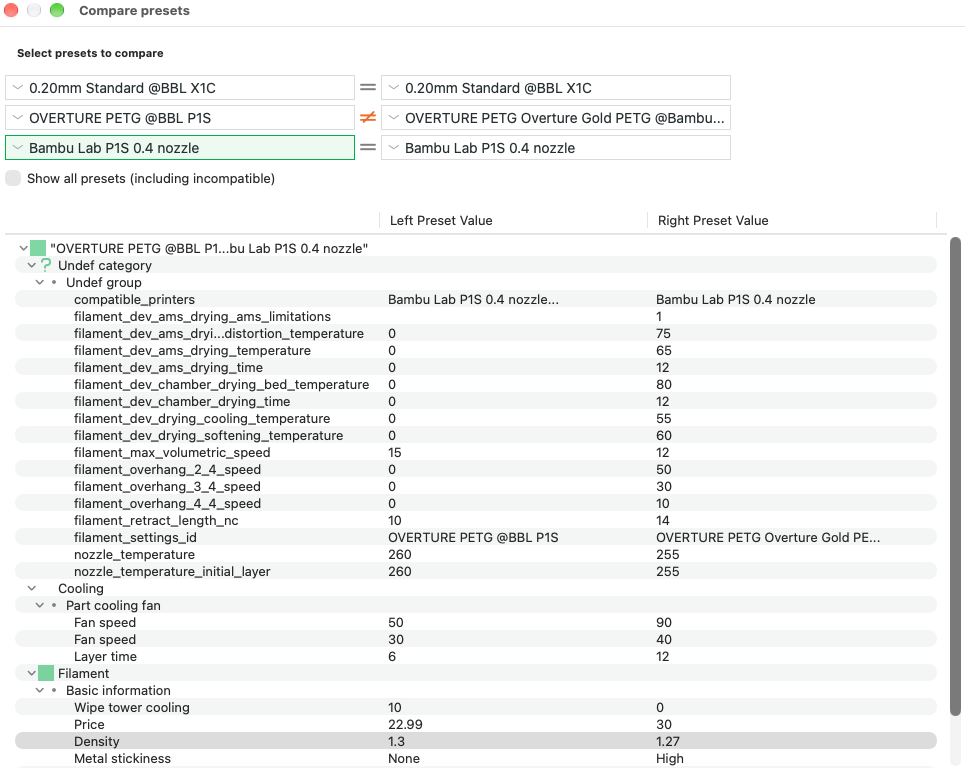
The preset Compare tool only finds differences between presets. It is not an editor, but at least you do not have to look through all the settings, one preset at a time, hoping you to spot the changes. Another option that sometimes helps is to use a good text editor with a compare function to examine the .json files. (For Windows, I like Notepad++. )
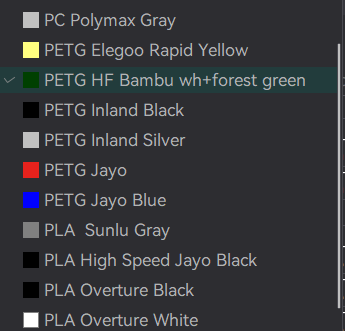
To avoid confusion, I keep only one calibrated preset per material, manufacturer, and (usually) color.
The PETG Jayo preset works for several colors, but blue needs a higher flow ratio. This sort by material type is an OrcaSlicer Preference option
If a specific project requires an unusual setting, or if I am trying multiple combinations, I save them as a Preset Inside Project, which are available only when that project is open. Then, when trial Preset #3 does not work, I can quickly switch back to #2, and the experimental presets don’t clutter my main drop-down for other projects.
This degree of manual intervention is unacceptable in a software product used by millions, and that seems to apply just as much to Orca and Prusa as to Bambu.
That’s not your fault and I appreciate your assistance in making this process less bad.
I can’t change the process. I don’t know how to code, and I am amazed that anyone can write code that works as well as it does. So, when a program does not work as I want or expect, all I can do is explore what it can do and work within those limits. I often find workarounds instead of ideal solutions, especially for uncommon situations.
I seldom defend Bambu, but they did not create the frustrating confusion of multiple presets for a single filament, and most of the millions of Studio users don’t have that problem.
If you do code and can offer an acceptable alternative process, developers of Studio and OrcaSlicer (especially) do accept user input and improvements to their open-source code through their GitHub sites.
I’ve looked at the code. Filament handing is spread piecemeal. It would certainly be rewarding to fix this problem for everyone but very time-consuming.