this blue thing moves all the time then I load firmament
machin is P1S 1 month old
Is this something I can fix?
Sven Åke
.

The blue part is a locking mechanism to keep the connector on the PTFE tube.
If it does keep coming off, there is something wrong with it.
Solution
Wrap sticky tape around it,
On the inside, mine looks the same (P1S, 1 year old).
Check on the outside, maybe there is something broken there.
Inside:
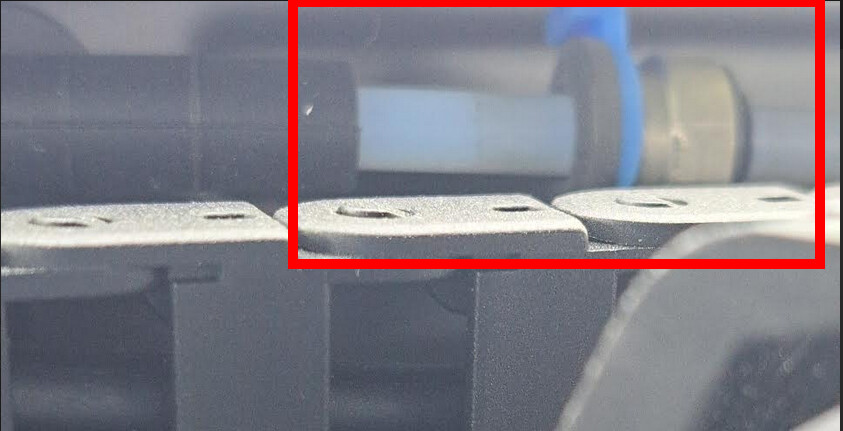
On the outside, check if this plastic part is loose:

This is just a stopper preventing the PTFE tube to extend out of the chamber to avoid the length inside the chamber getting too short and interfering with the free movement of the toolhead. Some slack is then normal and that piece moving is not an issue, it is a feature.
You can reduce the slack or even totally suppress it but it requires some removal. When you take out the blue ring, you can move the stop connector but only on the right (towards the toolhead) so you cannot move it left to reduce the distance.
What you need to do is to disconnect the PTFE tube from the toolhead and from the dual connector behind the printer and take the PTFE tube out. You then remove the blue clip and slide the connector all the way until you get it out. You then slide that connector back on the end of the tube just 1cm and reconnect the tube at the toolhead.
You then pass the tube through the rubber sleeve and push it (the stop connector will slide on the tube) until it just protudes on the back side. Approach the dual connector and place it against the rubber sleeve and keep pushing the tube from the inside until the tube connects well into that dual connector.
You should now have the dual connector against the rubber sleeve on the back and the stop connector against the sleeve inside the chamber. Don’t move anything and just now put the blue ring back on, there will be no slack anymore and no movement.
Are you trying to say the tube moves into the chamber?
if so, push it back into place and put a ptfe coupler on the outside of the machine if there isn’t one there already. Make sure the coupler on the outside and that lock on the inside are budded up against the black rubber guide. This will stop the tube from slowly traveling into the chamber.
If it does that, the inside length may be too short, that’s why it moves inside, the tube needs that small length
Ehh, I just installed a longer tube rather than letting it move in and out a little.
it’s noting on outside
Sven Åke
I have change to new longer tube and so fare in printing 2 It’s working