What’s Up with BS Filament Management?

After 2 years of printing and a couple hundred prints with my X1C + AMS, the filament/color management in Bambu Studio still makes almost no sense to me. I thought I was getting the hang of it, but then things got even worse…

Wrong Colors In Bambu Studio

I seem to fight with filaments with every print. I might spend 30 minutes designing a small part in Fusion and 1-hour trying to get Bambu Studio to behave properly.

If I print something from MakerWorld, every subsequent print I attempt with my own imported 3mf files thinks the filament from that MakerWorld file is my spools. Even if I sync my AMS spools, all Bambu Studio instances for the remainder of the machine being on will default to anything but my spools. They default to the first MakerWorld print I did and will even invent new colors along the way. Totally maddening.
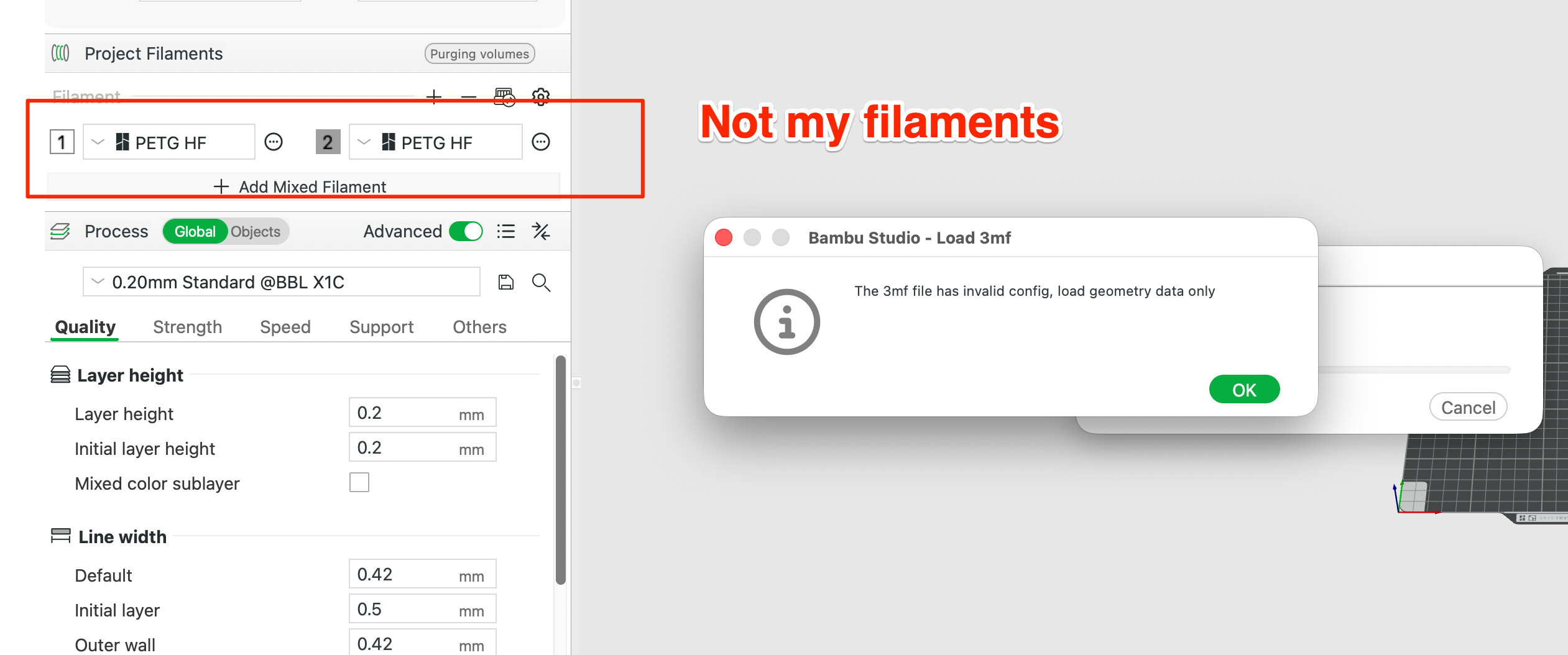
And yes, the last couple of verisions of Bambu Studio throw this 3mf error when importing from Fusion360.

Wrong Color In Prepare Tab

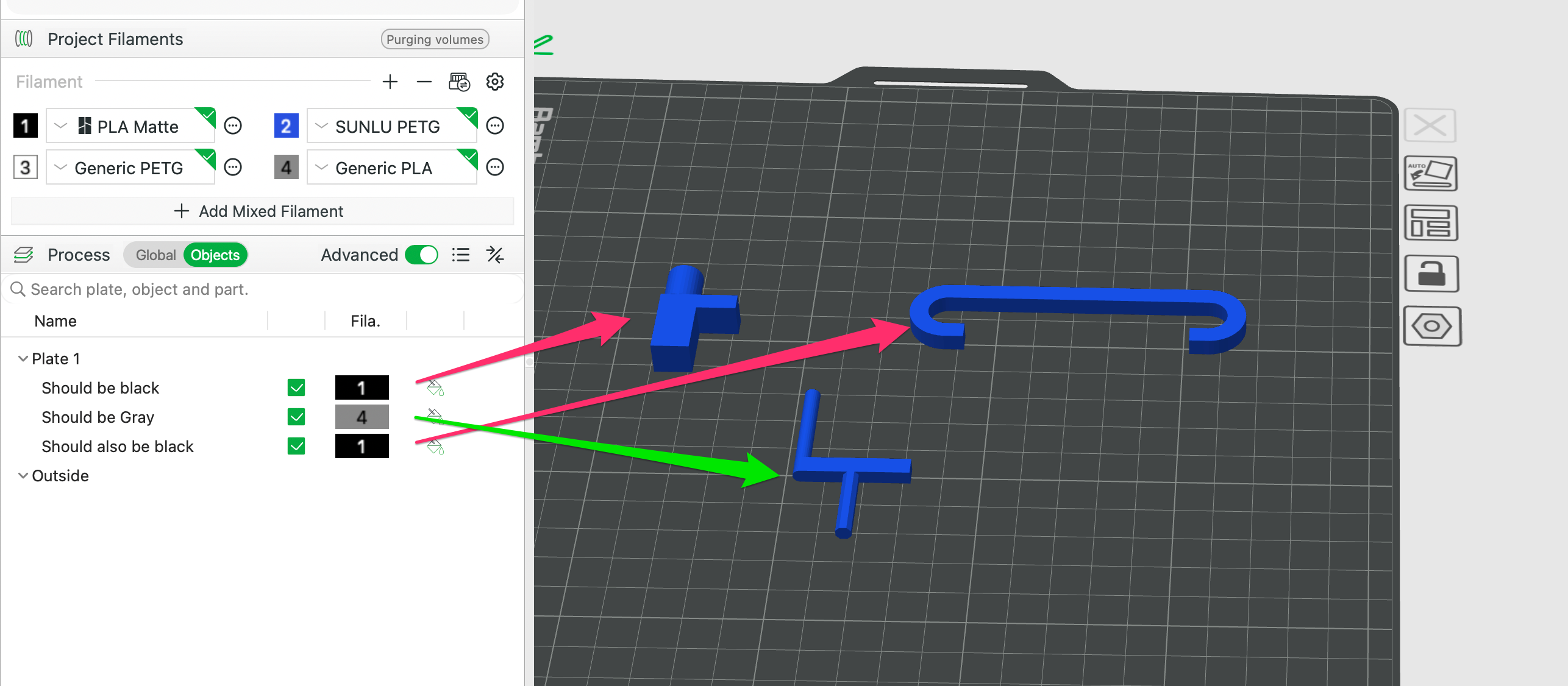
In the example below I selected the blue PETG filament while in the import screen. I then reassigned filament to the parts and Bambu Studio stays stuck on the original color choice.
Wrong Filament Again

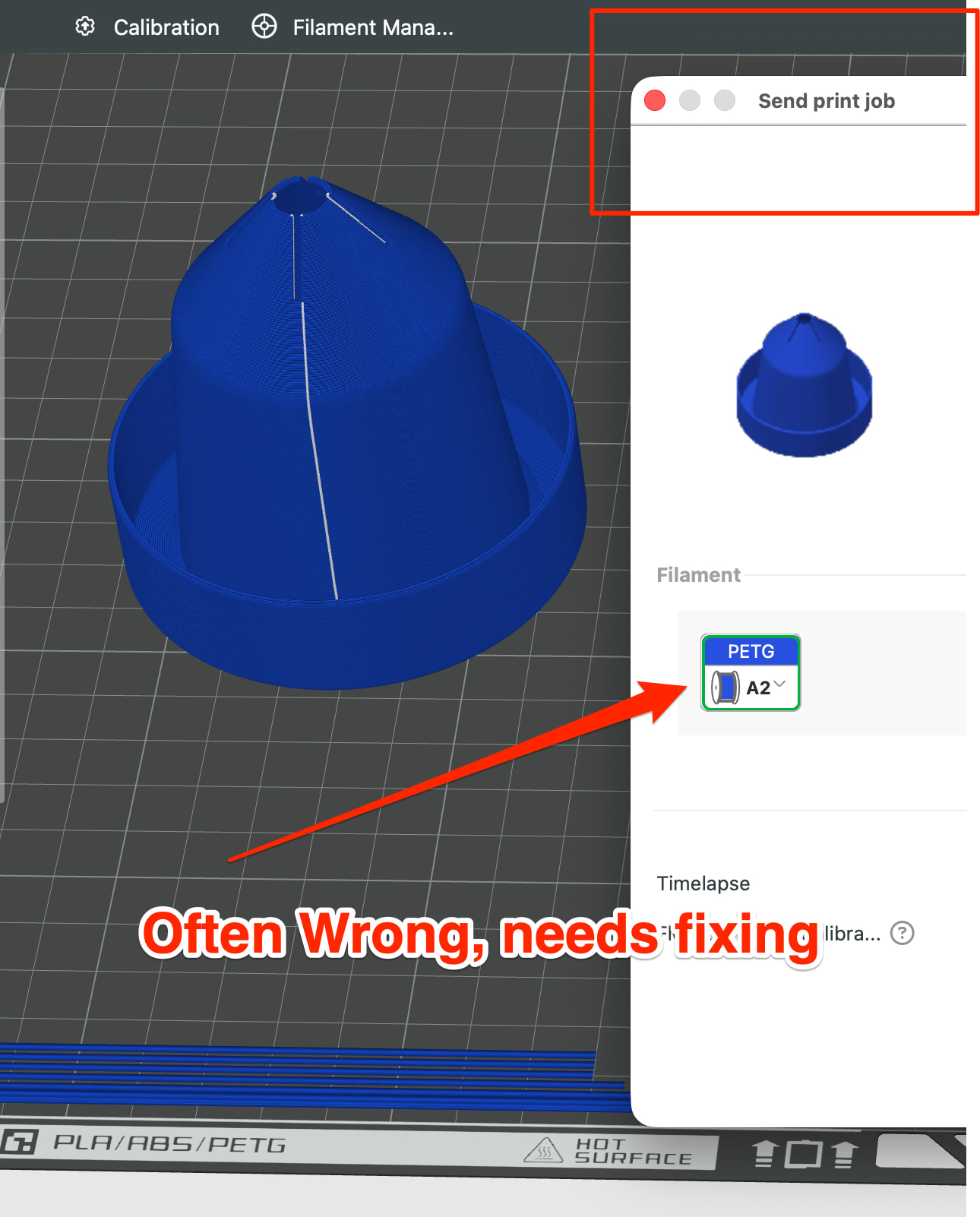
After giving up fighting with filament/colors in Bambu Studio I finally click “Print Plate” and sometimes the correct filament is selected in the pre-print modal screen, sometimes it is not. Lately I have had to correct the filament at this stage
Custom Filament Profiles

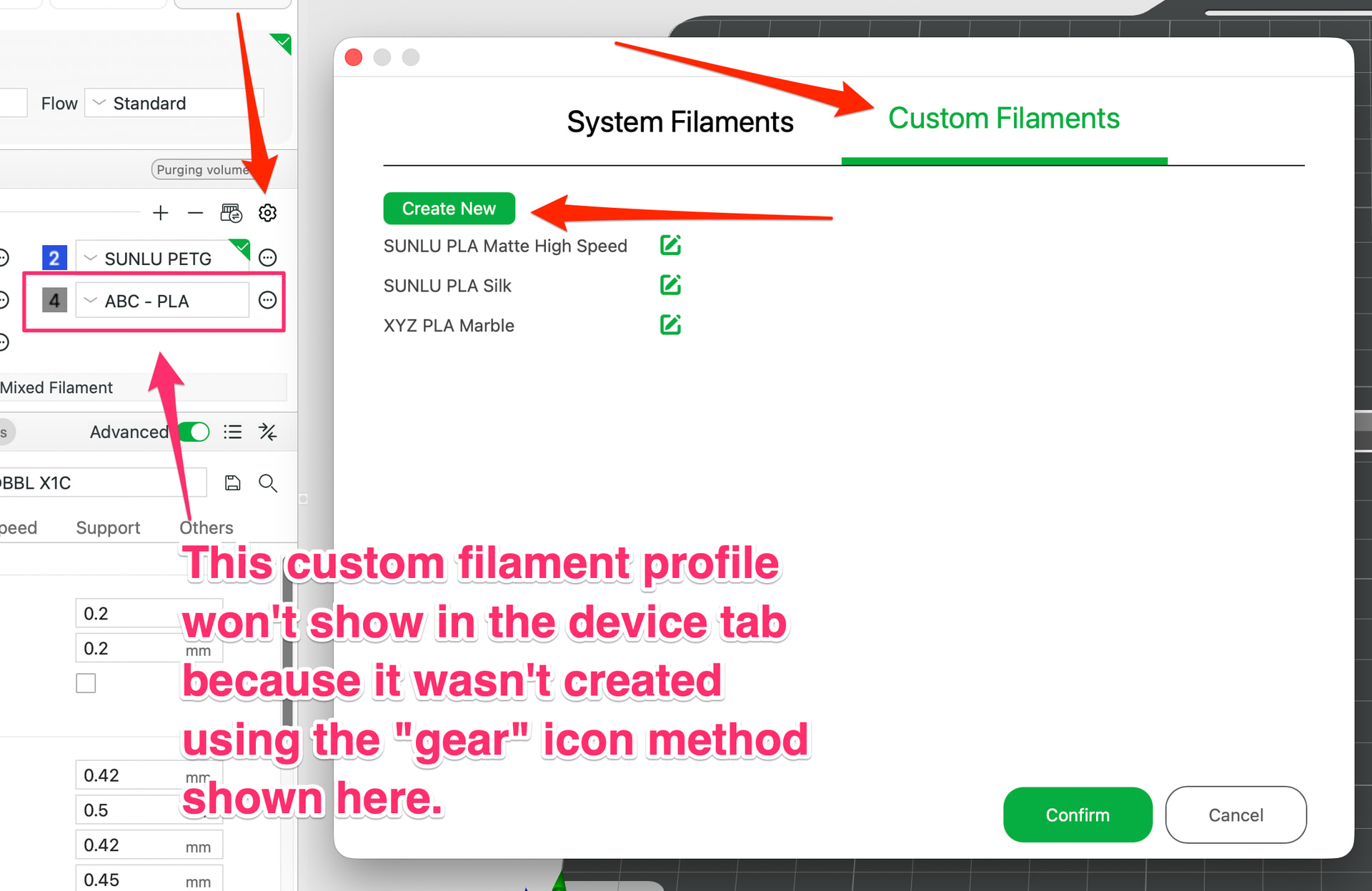
Where am I supposed to setup my non-Bambu filament, custom-types of filament? What is the single source of truth for my filament spools and their profiles?

  • Is it in the Prepare > Project Filaments (save as global/custom here)?
  • Or is it under Device?
  • I now also see “Filament Management” which doesn’t seem useful at all for custom filaments and their profiles.

We have 3 places to add filaments in Bambu Studio, which is the source of truth? Btw: when going to Device > filament section, Bambu Studio doesn’t allow me to select any global, custom filaments I have created via the Prepare Project filaments interface.
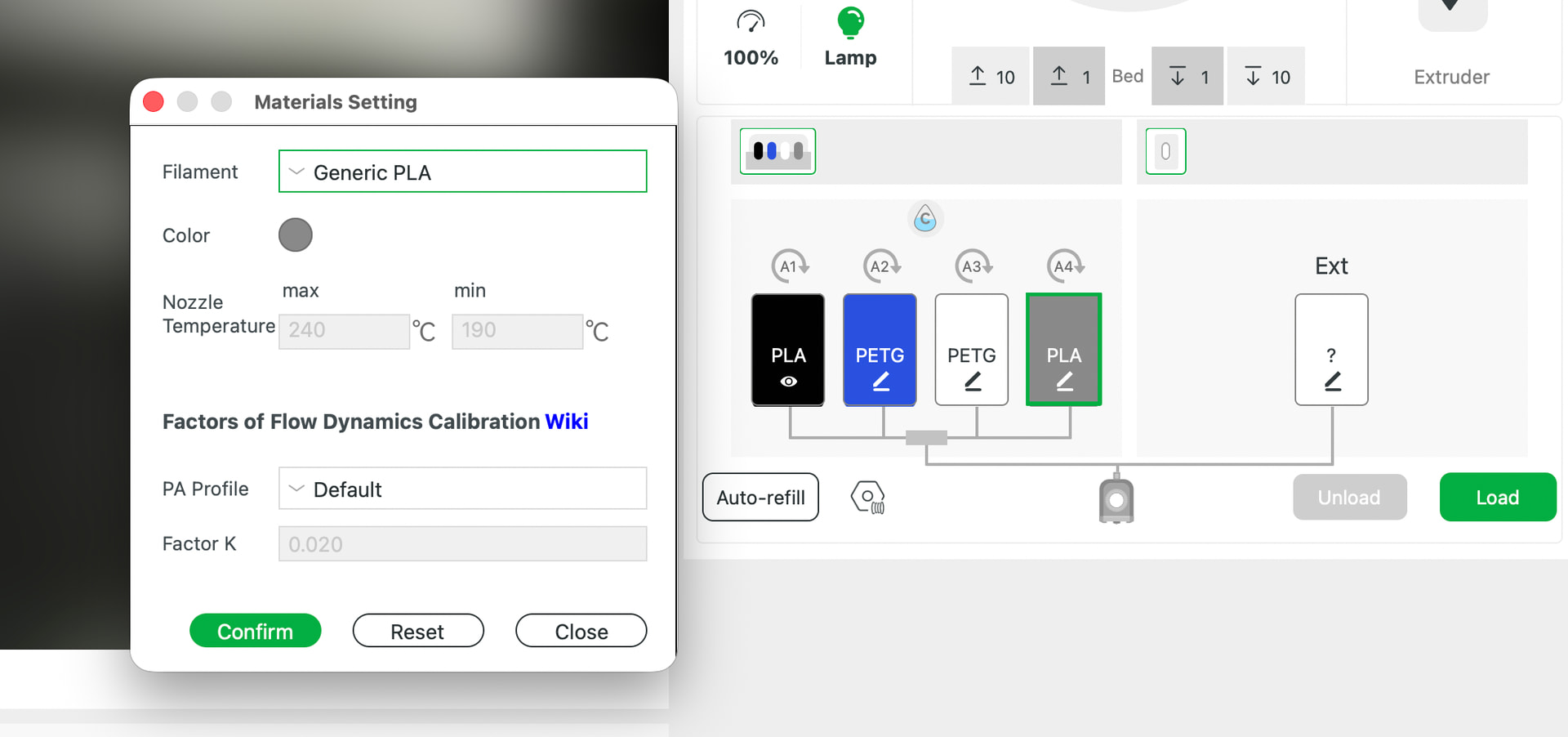
This is a confusing mess that has only gotten much worse since I began my journey with my X1C two years ago.

I use mostly non-Bambu (non-RFID) spools, many of which are not in the preordained list of filaments.

Bambu Studio has gotten so unusable.

What is the sane workflow to managing my filaments and having Bambu Studio behave properly?
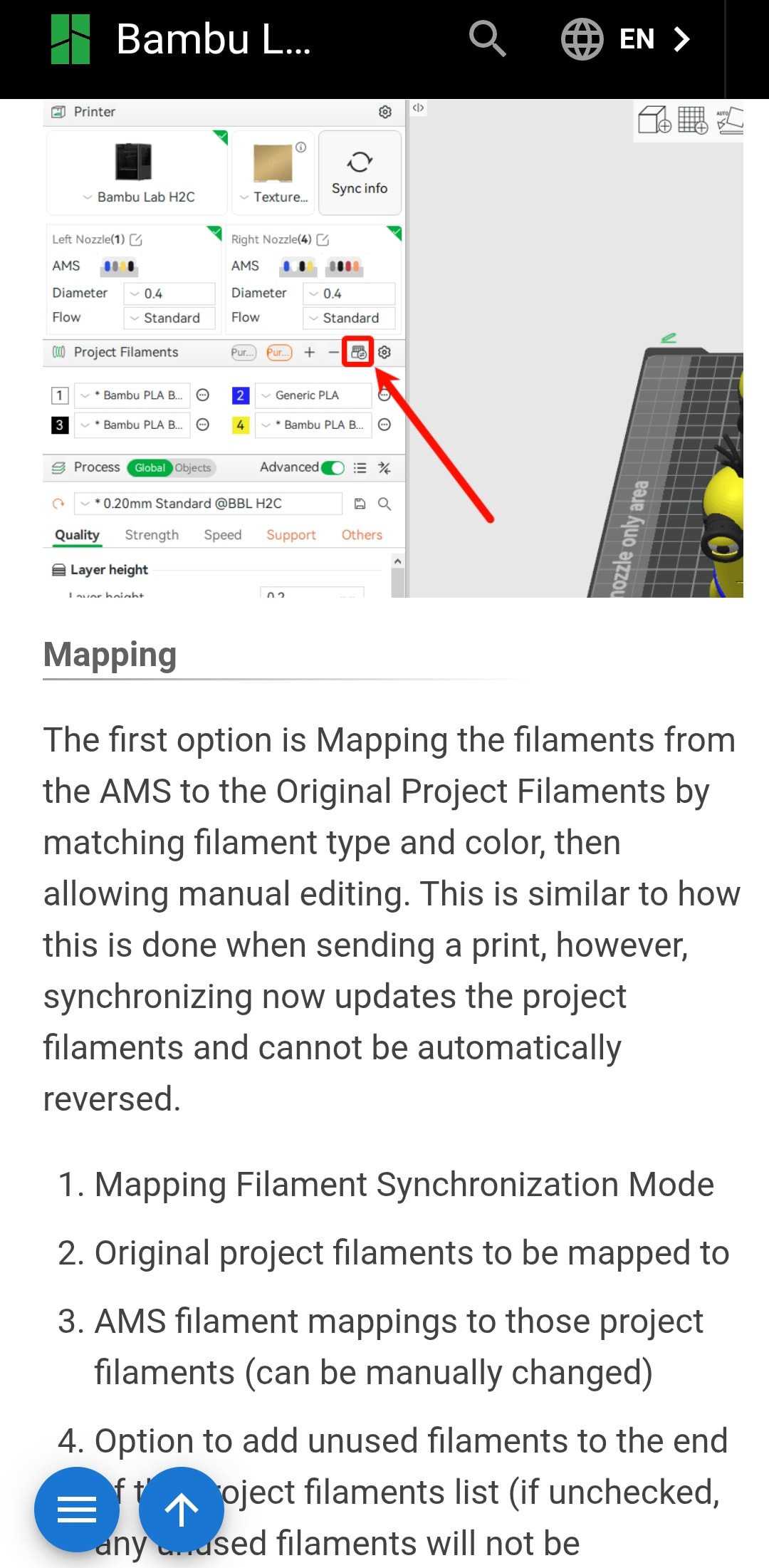
You need to spend some time fully understanding what’s in this link.

The filaments section you’re complaining about is the PROJECT filaments, not the printer filaments.

When you start a new project, Studio hangs onto the previous list from the project you just had open.

Also - that 3mf box you mentioned isn’t an error. That letter “i” indicates it’s just information.

Unfortunately that documentation doesn’t address all the bugs I am experiencing with Bambu Studio Slicer.

I sync and overwrite my filaments after every Makerworld import so that I retain my spools in sync.

  • The colors in the prepare tab are wrong the majority of the time when looking at the graphical build plate. See my previous image. - This is not addressed in that documentation.

  • There is no way to set a custom filament profile in the Device Tab. I saw a bug report elsewhere that the scroll might be hiding some options here. (maybe?) What’s the point of adding materials (filament) under Devices if I have to manually re-manage the filament profiles again under the Prepare > Project Filament section? How can I add “My Custom PLA-Red” and set the profile (min/max temps,etc.) while in Device tab? Am I expected to choose “generic” everytime and then manually change the Project filament options with every print? - This is not addressed in that documentation.

  • Often the wrong filament is about to be used in the print; I will then have to choose the correct filament just prior to printing - This is not addressed in that documentation.

They’re whatever was saved in that file. If the model creator had unneeded filaments in that section when they saved it, that will show up when you open the file.

Because that’s not where you add a custom profile. You can create custom profiles in the prepare tab, and sync them to the printer, then you have to identify which spool is that custom filament, because presumably it’s a third party spool and won’t be read when inserted into the AMS.

Yes it is, that’s why you map your actual filaments to the project filaments.

I always use Sync > Overwritting.
I found Sync > Mapping to be a mess. It just prepends a bunch of spools which makes no sense to me. My AMS has 4 slots and after Sync > mapping there are more than 4 which seems silly and useless to me. So I always overwrite.

Even after syncing the wrong filament is sometimes still selected just prior to the print. I think it’s an intermittent bug. Next time this happens I’ll take a screen shot

Also, the build plate preview (in prepare tab) used to show the colors that were about to be printed. I’m absolutely certain of this. This broke somewhere in one of their BS version releases.

And while we’re at it:
I cannot rearrange the parts in the object menu. This is a huge problem when trying to print by object.

BTW: I took about 3-4 months off from printing and when I updated firmware + software and tried to print, there seems to be bugs everywhere.

After some Bambu Studio freezes and crashes here on MacOS I made some headway here. I now can get custom filament to show up under Device tab and as expected it’s unintuitive and clear as mud.

Looks like custom filament profiles are managed via this tiny little gear icon in the preview tab, not the devices tab.

Oh Bambu, such a mess.