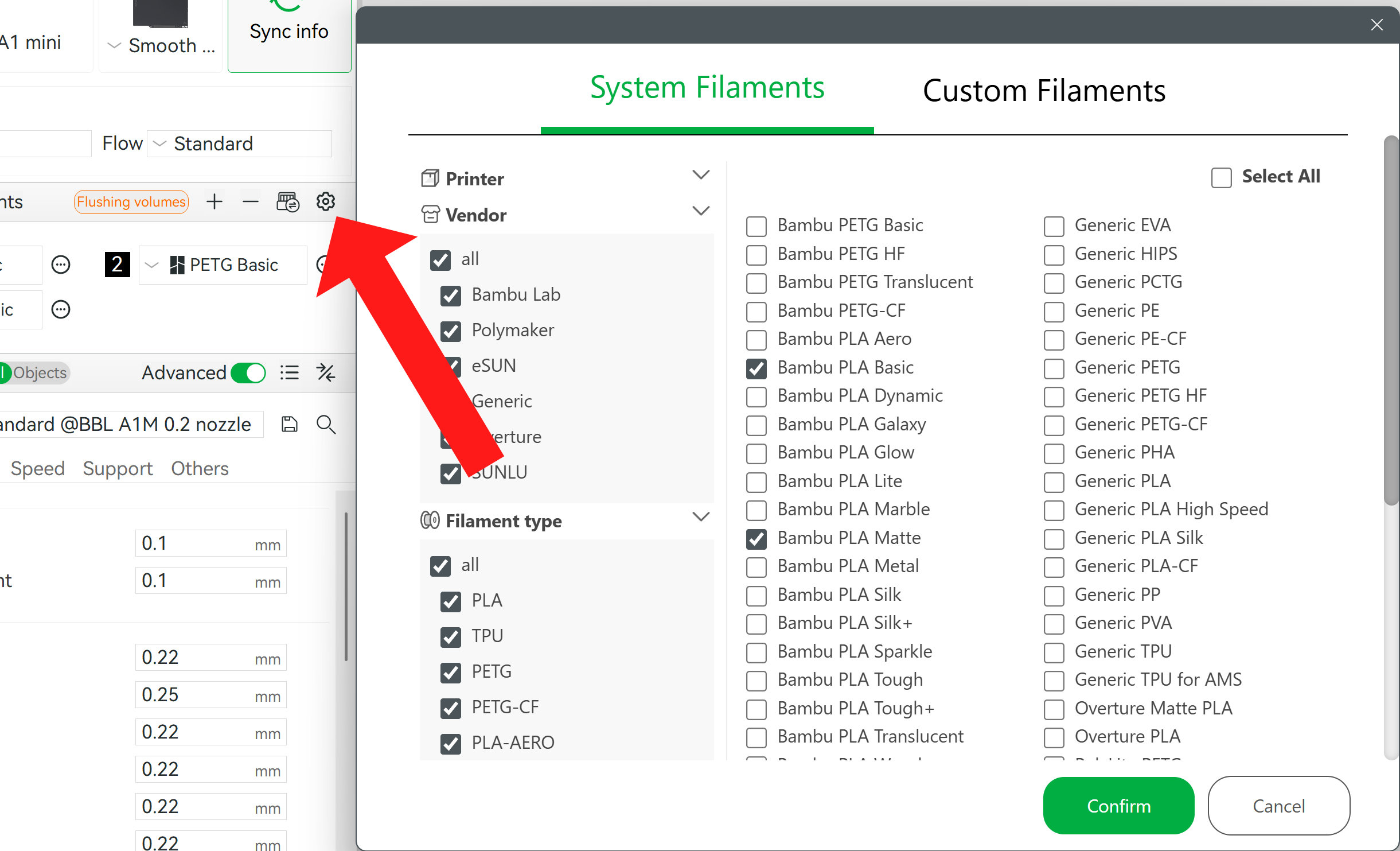
I think the “issue” is your printer, so to speak. Each filament profile seems linked to a specific printer, and only the filaments which have a profile for your selected printer(s) will show up in that list. Which will exclude the whole vendor if there are no filaments for them.
You can verify this by looking in your Studio’s configuration folder (Help → Show Configuration Folder), look in the system/BBL/filament directory. There are lots of profiles in there for various printers and nozzle sizes, but for P2S I’m only seeing BL and Generic types.
I had to look because in the screenshot @ RetroSharky posted there’s SUNLU and mine doesn’t show that vendor at all… but it’s because there are no SUNLU profiles for my selected printers (H2 series).
Thank you very much for the research, this looks to be right. The profiles being linked to the printer each printer doesn’t have all the profiles.
I understand BBL doesn’t have time for everything under the sun, and would rather they focus on good hardware, but it could be interesting for them and everyone if they created a tool that generated profiles depending on filament and machine specs.
In the meantime a generic profile does the trick though
You can run a filament calibration for each new filament you use that is not listed. Then save the settings and you’ll have that filament programmed in for future us. It is an extra step but at least you’ll have it going forward.
Thank you for the suggestion. Is this some sort of half automated task (like printing tests and indicating which version / part is best)? Or do you mean in the more traditional way of tweaking numbers by hand?
Bambu like to sell Bambu filament, and one way to encourage you to buy that, is that is pre-programmed into the Bambu machines. (I suspect the others that are, are companies that make filament for Bambu; the SUNLU profiles were user-submitted and got rolled into official somehow)
It requires the filament manufactuer makes a commitment to not changing the filament properties with every batch, which isn’t guaranteed. It’s onle of the reasons some manufacturers themselves don’t provide profiles.
Starting with a Generic profile, completing the temperature, flow rate, and pressure advance calibrations will usually result in a better profile for your printer than anything you download.