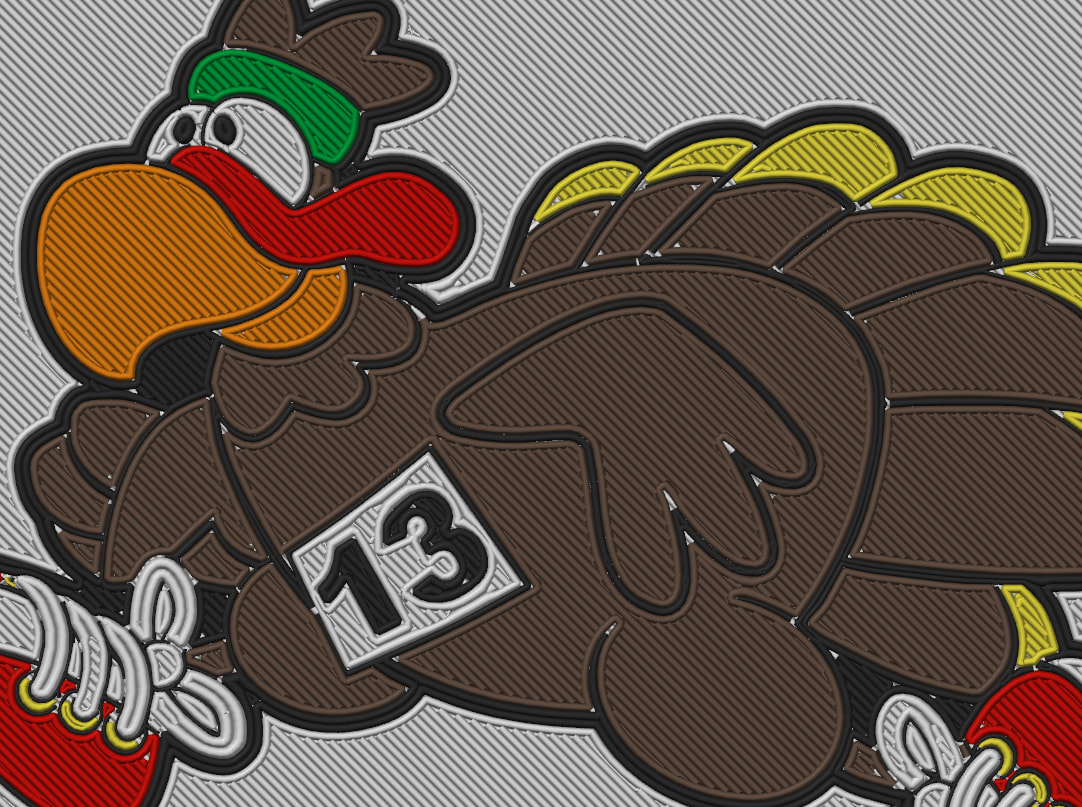
I’ve often had to go to ChatGPT or Google’s search AI when I need help. The Facebook groups are ridiculous and just people saying the same lines to every post or making fun of them. Where are you supposed to get help with prints? I’ve been printing for over a year and I have a P2S and H2C. I love designing in Fusion and then printing seeing my work come to life. My latest project I’m getting to the deadline and I can’t get it right. I’ve tried all kinds of different settings in Bambu and .4 and .2 nozzles. I just can’t get it right. I’ve tried Arachne, different line widths, different wall widths, different order of walls, only one wall on top surfaces and not, more top layers, thicker top shell thickness, beam interlocking, 1 file combined, and 1 split into parts, etc. If you can think of it, I’ve tried it. I don’t know if it’s just not possible to get this printed nice, or if it’s some setting I’m not getting right or with the right combination. The 0.2 does get it better, but still has gaps and the time increase was way up there. In the picture all the white spots are gaps where the top color tool paths aren’t covering the white underneath, not seams just FYI.
I see its cut up in like 80 objects. Create and add object 81, it should be a full mask of the entire turkey. Position it 4-5 layers below the surface, and give it enough Z height to be 2-3 layers thick. Assign that filament as Black. The goal is to print a black “slug” in the middle of your coin that the graphic is “resting on”. Idk the right design terminology, hope you get the point.
Your model already has a black outline, your eye won’t see the black peeking thru if its laid down under there.
This is naively done with a “cylinder” but you have the original drawing, do it right 
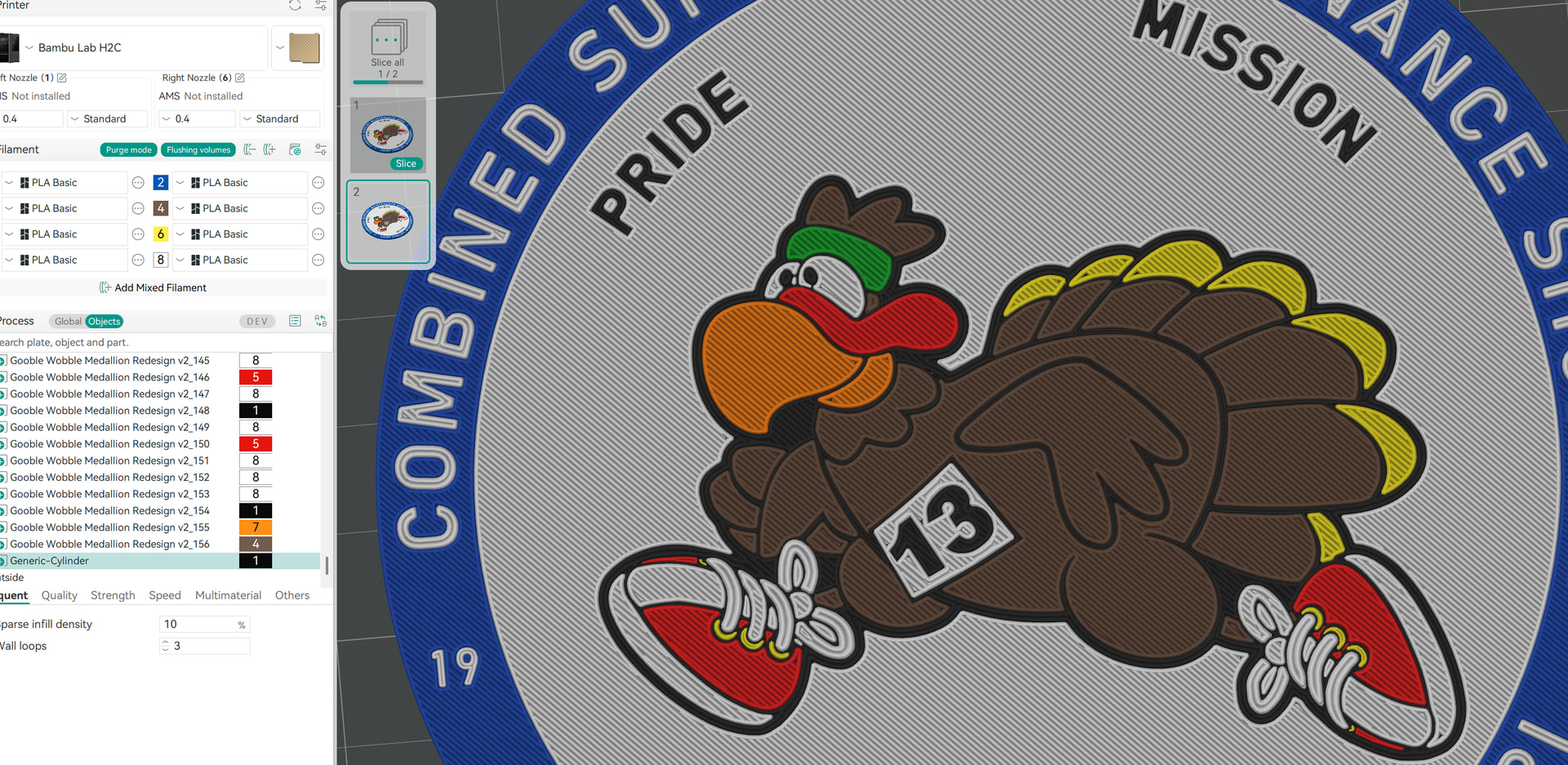
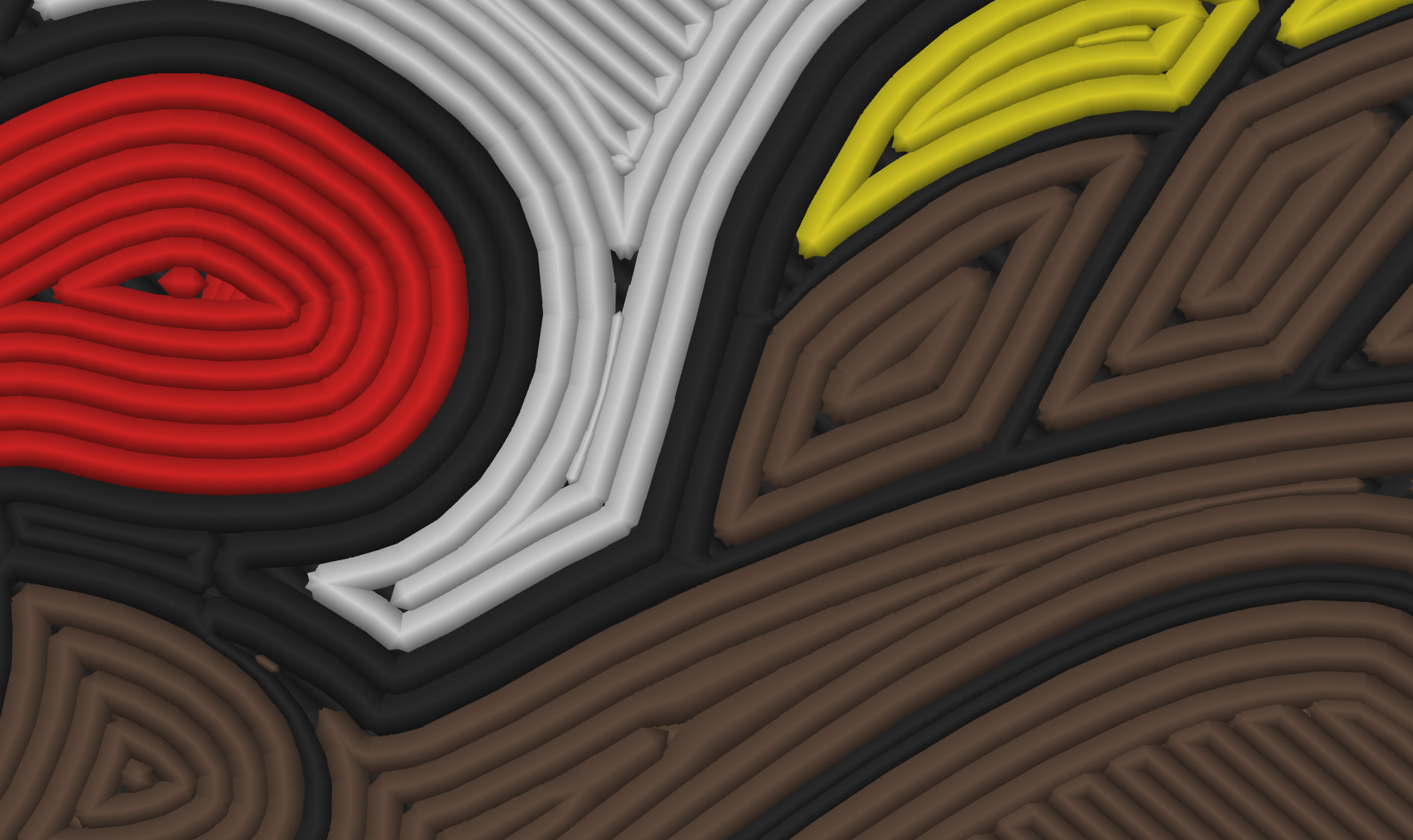
[hacked apart stl just to show the black cylinder and where I positioned it]

I bandaid this by making the colored sections at least 2, usually 3 layers thick. It’s an inherent problem with stuffing a circular nozzle orifice into a triangular space.
One thing I have played with is designing the color sections with a radius equal to or greater than the nozzle diameter, and ensuring the dimensions are such that the nozzle can sweep around the corners. Seems to improve things.
Even on a sharp triangular shape, putting a .2 or .4mm radius allows the nozzle to swing around the bend rather than come up short to avoid overshooting.
I will try this. Thank you.
Yeah that sounds like a solid idea. I just traced our logo and that turkey and made them an SVG.
