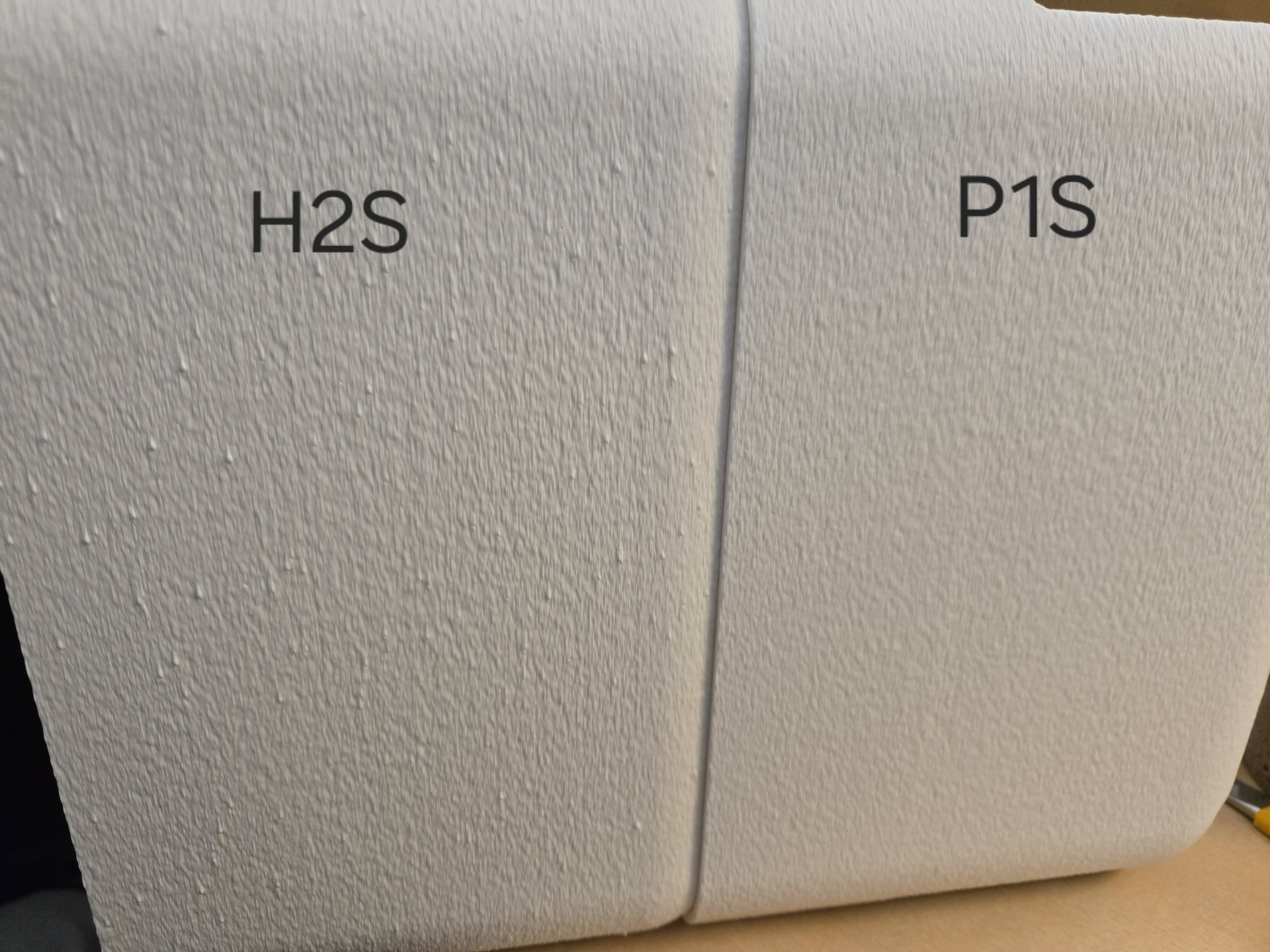
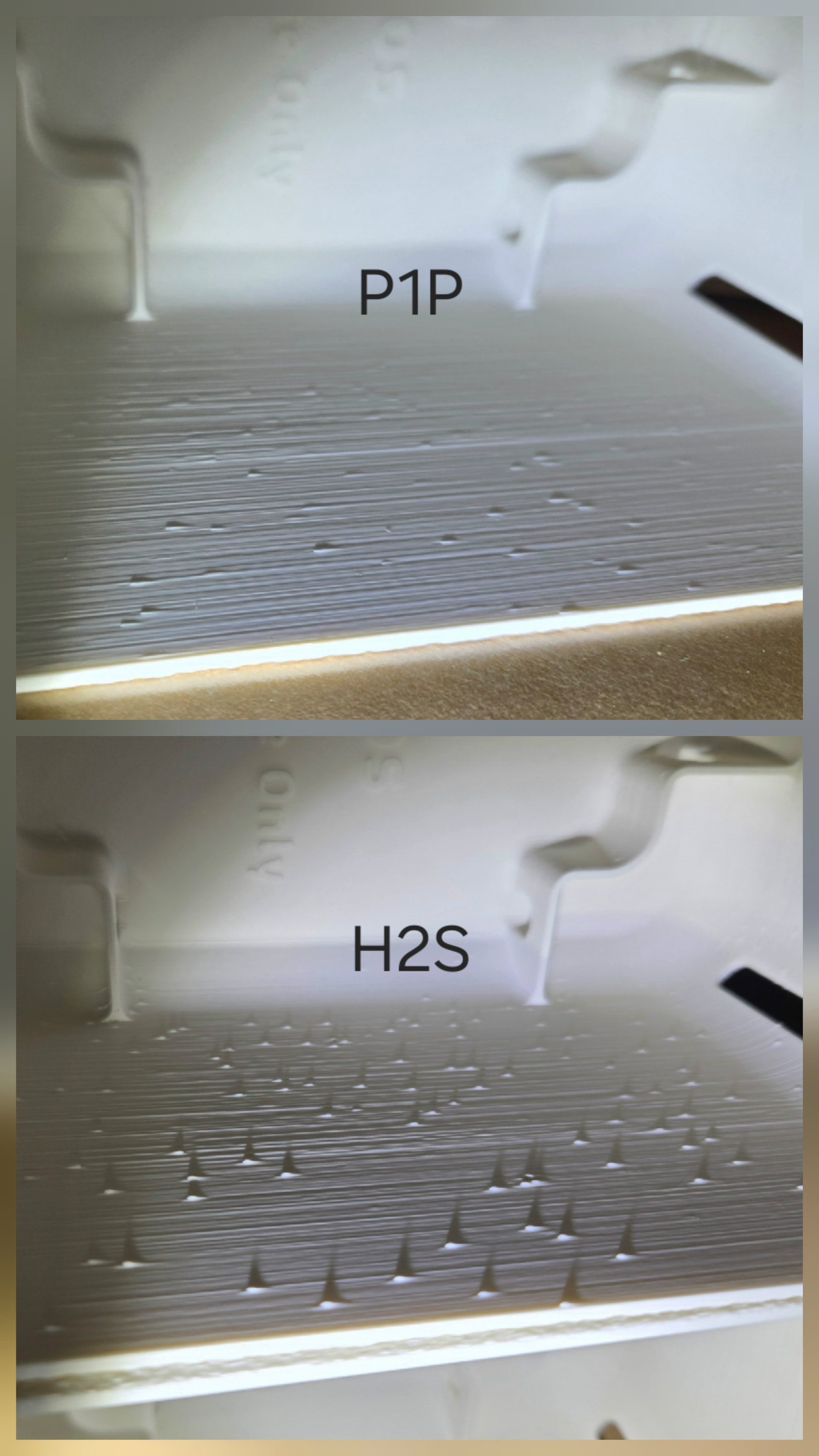
This object has been printed on A1 Mini, P1P and P1S, the end results are almost identical. But the end result from H2S is quite different even though it is the exact same file.
The print in the picture used the exact same file and same spool of filament BL PLA matte. The blobs are the random seam which are pretty much invisible on P1S result.
H2S is a brand new unit with less than 100 hours. I calibrated it before running this test. So why H2S prints differently? Is that normal? Sorry, file can’t be shared.
Both prints have quite a few blobs on the 2nd picture. Size of the blobs might just be slightly different tuning. I’d redo whatever calibration you have done.
Dry BBL PLA matte should print much nicer with just the default factory settings. In fact I can’t remember ever seeing any blobs on PLA matte on my H2D Pro.
[FWIW: I do keep my filament below 10% RH, so no idea if wet PLA matte prints worse or not, I like it as dry as I can get it]
Is that a solid infill print ? Cause if it isn’t, both printers are doing a bad job of it.
These were printed with 0.6mm nozzle, the beginning of a new layer tend to be a bit blobby with larger nozzle. It was surprising to see the blobs from H2S for sure. Wet filament shouldn’t be a factor since both results were printed from the same roll.
Yes, it’s a solid wall. The blobs on P1P are barely visible under the normal lighting. Flashlight makes them more visible for comparison purpose.
Print speed and acceleration would be the most obvious difference. Cooling, potentially. Nozzle differences, extruder… the filament profiles will likely have differences (the Studio compare tool can be useful here).
Saying the same object (assuming that’s what “file” means) prints differently doesn’t take the slice into account. It’s not going to literally be the same g-code, so what are the differences? That would be a good place to start, IMHO.
And I agree neither of the surfaces in the 2nd photo look very good, IMHO and no offense intended (I’ll assume they look as good as they need to). Not just the seams but the walls overall. Too much extrusion (flow) perhaps, or just too fast. The faster (by default) speeds of the H2 would just exacerbate the issue, I’d assume.
Nor should .6mm nozzle leave more blobs than any other size… at least not in my experience, with good flow settings. Potentially the seam gap is set too small?
Wet filament shouldn’t be a factor since both results were printed from the same roll.
Or it just manifests slightly different (more extreme) in the H2S. Moisture is always a factor, even ambient humidity during a print. Whether it’s a definitive factor or not isn’t always clear.
Thanks for the input. I forgot about BL printers are only perfectly tuned with 0.4mm nozzle. You have to tune printer profile for other nozzle size. My P1S uses a 0.6mm nozzle profile that I have tuned.
Still though, H2S doesn’t print as nice as P1S at least in my case, even with reduced outer wall speed. These were printed with 0.4mm nozzle, H2S used black matte PLA (dried for 8 hours), P1S gray matte PLA (straight out of the box without drying).
This H2S was shipped with a slightly crooked nozzle that BL has since replaced it. I wonder if that has something to do with it. Since factory calibrated the printer with the crooked nozzle…
I’m seeing similar blobs and uneven walls on both my H2D and A2L, using a 0.4 mm nozzle.
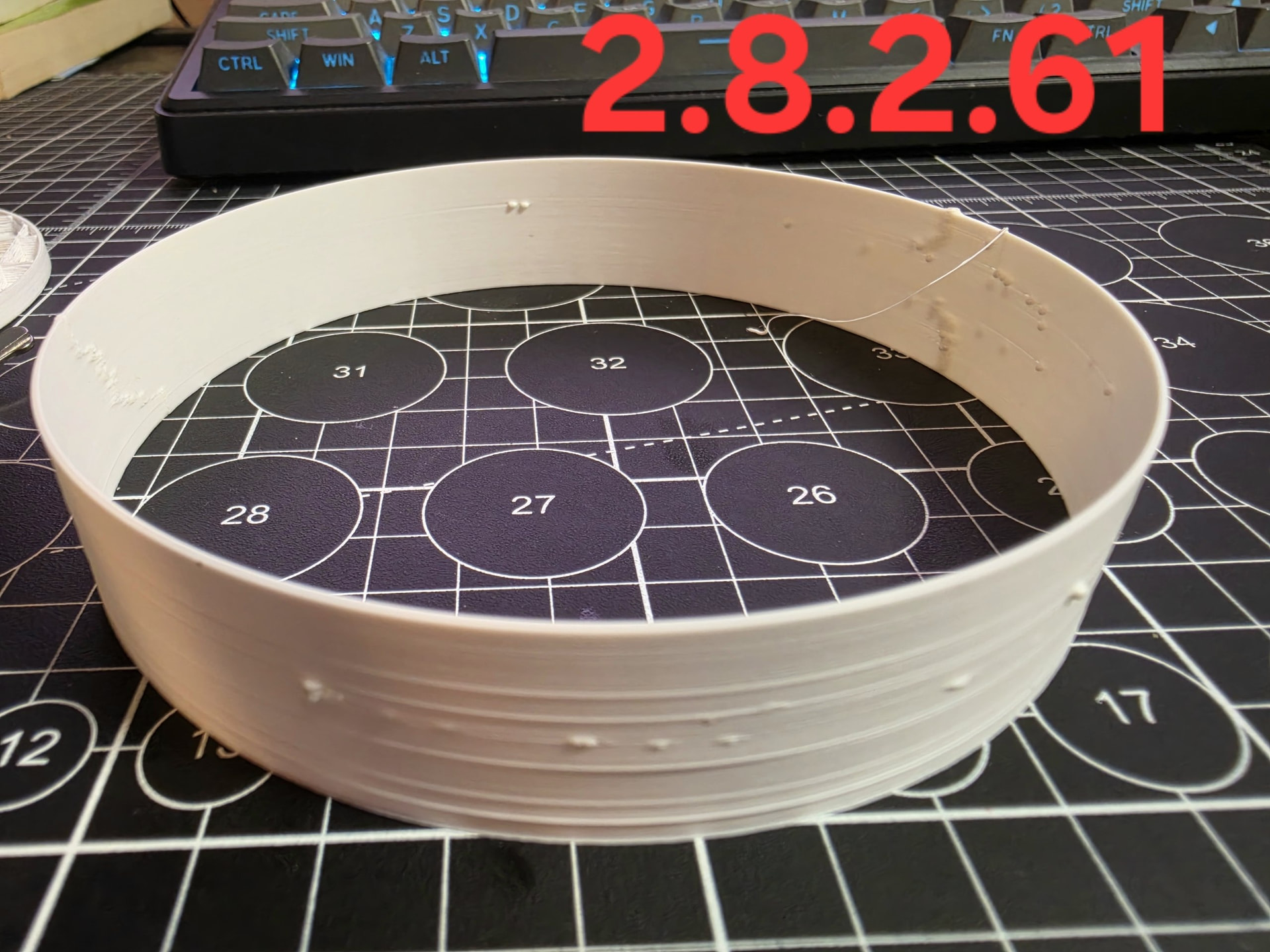
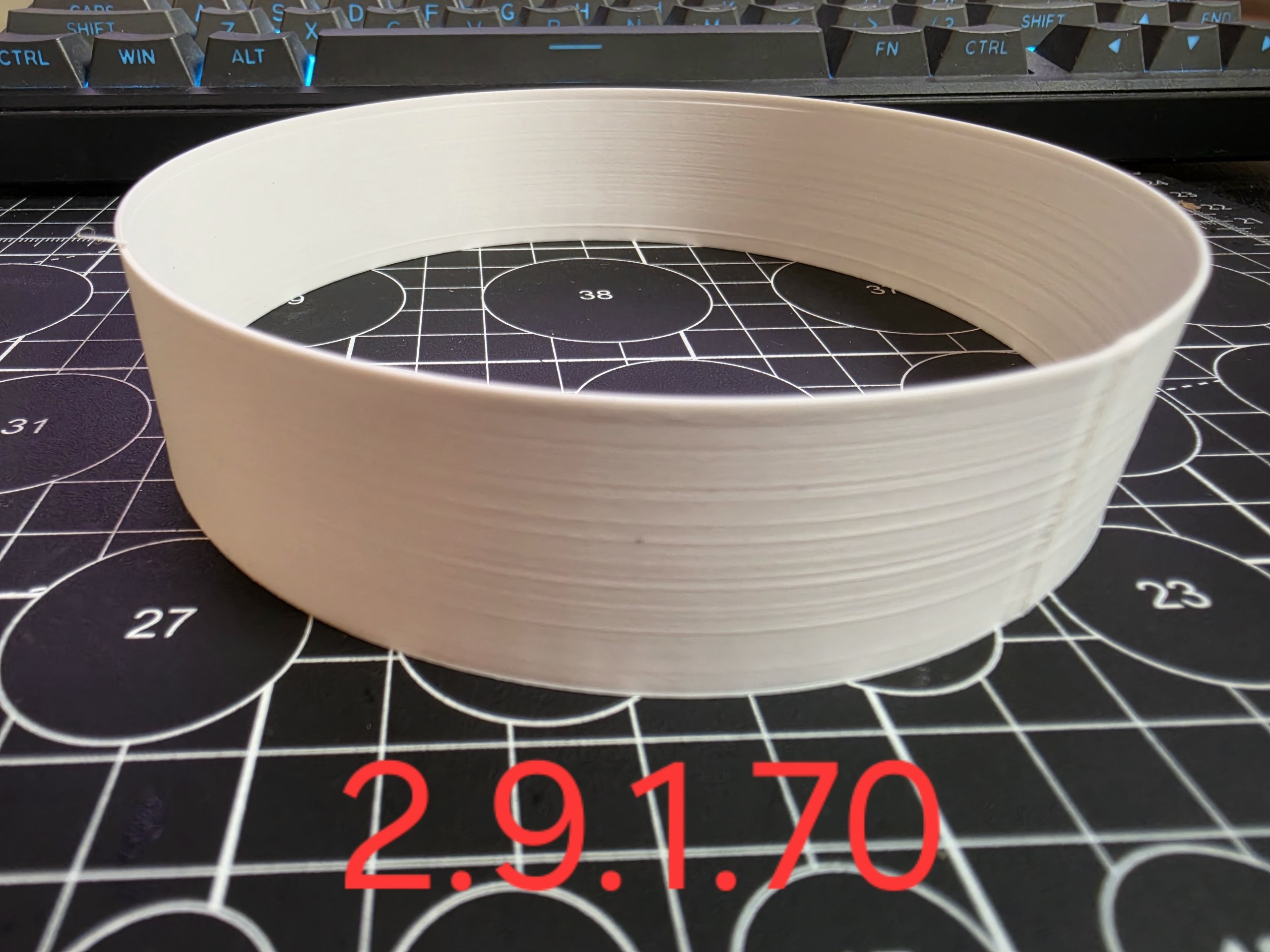
Both printers printed well before their previous firmware updates. Afterwards, I started noticing pauses at the seam before printing continues, along with blobs and worse surface quality. This affects both PLA and PETG.
My H2D is now on firmware 01.04.20.00. Today’s update and a full printer calibration did not resolve the problem. Timelapse was disabled on the affected H2D prints.
Has anyone else noticed this after a firmware update? Have you found a solution?
Bambu has great .6 nozzle settings. I have a P1S with a .6 nozzle full time and it prints beautifully with over 3000 hours. Usually printing at a .18 later height unless it is a square part then .24 works great.
Since both your examples are showing rough surfaces with small blobs on two swperate printers I have to conclude that there may be an iszue with the filament. If it is not Bambu or Sunlu filament you usually are better off calibrating the filament. The H series normally prints slightly better on a well working machine. I would have guessed the filament is wet or a partially clogged nozzle that needs a cold pull. Tje menu on the display for the H seriez has a very good cold pull option. Usually I wouldn’t assume a partially clogged nozzle printer but maybe it is the filaments being used?
Your filament is slightly wet. The P1S has a shorter nozzle and can print with it without any problems, but all H-series printers have longer nozzles, which can cause steam and blobs to form.
The culprit in my case is the crooked nozzle shipped with the printer. I printed the same model again with the crooked nozzle and it came out clean as P1S print.