Any resolution to this issue? My November 2023 P1S is having same issue.
I’m also struggling with this… I have now modified my design and made the holes “longer” (top to bottom) in other words not round, to try and compensate for this…
I am assuming this was never resolved? I have been ignoring this issue for 1500 hours because it never caused a problem for me as I don’t print many functional parts. I am starting to print different stuff and need to resolve this issue now. Did they give up on finding a solution?
I use this technique with my horizontal holes. The issue is due to a limitation of FDM printing and this makes the holes fit.

Holes Horizontal
Recommended Value: a ≈ layer height
In order to print horizontal holes with a better tolerance, it is recommended to model the additional features in the image where the offset distance a, is the layer height of your print. If you are using a small layer height like 100μm you should do 2*a. This will accommodate for any drooping that will occur in the steep overhang sections of printed horizontal holes and the “flattening” of the bottom of holes due to the stacked layer process.
It is from this useful link
I like the method of compensating for the irregularities. Handy information.
I also see this a lot but have just accepted it as a limitation (which it seems to be) and chase all horizontal holes with a drill or tap as the case may be. Some get rounder with an Xacto knife. Maybe not as accurate and could shift the holes slightly, but hasn’t been an issue for me yet.
Getting the same issue with 0.08mm layer height, any fixes
How much better does it work? Care to post a before and after picture?
Thanks.
I don’t have a picture. The holes look a little weird, so are not for aesthetics. The benefit of it is if you make the hole the right diameter plus a little tolerance, the screw will fit in the hole.
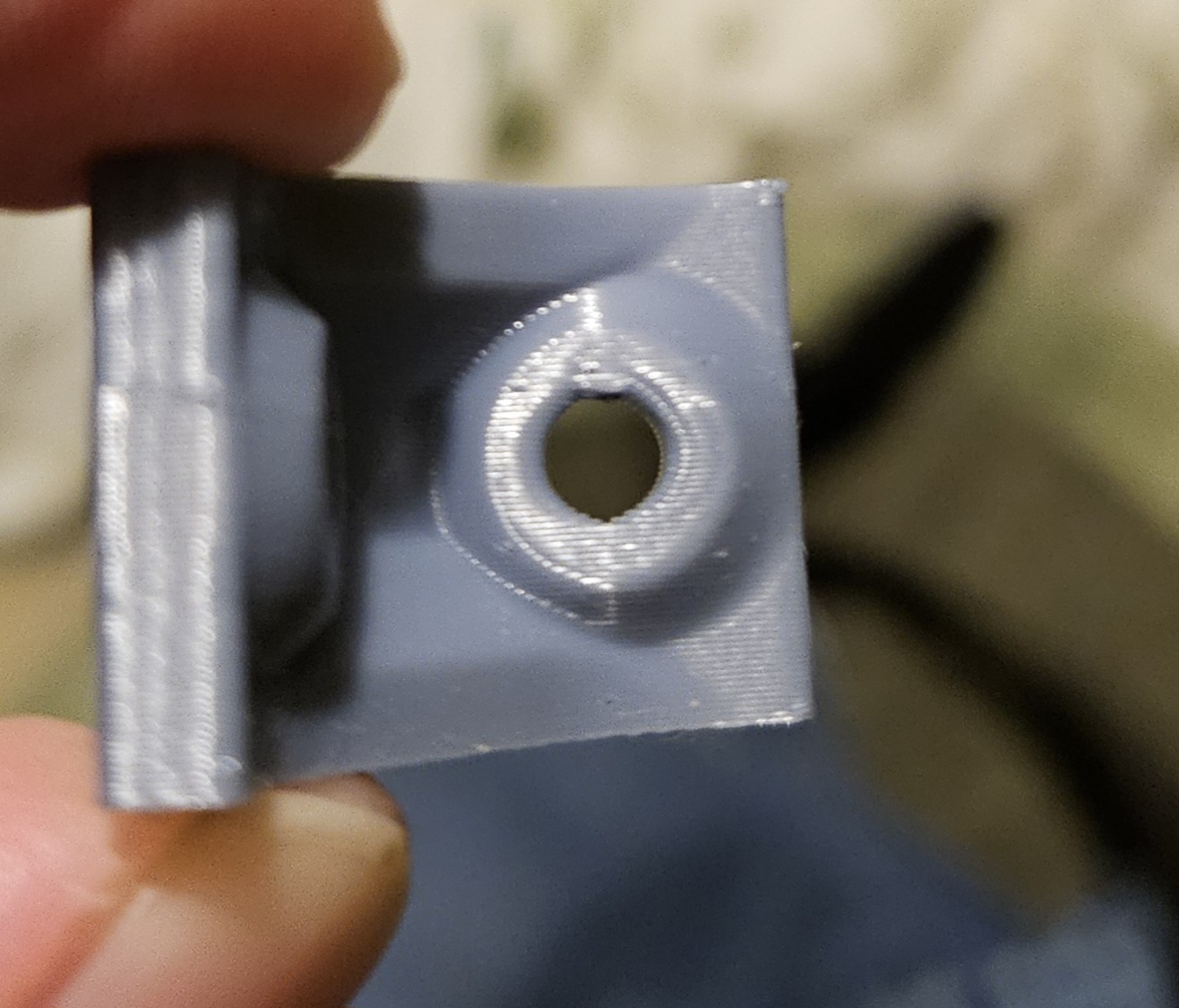
The only solution (if you want to call it that) is make the hole at the top is a bit of a teardrop. I haven’t tried it but I believe it was Makers Muse on YouTube did a video.
I wanted a hole that was round and didn’t want to have an irregular shape like the technique I showed above. Since the technique above is making the height one layer higher at the top and bottom, I just made the ellipse higher by 0.4, two layers higher than the width.
It did a good job. I made the hole a little smaller than the one in the left because it was too loose for my application, and added 0.4 to the height.
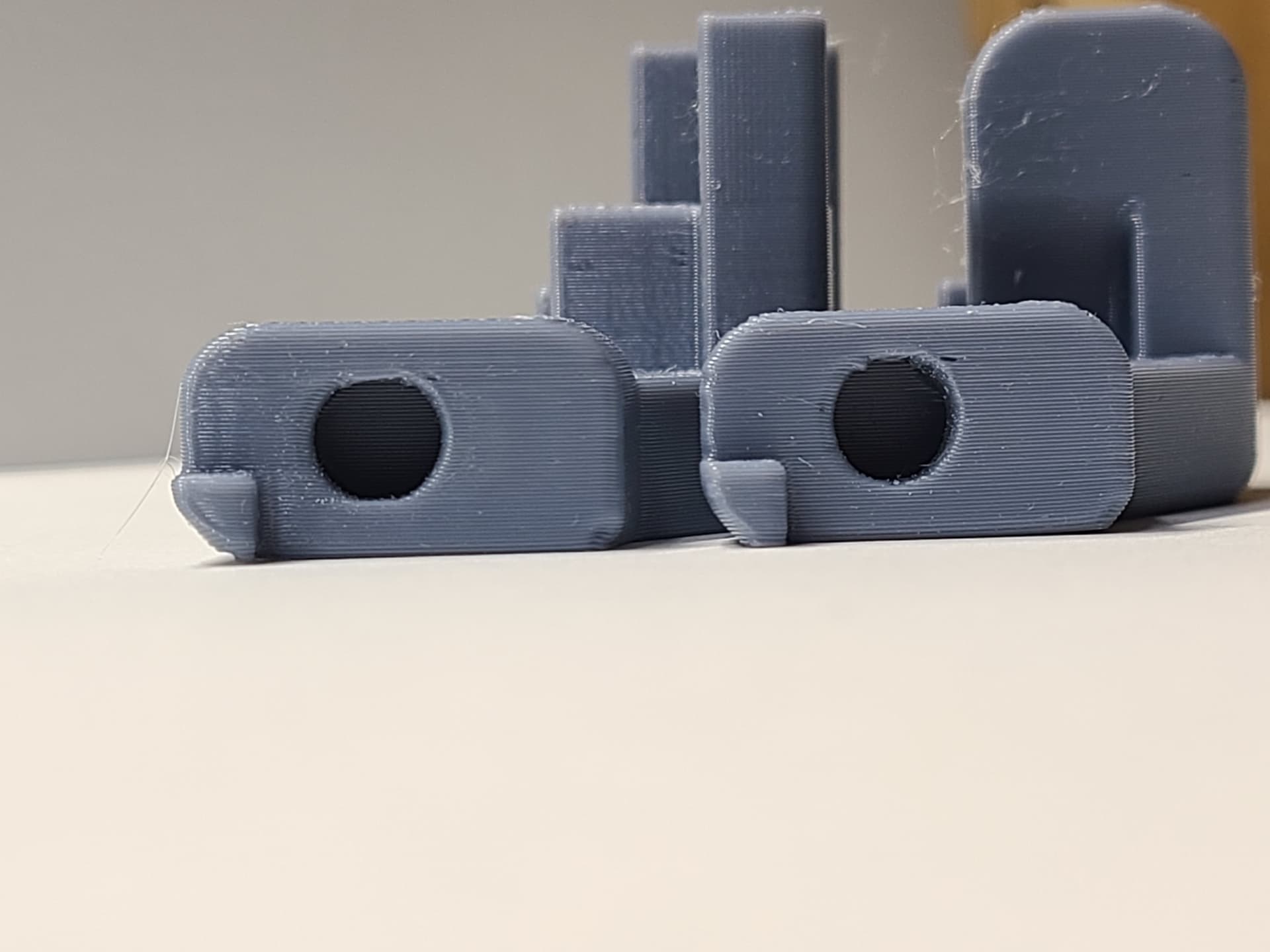
I recently sent in a question to Bambu support and included that case file and URL to this forum
has anyone tried adaptive layer feature ?
Just printed a design in PETg with my hole on the horizontal which normally would turn out oval.
But using the recommend adaptive layer feature the hole turned out round.
The only issue is that the whole print layer was adjusted. Creating very visible line layer line on the whole object. Didn’t have time to add a modifier but I’m pretty sure that feature isn’t available in a defined area.
I am a new user coming from S3D 4.01, the devil I know. The fix for horizontal holes I have been using for my parts especially if tapping the hole is to make the hole much smaller and post processes drill it to tapping diameter. I am normally working with .8mm EW and 50-75% infill. Would be nice not to have to do this but is isn’t injection molding and never will be. Seem that Bambu Studio does not have a fast and easy way to achieve multiple custom configuration of S3Ds multiple process, but I will keep reading…
Has there been any resolution? This threat is years old now and my new X1C is experiencing the same issue.
Has anyone figured this out yet? @msteele999
This thread has lots of solutions for issues with horizontal holes. This is not a printer issue but a limit of FDM printing in general.
Respectfully, I could not find a single resolution that didn’t cause another issue.
I have 4 ender 3’s and this is a non issue for them. However my new P1S that was gifted to makes egg shaped holes horizontally. I have tried every suggestion in this thread.
Thanks.
Moreover, I believe these “solutions” you speak of are bandaids for a hardware issue.
Slow down your machine to the speed of your enders and see what happens.
Speed. Speed is the problem.
Already tried printing at 60 mm/s and 80 mm/s.