I’m printing a part on PETG and I’m having layer adhesion issues with the final part. So I decided at the start of this print to manually change the part fan from 80% to like 20% that I used to run PETG at on my old printer and it only sticks for the current layer and then reverts back to 80%. Why?!? The aux fax does the same thing!! It’s so annoying!
You will need to check the filament settings. Under Filament Settings → Cooling tab, you can adjust the cooling fan speed per layer, and manual fan settings can be automatically overridden during printing (for overhang, specific temperatures, layer levels, etc.).
That doesn’t help when the print is already in progress. On every other machine I’ve ever used I can just change fan settings, speeds, etc mid print as I need/want to.
Cooling logic differs between manufacturers, so I’m not entirely sure what cooling approaches other manufacturers use 
Bambu Lab printers prioritize the cooling rules that the printer controls automatically Even if the user manually changes the fan speed, the printer will override these manual settings whenever the cooling rules defined in the print profile require cooling control—for example, running the fan on specific layers, when the temperature is too high, or when the temperature is too low.
These cooling rules cannot be changed mid-print, so they must be configured before sending the job to the printer. (You can adjust them under Filament Settings → Cooling.)

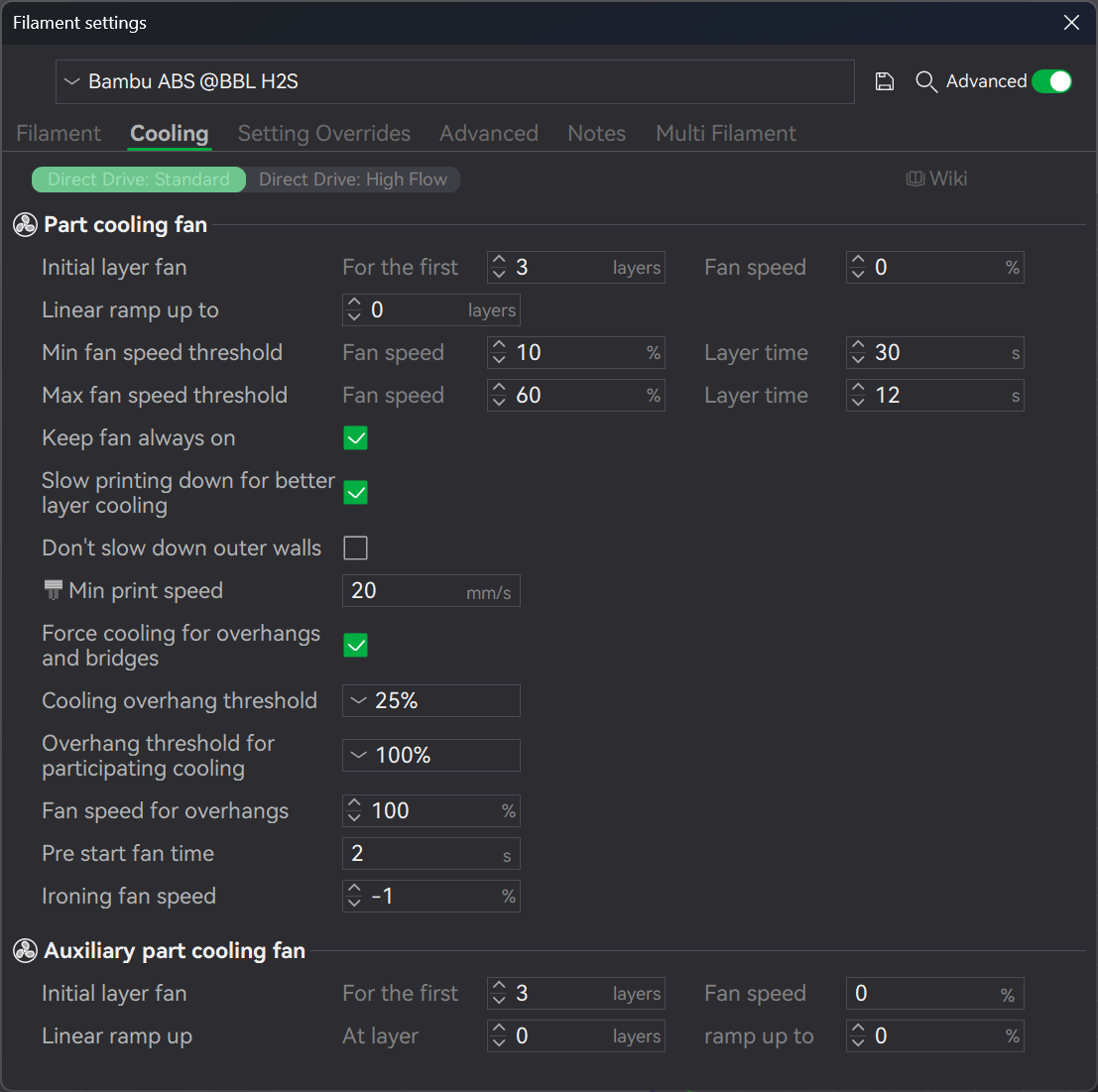
Hope this explanation was helpful 
Not really helpful, I understand all of that. On my Klipper printers I can change almost everything on the fly - cooling fan, flow rate, print speed, extruder/bed temp, etc
The way the printer handles multimaterial for h2c/h2d [and likely x2d] is to inject a whole lot of extra gcode to reset the fan expectations [and other stuff] per layer. This means that final file has the instruction to “set fan to x” every single filament change or layer change. So manually setting it to Y will get clobbered as the gcode file naturally progresses.
I agree its not great but thats why and the mechanism for how