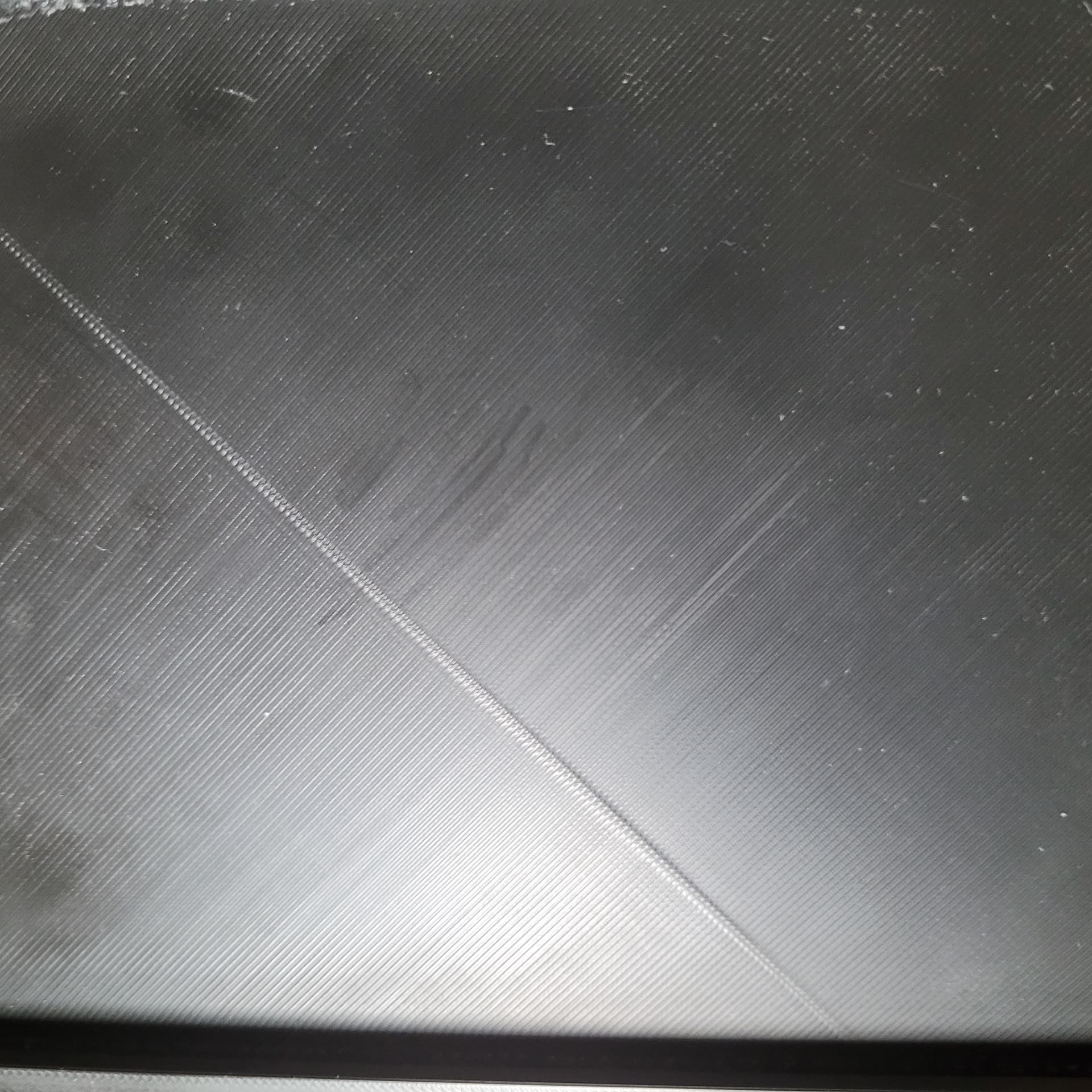
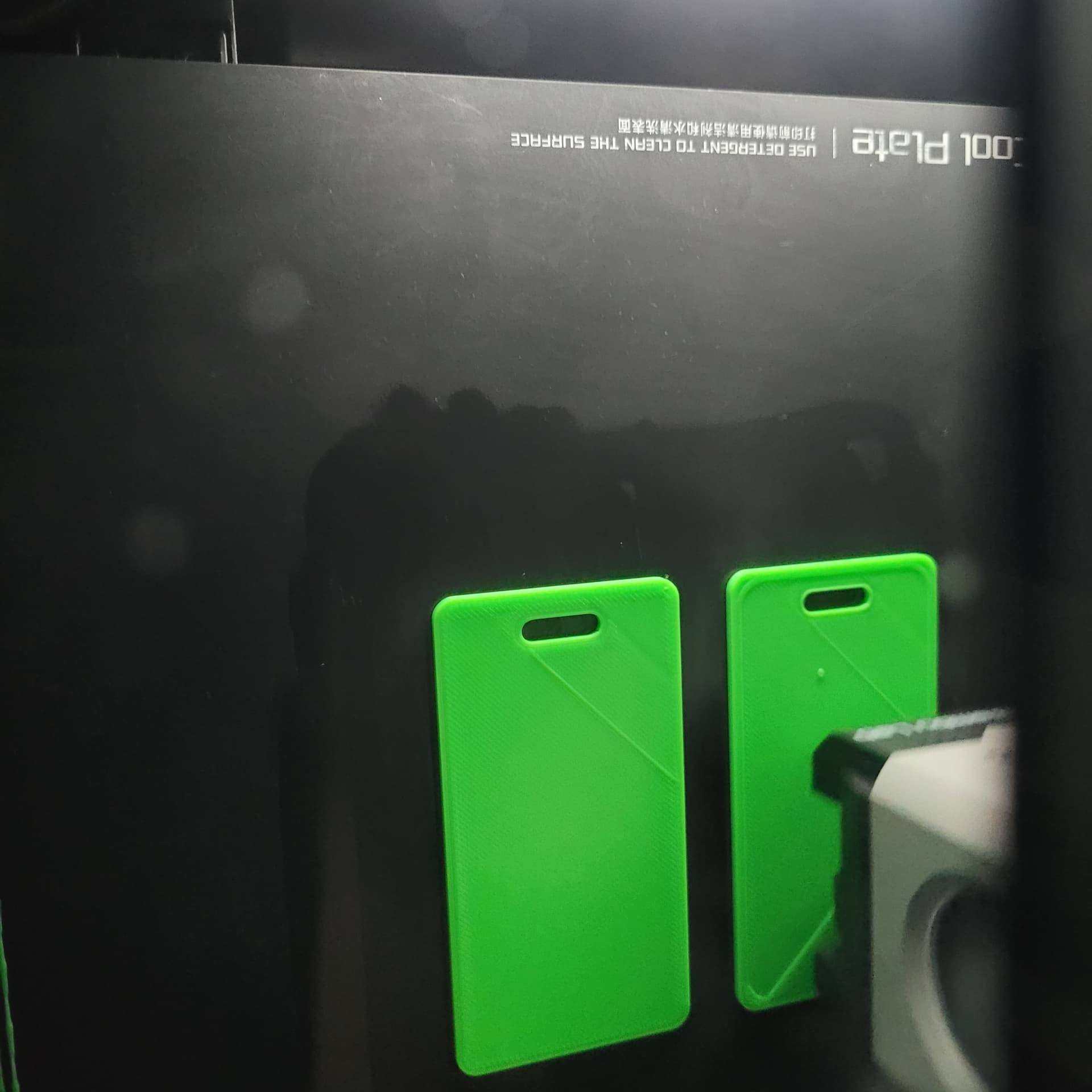
When printing, the X1 Carbon is printing a random “double line”.
It does not happen on every print. It seems random. It’s not really a layer shift like one reads about often on these forums. It seems more like the same line being printed twice.
So far, I have only noticed it when printing Sunlu PLA+. But not every print. I am not sure what direction I should be looking when trying to troubleshoot this issue?
Sunlu PLA+
Sun
Turning off single line on top layer might fix this. At least it works for similar defects caused by letters on the top surface. Bambu is working on a software/firmware fix for this issue.
For the green print, reduce extrusion flow slightly. That’s not an extra line, it’s too much plastic being extruded when the final line is being printed and there’s stuff already printed on either side. Too much plastic to fit in the available space so it squishes out/up.
For the black print, hard to tell but that just looks like a seam. Zoom out a bit?
Thank you for the feedback. For both prints above, the “double” lines were not on the final or Top layer. The final layer over the “double” line is visible on the black print. I took the picture of the green print while in progress.
“For the black print, hard to tell but that just looks like a seam. Zoom out a bit?”
I thought that I knew what a seem is in 3d printing, but I’m not so sure now - no pun intended.
Perhaps the slicer had the printer print half, then jump to the perimeter, then back to middle to fill in the rest of the layer? Would that be considered a seam?
If so, a very sloppy seam.
Yeah. That line shouldn’t be there. It’s at right angles to the direction of the extruded lines on the top surface. Slicer shouldn’t have put a seam there. You need to go look at that layer in the slicer and see if the artifact is present. I bet it will be. There may be some error in the geometry that makes the slicer think something is there…