Hi everyone,
since updating my X1C to firmware 01.12.00.00, I’ve been having an issue with the AMS.
When starting a print, the printer gets stuck on “Preparing AMS” and does not continue.
I had the same issue before and was able to temporarily fix it by disconnecting and reconnecting the AMS cable several times.
I’m currently downgrading to 01.11.02.00 to see if this fixes the problem.
Has anyone else experienced this issue with firmware 01.12.00.00?
Downgrade to the last working firmware version. That should solve your problem.
So glad I’ve been just cancelling out of this firmware update.
Really not a fan of being beta testers for printer firmware.
I really don’t understand why Bambu Lab has not withdrawn firmware 01.12.00.00 yet.
This is not a beta firmware – it is an official release. In my case, after installing it, my X1C repeatedly got stuck at “Preparing AMS” and was unable to start a print.
After downgrading to 01.11.02.00, everything immediately started working normally again with exactly the same hardware configuration.
If multiple users are experiencing serious AMS issues with an official firmware release, why is this firmware still being offered as a normal update?
At the very least, Bambu Lab should acknowledge the issue, warn users, or temporarily withdraw the update until the problem has been investigated and fixed.
Perhaps there is a problem with your AMS. I updated my X1Cs and haven’t been having any problems. However, while updating, it seemed to me that they spent a lot off time playing with the A AMS units — running the filament in and out, one slot after the other, over and over again.
my P1P has the same issues with the AMS but i have not downgraded yet
How many AMS units do you have connected to your X1C?
I have 4 AMS1 units/printer, but in my case I’ve stopped updating the firmware to the last working version prior to Bambu’s last year’s “security patch” BS, in January. No more running issues or lost filament settings.
Restore factory settings from the printer menu often cures weird behavior after a firmware update. I have no AMS and no reason to update beyond v1.08.02, so I cannot guarantee this will fix your problem, but a Restore has always fixed my post-update issues. I have never needed to revert to older firmware.
I had issues with the 2nd print after a hard reset always getting stuck somewhere along the first layer (printer hung… couldn’t connect, panel was non responsive). After the 3rd failure (and multiple calibrations, etc.) I reverted to the old firmware.
Exactly the same here, 4 AMS units, “Preparing AMS”- error … downgrading to the previous firmware, solved the problem instantly.
Great QA from the dev team! Im rolling back to 01.11.02.00 as well.
10 years later, and it has finally downgraded… Confirmed the “Preparing AMS” bug is gone!
Exact same issue for me. X1C with four AMS (original) units. I updated everything to the most recent firmwares last week and it’s been working fine until today when it started throwing the “Preparing AMS” status today. Tried reseating all the cables to no effect. Tried with only one AMS to no effect.
It could be that I’m running the most recent version of Studio as well (2.8.2.60)? I dunno.
I downgraded the firmware back to 01.11.02.00 and it’s printing like a champ again.
Same problem here, same fix. Four AMS units.
As expected
I had the same problem and a factory reset cleared the problem.
可笑的是~我提出了工單~客服還一圍繞著我的螢幕排線解決~雖然我的螢幕有這問題~但不影響~來回了~3-4封~並發現BAMBU團隊開始的不專業解決能力~比以前差太多了~我還以韌體版本當作主題
对于(早已臭名昭著的)Bambu客服团队质量和专业水平持续下滑,您感到的沮丧和失望完全可以理解。遗憾的是,他们的直接主管或负责监控本论坛的人员,似乎完全没有改善客户体验的意愿(或兴趣)。这真是太可惜了(对他们来说)。
Im rolling back to 01.11.02.00 as well.
downgraded… Confirmed the “Preparing AMS” bug i have downgrading to the previous 01.11.02.00 firmware, solved the problem instantly.
I tested it today, installed the new firmware update, reset it to factory settings, and sent the job to the printer—but nothing happened; I kept getting an “AMS preparation” error message. So, I reverted to the old firmware. Sorry, Bambu, but please test things properly before releasing them.
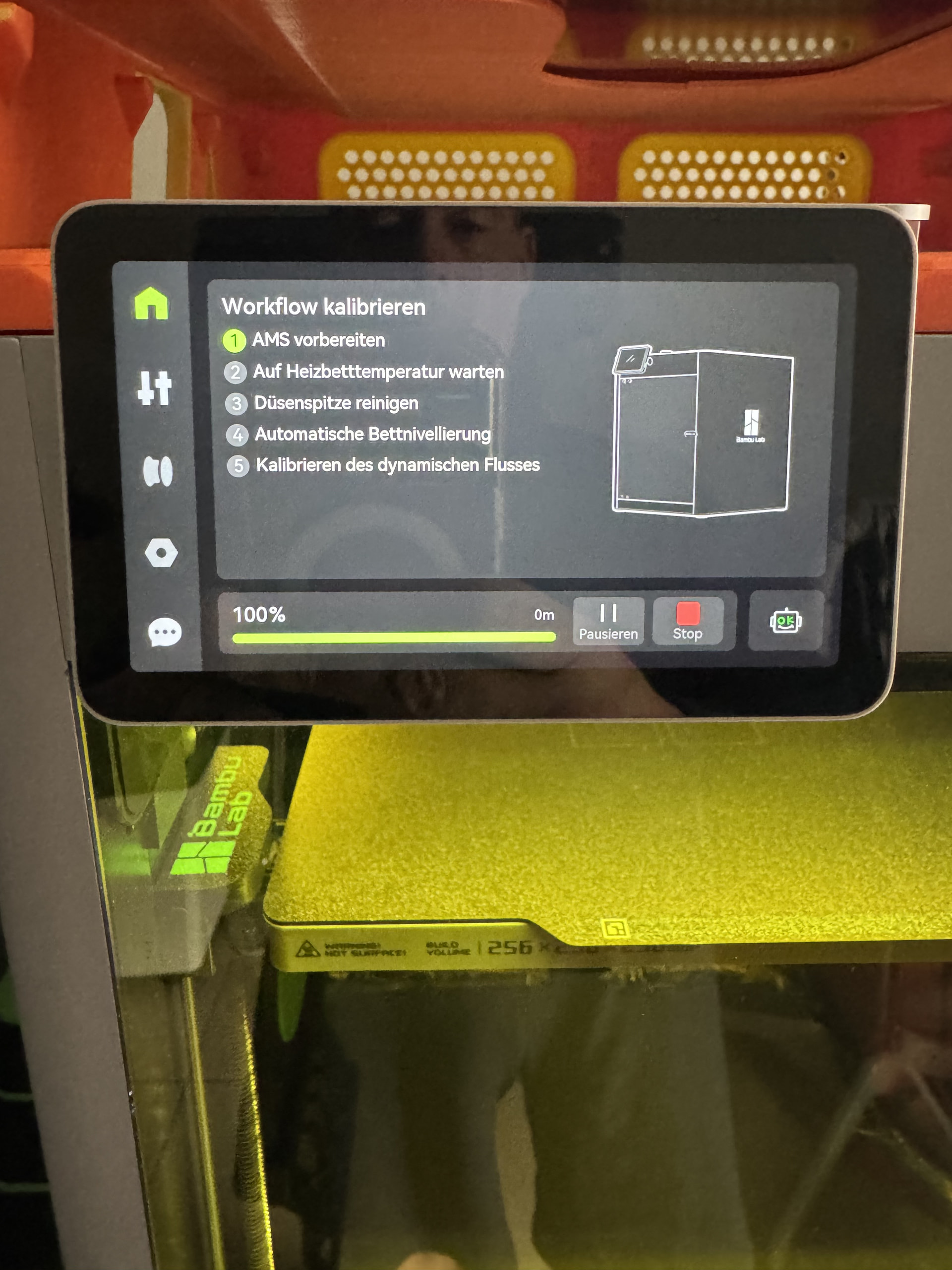
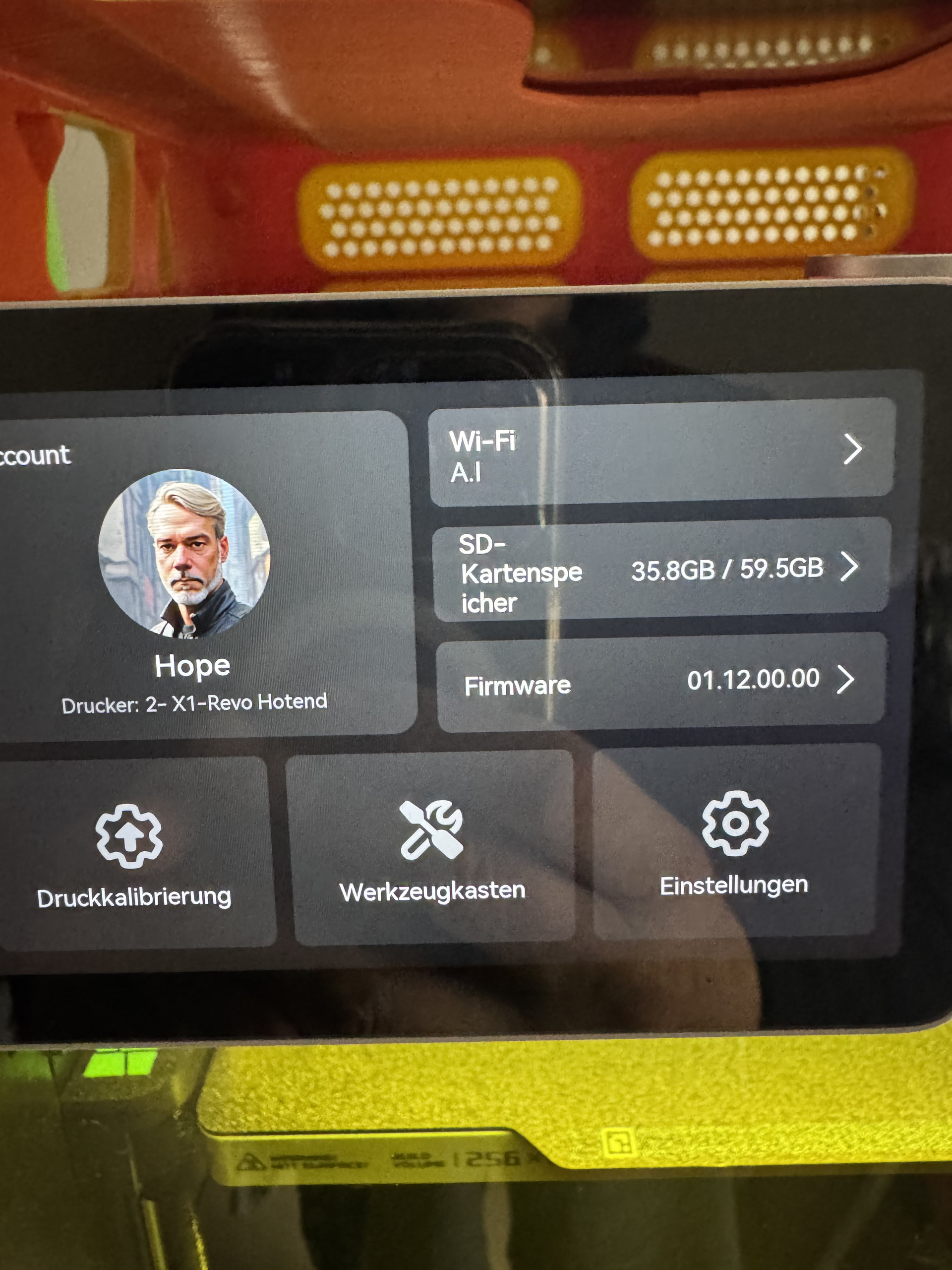
Same problem her. X1C and four AMS and problem started immediately after upgrading the printer to firmware 01.12.00.00.
I can’t even stop the print, when it is stuck there. Have to power tooggle the printer.
Downgrading (using the Bambu Handy app) to 01.11.02.00 fixed the problem.