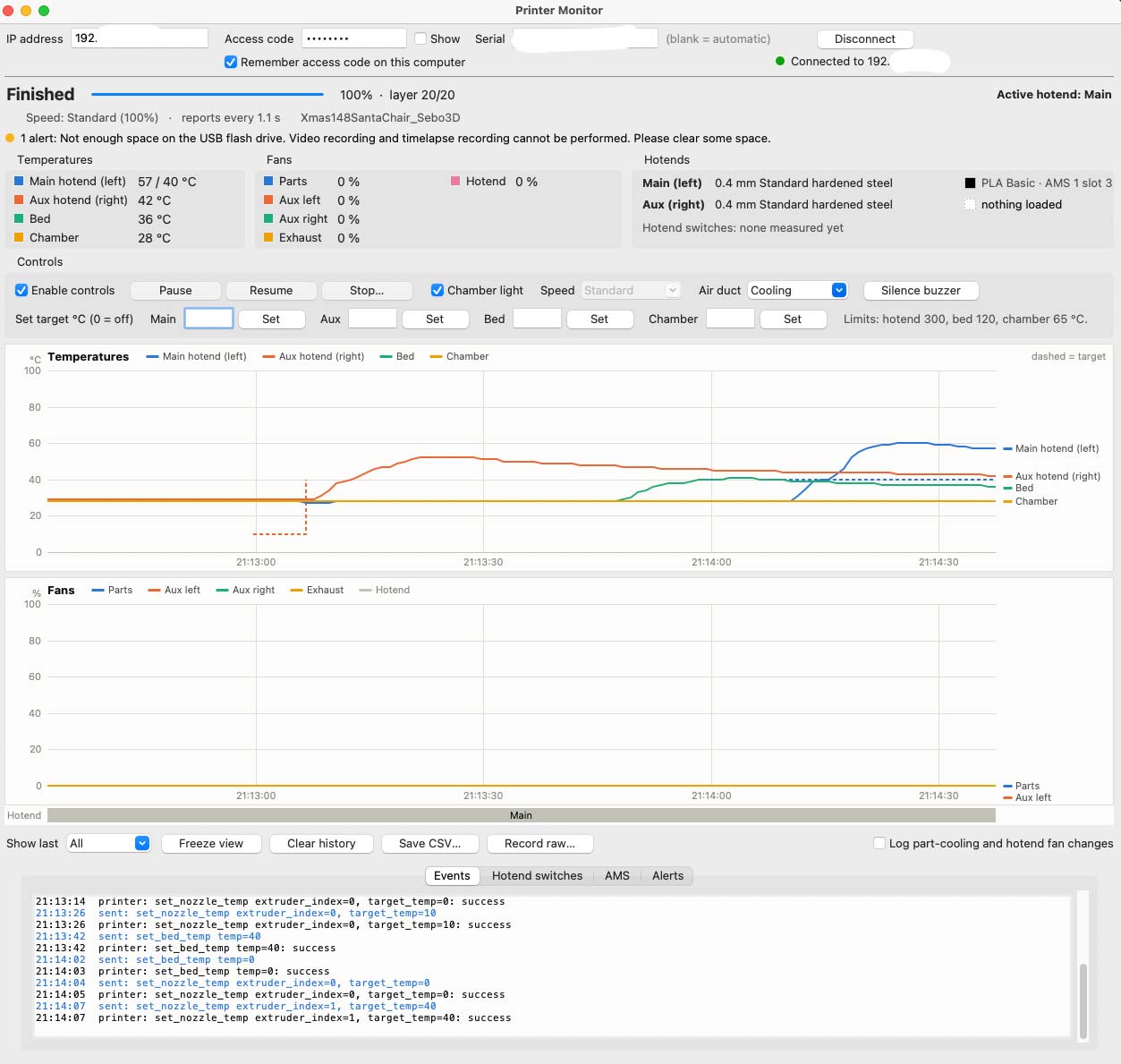
When I was working on my dual-extruder app, I wanted to see how quickly the nozzles were switching and what was happening inside the printer. Also, as a LAN-only user, I thought it would be cool to be able to remotely monitor and control my printer just by knowing its IP address or name.
So, I wrote this simple script (Windows ad MAC) that lets you monitor temperatures, fan speeds, bed temperature, nozzle temperatures, and more. You can also save all this data to a file for further analysis.
It’s especially helpful for analyzing how the chamber temperature increases over time when printing with PETG.
It also looks pretty cool when you have it open and all the numbers are constantly changing. You can impress your wife by making it look like you’re working on something really important! 
The script also allows you to start, stop, and pause prints remotely.
If you forward your printer’s ports on your router, you can even connect to it over the internet without using the cloud. Just be aware that exposing printer ports directly to the internet can be a security risk.
All you need is IP/FQDN name and access code, serial is pulled automatically.
Happy printing!