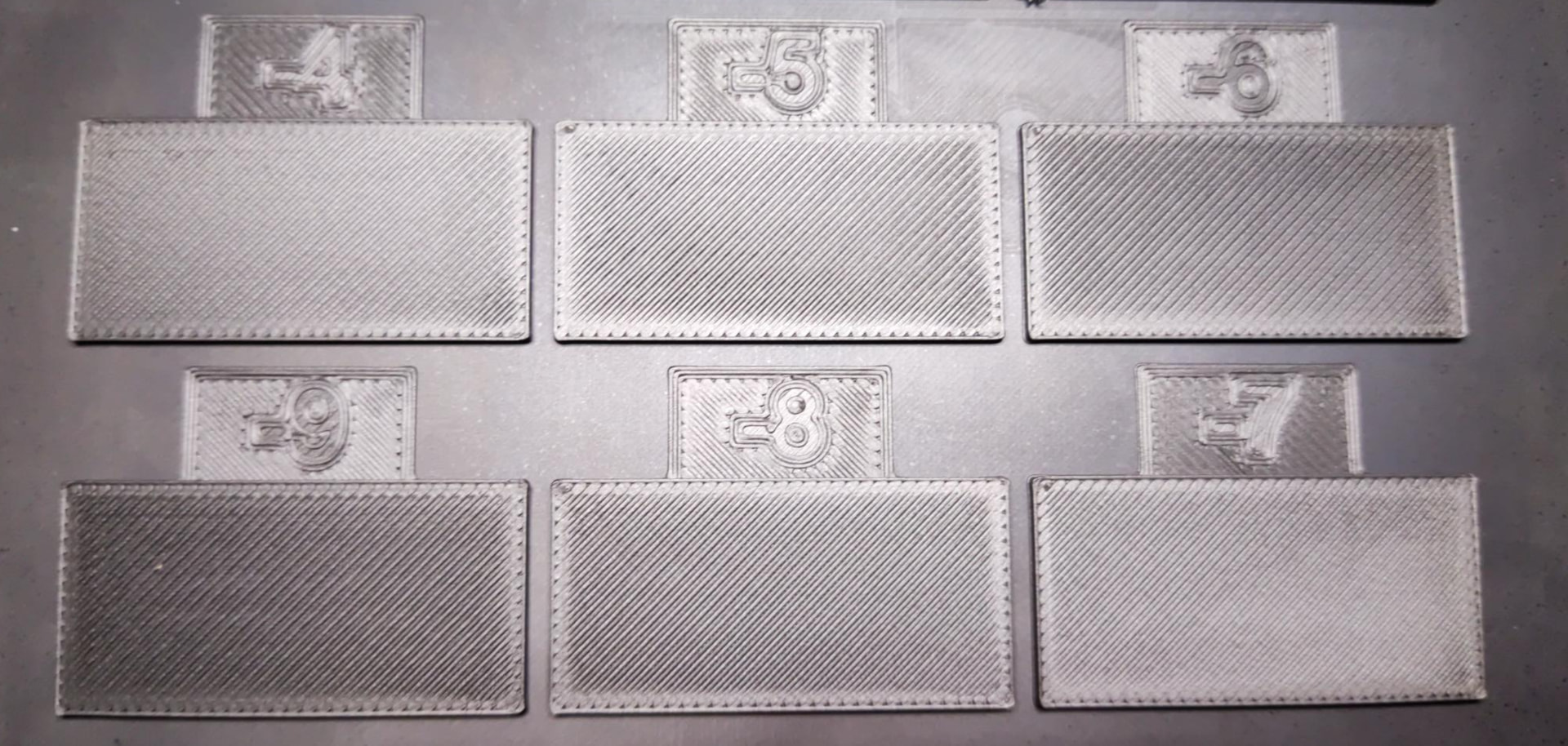
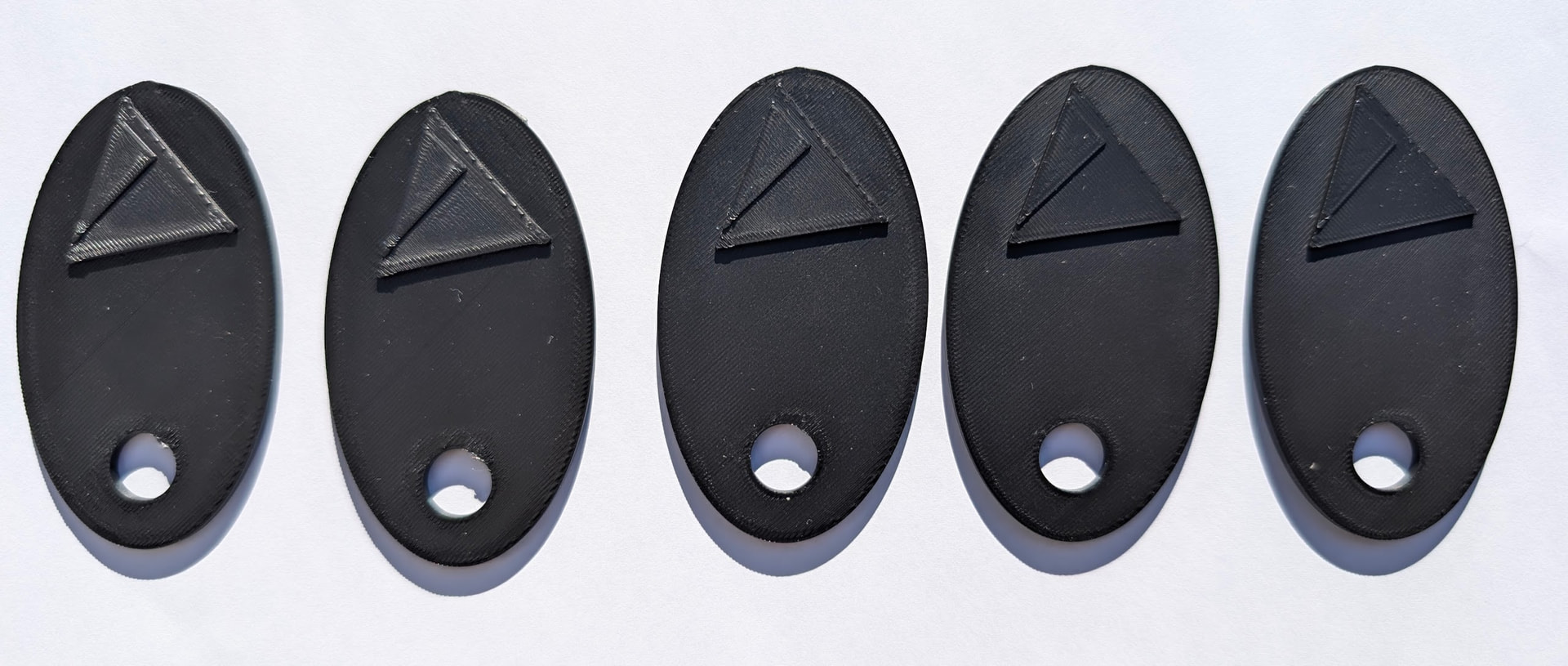
Now that the print job is finished, I’ll post the values: Context: Obviously, you can’t transfer these values to another printer, but here’s what’s typically possible in terms of quality:
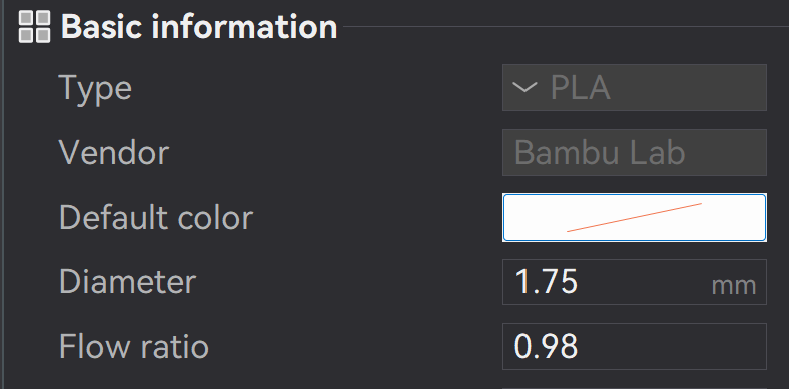
Flow ratio: 0.98 - So, what Bambu suggested is also my starting point. I didn’t have to adjust that value.
My calibration test - almost all of them look identical; it was hard to tell which ones were better or worse: I just turned on the studio lighting to make every groove clearly visible; this is not what it looks like under normal everyday lighting.
Now, of course, the question is: How does that help you? Something is fundamentally wrong if that’s the result your test is giving you: Your picture - take a look at the difference:
Calibration won’t help if the starting conditions are so unfavorable. Something is fundamentally wrong here. If the calibration has already failed, the problem must be somewhere else. You probably already know this, but just to confirm.
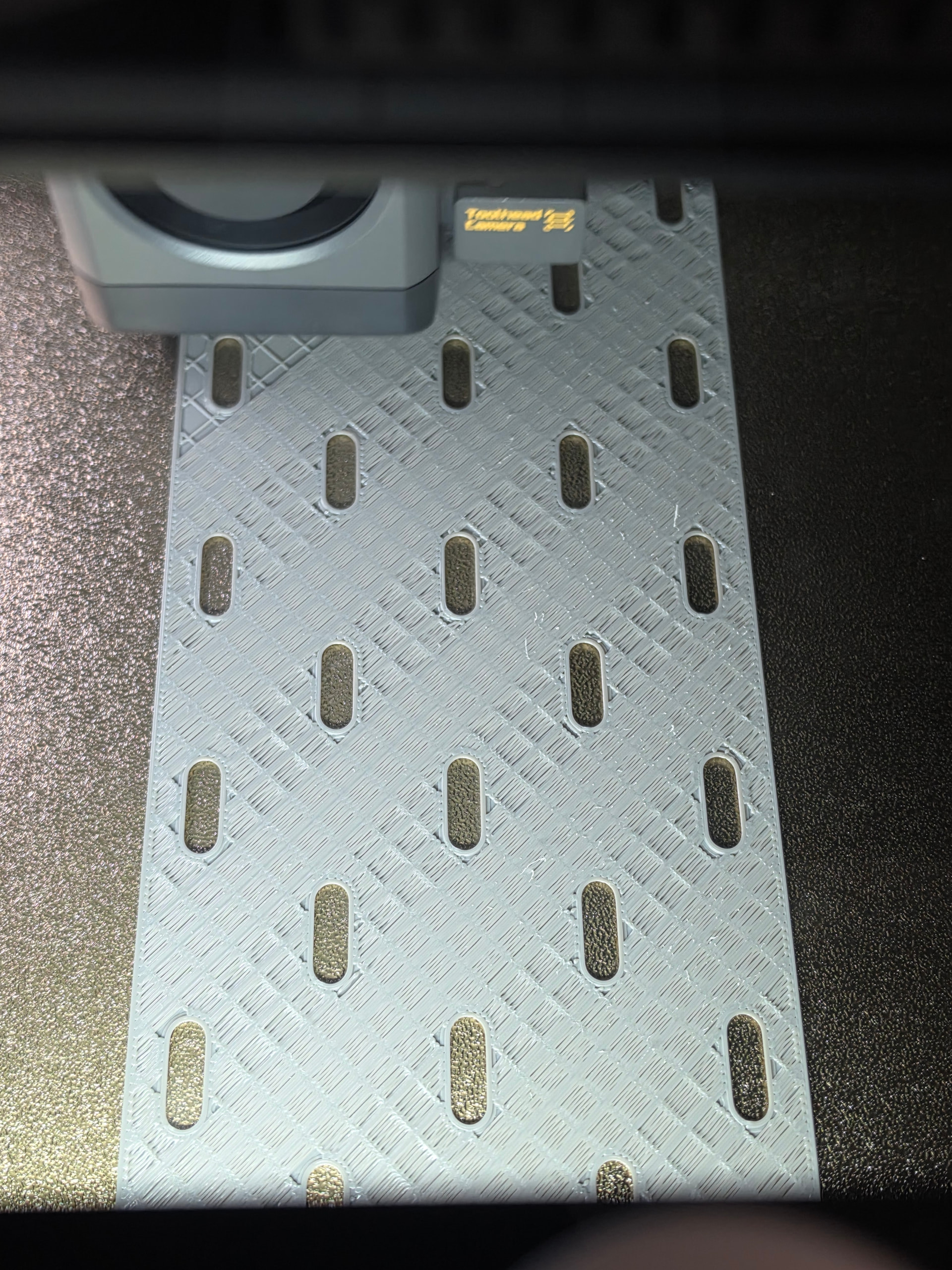
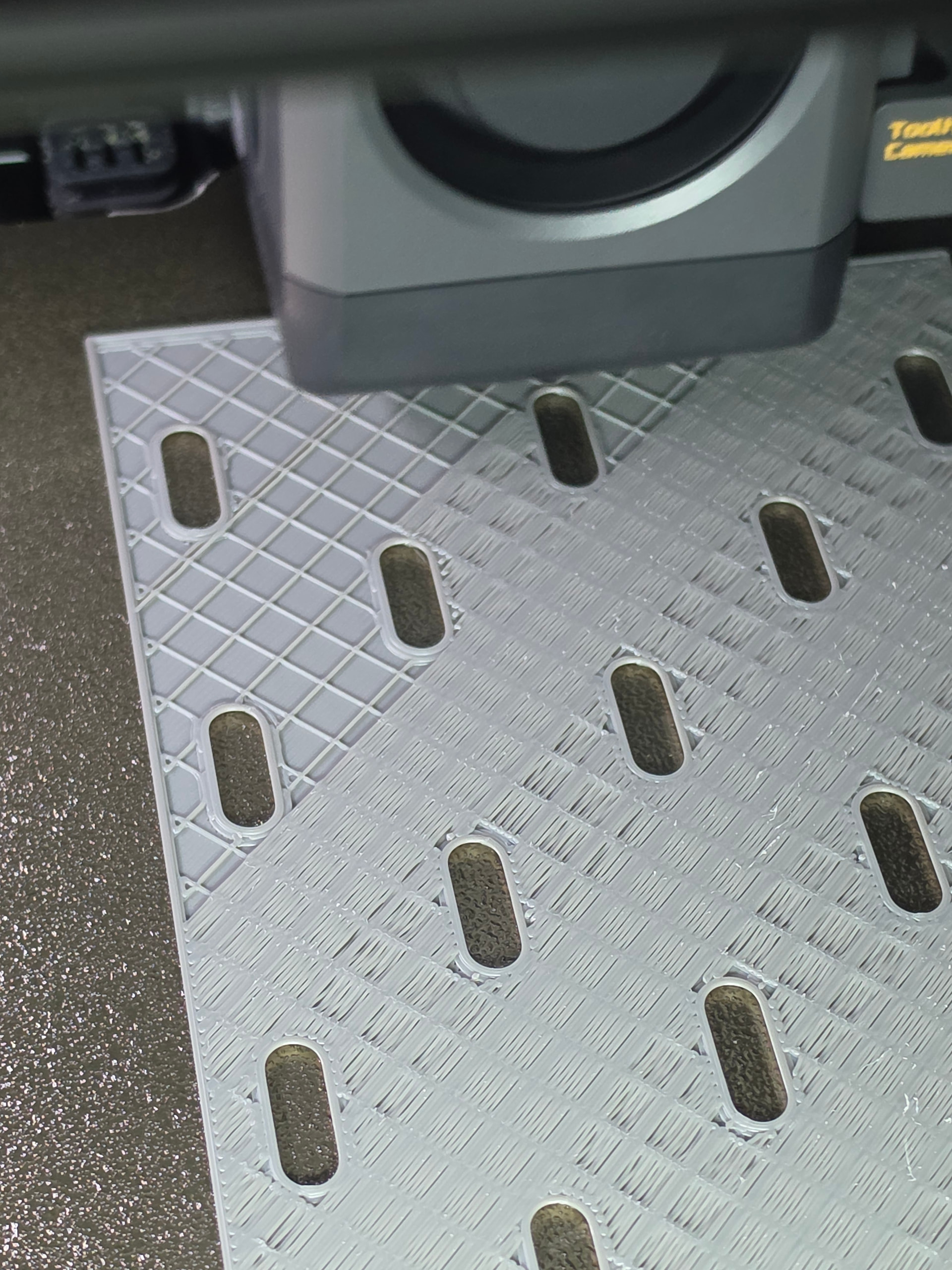
Your calibration test results looks like what I get on my X1C. What I get on my X2D as you could see, I do not know why! I have tried various nozzles and filaments and I can print items with success. Must be some bug in the calibration program? because it look spectacularly bad!Thanks for sharing RetroSharky.
Exactly! Every top surface on my X2D looks like this by default. Voids between middle of the lines on the top layer. No signs of general underextrusion.
The last of my tries was with Bambu Lab PLA Basic, dried for 24h. No issues on P1S, P1P nor X1C. Only on the X2D. What is going Bambu lab?
Can you confirm if you lubricated any of the extruder parts? My understanding of the top layer issue is that it’s related to flow dynamics calibration, so I don’t see how lubricating rods could possibly help? It could also be that we are referring to two different types of defects on the top layer.
Seeing this. I have P1S and it’s my constant. there is an issue with the Ai? or the motor sense? either way the top layers are very disappointing. My third week and mainly spent fixing issues with this printer.
This is my first Bambu Lab printer so take this with a grain of salt but has anyone noticed what gets printed right between the last layer of infill and the first layer of the top shell?
I noticed this yesterday. I was printing a large flat piece and the up to the last layer of infil it was flawless.. then on top of that it printed a horrible layer.
Looking at the slicer it is identified as a “bridge” layer.
The shell on top of that layer looked like a lot of the pictures I’m seeing here.
I’ve been doing flow ratio tests all day and it seems my X2D is consistently underextruding by 4% for all the filaments I own. I’ve done tests for ABS, PETG Basic, PLA Basic, PLA Matte, PLA Pure and they all come out with a flow ratio 4% higher than the default BBL profiles. This almost sounds like something to ask support about?
Bridges are spanning over empty air, so it is no surprise that they don’t look very nice. next layer usually looks much better and the third layer almost good. From the 4th layer on, you usually don’t see anymore sign of the bridges below. This is just a rough illustration, filament and many settings have a huge impact on bridging.
The issue described here is about the top layers, when there are no bridges below or sufficient layers above the bridges.
Yeah. I thought the unevenness of that bridge layer was somehow projecting to the top layer but as a test ran a small square without infill and looks the same
Curious why reduce and not thicken? The past few weeks I’ve been trying to dial the X2D with 0.2 nozzles for lightboxes but it is way harder to get a good result, versus my A1 which is way more consistent. The lines seem to much spaced from each other, where on my A1 it closes all the gaps between the lines, mitigating light bleeding.
I’ve noticed that sometimes the bed calibration (full 30 min calibration) can go wrong and the first layer starts to get squashed, calibrating again fixed it tho.. The main problem which is under extrusion remains and my light bleed also
If you reduce the line width, the nozzel does not press so much on the fillament and if you overextrude,Will it push up to the left and right of the nozzel material. I don’t know how to explain it. Try the top layer and massive infill. The width in the massive infill at 0.4 and top layer at about 0.38. this of course with a 0.4mm nozzle. So nozzel diameter or all if underneath. I have great successes so. Meone surfaces with all materials became massively better!
Sorry i‘m swiss and not the best in english. But just give it a try.
I sugest you have done a flow and pressure calibration on your x2d with the material you have problems. And in all of the picutres above i just see a ruff surface withe a grid testure or visabiliti of crosslines. So i think it could solve the problem with reducing the layer width. If the lines are more narrow the system don‘t have to push as much and the flow is more consistent. So the line are more precise. It can be that the firmware from the x2d isn‘t at the same level of the a1. It‘s a brand new printer with a huge amount of sensors, parts and a really complex sytem for an absolut discount price so there has to be some flaws! I do not have any problems with this printer but mi last one was a prusa core one so im used to twist all possible buttons to make good prints.