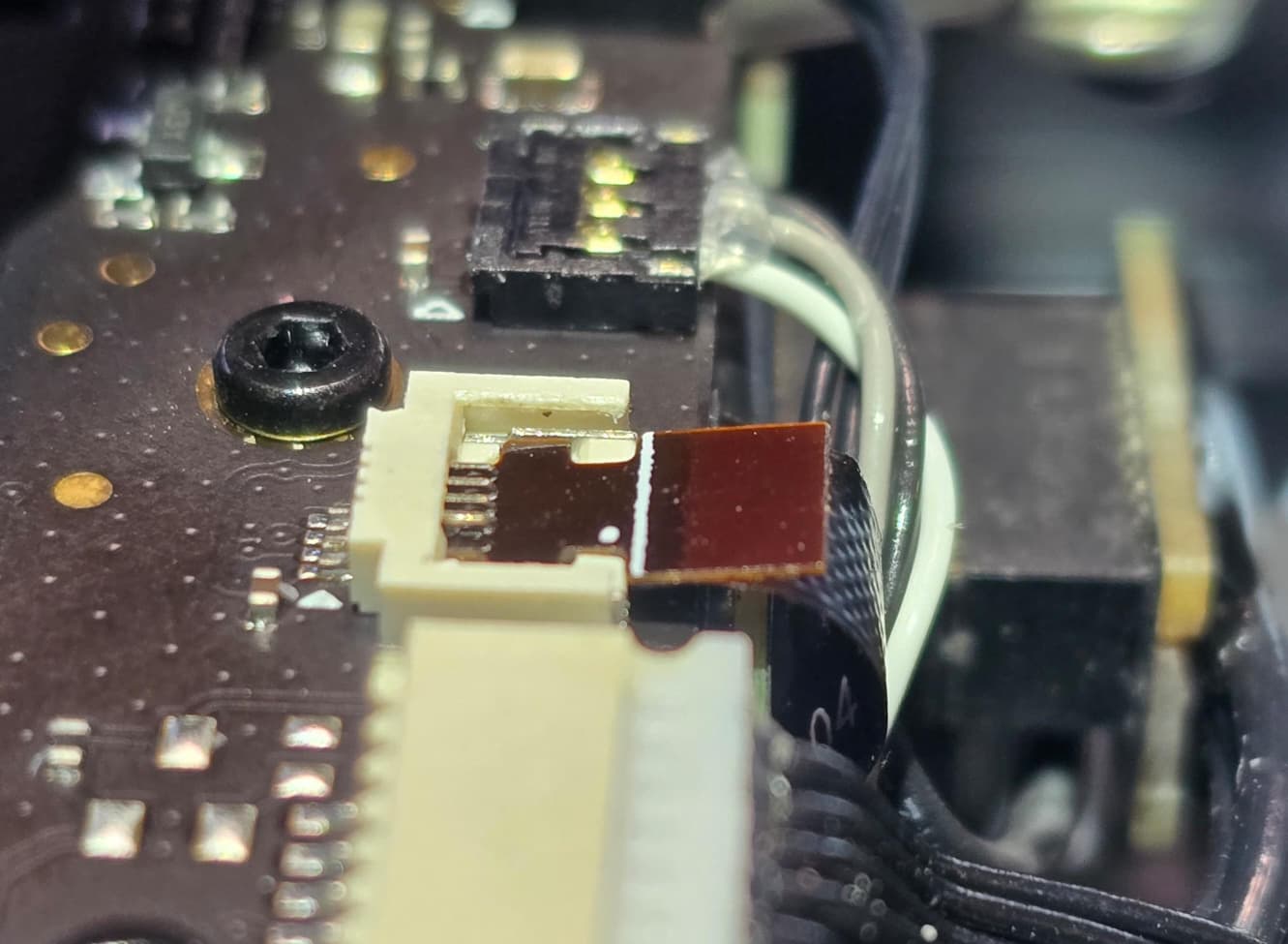
X2D left filament sensor ribbon cable/socket issue

So, I had my first filament clog in the main extruder gears in the X2D. I had NO idea it would be so hard to get it out. And in the end, rather than COMPLETELY take it apart, I got the extruder removed from the main toolhead and applied some heat with a heat gun to soften the PETG filament enough to manually push the gears to extract the jammed filament. However, while taking the toolhead apart, and doing my best to follow some really ■■■■■■ instructions on the Bambu Lab wiki (primarily the 6 cables that need to be removed), I think I may have broken the socket that the left filament sensor ribbon cable slides into.

The wiki didn’t specify how to remove the cable, and I really wasn’t sure if it was lift perpendicular like the others, whether it required a lot of force or it should just slide out by itself, etc. I was doing my best to be gentle but was getting nowhere, so I gave the ribbon cable a medium amount of force backwards and slightly upwards (as a compromise?!) with the hex key and suddenly the ribbon popped out, but so did the black part that the ribbon was attached to. At first, I wasn’t even sure if anything had come off, as it was the first time I had opened the toolhead up and didn’t expect to have that happen.

The photos on the wiki are so low res and wide angle that I couldn’t for the life of me work out if a piece was missing and if so, how it is supposed to be positioned in there. It seems absolutely ridiculous that the best selling 3D printer manufacturer in the world has a wiki guide that we are relying on to deconstruct a fairly complex toolhead has 0.5 megapixel images where about 3/4 of the image realestate is comprised of the background and only a quarter is the toolhead itself.

I trawled google images trying to find high res close ups of this part of the toolhead and came up short too.

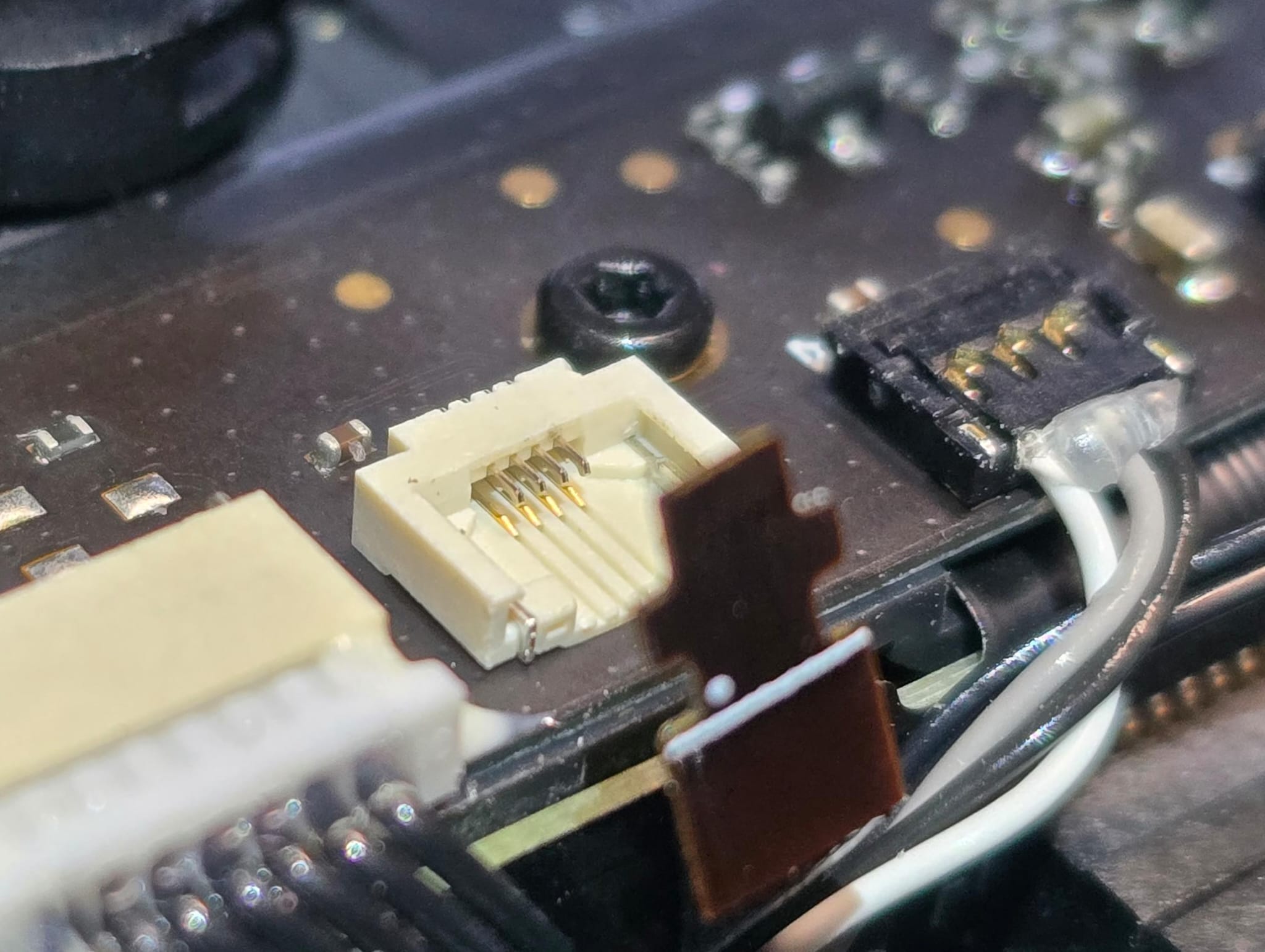
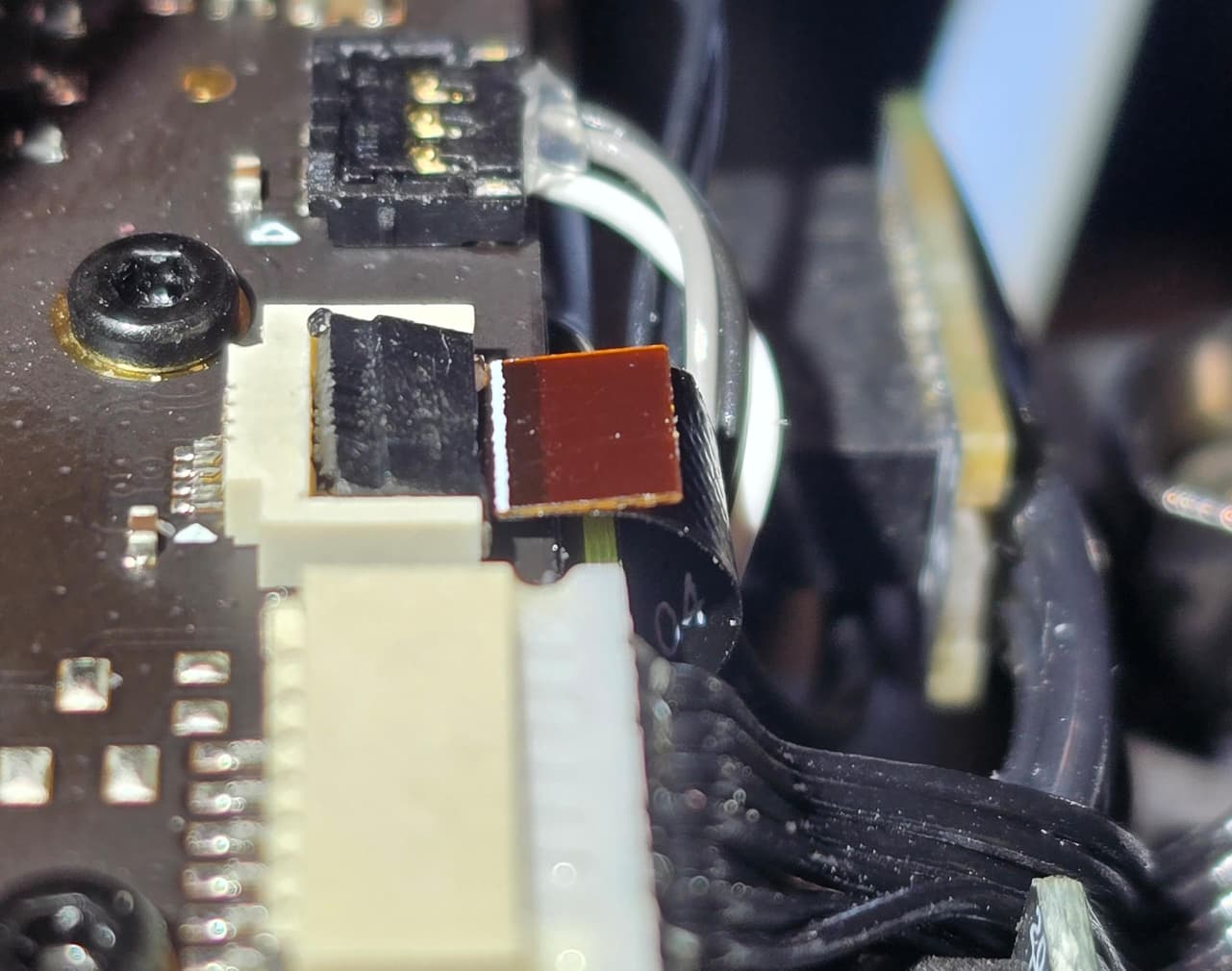
Anyway, it took me about 45 minutes of searching on the floor before I found that microscopic piece, but I can’t quite tell if I broke it or how it is supposed to sit (which way around the black plastic piece should be, whether the ribbon should sit over the top of the pins or under them, etc). I can’t get the ribbon cable to securely sit in the socket anymore and the black plastic piece keeps coming off despite me trying a large number of combinations of everything. It really isn’t remotely clear what the mechanism is that keeps the ribbon secure and the wiki doesn’t explain anything because it just seems to assume that nothing will go wrong and you will be experienced and just know. :tired_face: I’m reasonably technical and practical and can usually figure these things out, but it has been a very frustrating process and I’ve spent half a day taking the toolhead apart, fixing the clog and then pondering how to get the ribbon cable back in securely and whether I’ve broken it or not.

Can anyone shed any light and, perhaps, provide some high res photos of what an intact and correctly seated black plastic ‘piece’ is supposed to look like? I can do my best to secure it in place or something if need be, but most of the ‘soft’ gluing options I might normally consider may be risky in a toolhead that reaches high temperatures during prints…
I’ve just run into almost exactly the same problem, so I’m very glad I found your post.

In my case I’m using a Bambu Lab A1 Combo with the AMS Lite.

The whole chain of problems actually started with a spool of eSUN filament that was very badly wound. It tangled repeatedly during printing. I eventually took all of the filament off the spool and tried to rewind it myself, but that turned into a complete nightmare. I spent around 3–4 hours trying to rewind it, and in the end I had to divide it into roughly 8–10 separate bundles because I simply couldn’t get it wound neatly again.

I continued using some of those sections, and at some point the filament started getting caught very badly at the No. 3 filament inlet on my AMS Lite — the small yellow plastic inlet where you initially insert the filament. It became so difficult to push filament through that I took that part apart to find the obstruction. I managed to clear it and filament can now physically pass through into the PTFE tube again.

However, since doing that, slot 3 no longer seems to automatically grab and feed the filament the way it used to. Previously, as soon as I inserted filament, the AMS Lite would detect it and automatically feed it through the PTFE tube toward the toolhead. Now it doesn’t seem to do that properly, and I’ve had to push the filament through manually.

Then I developed another clog around the toolhead/extruder area.

I tried cleaning the nozzle and eventually disassembled the toolhead and extruder to find and remove the blockage. This was my first time taking the toolhead apart, so I was being extremely cautious, but the instructions for handling the ribbon cables really aren’t very clear.

During the process I think I may have damaged the ribbon cable connected to the filament sensor. Mine now has a very obvious crease/fold in it. I don’t know whether the conductors inside it are actually broken, because visually the cable is still intact, but after reassembling everything the printer no longer seems to recognise the filament correctly.

So at the moment I’m wondering whether I have two separate problems:

  1. An AMS Lite feeder/sensor problem on slot 3, possibly caused by the repeated filament tangles and the obstruction at the inlet.

  2. A toolhead filament sensor problem caused by either the damaged ribbon cable, the connector, or possibly the sensor itself after I disassembled the toolhead.

The frustrating part is exactly what you described: there is surprisingly little detailed information or high-resolution photography showing how these tiny ribbon connectors are supposed to look and how they should be removed/reinstalled.

When you’re opening the toolhead for the first time, it’s very difficult to tell what amount of force is normal, which part is supposed to move, and which tiny plastic piece is actually part of the locking mechanism.

For now, I’ve ordered a replacement ribbon cable. My plan is to replace that first and see whether the filament sensor starts working again. If it doesn’t, I suppose the next things I’ll need to investigate are the filament sensor itself and possibly the toolhead board/connector.

I’ll update this if replacing the ribbon cable fixes it.

Your post was extremely useful because until I found it I was starting to think I was the only person who had managed to get into this situation!

Any updates? Going through this with my A1and in the exact same boat, waiting on my new ribbon cable since i assume its the part failing although I also came across the AMS feeding error, ill update once ive replaced my sensor as well

+1 to this, snapped the ribbon cable clean through accidentally while trying to get the extruder gears out. Big sigh. Ordering replacement part now.