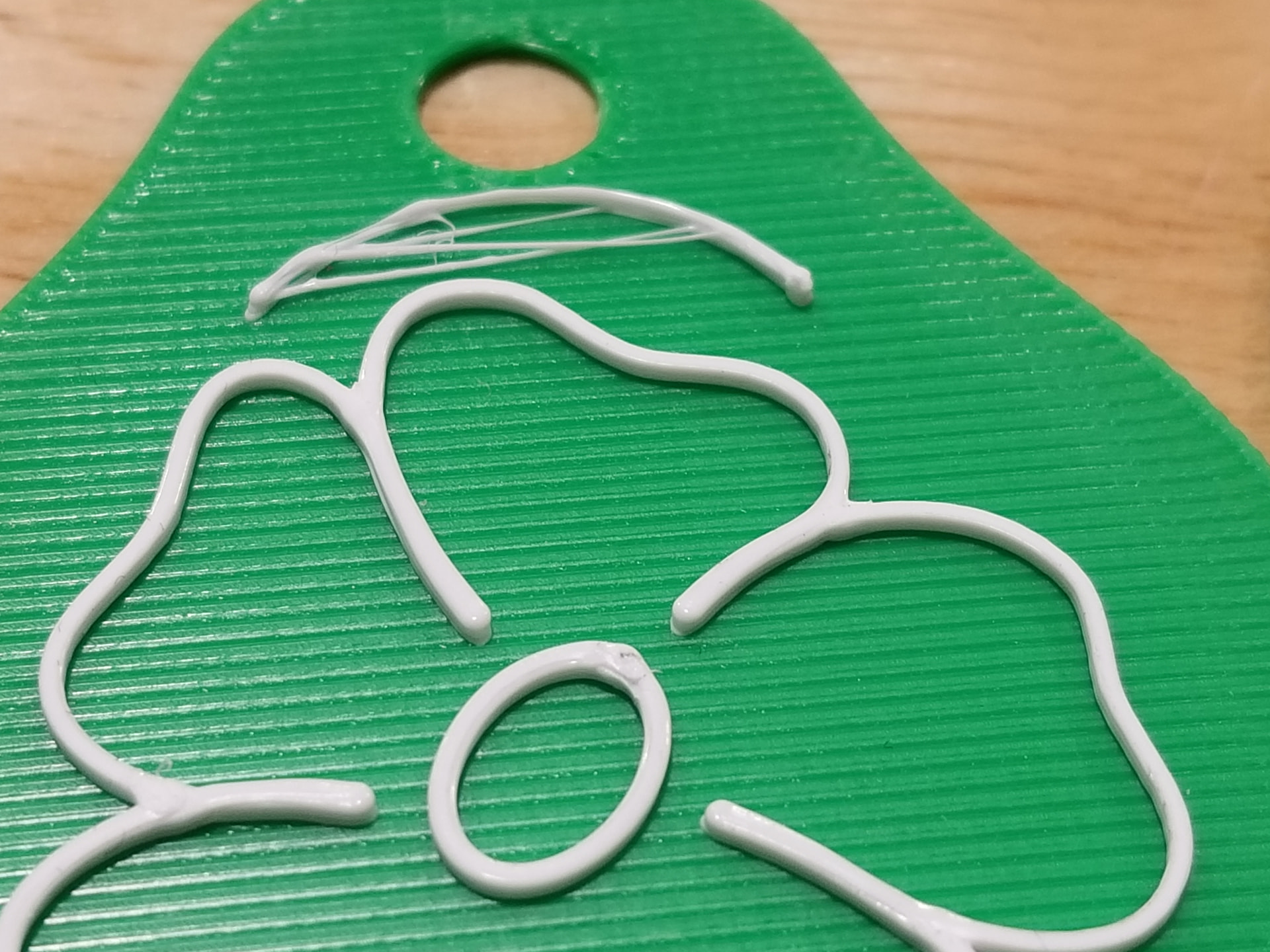
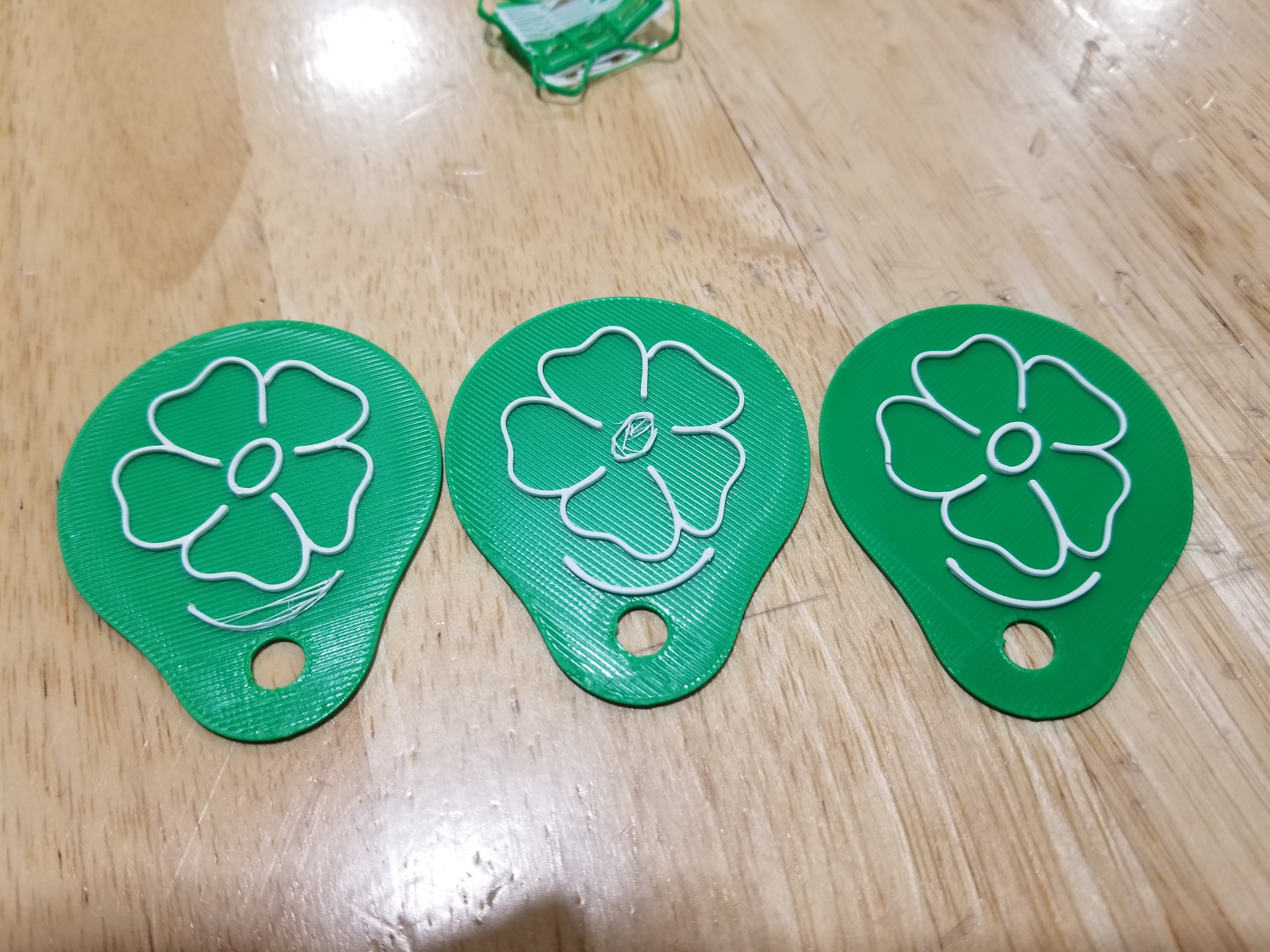
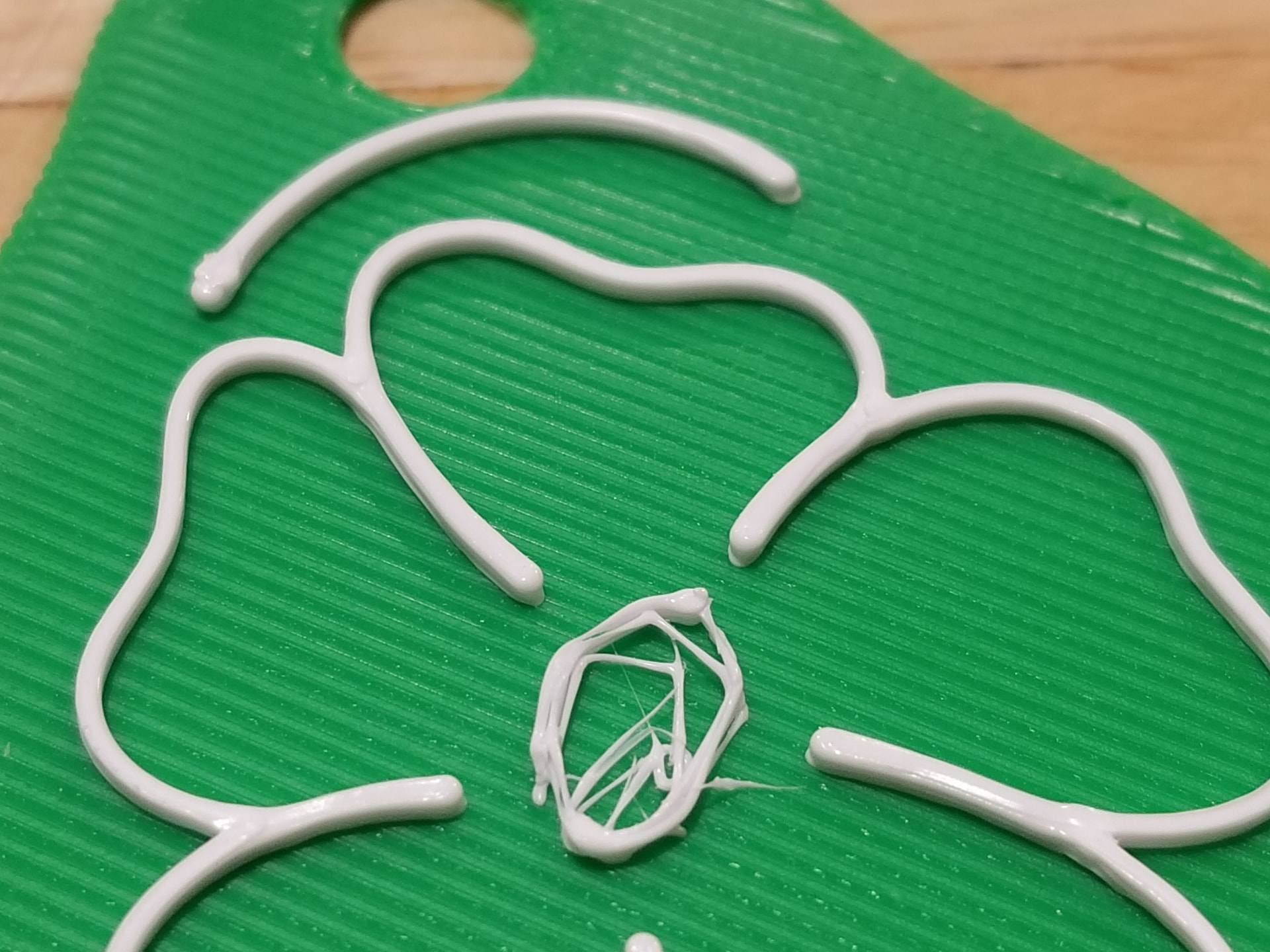
This is on the X2D with Bambu PETG Basic. The white is printed with the auxiliary nozzle .4mm. The Pieces are just under 2" wide and all printed on the same plate. I just don’t understand why it prints some just fine and consistently messes up on specific parts on each print of the same model. Any thoughts would be greatly appreciated. I am new to printing, so I don’t know where to start. I also can’t find anyone having problems or even printing anything quite like this.
Since this is PETG and you mention not having printed for long yet.
Did you dry the PETG? Travelling by sea, filament is frequently moist as the bags only slow, but do not stop, moisture ingress.
Drying times and temps are at the bottom of this wiki page:
If drying is not enough on its own (against my current expectations), check nozzle temps and printing speeds. I tend to stick to <80mm/s for PETG Basic but may be overly cautious.
 &

I live in a desert climate, so it should be fairly dry. I will try the adjusting the speed.
Thank you!
The problem with moisture is not at your end. It is in all the environmenta the filament has passed through. Weeks and weeks and weeks on a ship…
Once there’s moisture in it, only heat (i.e. drying) will get it out again.
Since the only way to know for sure that moisture is not the issue is to dry it, best do that before fiddling with settings. You would not try to tune your car if you suspect water in its tank…
&
This looks like a bed adhesion problem.
As the filament cools from printing, it shrinks, and if not stuck to the bed it will pull together and produce those lines across the curves. I would clean the bed and check the bed temperature. Possibly increase the bed temperature.
There are also some large blobs, I would also recommend filament drying.
Slowing down the speed and turning of retraction settings seems to have fixed it!
Thank you for your help!