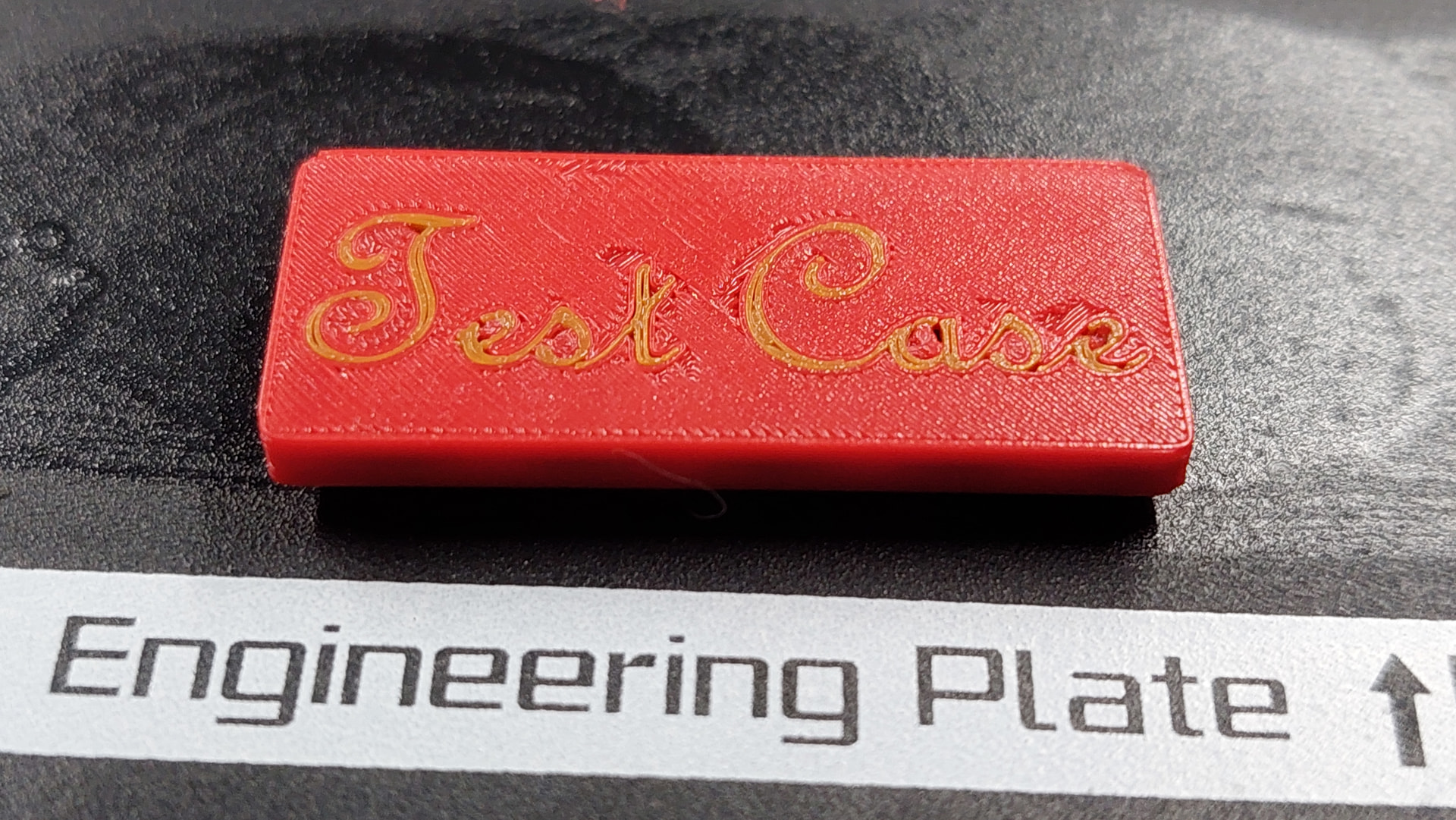
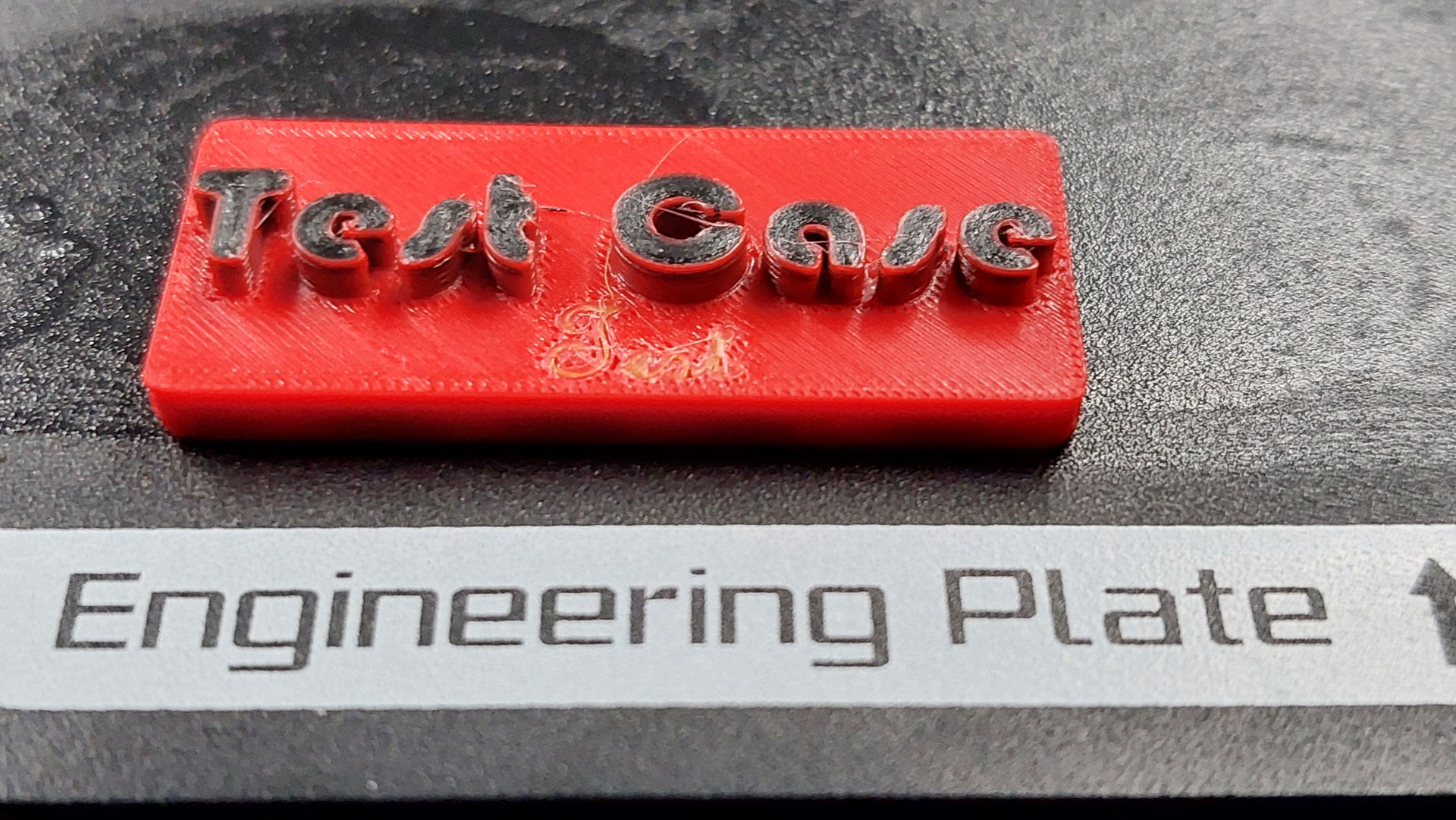
It worked
Except for my timelapse. The USB stick was too small
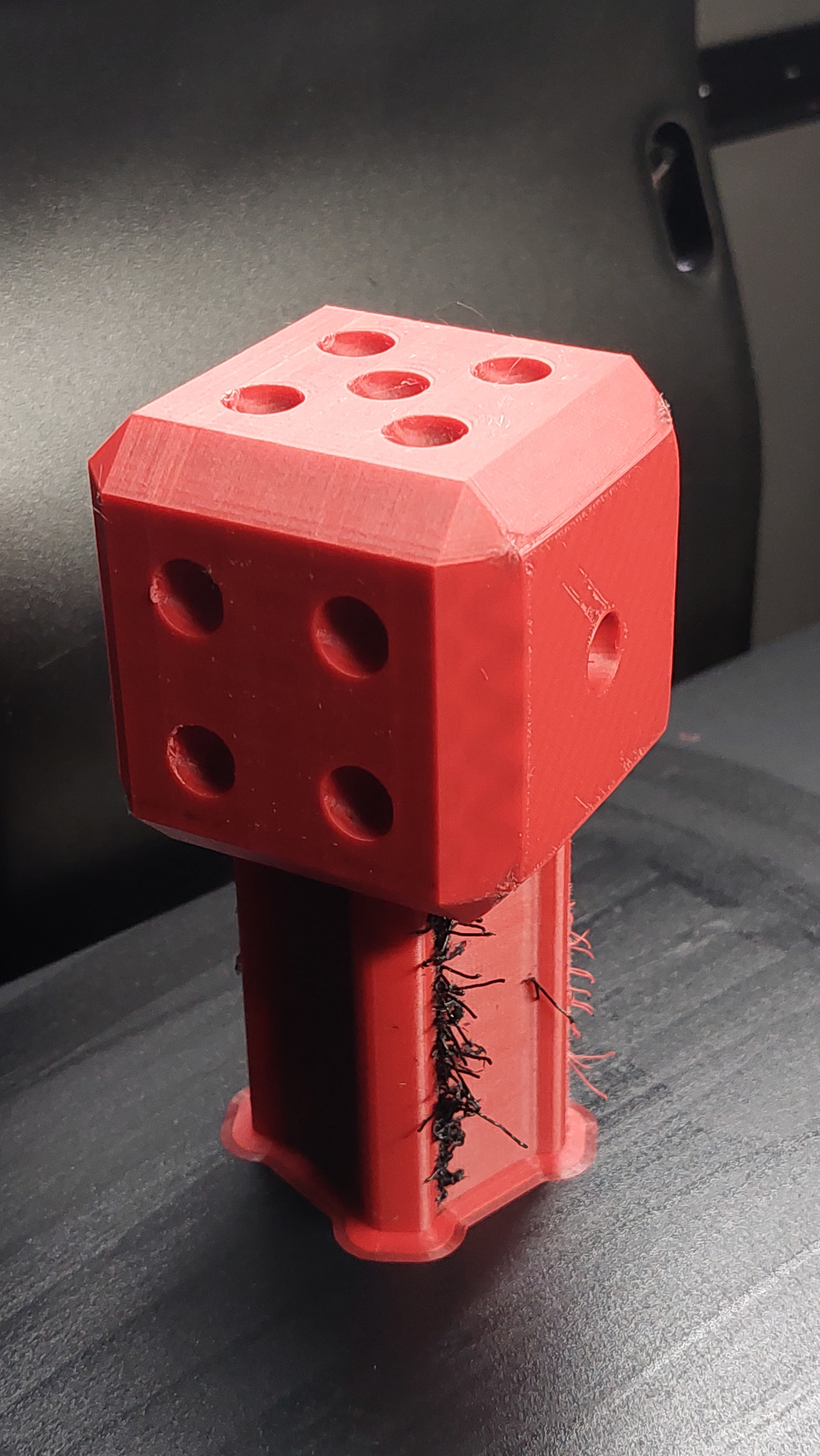
But sharp, crisp corners from the 0.2mm nozzle, thick and fast sparse infill with a 0.4mm nozzle insides.
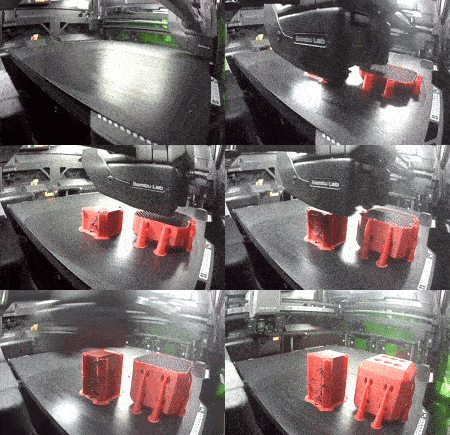
Since I cut down on the wall count to reduce overal print time for this demo, you can see the infill through the edges in the second pic.
I went down quite a few dead ends, did both over- and underthinking but will briefly summarize.
How to (using Studio version mentioned above)
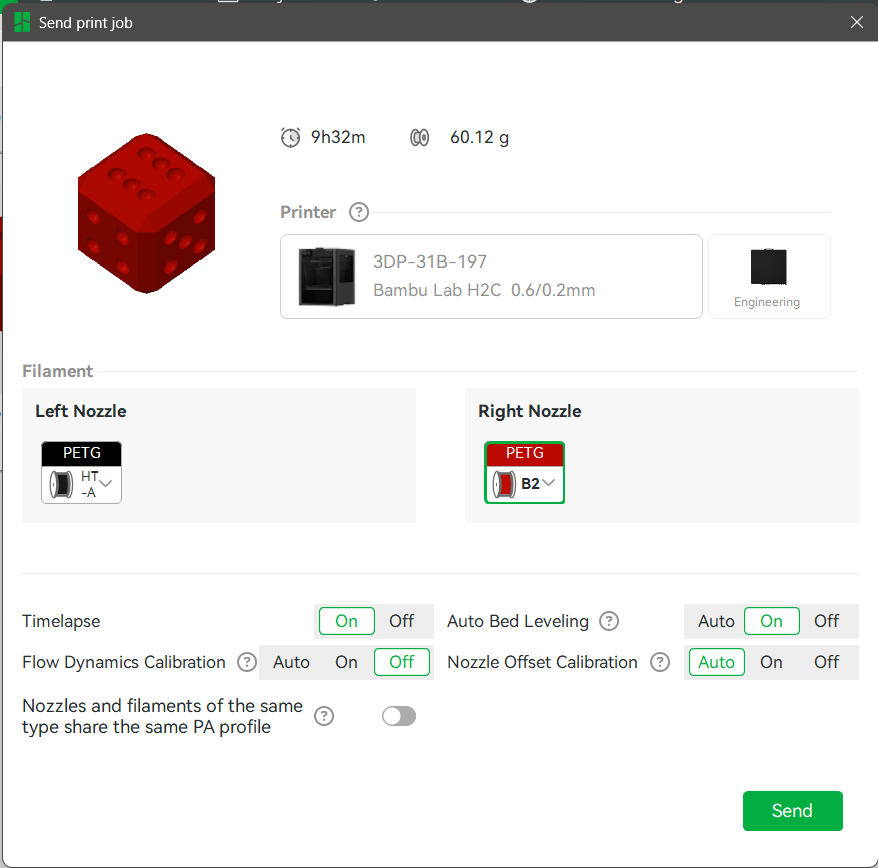
Have a roll for sparse infill loaded into the left 0.4 nozzle, a roll for everything else linked to the 0.2 Vortek. It helps to use different colors for early experimentation.
Calibrate the nozzle-filament combo to be used (if not already done)
Use an object without any painting as the line generator is completely overruled by the paint anchor generation
Ensure Studio is not synchronized with the printer (In a pinch, select a different printer on the device page. Or switch it off.)
Select a nozzle size (I used 0.2 here, but I’ll try a few things when slicing for 0.4 next: That may enable using a 0.6 or even 0.8 with a 0.2 nozzle as long as Bambu keeps its over-nannyfication in check.)
Set the volumetric flow rate of what will be the sparse infill nozzle to its safe maximum (0.2 nozzle defaults to 1mm³/s)
Global Slicer settings Quality
Change only sparse infill line width to 0.42mm
Not sure if this is truly needed
Arachne wall generator
Strength
As always, grid sparse infill to anything else. I used rectangular.
Enable “Combine infill”
Not sure if this is truly needed
I used embed wall with infill
Object slicer settings
Select the object, go to Other settings and change only the Sparse infill material to the left nozzle material
=> Slice
Use Manual mapping: Infill filament to the large nozzle, all other filament to the other one
Check filament, line type, line width and layer height previews (this also shows what happens when trying this also for solid infill )
Starting a print
Check that you have a 0.4mm nozzle on the left for sparse infill and a 0.2mm nozzle on the right for everything else
Use “Send” to transfer the file to the printer
Browse through the files on the “Device” page of Studio, print from there
Do not use auto-calibration at print start
Choose “Ignore and Proceed” when the printer complains about nozzle sizes
I’ll experiment a bit more, post and report but it’ll be a while as I am not at the Laptop atm and the kids are shouting from the pool…
Just a few comments re AI and this topic
Copilot is convinced that you cannot print with two different nozzle sizes atm due to the number of threads and posts in the forum.
Even when asking it to also consider that 2025 youtube video which a kind forum member posted (but for the life of me, I could not find the post again) it presented that as an uncomfirmed claim
=> So lets set the record straight: Yes, you can print with two different nozzle sizes on a Bambu
It is rudimentary and very basic atm, but just because someone says it does not work does not mean that it does not work.
Maybe with a few people diving in, we can create some demand for the needed slicer updates or feature rollbacks (short-term: 0.2mm line width over-nannyfication and user set maximum for infill combination, mid-term: treatment if solid infill regarding top and bottom surfaces, long term: lim
Slicing for 0.4 and 0.6 nozzles works very well. But printing failed as I could not “Ignore and Proceed” in these cases. Installed were only 0.6 and 0.2 nozzles.
It is really frustrating that both the slicer and printer are much more capable than Bambu gives itself credit for.
Feels like I have a prime breeding bull sitting on my desk which was clasped in chains and castrated by over-nannyfication.
So, for now: Need to slice for 0.2mm nozzles only. Work with nozzle-filament pairs, assign large nozzle/line width filament to sparse infill only in object settings, send to printer, print from printer memory using “Ignore and Proceed”.
Creality’s KliTek™ system can switch between different nozzle diameters in under 5 seconds, enabling true “mix‑and‑match” printing in a single job — for example, 0.4 mm walls with 0.8 mm infill
The software becomes irrelevant without the firmware and vice versa (3rd this quarter) and the first
@EnoTheThracian Thanks for memorializing your results! Maybe post your model on makerworld, and we can all have a go at trying to reproduce your results using your techniques? Just an idea. Having a common reference could facilitate communication among those of us following the topic, allowing those who follow the trail you blazed to fill-out the details for those arriving later. Besides, it might be fun. No pressure though if you prefer not to. You’ve already done a lot.
@Neiljt Creality is prominantly advertising the feature, which is good for us, because it might light a fire under bambulab. How well creality delivers on the feature is as yet unknown, because last I checked there’s been no independent review of even a beta KliTek version. Let’s cross our fingers and hope it ships on day 1 with the feature fully working and not merely with just a promise of a future software/firmware patch.
Not sure how useful my model will be for a common reference But it is as good a starting point as any, so I’ll publish shortly.
I have also run a tiny test for the tiny, sharp text use case. Not quite there yet though. The slicer treats top surfaces like sparse infill. And the first layer line width of course overrides other line widths. The pic’s don’t do it justice though as it is really small
That may be because it will be similar to bambu labs skip object and cloud based ,a option id expect bambu to also take, if you noticed creality have also opted in for the cloud , cant see them making false claims to put them back on top as the number one seller (currently held by bambu), apparently , they have better selling points in my opinion .
I agree with the comments here that the main challenge is not simply “can the machine physically use two nozzle sizes?”, but how the slicer coordinates the different layer heights and keeps both tools synchronized in Z.
For me, that still looks like a manageable software problem rather than a fundamental limitation.
A practical implementation could initially restrict mixed-nozzle printing to compatible layer schedules. For example:
0.2 mm nozzle printing detail at 0.10 mm layers
0.6 mm nozzle printing infill every 0.30 mm
So the fine nozzle works at:
0.10 → 0.20 → 0.30 → 0.40 → 0.50 → 0.60
while the coarse nozzle only deposits infill at:
0.30 → 0.60
That way the tools periodically meet at the same Z level.
I also think Bambu could keep the normal Studio experience simple and hide this behind an Advanced Mixed-Nozzle Mode, where unsupported combinations are simply rejected instead of trying to solve every possible case from day one.
For engineering and prototyping work, this could be extremely valuable:
0.2 mm for fine external walls, text and small features
0.4 mm for general structure
0.6 / 0.8 mm for fast infill
That would make Vortek much more than an automatic hotend changer — it would let the printer choose the right tool for the geometry.
I have also posted a more detailed engineering and purchasing argument in Bambu Studio GitHub issue #8051 — “Support H2D with different nozzle sizes on the left and right.”
For me personally, this feature would materially influence the decision to buy an H2C instead of a cheaper Bambu printer.
The hardware already appears capable of something much more interesting than the software currently allows.
The machine capability is 100% there, Bambu just needs to implement it.
One thing I’m wanting to do is manually hack together a G-code file that uses multiple nozzle sizes to make a Benchy - it’s just way down on my priority list at the moment.
Dual nozzles should offer more than faster colour changes and reduced purging. Using a 0.2 mm nozzle for fine details and a 0.6–0.8 mm nozzle for inner walls and infill would make the H2D much more useful—even for single-colour functional prints. Printing an entire large part through a tiny nozzle just because a few areas need fine detail wastes that potential.
OrcaSlicer 2.5.0 alpha already includes mixed-nozzle support for the H2D and X2D
That is still alpha software, but it makes the question unavoidable: why do customers need third-party software to access this capability on Bambu’s own premium hardware?
Could someone from Bambu provide a concrete update: is this actively being developed, what are the remaining blockers, and when can we expect a testable version? Even switching nozzle sizes between layers would be a valuable first step.
This is exactly the kind of functionality that justifies paying extra for dual nozzles. It deserves a clear development plan.
Seems a bit of a strange comment as you haven’t posted for 12 months, then decide to post about this technology on a really old thread 12 months later about a function that has just been announced yesterday lol.
We’ll see, I really hope so. As I now understand the multi-nozzle size have just been announced with the H3C? I hope they add support for the H2D also, and don’t wait 6 months.


 )
)
 sitting on my desk which was clasped in chains
  and castrated
 by over-nannyfication.
 &
& 
 No pressure though if you prefer not to. You’ve already done a lot.