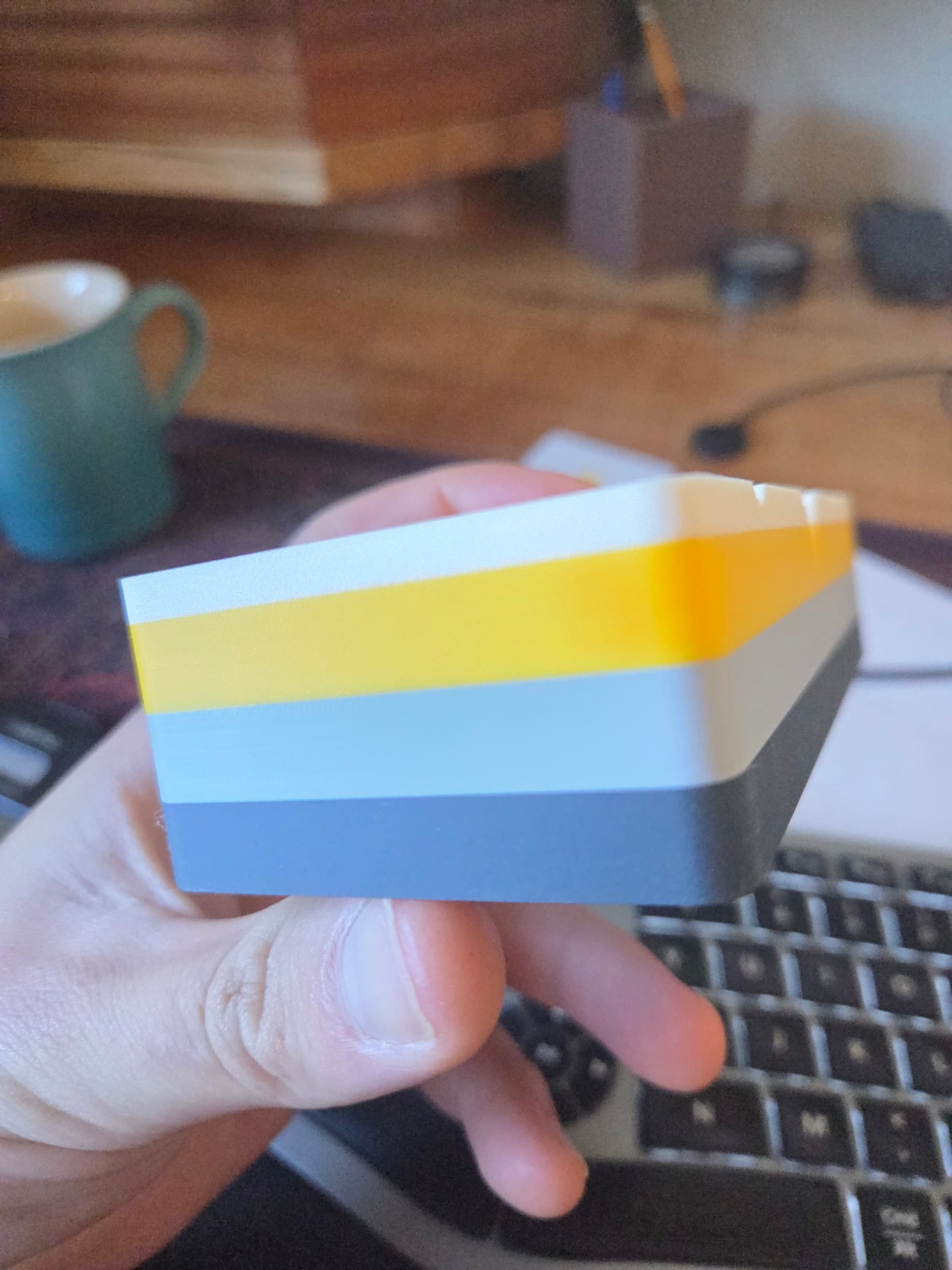
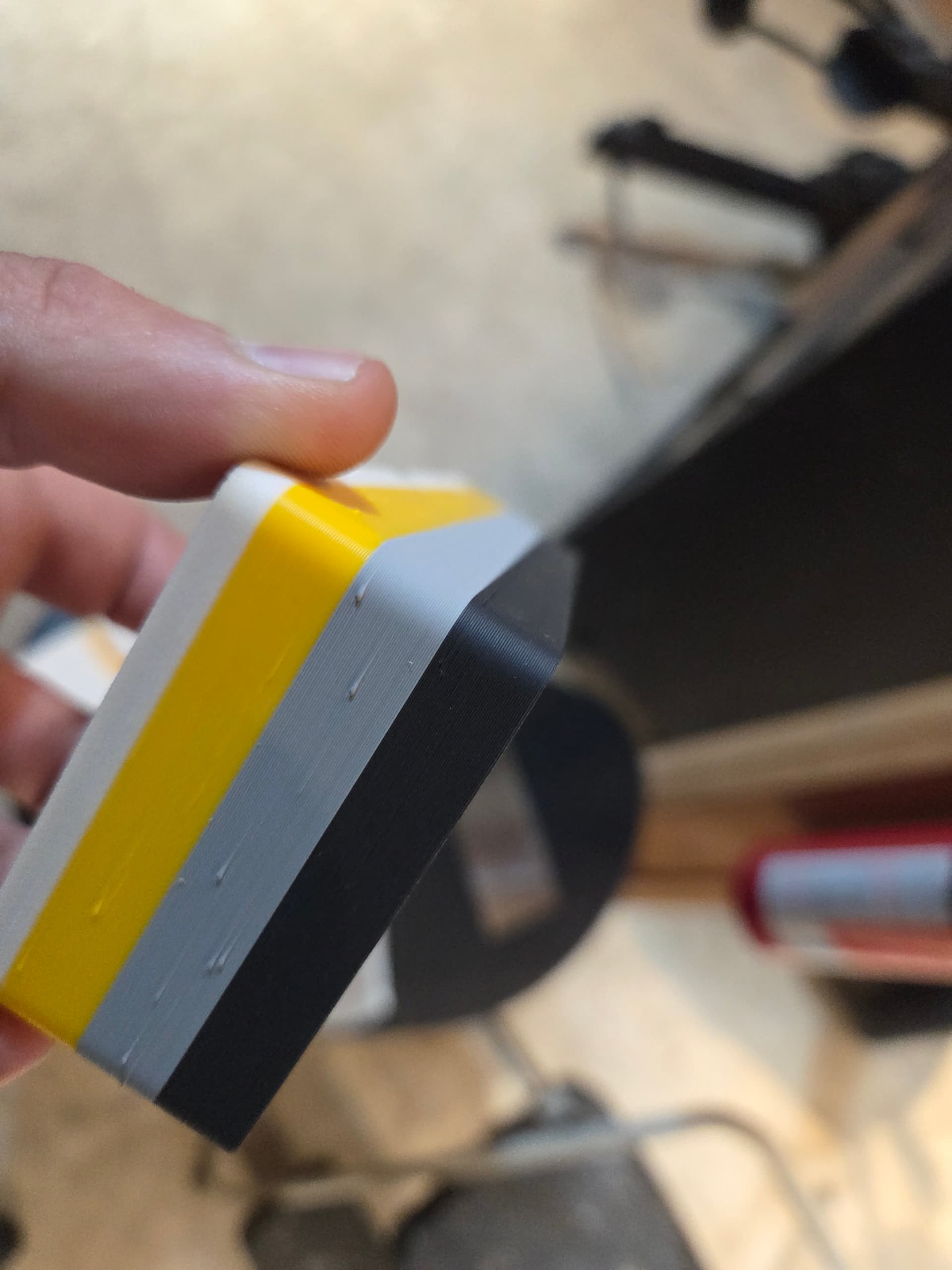
I have printed this object MANY times with zero issues (see first image), then out of the blue I started getting zits/blobs on the side.
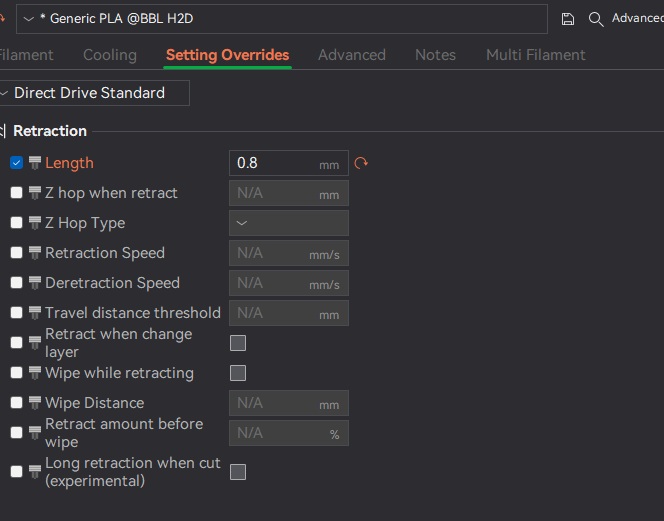
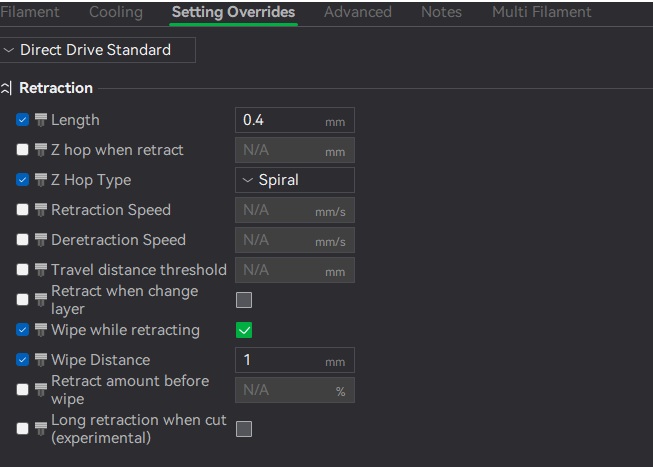
Im curious if the default retraction length of 0.4mm was recently changed in the recent software updates? I am going to up it to 0.6mm or 0.8mm. It seems that generic PLA is set to 0.8mm while bambu PLA is set to 0.4mm. Not sure why this is the case.
Yes the filament is dry (dried for 12hrs on AMS and again on a esun filament drier) same zits/blobs. I want the seam position to be random.
I swapped the nozzle with a new one in case that was the issue. I’ll let everyone know if that does anything. Anyone else have this random issue come up?
Just curious but could it be that you are at the end of the spool? I have had similar looking defects occur while using filaments that had previously worked just fine, but were then towards the end of the spool.
Its definitely at a z seam. Changing the retraction from 0.4mm to 0.8mm helped but its certainly not nearly as clean as it was before. I guess is what is stumping me is that 2 weeks ago it was printing random seams flawlessly.
Im trying to do the k-factor calibrations and see if that helps. Bambu studio is not that straightforward on how to apply the calibrated k-factors.
k factor won’t help this (well it helps but it’s meant for normal printing, not for seams).
0.8mm retraction should help a bit, still you would have zits and blobs. You can try increase the seam gap instead. Default it’s 15%, you can try give it 50% or 80%.
It’s weird that they changed the retraction to 0.4mm though.
Strangly enough, try restarting your printer, then re-format your USB (or SD card on the A1). I’ve had this happen twice, once on the A1, the second time on my H2D printer. Each time it happened after a power failure and then resuming the print. The very next prints contained zits. From what I can gather is that the memory stick was overworked (or corrupted?) and read slow, creating pauses in the print to create zits. Worth a try if you don’t need the files on the memomy stick.