Latest beta still results in a loop on the network plugin on MacOS.. Seriously, what are you guys trying to do?
Yes and no. No, I didn’t manage to sort it, and was using another slicer instead. And yes, im the sense it did an update and now works. But nothing I personally did worked, all the file deleting, cleanup, reinstalling etc. Nothing worked. Just seems to be pure luck for me the update did work. I hope you manage to get it sorted
thank you. the latest version fixed the issue ..for me anyway
just updated Bambu Studio and some of the slicing menus are in Mandarin. Are others seeing the same? Mine is in the other slicing menu under advance and just below the clump detection opotion.
[BUG] Bambu Network plugin not detected on macOS Golden Gate — Bambu Studio 2.7.1.62
Hi everyone,
I’m experiencing a persistent issue with the Bambu Network plugin not being detected on my setup, despite it installing successfully every time.
My configuration:
• MacBook Pro M3 Pro
• macOS Golden Gate 26.0
• Bambu Studio 2.7.1.62 (also tried the latest beta — same result)
• Printer: Bambu Lab A1 Mini
The issue:
Every time I launch Bambu Studio, I get the message “Bambu Network plug-in not detected. Click here to download it.”
The plugin downloads and installs successfully (shows 100% + “Installation successful”), but after restarting Bambu Studio the same message appears again.
What I have already tried:
• Removing the plugins folder manually and letting Bambu Studio reinstall it
• Removing quarantine flags via xattr -dr com.apple.quarantine
• Checked codesign — the dylib is valid and satisfies its Designated Requirement
• Full clean reinstall (removed app, all caches, preferences, and app support folder)
• Tried the latest beta version
The binary is a universal binary (arm64 + x86_64), so architecture is not the issue.
This seems to be a compatibility issue specific to macOS Golden Gate. Has anyone found a fix? Is Bambu Lab aware of this and working on a patch?
Thanks
Ever since I updated to the latest software about 4 days ago, my Bambu Studio has been run very slow. what is going on with this update and is there a fix for this?
Summary
Potential issue with imported third-party ASA filament profiles on the P2S causing HMS 3000-9400-0003-0001 during multi-material prints.
Environment
-
Printer: Bambu Lab P2S
-
AMS: AMS Pro 2
-
Firmware: P2S 01.02.00.00, AMS 2 Pro 04.00.21.87, Filament Buffer 01.01.16.18
-
Bambu Studio: (insert version)
-
Material:
-
Bambu ASA
-
Polymaker ASA
-
-
Multi-material print using AMS
Steps to Reproduce
-
Import a third-party ASA filament profile (in my case, Polymaker ASA).
-
Assign the imported profile to one AMS slot.
-
Assign the official Bambu ASA profile to another slot.
-
Slice a multi-material print.
-
Start printing.
Observed Behavior
-
Print pauses shortly after a filament change.
-
Toolhead parks at the rear of the printer.
-
Printer displays:
HMS_3000-9400-0003-0001
Chamber cooling may be too slow.
-
Chamber temperature was approximately 47–50°C.
-
Print remained paused indefinitely until manually resumed.
-
The issue occurred repeatedly during the print.
Expected Behavior
The printer should continue printing normally with an ASA chamber temperature around 50°C.
Investigation
During troubleshooting I observed:
-
Printing with only the official Bambu ASA profile completed normally.
-
The issue only occurred when using an imported third-party ASA profile together with the Bambu ASA profile.
-
OrcaSlicer exposes a chamber temperature parameter that is not visible in the Bambu Studio UI.
-
Comparing the underlying filament JSON files showed the official Bambu ASA profile contains chamber-related configuration that was not present in the imported Polymaker profile.
-
I deleted the imported profile.
-
I created a new filament profile by cloning the official Bambu ASA profile and then modified only the material-specific settings (temperatures, fan settings, etc.) to match the Polymaker filament.
-
After doing so, the same print progressed beyond the previous failure points without triggering the chamber cooling warning.
Possible Cause
I have not confirmed the root cause, but it appears that imported filament profiles may not inherit or initialize one or more chamber-related configuration values required by the P2S firmware, or default unset values result in the system attempting to cool the chamber for a material that is requires a high temp and thus stuck in an infinite loop of the hot end/nozzle staying hot, thus keeping the internal temp high and resulting in the stalled state.
Suggested Investigation
Please verify whether imported filament profiles should inherit material specific parameters such as chamber temperatures from a common base profile setting.
If so, consider:
-
applying appropriate defaults during import,
-
warning when required fields are missing,
-
or exposing the setting in the Advanced UI for inspection.
Hi,
The parametric model editor isn’t available for me in Bambu Studio 2.8.1.55, the ‘Customize’ button doesn’t appear. I believe this isn’t the intended behavior as this has worked in a previous version.
Hi,
Bambu Studio doesn’t work with MacOS 27. It downloads Network Plugin in all starts but still says install plugin. Even Beta version doesn’t work.
I was also wondering about this! I import from Illustrator (svg) and they seem to print at 75% of their expected size. I’ve taken to manually adjusting a single dimension in the ‘scale’ option with ‘uniform scale’ on. It works but it feels like there’s got to be an easier way.
Problem: Perform Flow Dynamics Calibration and enter a k value of 0, or 0.0 and receive an error.
Bambu Studio Version: 2.7.1.62
Steps to Reproduce:
- Start a Flow Dynamics Calibration.
- When complete, enter a value of 0 or 0.0.
- An error is presented asking for a value between 0.0 and 0.05
Expected Behavior: A value of 0 or 0.0 is accepted.
How are you getting a k-value of 0?
I think steel weld wire would have 0.000 pressure advance, lol
After scaling my model, the supports no longer make contact with the model by a couple mm. I’m on version 2.7.1.62
Ironing settings always screw me up. I did test pads at diff rate/flow multiple times. when I feel like this is it, then in another print it screws up. In my current print i was fiddling with settings on printer while print was ironing, then I realized part cooling fan is at 100% during ironing. I turned it off fully and ironing is completely perfect. So I checked bambu studio, if part cooling is on during ironing. it is at -1, which is disable. but part cooling still at 100% during ironing? Is this a known bug? or it doesn’t work at all? Tldr, my studio says part cooling -1 (disabled) during ironing. Why did my printer have part cooling at 100% during printing. Which messed up ironing on a huge print. Printer - p2s s/w - bambu studio (2.7.1.62) filament - numakers PLA printer firmware - 01.02.00.00
Bambu Studio repeatedly crashes when adding surrounding text on the vertical walls of a curved object (a cylinder). Typing slower (I.e., 2 seconds between each letter) seems to help.
Using the latest Bambu Studio on a MacBook Air (2024).
The Cut / create socket / Thread tool doesn’t work. It worked fine once for a test, but after that, it won’t create threads any more. I even tried installing Bambu Studio Beta (Win) and it still won’t create threaded sockets. It goes through all the steps to create one fine, but on the final cut it just won’t create them, show them, or print them. Even doing a slice doesn’t show them. Frustrating.
Version 2.8.2.60 on macOS is ridiculously unstable and completely unusable.
e.g. :
- start Bambu studio 2.8.2.60
- open a 3mf file
- click the green slice in the top right
- hangs.
Feels like this version was released to beat some manager’s deadline and should not be used by anybody for anything remotely useful.
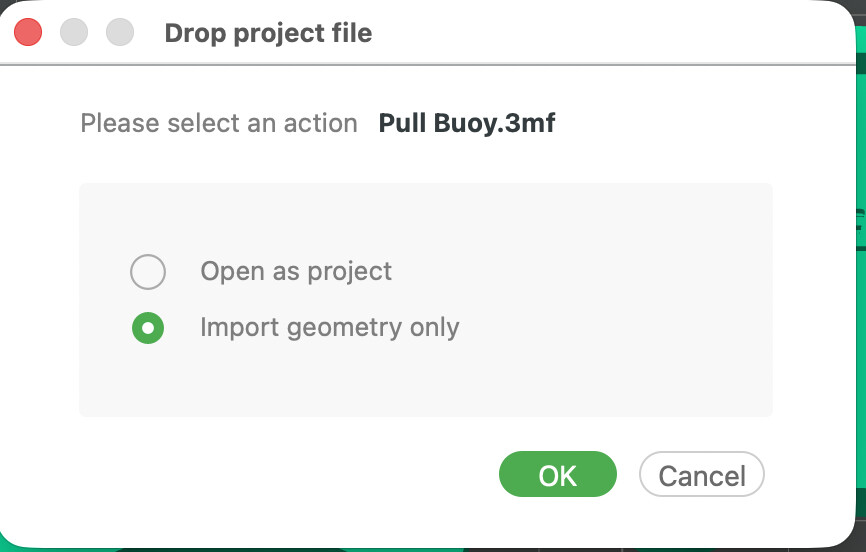
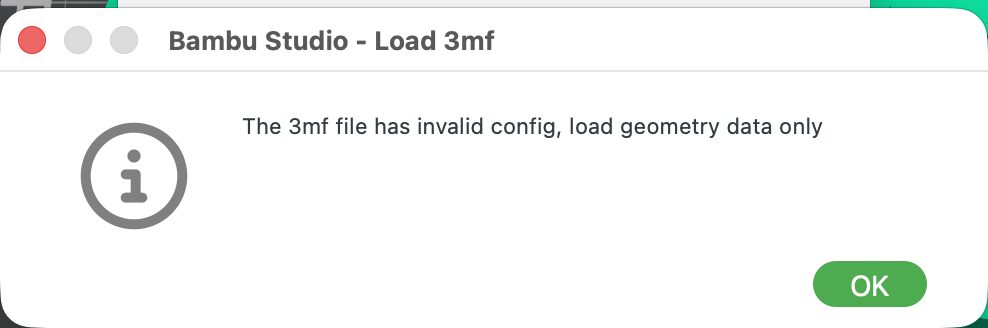
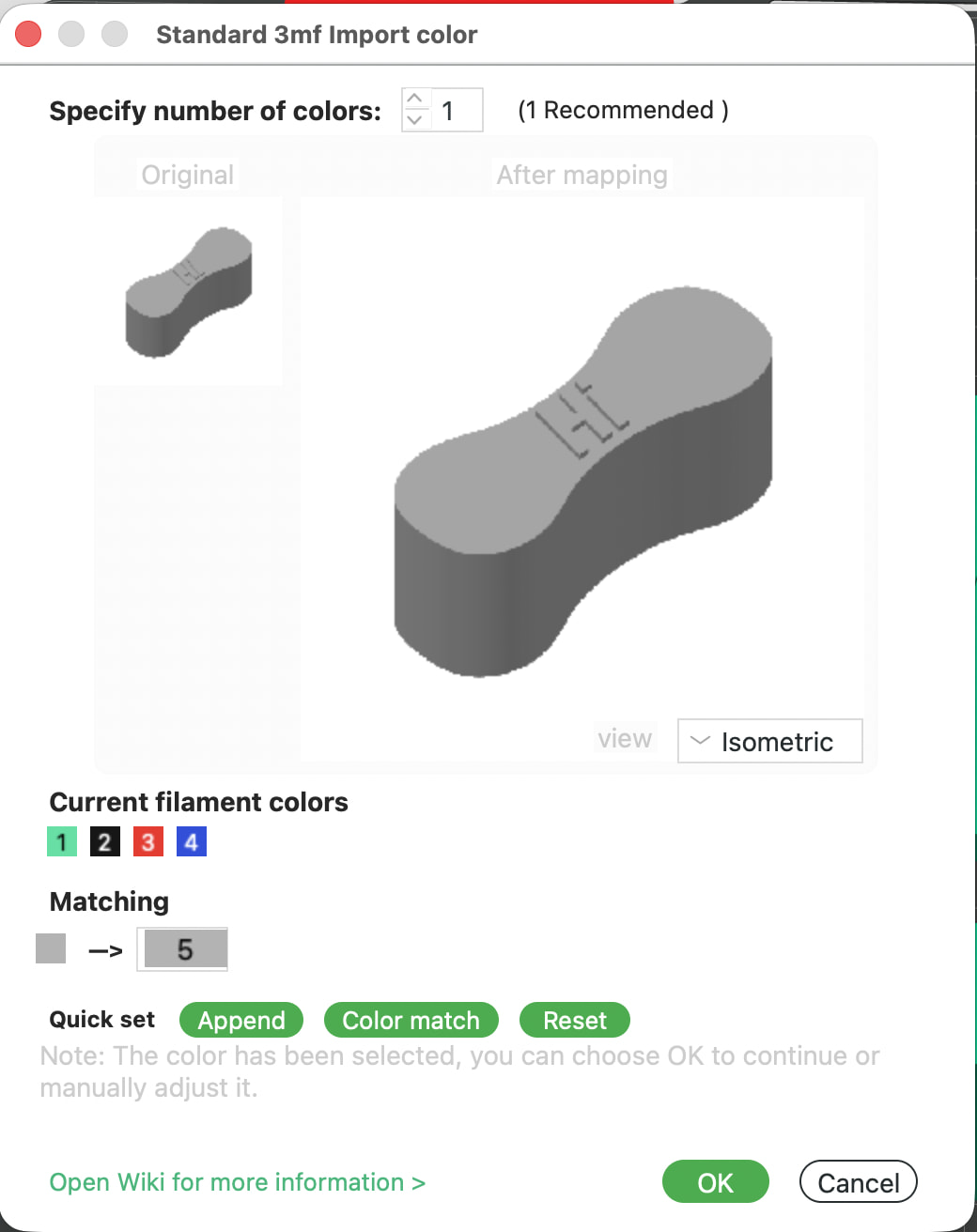
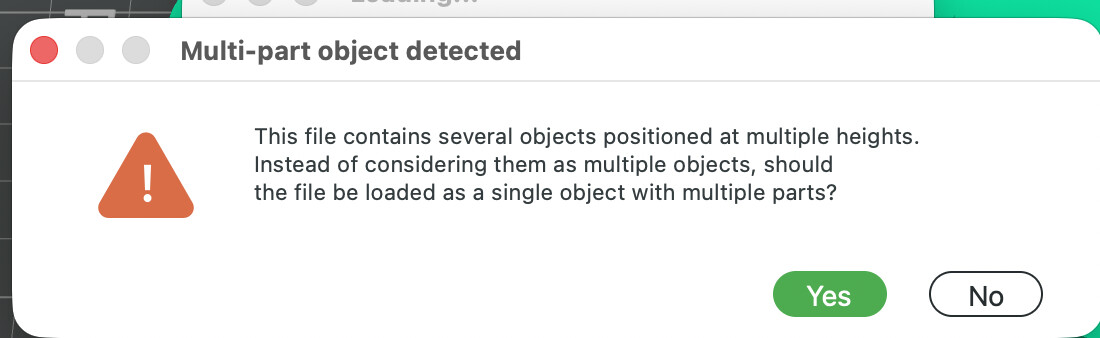
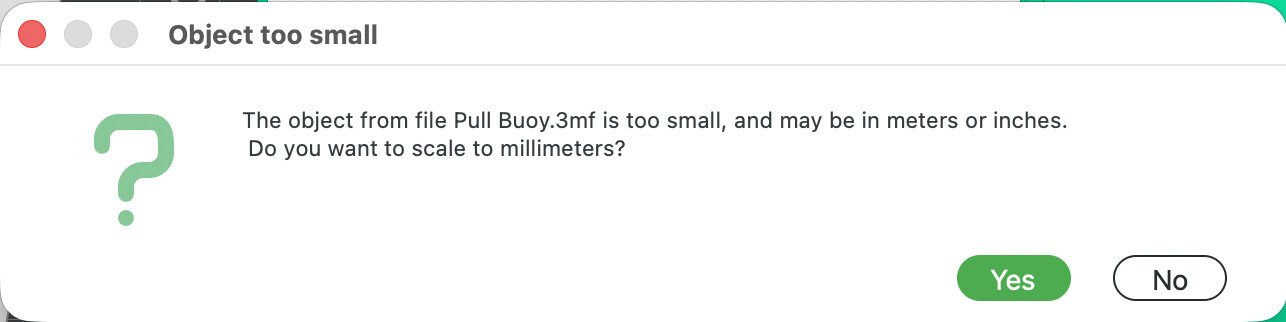
Why do we have to have endless dialogues, why can’t this be fixed? I’ve reported this on GitHub too, and numerous people agree, but there is just more and more dialogues on a 3MF imports. It used to just import with a single button from Fusion 360. Now it takes 5 DIALOGUE INTERACTIONS TO IMPORT A SINGLE 3MF! Literally, see the sequence below. NONE of which I can use the return/enter key, because there are zero key commands. So, when I’m doing multiple prints, I literally have to mouse click 5 TIMES for every single one!
It’s so stupid and solvable with a few lines of code. I NEVER, EVER use the color mapping feature, despite printing hundreds of hours on my multiple Bambu printers, yet I have to push cancel hundreds of times. So stupid and unnecessary! Please, please, please make defaults, or something to improve this process. I mean, this is just so unnecessary and it only gets worse with every release–just more and more dialogues. PLEASE FIX THIS!!!
What bothers me is that I can’t send my next model while a print is currently in progress. Not to start printing immediately, but to have it queued up and ready to print after the current process and cleanup are done. When two people are working together, one models while the other prints, but in my case, once a print starts, I can’t send another file. Since I’m already sending models via the cloud—where you hold them anyway, even if there’s a slight delay—it would be great if the model could be held in the cloud during a print and then automatically downloaded to my machine as soon as the print finishes