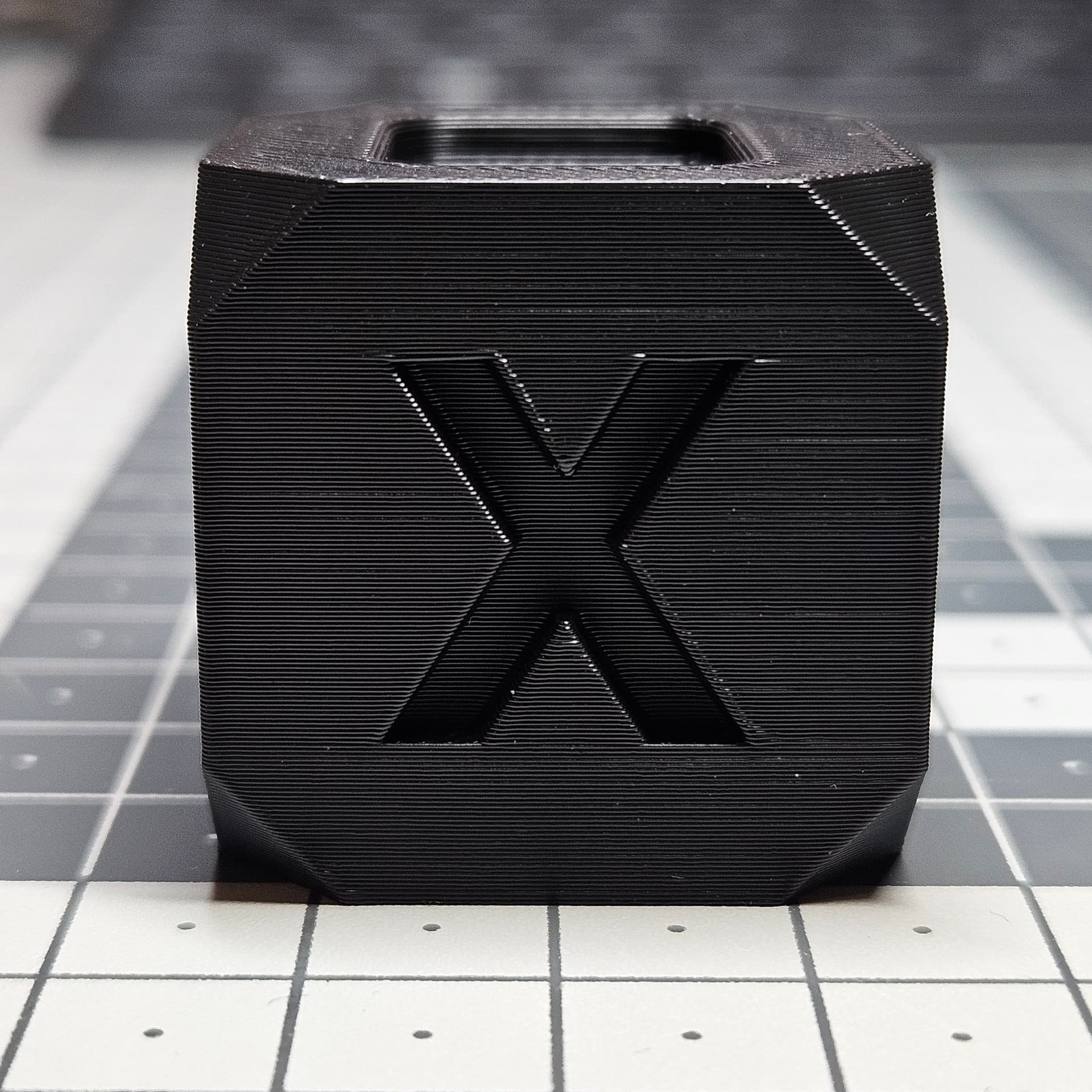
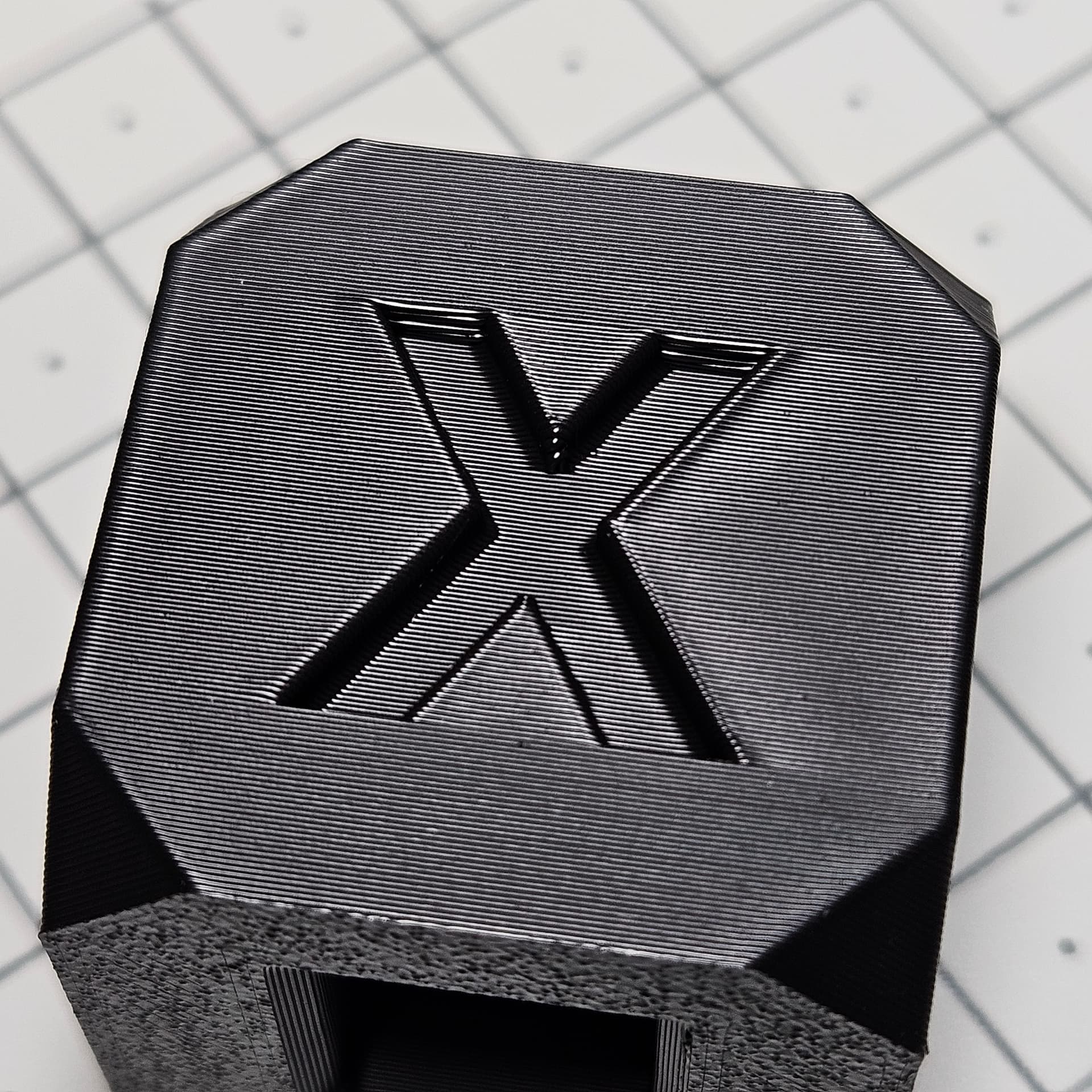
It’s the best I can do.
with toothed pulley:

And with original pulley :
Much better comparison between the exact same part :
The part has been printed aligned to the X axis to have the maximum VFA.
It’s night and day 
Change light angle and it will show lines:)
I think that there is no change at all…
Only VFA is gone. But small layer inconsistencies are still there.
That looks really good in the picture!
Would you mind recording a video moving the model in the light to demonstrate if it’s the angle of the light that’s hiding the VFAs in your picture?
I think I’m going to do this. Any chance you can post a really high-level process? I don’t need to know the nuts and bolts but the order of disassembly would be helpful to speed up the process.
I won’t as the disassembly process of the printer is available on Bambu Wiki, and regarding the exchange of the pulley I’ve already described the process in previous posts.
No worries. I scrolled back and saw your process. Wish me luck this weekend then.
Someone shared the link to this forum post that I have recently posted something on Reddit:
https://www.reddit.com/r/BambuLab/comments/1b8dboe/the_faster_you_print_the_better_quality_am_i_crazy/
I might as well share my finding here, the most prominent VFA is on the X axis when it moves from right to left.
After speed reading a few posts back in 2023, I’m going to try to square up the belt tensioner, centre the belt.
Yes, it seems like an improvement, but I notice a similar difference when I speed up the printing. The surface becomes slightly rougher, and the waves disappear. The top print is a bit duller than the bottom. Where did you buy the belts and motor dampers?
Excellent work! Shame it’s not a “controlled” experiment though as 2 variables were changed and we cannot tell for sure which one helped. BTW the motor dampers have other downsides- as the motors are now flexibly mounted you may get corner artefacts when changing direction quickly. Especially with a Bambu due to the high jerk/square corner velocity. Have you noticed anything of the sort in prints with sharp edges? Like a low poly print?
You should calibrate Pressure advance because your corners are sticking out.
I know thanks.
That’s why I wrote that it’s without any optimization to show the result with default settings.
Post the speed view from the slicer - it would help understand what speed the external perimeters are actually printing at, as the filament cooling options in the slicer can affect the print speed. Also a shot with a top down lighting would be better to evaluate artefacts - side light shots tend to hide them.
Finally in the shot above you can see the corners being inconsistent. This may be due to motor movement because of the dampers. Would be good to understand seam placement in that model and whether these artefacts happen because of the seam jumping around or because of stepper wobble.
nice, but for such expensive printer it should look better.
this are mine cubes with 200 m/s speed.
cube on right was with 0,97 flow rate, and left one with 0,96. But from calibration flow should be 0.97.
One more difference: left one has outer/inner, and right one inner/outer.
But check same settings but with different color (both PLA+ from SUNLU).
Each color behaves differently.
So I think that main problem is extrusion/flow rate. Values from calibration are to high.
I agree that it could be a bit better, but there is so many factors having an impact on the print quality that’s too much time consuming to try to find the perfect settings for each and every spool.
Like in slicers, so many settings, difficult to master them all, and to spend hours to play with them for each and every print.
Some printers produce better results than others, so there is also some lucky owners having a better built one than others.
My own X1C as nearly 4000h, so I don’t complain too much about quality, especially since I changed the pulley (on a brand new X axis).
I’ve tried with another black filament (Sunlu PLA+ instead of Eryone PLA+), different result :