Hey all, question about supports in Studio. If I let the software decide where to put supports, it will create supports with a light green colour, which are very difficult to remove after the print. If however I paint supports myself, the software adds a dark green colour layer between the model and the light green colour support, which is much easier to remove. Is there a way to set Studio to interpose this dark green layer between the model and automatically generated supports? I don’t see why the default is to use supports so hard to remove when there is a better option.
It would be really helpful if you could provide a photo.
Here’s my attempt at an explanation:
- The normal green part is the support structure - it’s like the foundation. It’s called “Support”
- The dark green layer is exactly where the support and the actual model come into contact. It’s called “Support interface”
“Support interface” is used primarily for larger surfaces and overhangs. So it depends on the model whether you need just “Support” or also “Support interface.”
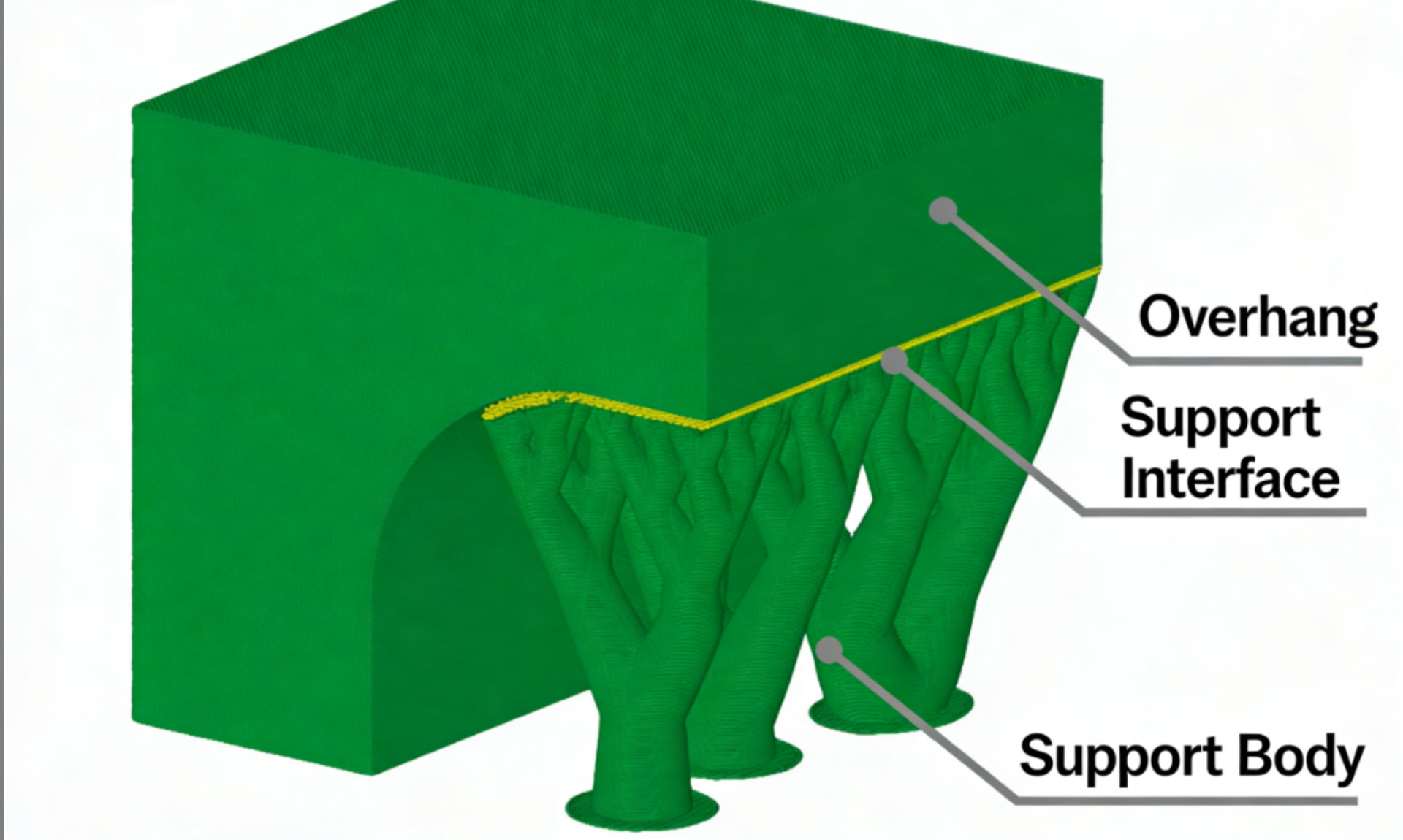
By the way, in the linked wiki, you’ll also find tips on what settings you can adjust to make support easier to remove.
Now let’s get to your actual problem: If you’re having trouble removing the support, there are probably other reasons for it. I saw that you’ve already started a thread on this topic - it turned out to be a bug in the slicer.
Are you sure there isn’t a bug in the slicer, or that the model is defective? Or maybe your printer is configured incorrectly? Normally, the support should be easy to remove.
Does it look the same as last time?
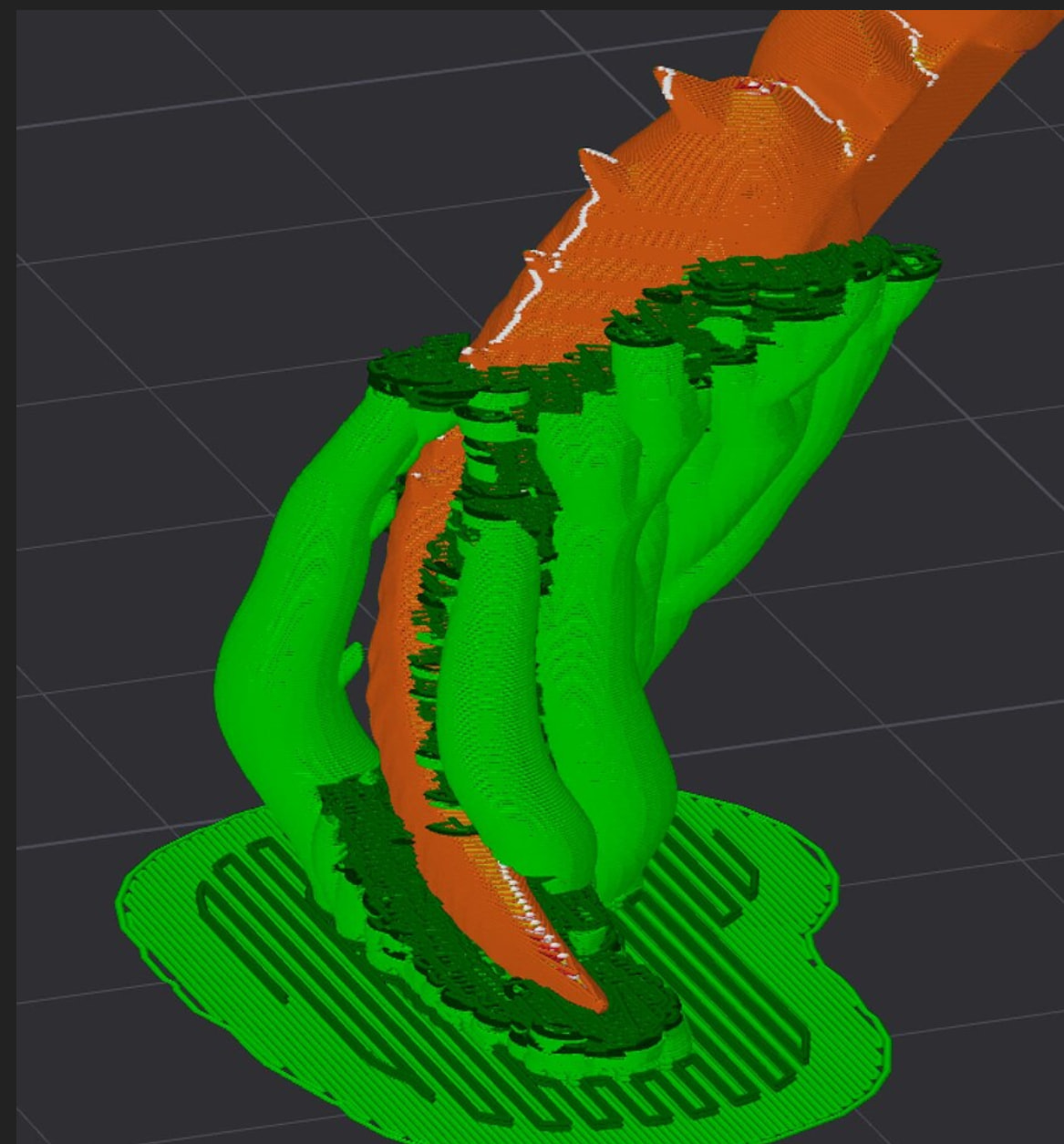
I think you’re approaching the problem the wrong way and looking for a function that’s supposed to fix a problem, when your problem actually lies somewhere else entirely.
Please upload the 3mf file to the forum so we can take a closer look at it. Thanks. 