Filament Buffer Clogged - Should I just return the whole thing?

I’m pretty demoralized. On the upside, I bought this from Best Buy with the extended warranty, so it should be easy to just return the whole thing.

I spent longer than I expected to set up the H2C, but after i got it set up, it was proving to be everything everyone said it would be. I even printed a giant poop chute today and was really impressed with how it turned out.

Then I thought I’d try my first multi-color print and that’s where the wheels came off.

I loaded in some white PLA on the external spool. Maybe this was the mistake, not having it in a dryer…but for whatever reason, the PLA got stuck in the left extruder. Actually, no…it got stuck in the extruder guide box - the thing you take off to get to the extruder. 3 hours later, I finally got it unstuck after multiple different attempts. I thought “Yes, I might get out of tonight with a functioning printer again”.

So I go to load the PLA, and can’t get it to be taken into the printer. Finally, I realize the PLA I have is stuck in the filament buffer and jiggling it, pushing the black buttons on the orange filament buffers, nothing is getting this out…ultimately, it breaks off inside the filament buffer.

I then disconnected the filament buffer, tried to poke some ABS filament, PLA filament. I can’t get this thing to budge. I tried a few different paperclips, and it is stuck in there.

It’s depressing. I’ve had a 3D printer for years, and I love printing with them, but I hate that building them becomes your real hobby instead of printing with them.

I could buy a new filament buffer for $30, but I’m not sure the same thing wouldn’t immediately happen.

I’ve got less than 20 hours of printing on this machine, and I’m already spending 5 hours trying to fix it.
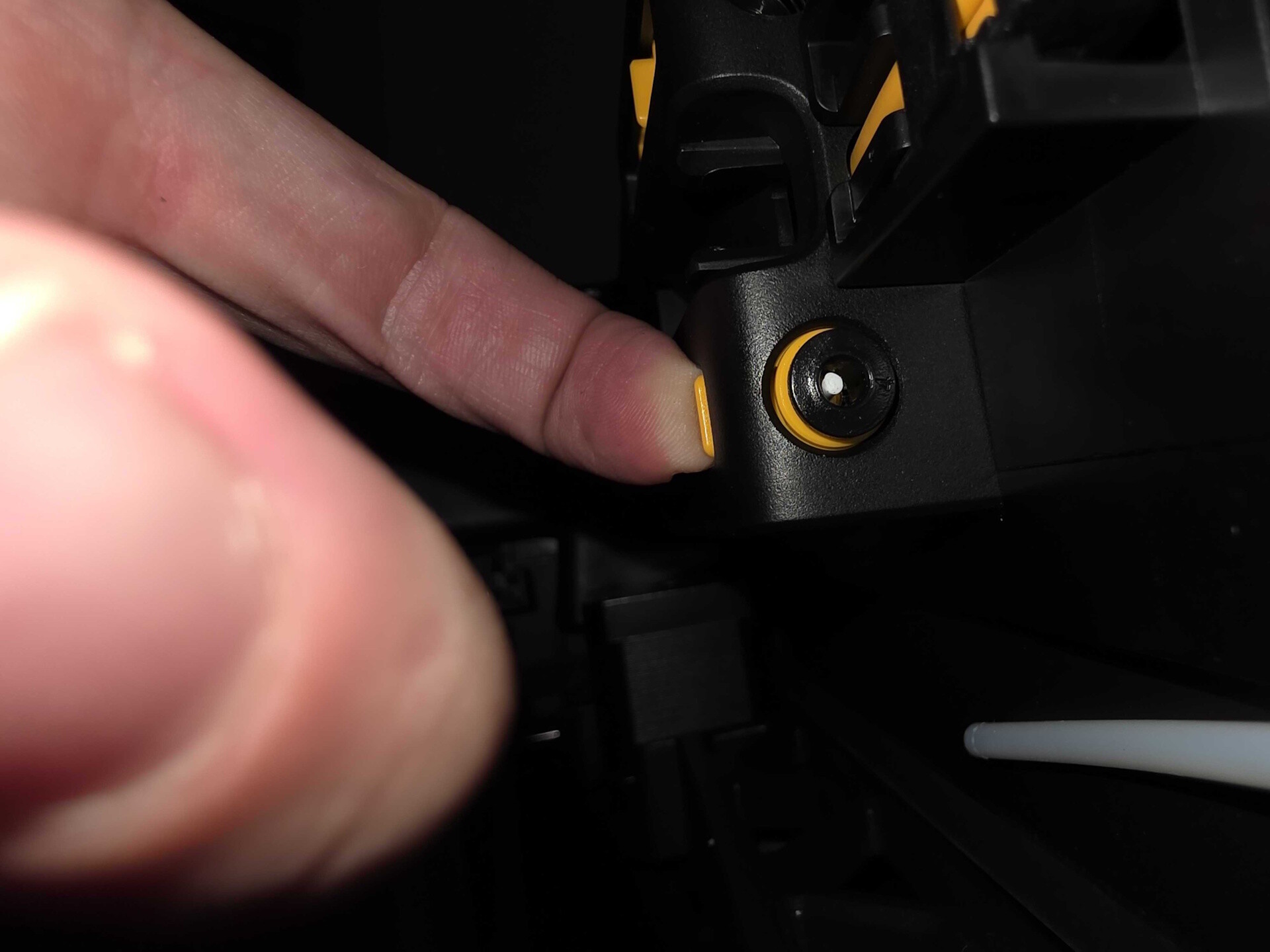
You bought Bambu’s most complex printer, you have to imagine there’s going to be a bit of a learning curve and more potential to do things wrong. That’s alright though, there’s a great learning opportunity in everything that goes wrong.

I suspect your issues were down to not having your PTFE tubes fully inserted into the machine inlet at the back and into the buffer. I can also guarantee that it will take longer to replace the buffer than it would take to remove the broken filament.

Bambu has an outstanding wiki site with instructions on how to replace/fix/service pretty much everything possible on the machine, it will have all the info you need to remove the filament.

This is the first thing that came to mind when reading this post.

@SpaceCowboy850 you might have a look here: Filament Breaking and Stuck in H2D Buffer; And Soultion

Re: PTFE tubes not inserted far enough.

I mean they were all pushed until they stopped, which i thought was what the instructions said.

@Gerrit thanks for that link. I’ll pull the filament buffer out and try jiggling it before disassembling further. It indeed was non bambu pla white plastic which that link also mentioned. Literally the only spool I’m using that is not bambu labs.

You have to check through the tiny rectangular hole on the inside of the printer to see if the tube is fully inserted. Sometimes it feels like you reached the end, but some retries let it go further.

I print different brands of filament also on the H2D. Most of that is due to remaining stock. But also for cost reasons or availability.

I never had any issues with stuck filaments in the buffer so far.

But there are some very crappy brands out there.

Also a good square cut of the filament is important.

Yes return it I have soooo many problems with my printer a big waste of money

Hi, Welcome to the forum!

What are the issues you are experiencing?
Have you reported them to Bambu Support?

I have had similar issues during the first 100h when using the .2mm nozzles on larger prints. First, heat creep, the it looked like a prob in the grey PTFE, then the buffer (in one case, there was a piece of filament in there, but I too now have a spare buffer :sweat_smile: ) but ultimately, it looks like a single slot in the AMS did not have its PTFE cut cleanly and slightly too short.
Having worked my way through that, the printer now has well north of 1,000h of great prints.

:crossed_fingers: & :four_leaf_clover:

no amount of jiggling or paper clipping was removing that…Jesus…and instructions were scarce on how to disassemble the filament buffer. Now to get it back together. I’ll try to post disassemble instructions as I get it back together.

I think i know how it happened…I loaded pla right after a 4 hour abs print and I think the pla got all oozy everywhere.

Was there a particular reason why you didn’t put the PLA in your AMS unit?

Yup, A heated chamber and PLA don’t go wel together!

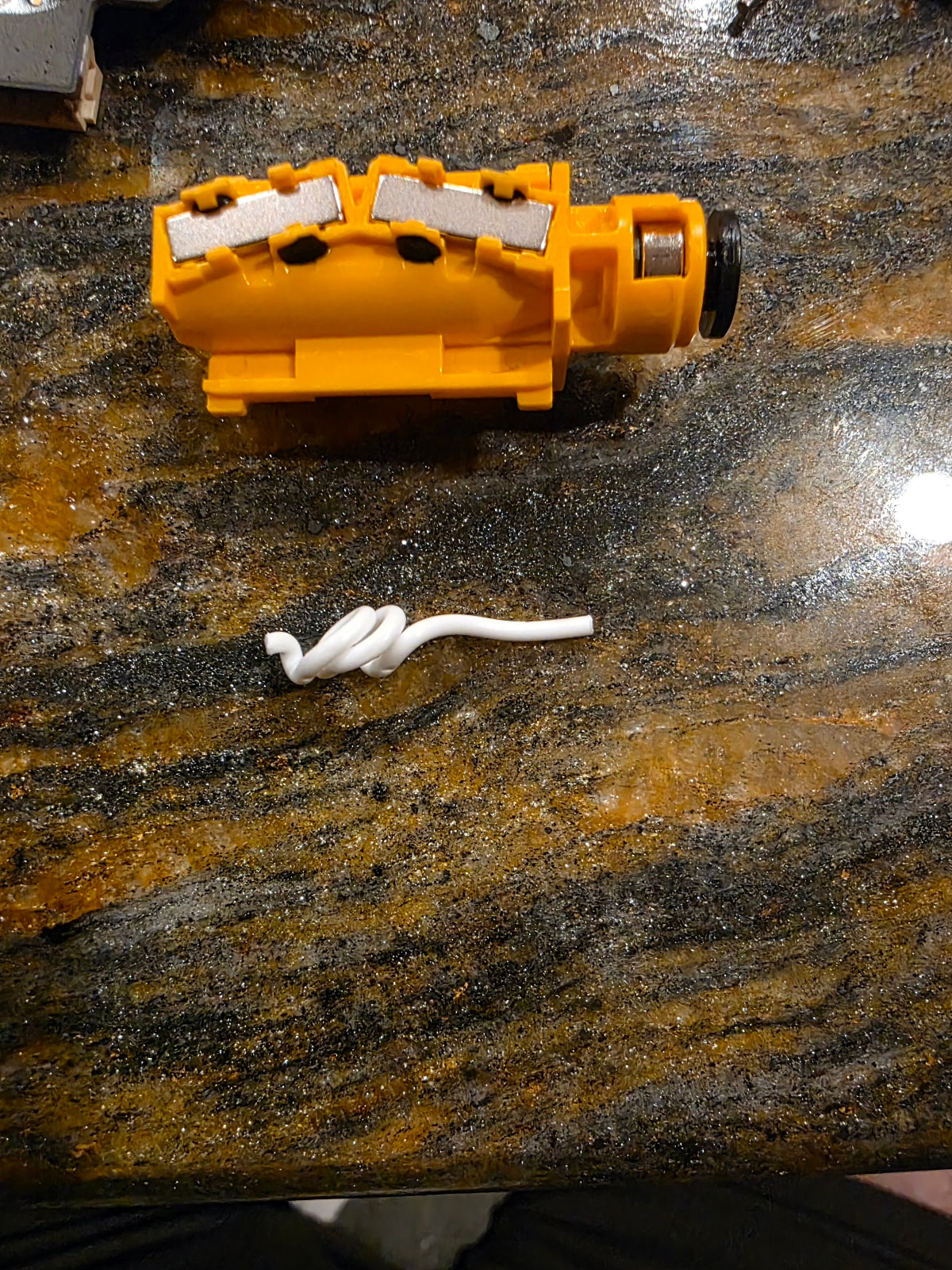
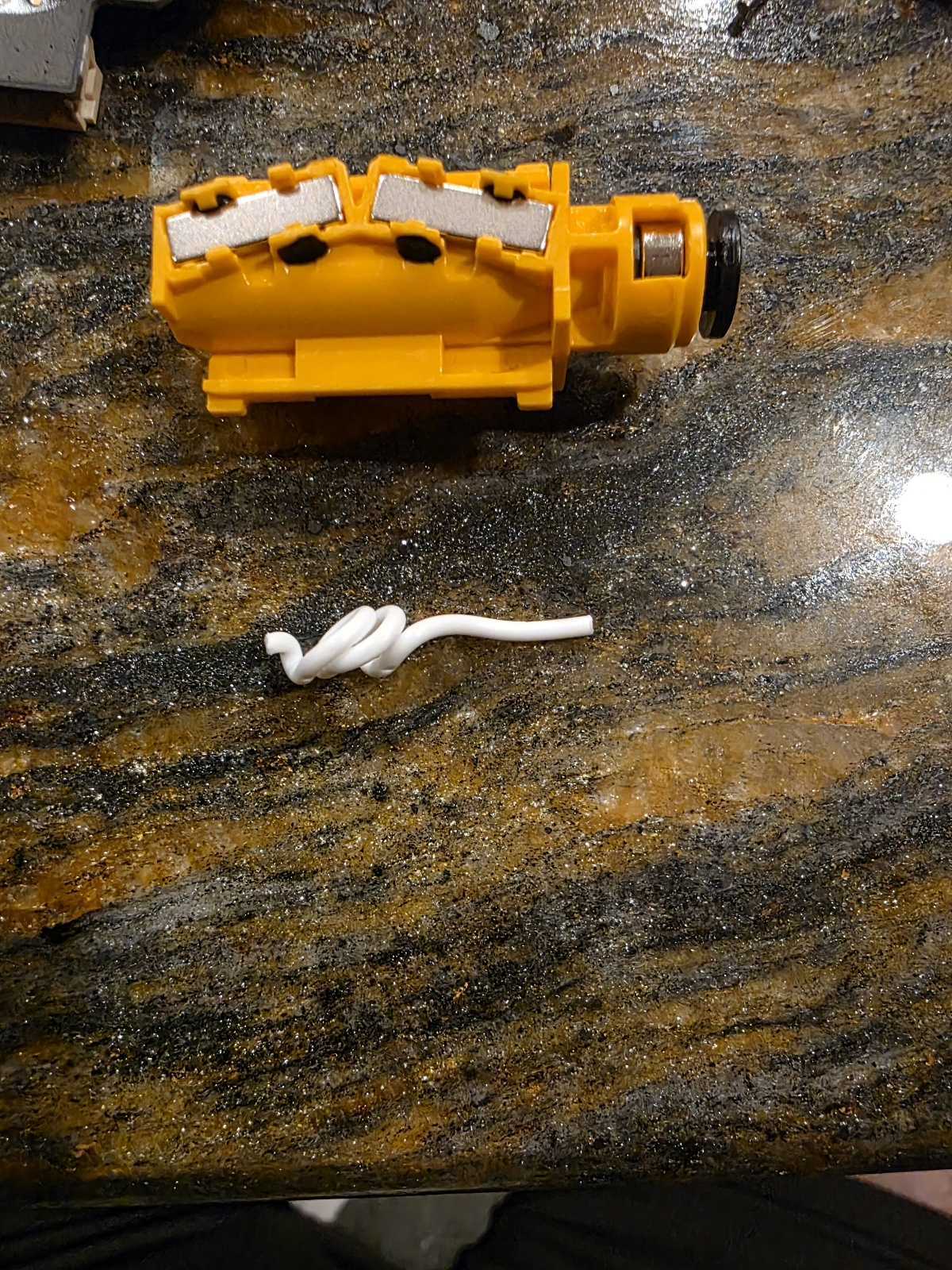
This picture also gives me the feeling that you didn’t insert the PTFE tube far enough. The fact that is was able to curl up like that indicates that there was a part in the path that was far wider than 2.5mm.

Normally the printer warns you when you want to load PLA with a chamber temperature of over 40C. However, I don’t know if this also happens when you load from an external spool. Probably the reason @CarbonForge is asking why you didn’t use the AMS.

Right now, my problem is the extruders no longer want to change. It’s a cascading series of failures.

So I think it was/wasn’t ptfe tubes not inserted far enough. The original problem was I printed in abs, then immediately loaded pla. On my 3rd spool loading THAT’S when the software said “Hey, you really want to wait until the chamber temperature is below 40c”. Even my first pla through the ams did not warn me, just the second.

Why pla outside? This was to be my first multicolor print and I had read you want your most used color on the left. I had white abs on the left external spool, so i wanted to change that to white pla.

So it’s sitting in the left extruder while everything is cooling down. Note my previous print had been abs with the right extruder, so i wasn’t really thinking temperature of the extruder was an issue. I didn’t realize just chamber temperature could be a problem.

I find the clog and retracted the soft pla nearly all the way out as I’m disconnecting ptfe tubes to try to get the clog out of the left extruder. 3 hours go by and I finally clear the clog. I go to reload the pla and I can’t push it through. My suspicion is when I pulled it out, it curled up inside the filament buffer, creating my second problem. Sigh…so after disassemble of the filament buffer my second problem is solved, which brings me to my third problem.

So now, I have my left extruder extruding, but I can’t switch to my right extruder. I see the flap below the right extruder move, a clicking sound and the left extruder rises, then error. :frowning:

I would also like to add the h2s buffer fails to load filament unless the spring has decompressed fully usually meaning its blocked just passed or within the buffer

I hope clearing the extruder the first time, didn’t introduce any issue, but it might be the case.

Did you follow the wiki when you dis-/re-assembled the extruder?

There are quite some delicate parts (flexible PCB’s) that can be damaged easily. But it maight also that one is not properly inserted (let’s hope for the last one).

Can you specify the error that you are getting?

I know my printer always haunts me when I want to use the AMS-HT on the right extruder, while the manual filament is still loaded.

I presumed, that the “loaded” status alone was the thing that might trigger the warning to unload, but judging from your remark, the status of the buffer is also a check for the printer that there is still filament loaded.

Thanks for sharing that insight! Nice to test that sometime on my H2D.

Looking at the picture again, this is the moving part of the buffer and not the orange inlet on the back of the printer. My mistake!

Luckily, I had never had the need to disassemble the buffer after approximately 1750hrs of use.

“Luckily, I had never had the need to disassemble the buffer after approximately 1750hrs of use.”

Well, I always did speed run getting into problems…

I do very much appreciate the help and insight…I feel like I’m solving problems then discovering new ones I inadvertantly created solving the last one. :person_facepalming:

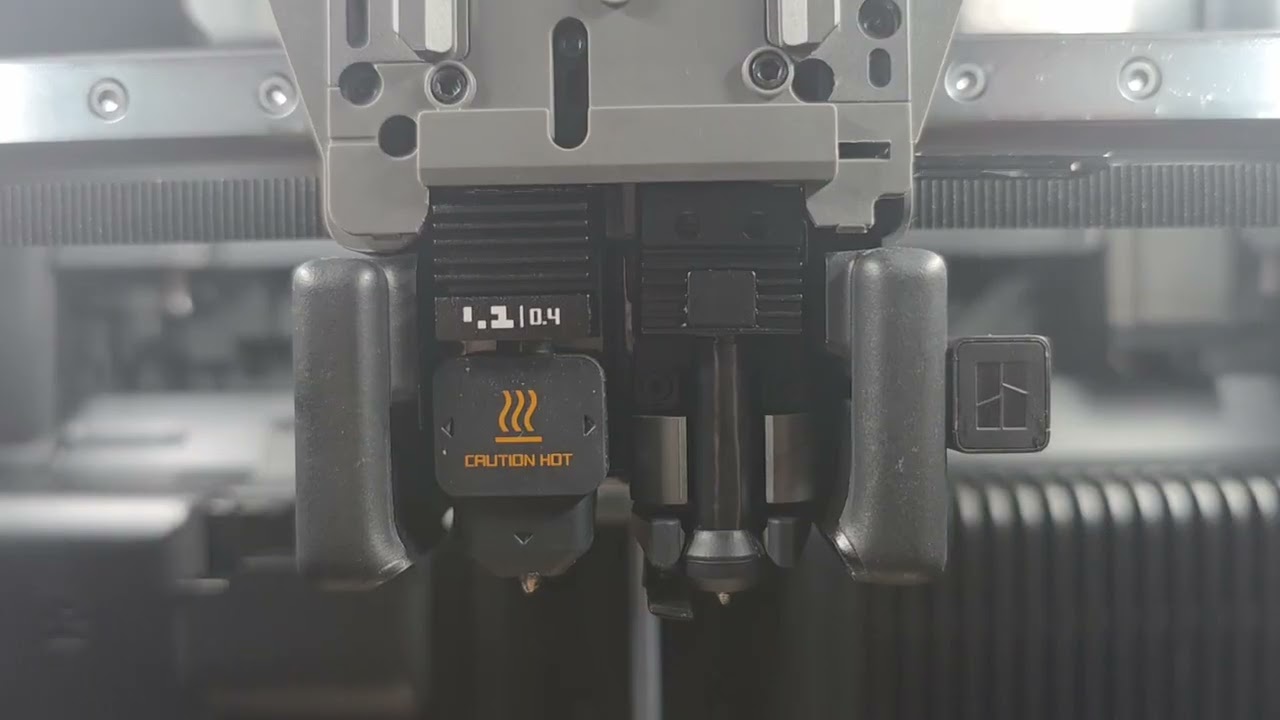
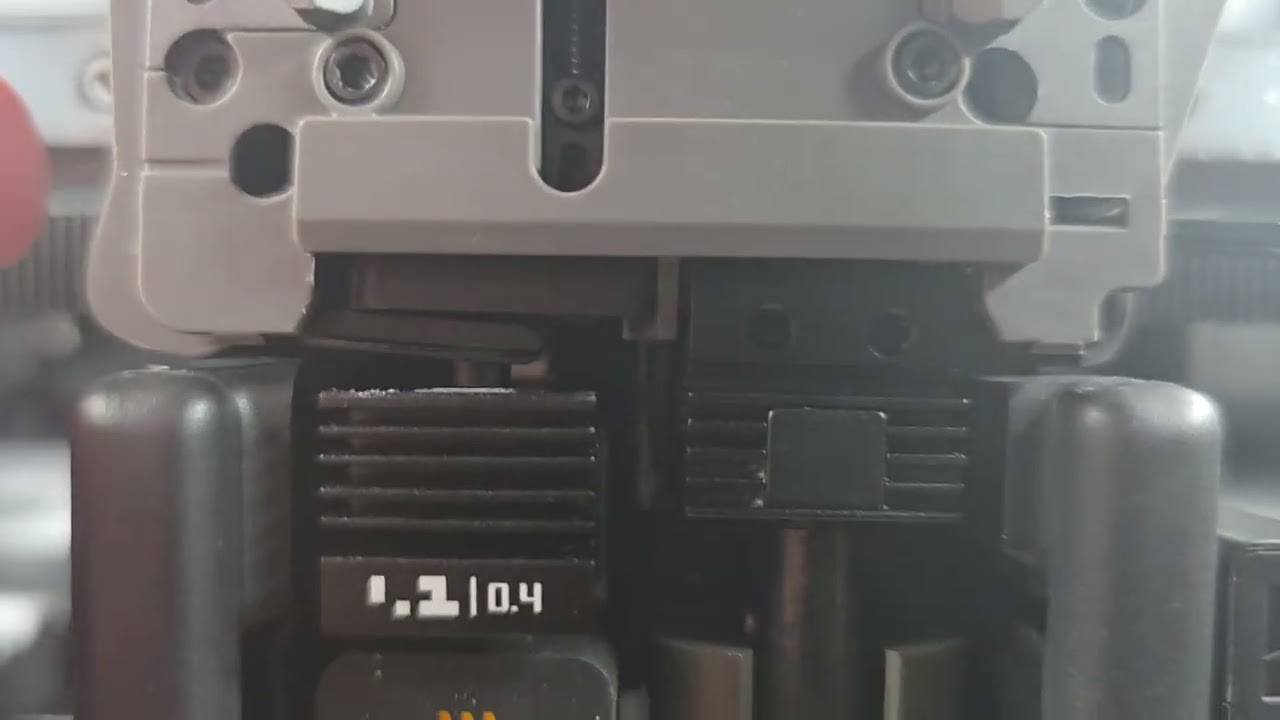
Here are some videos of it trying to switch extuders

And this is the left cutter arm moving - not sure if there should be the gap

Exact error is “Extuder Change Failed” - The first video I watched of disassembly was of an annoying woman that recommended to remove the cutter arms to get the extruder guide out. This was a mistake, as then the blades fell out too. :frowning: I since found a much better way to remove it without doing that. I think I reassembled it correctly (with the cutter tabs pointing up), but the left cutter blade tends to catch on the top hole of the left extruder if I don’t have the extruder guide in place. That bothers me. I have to push in the left extruder blade, (and right one, but mainly left one), insert the guide back in, to assemble it back together.

But obviously I’ve done something wrong.

I have to work now, so I don’t have time to keep debugging this at the moment, maybe more at lunch or tonight.

Your left cutter blade is definitely not correctly assembled.

Additionally, I see that your nozzle blocker is partially stuck on the right hand side.
Hopefully the re-assembly of the left filament cutter will solve the issue.

Please check if the blade is still in order. You should have gotten a spare with the printer.
There are wiki’s on the assembling proces.
Just ignore annoying people in the video’s and just follow the steps :wink:

THANK YOU!

Yes, the left cutter was not installed correctly…I noticed it reading the left cutter assembly again, but only because I noticed they were doing it with the guard on and were specifically inserting the cutter in a slot while that happened.

Meanwhile…over in Dual Extruder Filament Guide Replacement Guide for the H2C | Bambu Lab Wiki

They make a note when disassembling the filament guide about how “The left cutter should be installed together with the filament guide.”

I was not doing this.

This makes sense why the left cutter pieces fell apart when I pulled out the filament guide for the first time.

I was focused on what was the problem with the right extruder, when it was the left side that was at issue.

Once I got the left cutter installed correctly, it switched to the right extruder the first time.

Hopefully I didn’t damage anything else during these experiments :grimacing:

I’ve got it doing a full calibration right now to see if things seem okay.

I’ll try a multicolor (AMS only) print later today to see if I can print again.

@Gerrit - much appreciated your patience in working with me and guiding me to where I might find solutions. I really was trying to find videos/wikis/answers, but kind of fumbling not sure where to start, how deep to go, if this wiki or that would solve my problems.

Finger’s crossed this gets me functional again.

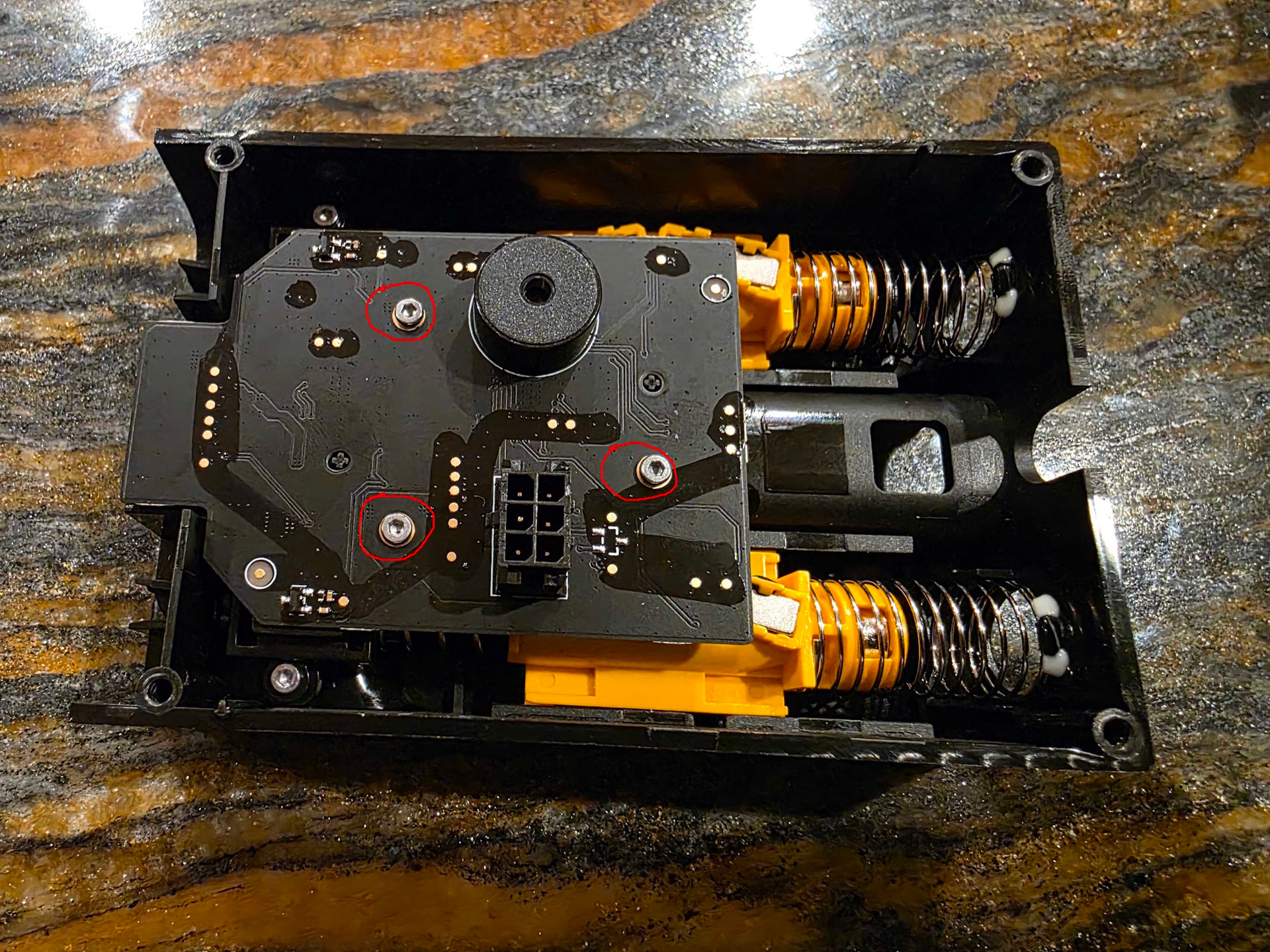
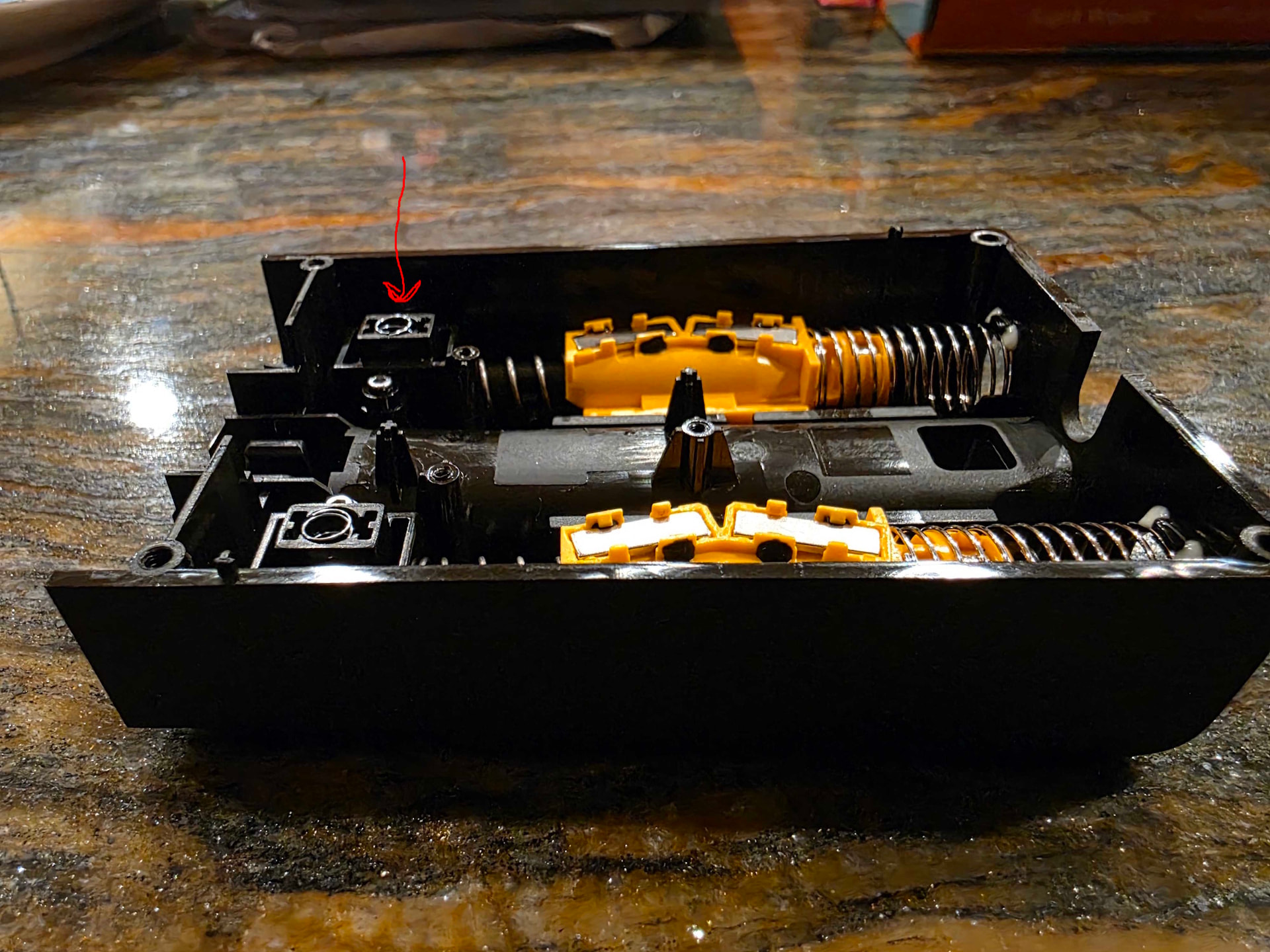
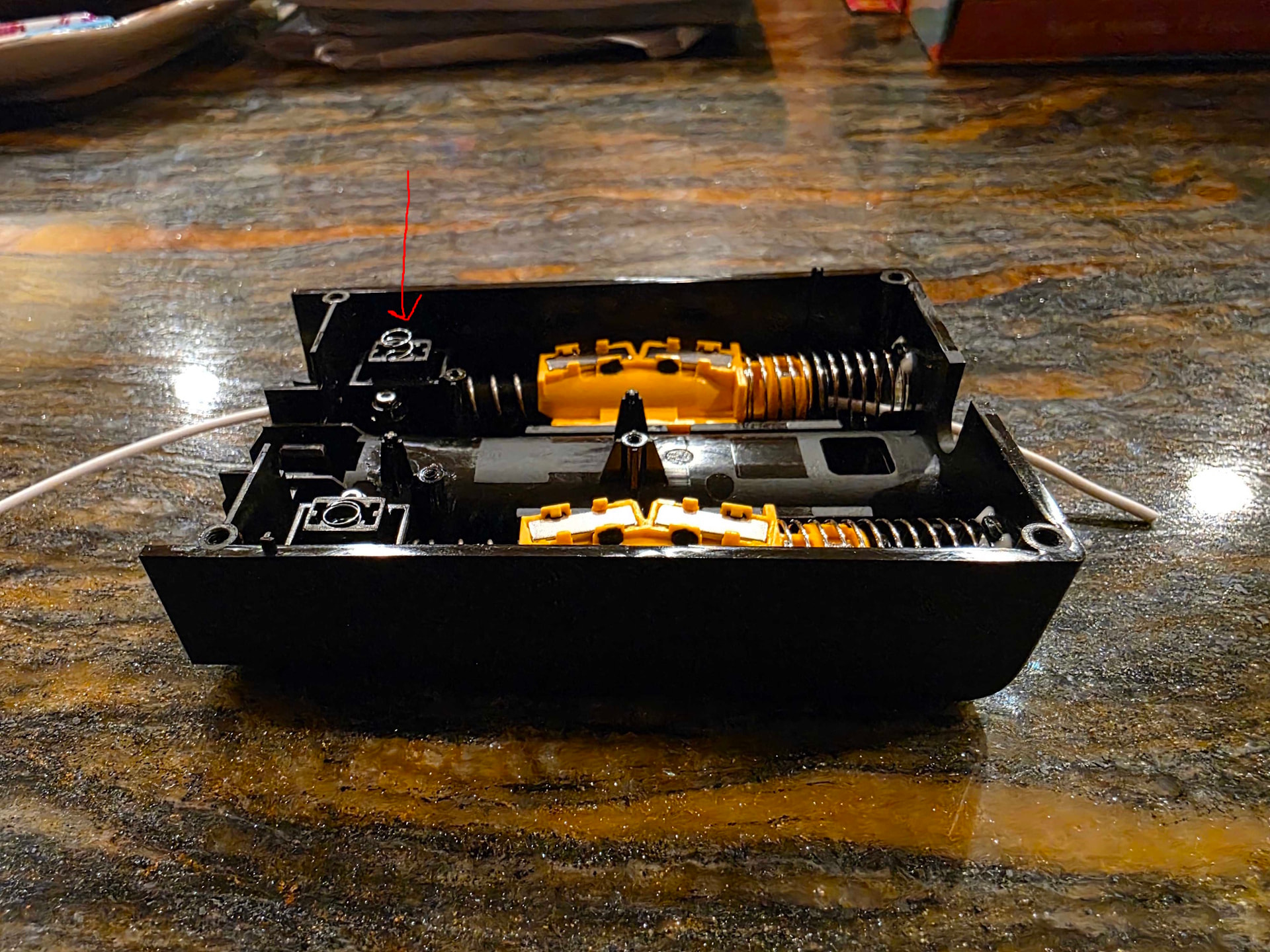
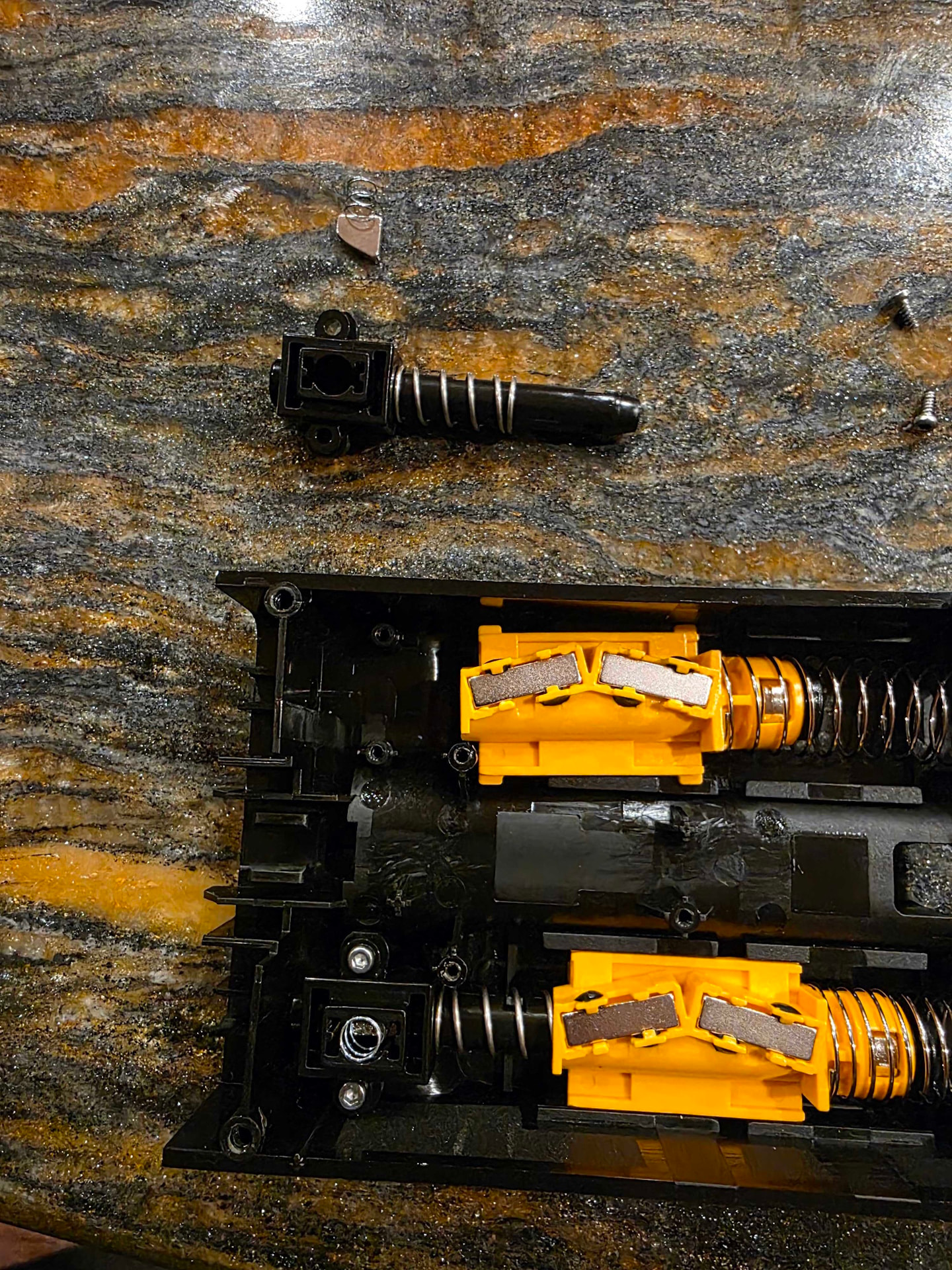
Filament Buffer Disassembly (I didn’t find this anywhere, but I found a reddit post text describing it, so I tried to take pictures as I was reassembling it for others in the future)

Once you have your filament buffer out: Replace H2D / H2C Filament Buffer and Cable | Bambu Lab Wiki

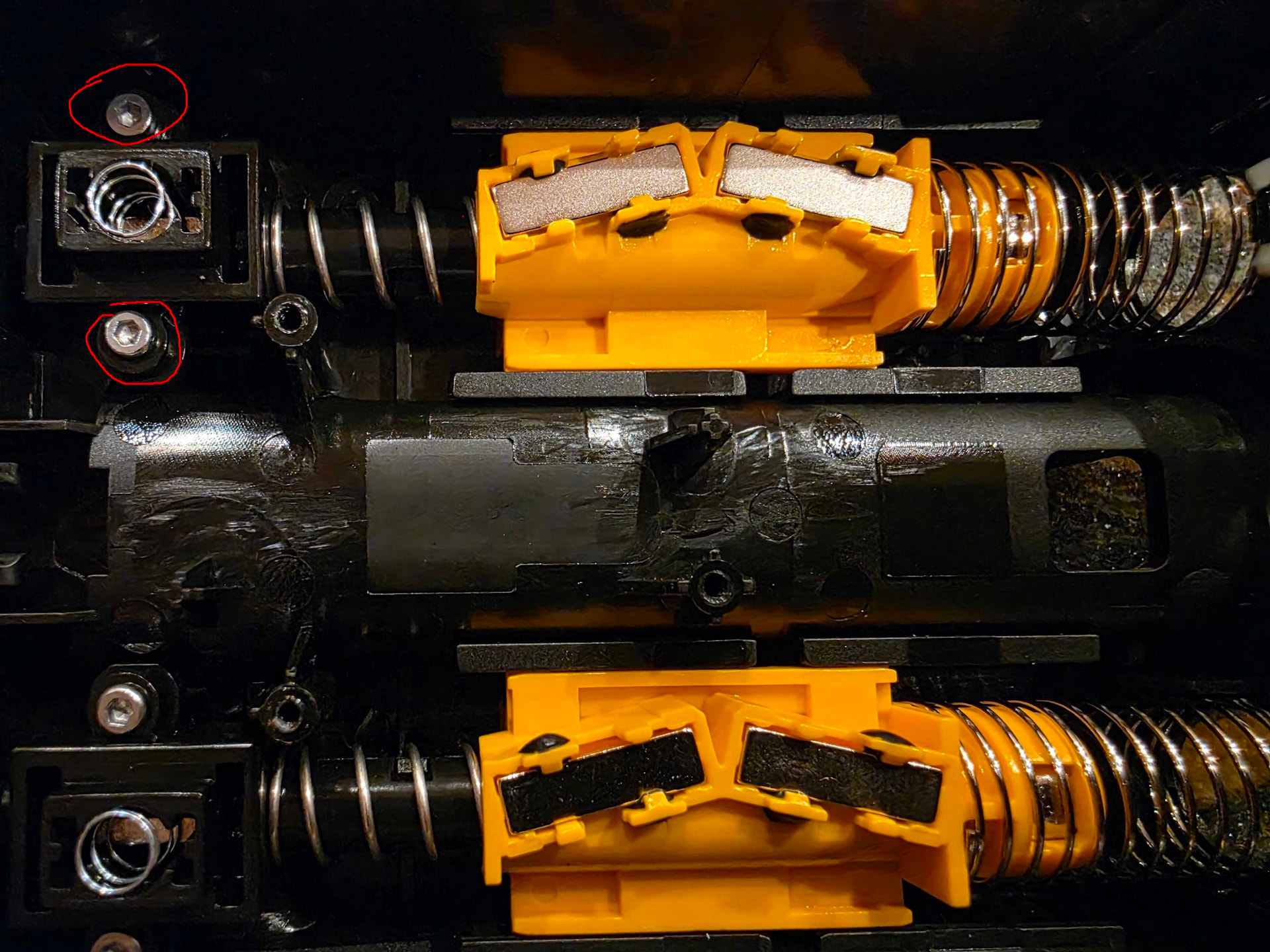
Remove these three screws

If your filament is working well, the spring should be down when filament is not in and up when it is in. Understanding this will be crucial if you (likely) pull the magnet out.

Note, if you have filament stuck in there, you won’t be able to demonstrate this picture, as the filament won’t run through the whole filament buffer, but it’s a good test when you are reassembling it that you have it right back together correctly.

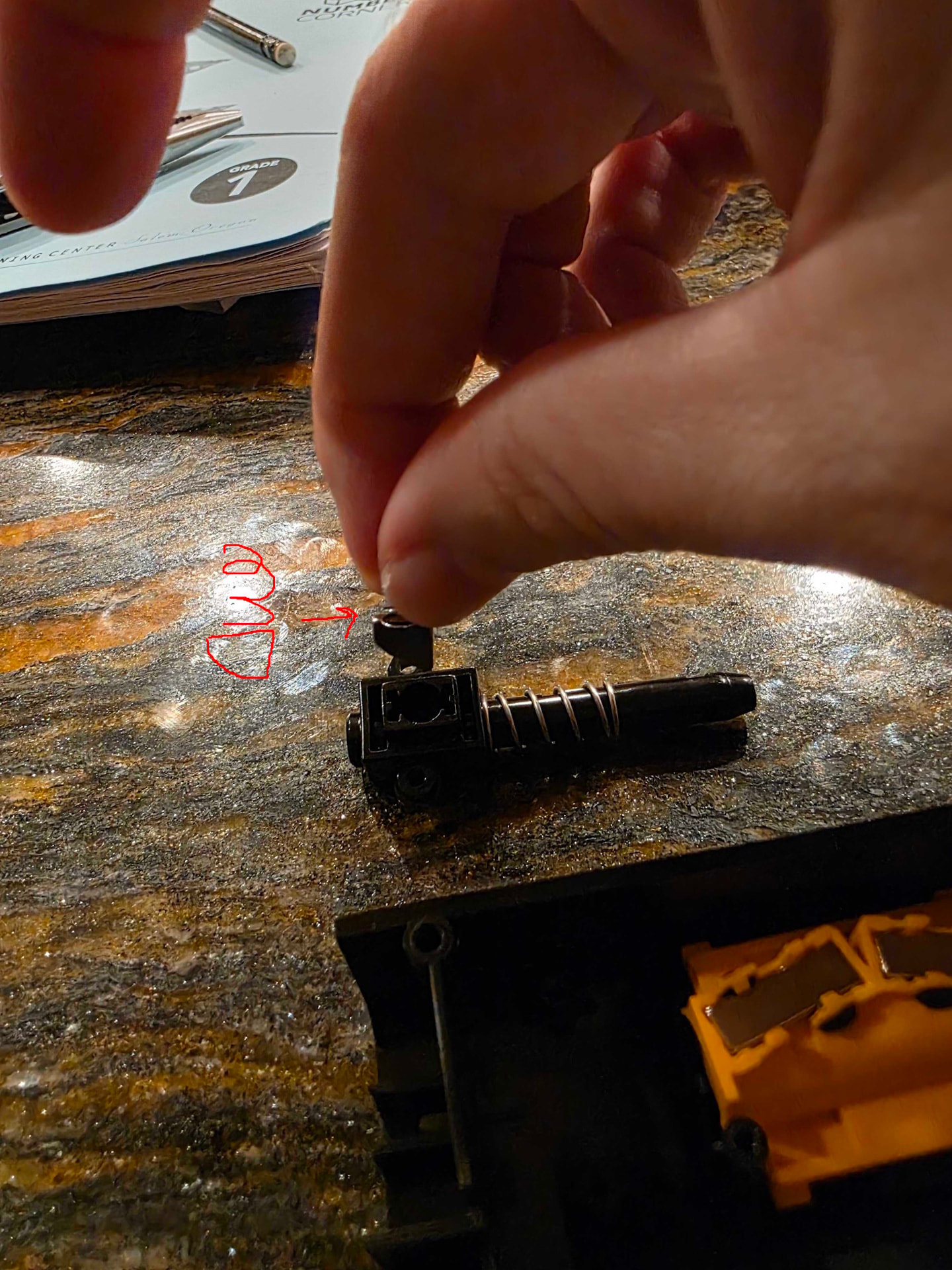
Next, you’ll want to remove these two screws here. This allows the whole black rod assembly to come out and easily allows the orange slider to be removed. (It’s during this step that magnet is likely to jump out and attach to whatever tool you are using)

If the magnet does jump out, this is the orientation it needs to be in, with the wedge side facing towards the external/AMS unit, and the hard flat side facing inward towards the printer. In this way, as filament is pushed from the left to the right (in this picture), it will raise the spring as we saw before. Otherwise it will stop your filament.

Once you have the black rod out, the orange slider should slide out easily, and you’ll be able to reach whatever filament is stuck in there much easier, using a piece of filament, paperclip, etc to push the filament out.