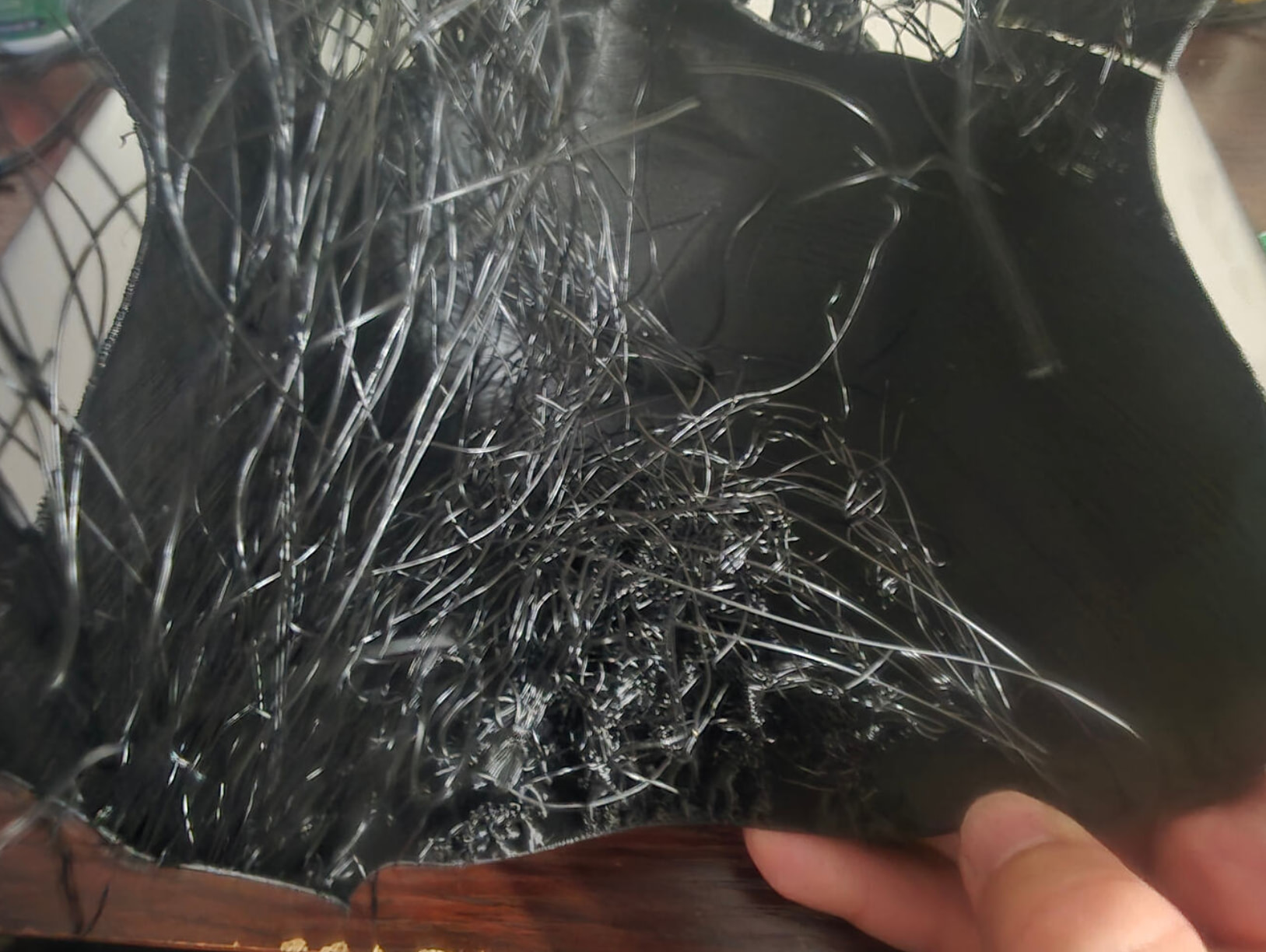
Filament sticking to nozzle P1S

I have been having this issue recently with my P1S after getting a new hotend (phaetus conch plus). The first few prints were fine, but there is a recent problem with the filament. It will extrude from the nozzle, but it won’t stick to the hotbed, instead latching to the side of the nozzle/sock. It just drags and tears the first layer (see pics). It keeps doing this, even after cold pulling.

20260822_162003(1)

20260822_164009(1)

These nozzles require very specific settings in the slicer - have you configured them? Here’s the PDF from the manufacturer:


But here’s the big “but”: Your printer was already defective before you installed the new nozzle, or? See the old thread from a few weeks ago. Did you get it repaired? From your last message, it still looked like a broken printer.


Before starting for a solution to this problem, ask yourself: Could it be that your printer is still broken? Did it work without any problems even once last week? You’ve had almost the same problem before, though:


Edit: This isn’t a criticism, but I have to mention it now that I’ve reread the thread a few weeks ago: Unfortunately, you didn’t follow any of the advice from the old thread, nor did you respond to the comments.

To be precise, you actually ignored them, all of them.

In your case, you’ll need to start by performing a step-by-step repair of the printer. Take another look at the old thread.
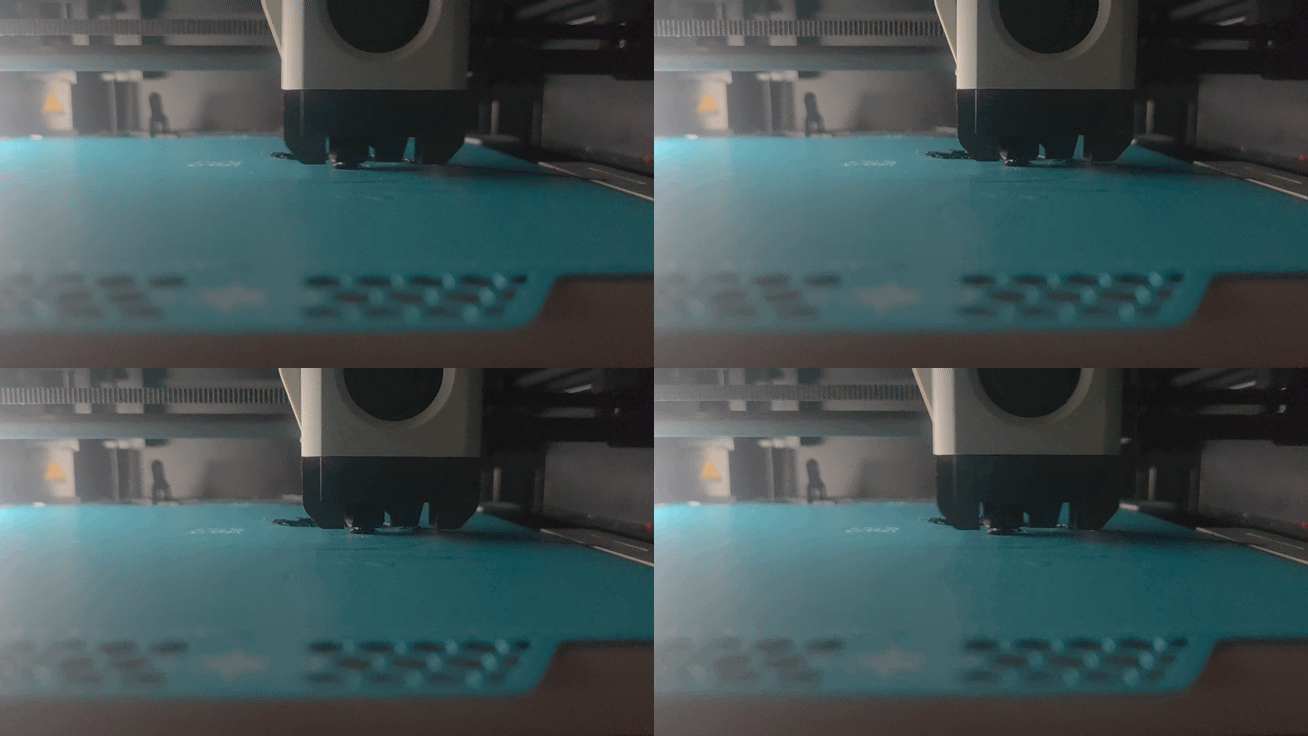

To respond to you point, I did follow the listed advice. I preformed calibration tests and did a deep clean of the printer. The new hotend was to help with more nylon and carbon filaments. I did get some good prints in the weeks afterwards. This started happening today after trying my hand with printing pet-cf (Siraya Tech). I am still new to this.

That’s an important piece of information that you didn’t mention in your original post.


Unfortunately, you didn’t answer the first question: Did you follow the manufacturer’s instructions settings for the nozzle?


…and now the second question arises: Did you enter the settings in the slicer exactly as specified by the filament manufacturer?


Third question: PET-CF is highly sensitive to humidity. Have you dried your filament? Even if it isn’t the main problem, it will make troubleshooting more difficult if the filament is moist.


Sorry for all the questions, but let’s start by covering the basics. Once we have a solid foundation, we can dive deeper into troubleshooting.

  1. I did follow the listed parameters when doing the calibration tests. It still doesn’t change the fact that it worked in the begining but isn’t now, in both testing the OG textured plate and the new Biqu Glacier.
  2. I read over the settings and implemented them the best I could. It doesn’t help that the settings in Bambulabs are not the same as what is listed and have no idea what setting actually controlls for “Raft Separation Distance”. Didn’t seem to help much.
  3. I did dry it after opening for over 4 hours at 90C as was suggested.

I’ve found editing the Gcode to make the nozzle wipe for extra rounds quite useful, as it decreases the chance of any filament sticking to the nozzle. You may as well also want to consider those modified nozzle wipers that integrate the silicone brush wipers of the A1s. They are absolutely AWESOME.

  • What happens if you run the calibration now? Will it fail?
  • If you switch back to regular PLA, does the printer work as expected again?

Do I understand this correctly: You used the nozzle for a while and calibrated the PET-CF filament? No problems with the PET-CF filament were detected during the calibration process?


My recommendation: Try printing a Benchy in PLA and standard setting to see if your printer even works anymore, and upload a photo of it. First, you’d have to figure out whether the problem is with the filament - or rather, the filament settings - or with the printer itself.


If that worked, then I’d take the next step first and come back to the PET-CF filement.

I tried printing things when switching back to PLA, but it will not stick to the bed. It did before but not now, even when applying glue to the bed. All that happens is the PLA bunches up around the hotend.

Ahh, now we’re finally getting to the heart of the problem - so your printer is broken.

That means it has nothing to do with the filament, the print plate, or the settings - your printer is simply no longer able to print. And now we’re going in circles: That’s a similar - maybe even the same - problem you already had in the old thread.

That means you’ll have to fix the printer itself.


Glue doesn’t solve the problem if even PLA doesn’t stick; it actually makes troubleshooting even harder.


The most obvious thing to do would be to install the old, original Bambu nozzle first and see if that’s the problem. The first step is to manually load and unload the PLA and see what the result is.

Furthermore, I assume - especially in light of the last topic - that your printer has never been fully repaired. Your problem isn’t primarily the printer: it’s that you’re not troubleshooting step by step.


If you had included all that information right in the original post, troubleshooting would have been much more focused. This isn’t a criticism, but troubleshooting can only be as effective as the information you provide.

If it is broken, I’m not sure how trying to run a cf filament would break it, much less where to start or how to fix it. It should still be under warenty, fix I were to send it to Bambu would they be able to fix it?

When I look at the big picture, your printer was already broken a few weeks ago. I’d at least get in touch with support. They can send you the appropriate replacement parts.

You don’t need to send the printer to Bambu; they’ll send you replacement parts.

I’m not sure if support is really being supportive. After submitting the ticket they told me the standard “wash the plate and slow the print speed” response. They haven’t responded to my further updates in the last two days as I am still having these issues.

It’s possible that it might take longer than two days. Did you use the same old ticket number, or did you open a new one?

I don’t mean to be critical, but you have a habit of providing only half the information. If you do that with the support team, too, it’ll take even longer.

No, it’s still under the same ticket. There is the ability to replay and send more photos.

Update: Still trying to right the situation. Switched out the hotends and thing are sort of ok. I am still having some issues with how the prints are coming out. I will make some different posts going into more detail about these issues.