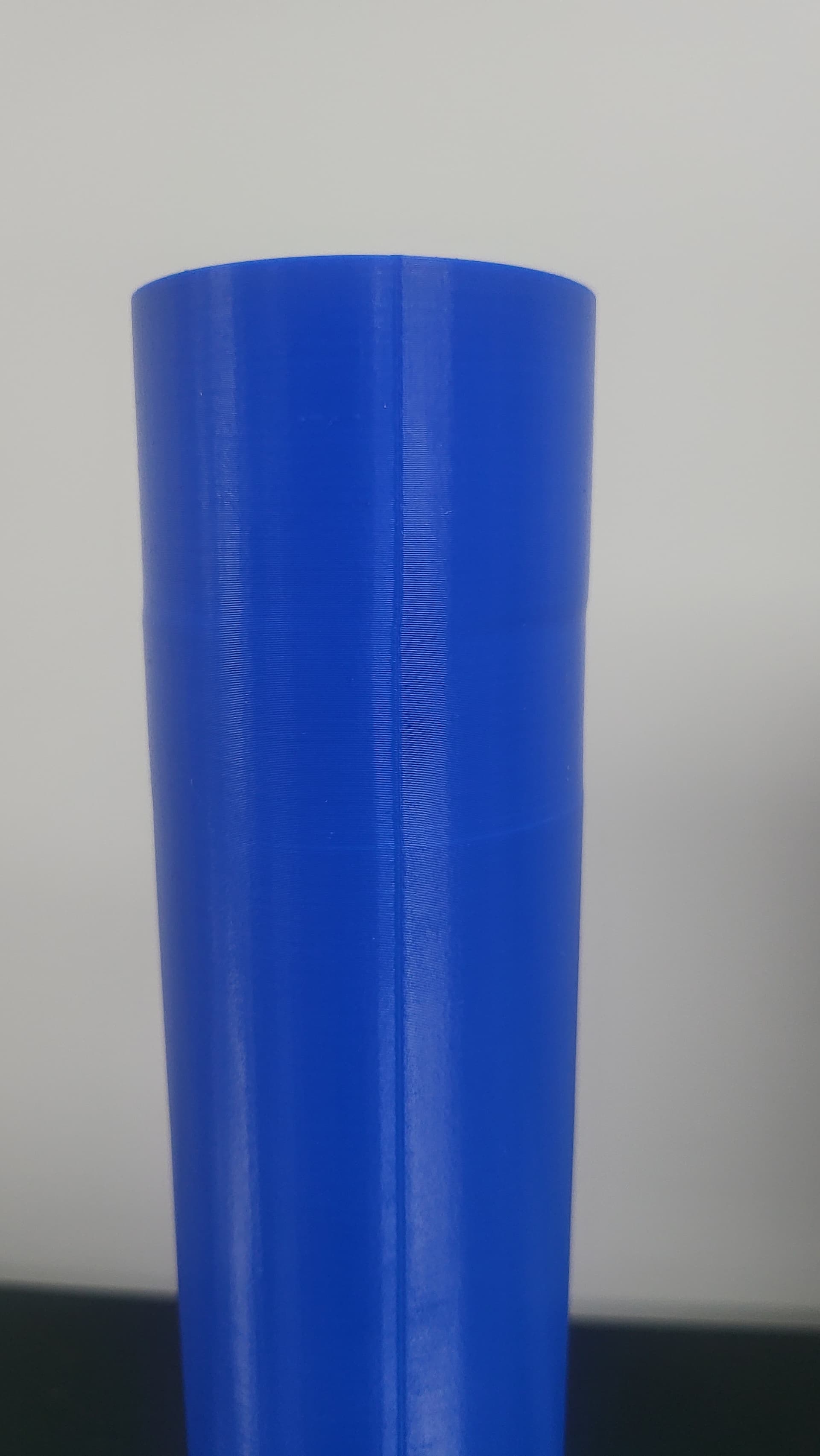
Here is what is happening. I print a test cylinder wide enough to not be affected by wobble (around 70mm in diameter), it prints perfectly up until around 250mm then suddenly the model looks like it twists and shifts resulting in a bulge on the right and indent on the left. It does this for 30mm then returns back to normal (but not always). It also does this for a vase mode cylinder and other shapes like square. I am baffled as to why this is happening.
In the images the black line shows the side which was facing the door. The seam printed top left of the cylinder.
Imagine a pivot point on one side of the cylinder. It looks like it slightly pivots from that point so it’s not just a plain layer shift. It is also gradual.
I’m using the latest firmware and software. Using default standard h2s 0.4mm profile.
It’s happening across multiple H2S machines so unless there’s a mechanical QC issue surely it has to be software or firmware?
I tried replicating possible heating and cooling effects by turning off chamber heating, lowering bed temp slightly and cracking open the door but that just results in an immediate layer change uniformly around the cylinder.
That doesn’t rule out heating and cooling effects but why would it always be happening at roughly the same height rather than a couple of heights.
Any help is appreciated but I’m worried it’s out of my control until software or firmware gets fixed unless there’s a magic setting I don’t know of.
UPDATE: It only happens with ASA. I tried pla and it printed perfectly
Did you find out the cause of the layer shift or reach out to bambu support
I have the same issue on a tall print (similar design concept to yours) its 325mm high in total. I have printed in ASA and ASA-CF from 255mm to 275mm I get XY layer shift by the same amount circa 0.25-0.5mm in X & Y. Below 255 and 275mm the print walls are aligned per the model. I have changed model orientation, very low speed/acc, slow speed/acc after height, Z hop, bridges, tree supports.
The quality of the print is excellent throughout, just the layer shift I cant get resolved. I have also reduced chamber temp from 60 to 45deg and ran with no fan and low fan, bed temp 90 &100deg - no difference.
Regardless of standard or modified print settings I get the same issue. I think the only items left to consider are G Code error or mechanical error.
All of the above was after general maintenance - clean lead screws, tension XY belts, full calibration. Bed adhesion great with super wide brim with zero gap.
Any ASA experienced knowledge on layer shift from the community would be great.
Hi all, I’m seeing the exact same behaviour on my H2S: tall, slender print (~330 mm) shows a repeatable XY layer shift (stable 1mm shift at X and some wobling at Y) at roughly the same height, and then it stabilizes again approx. 2 cm later. It happened on multiple attempts and even after changing the model position/orientation on the bed, with a wide brim and “mouse ears” — same height and same direction every time.
So far I’ve only tested ASA. I
haven’t tried PLA/PETG yet, but I will run the same model in another material to confirm whether it’s ASA-specific on my machine as well. I’ll report back with results as soon as I have them.
please update if you have any solution to the issue
Have you looked at where the ventilation openings are located for the rear ventilation/heating system?
If might be that at a certain height the air flow changes from a flow under the bed to a flow over the bed, possibly having a direct change on the temperature around the location where you are printing.
PLA Test: I printed the same model using PLA, and it came out perfectly smooth across the entire height. This effectively rules out a mechanical issue with the axes or lead screws.
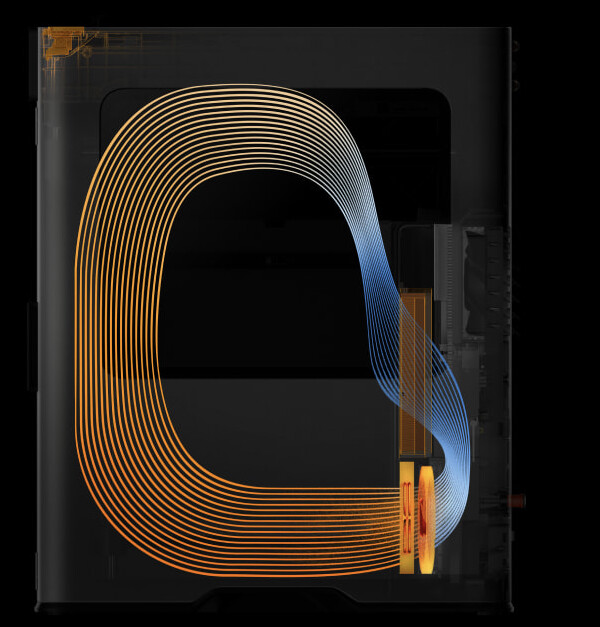
Heating/Airflow Theory: I looked into the heater vent placement. The perforation (inlets) are on the whole height of the chamber. However, the pottom part of the inlets have kind of radiator (heater) behind it. this radiator starts about 6 centimeteres above bed when printing bed is in its lowest position. This means (if heater is at the bottom part of inlets) that as the bed moves down, the hot air starts blowing directly over the build plate instead of under it once it reaches a certain height (roughly 6cm before the max Z-height). This matches the exact area where the warping/shifting begins.
The big question is: If this is purely a thermal/airflow issue, how do we explain the “return to center” after about 1–2 cm? If the airflow stays constant from that point up, why would the print stabilize and shift back to its original alignment?
I will try to contack bambu support and will show them this thread.
”Dear Bambu Lab Customer,
Thank you for your reply, and we have received your information.
We recommend disabling the chamber temperature heating function near the height where deformation occurs. Here is an example of the Gcode modification for a deformation height of 230mm. You can refer to the following schematic diagram for the operation (using the H2D device as an example; the steps are the same for the H2S device):
If you have any other questions or need further assistance, please feel free to let me know.
Best regards,
Bambu Lab Customer Support”
As soon as the air starts flowing over the bed, it picks up more heat from the 100C build plate.
However, I can also imagine that a fully filled build plate exposes less surface to heat the air than when you have one small tall part in the center of the build plate.
Physics is a complex matter in this case.
I would exclude a mechanical issue with you motion system though.
I received a similar response to @Volvox_Globator from Bambu support.
Bambu support thinks it’s the chamber heater actually heating the bed on the corner which causes the twist is you may notice is starts as soon as the bed frame reaches the top of the heater. If you measure the height of the affected area it roughly matches the Z height of the bed itself as well.
Running the modified gcode isn’t really a proper or effective fix and tbh I don’t think it is fixable without possibly re-directing the chamber outlet with a cover so it doesn’t hit the bed directly.
The chamber might stay hot enough for a little bit after it’s been turned off but you will likely see a different rate of shrinkage from the height it turns off which results in some inconsistent layers towards the top, it’s just not quite as drastic as having the heater on the whole time.
I’ve also found printing ASA without a heated chamber tends to result in cracked ASA/ABS prints after a couple of hours. My guess is because the chamber is larger than the smaller machine models so it doesn’t get to as high a temperature without the heater.
Hi, I’m experiencing the same issue when printing ASA material. I recently ordered this printer to print tall and large car parts, and I noticed the exact same problem already on the very first print. The height matches your observations exactly.
I’m not interested in modifying G-code or building airflow guides just to get a printer in this price range to work properly.
Is this the same issue present in all H2 series printers?
I’ve been working through this same issue with Bambu support over the last few weeks and wanted to share a structured update as it may help others.
My setup and symptoms match closely with what’s been described here:
Tall ASA / ASA-CF prints (~300–330 mm)
Consistent X/Y shift or “twist” occurring in a narrow band around ~250–270 mm
Print quality is otherwise excellent below and above this range
PLA prints do not show the issue
I’ve ruled out mechanical causes (belts, lead screws, calibration, speed/acceleration changes), and the behaviour is repeatable regardless of orientation or profile tweaks.
Through testing, I’ve confirmed that:
The issue only occurs when the active chamber heater is enabled
Running with no chamber heater (passive ~34–35 °C from bed heating) produces stable prints through the full height
Bambu support have suggested a workaround by modifying G-code to disable the chamber heater at a defined height (~230 mm). This does reduce the issue in practice, although it’s not a seamless solution for general use.
Based on both my testing and what’s been shared in this thread, the behaviour appears to be linked to thermal conditions changing as the bed moves through a specific zone, rather than a mechanical fault.
If you are experiencing the same issue, I would recommend:
Testing a full print with the chamber heater disabled to confirm behaviour
Logging a support ticket with Bambu including print height, material, and repeatability
Referencing similar cases so they can build a clearer dataset
The more consistent reports they receive, the more likely this will be prioritised and addressed at a system level.
I’ll continue to monitor updates and share anything further if I get additional information.
Thanks to everyone who has contributed — it’s been very helpful to compare notes as this is not a common topic
It”s good to hear, it has the attention of Bambu Lab, but I don’t think people are waiting in line to start tests that consume quite a lot of filament and time to confirm the issue and provide more data.
I see a couple of fairly simple solutions that Bambu Lab could explore:
Deflect the hot air flow so that the air stream always passes underneath the build plate at any height.
Change some logic in the heating system that gradually reduces the heating air flow as build plate gets lower in the build chamber and rely more on the heat already existing in the chamber. This would probably work well for printers in an environment with a high ambient (lets say 25-30C) temperature, but people that have their printer in a low temperature room, might lose too much chamber temperature.
Improvements to insulation of the build chamber requires less to zero heating of the chamber once it reached it’s target temperature, it might even needs subtle cooling to maintain it’s temperature. This last change has quite a lot of impact on all the printers in the field, so probably not the preference of Bambu Lab.
Option 1 can possibly be achieved with a small mod of the heating unit, and option 2 would only be firmware. Where option 3 is probably too costly for the printers in the field but might be taken into account for the future generations of printers.
Thanks for the input — those are all sensible ideas and I agree there are a few directions Bambu could explore.
Just to clarify my intent in posting on this thread, I’m not suggesting users go out and actively try to reproduce the issue through additional testing. These prints are time and material intensive, and most of us have already invested enough to understand what’s happening.
The purpose here is really for users to:
be aware of the behaviour
avoid it where possible
or raise it with Bambu if they encounter it
We can hypothesise all day about potential fixes — airflow, firmware control, insulation, etc. — but ultimately only Bambu will determine the solution. The key thing is making sure it has enough visibility and attention for them to prioritise it.
From my experience, I would recommend raising a support ticket and escalating if needed. I was advised to use a G-code modification to disable the chamber heater at a certain height, which does work in practice, but it’s still a workaround rather than a true fix. In its current state, the H2S can’t reliably be used as sold for tall engineering filament prints with active chamber heating.
For anyone who has gone through similar testing — whether that’s failed prints, switching to heater-off printing, or using the G-code workaround — it’s worth contacting Bambu. I was compensated with replacement filament, which at least covered the material cost of diagnosing the issue.
I’ll continue to push for a proper resolution rather than relying on a workaround, and will share any updates if I receive them.
I haven’t needed to test this myself yet (H2C), but it’s certainly good to know about. Seems like a physical design flaw. For me a deflector sounds like a must, then (for tall heated chamber prints). I hope BL’s “fix” isn’t to turn off/reduce the heating because in my case that would likely be worse (printer room always < 20°C). “Careful what you ask for” might apply here (or next we might need g-code hacks to re-enable the heater… lol).
i tried the 230mm g code that bambulab gave me from support. But that barely helped only on some models, other models it didn’t work at all unfortunately, so i tried to disable it a little earlier around 210mm. That also didn’t help.
So i had a theory if i upped the bed temp to 110C, I could keep the chamber active heating off, and it did work, but unfortunately I started experiencing slight bulging near the heatbed because the temp is too high for ASA (I tried this with elegoo and polymaker ASA) and I really need dimensionally accurate parts (i use this printer for strong car parts like spoilers and lips). And the chamber went from 70C ish at the start to 55-60C by the end of tall prints, so that could be a cause of a very slight difference in cooling and layer adhesion as well perchance.
This whole thing is really confusing though because when i bought this H2S a few months ago before i started messing with print settings (i was new to printing and honestly still am), i used the generic ASA profile for flashforge ASA which has 90C bed temp and 60C active heating, and the bambulab ASA profile for bambulab ASA which has 100C bed temp and 60C active heating, and i looked back at the prototypes i had made with those that i had laying around, and those showed no signs of any layer shifts at all, couldnt see, feel, or measure a layer shift and these prototypes were like 280-320 ish mm tall using both bambu ASA and flashforge ASA.
But yeah I also fortunately do have a 3d scanner so I will see if i can scan and possibly design some kind of air redirection system and post the file, or if someone here can do it and post a file for everyone to use, i can provide a very accurate 3d scan to design off of.
I looked closer and realized there’s like no space for some kind of air redirecting system so I’m not even sure there’s a point of trying to scan and design something lol
I read this thread about layer twisting and yesterday I was printing taller objects on my H2S (about 1 month old) from ABS, plate temp default at 90 and heated chamber at 60deg. Problem also happened.
It was one 865mm long and 16,5mm thick rod splitted in 3 parts, so 1 part about 288mm + connectors. Twist is clearly visible and starts at 275mm height: