Hello everyone,
I’m having massive issues with my Bambu Labs X2D, additional information for the purpose of the troubleshoot can be found here: Massive Issues with both Extruders on the X2D
My current main issue is that I’m getting holes in my prints when printing with the Primary Nozzle. The placement of the holes is seemingly random, and the slight stringing you can see in the corners of the Y also seems to be fairly random. I know that this indicates Wet Filament, but this is not the case. I’ve dried the Filament multiple times, and the issue does not occur on my Bambu Lab A1, using the same spool. Not the same brand, the same, physical spool. That’s not it.
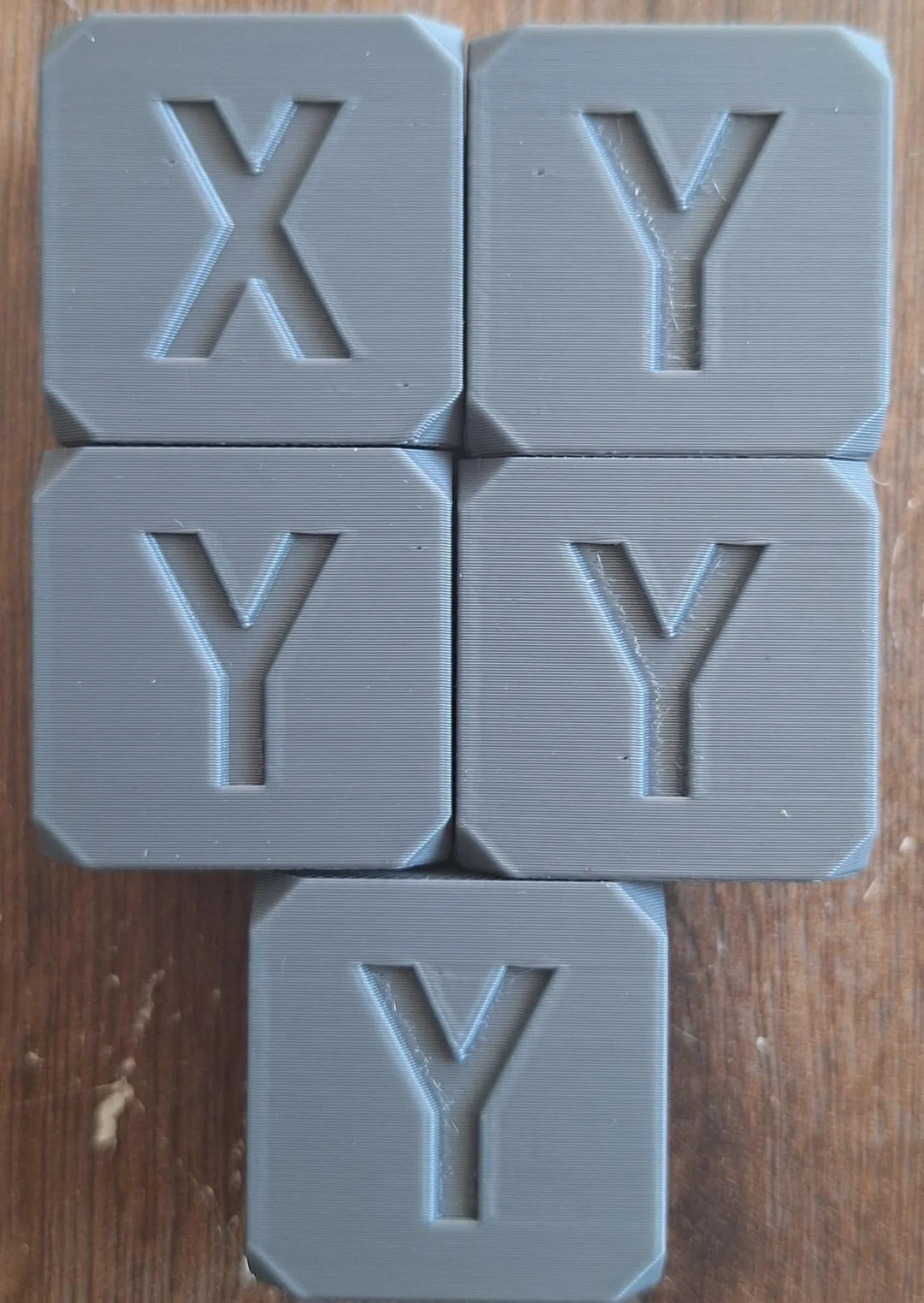
I’m using the Stock High Quality 0.2mm Settings for the 0.4 Nozzle, and I’m using OrcaSlicer. In this particular case I’m using Sunlu PLA+ 2.0 HS, but the issue occurs with other brands that I’ve tried as well. eSUN PLA+ HS seems to produce slightly smaller holes, but they are more difficult to spot because of the more glossy finish. I’m printing at 220°C for the Nozzle and 55-60° for the Printbed.
All the Process Settings including Speed are Stock:
I’ve already tried:
- Decreasing the retraction length from 0.8 down to 0.6 and then to 0.4. No noticeable difference.
- Decreasing the Z-hop height also didn’t change anything.
- Changed Z-Hop from Auto to Spiral, nothing.
- Disabled Z-Hop alltogether, nothing.
- Lowered / Increased Retraction Speeds, you guessed it, nothing.
Ran a calibration print for the retraction settings via OrcaSlicer, result came out inconclusive. Same goes for Pressure Advance Calibration and Flow Ratio. The Calibration prints all come out identical.
The Sunlu Filament seems to be affected the most, the eSun slightly less so. If I’m not getting the holes, I’m getting the whisps / stringing in the letters. Everything points towards Retraction Issues but for the life of me, I can’t figure out what.
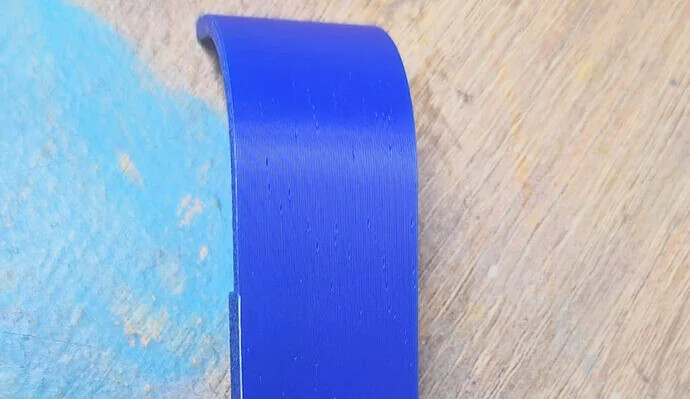
Another example:
Any ideas?