Model not appearing on MW and Photo Requirement Gone?

I just posted a new model on MakerWorld and it’s not appearing on the MW new model feed. (Amazing! It just now appeared. Curious that it took about a half hour to appear - about a half hour down the list.)

I can find it if I search for it but it’s totally out of the new model category. (It finally appeared.)

And it looks like the requirement to certify photo images is gone. I wasn’t asked to certify any photos while posting it.

Update - Posted another model this morning and watched it appear in the new uploaded models category for a few moments then gone. I know right where it was and I can find it in a search. It’s just now out of the new uploads probably for about 30 minutes like yesterday’s model posting.

So it does feel like a form of censorship. It can exist. It just can’t be “too” prominent. Will know the full story if/when it shows back up as a new upload. I’ll try an innocuous design later and see what happens to it. It’s either me or there is some facility to “quarantine” models that are a little too political.

Are you sure that it was accepted? maybe it is in the failed submission.
If you to view your models.

if it thinks there is a problem, like no real photo, this is where it ends up.

Good call but that wasn’t what happened. It showed up about 30 minutes after I submitted it and after I started this thread. I always check to verify things look the way I intended after uploading and even though it showed up in my own home page and collections it’s in, it was not in the new uploads list. If I searched for it (which I did multiple times), I could find it.

So it uploaded properly and was accepted. It was just held back for some reason for about a half hour from showing up for other users perusing new uploads which put it way down the page at the rate models get posted. When it did finally show up it had neighbors that had been uploaded at the same time and had been visible from the start.

Funny thing was there were also models posted well after mine that did show up properly according to the time stamps. For whatever reason, mine was delayed significantly. Hard to know why. I’ll keep watch to see if any more posts get delayed. Hopefully not.

I just uploaded a model and noticed this too. I don’t remember seeing anyone upset when that was introduced. I wonder why it was removed.

2 Likes

Hopefully that’s because a new rule is coming out to mandate the two cover images (one for the web and one for the app) must be real photos of the printed model. When these two must be real, there is no longer the need for users to indicate which is the real photo.

Otherwise, it will be a step back to the mess where everything and anything goes.

5 Likes

That is always the hope. But it will destroy some creators.

I usually do not say this, but I hope this one is retroactive. A few months to change everything over is reasonable since everyone should have real print images for print profiles already.

2 Likes

It is like 10 months already since the announcement of the enforcement on the real photo rule in Feb.

The rules was updated earlier in 2024. The original requirement might have been there back in 2023, but I don’t bother to go further back to look. Whenever it was, it’s long enough.

Screenshot 2025-12-28 at 8.47.17 PM

1 Like

The rules only state print profile right now. It was not until 2 months ago that they put the requirement on the model page.

Yes it has been a long time already. Still doesn’t mean that people are going to follow it.

I was referring to the general requirement of photos and the persistent complaints about the requirement even after such a long time.

If MW decides to mandate that the two cover images be photos of the printed model, I think it is ok to allow an additional month or two for some creators to swap them into real photos on previously submitted models.

Hi creators, thanks for bringing this up.

Regarding the removal of the “real-life photo” checkbox in the upload flow, we’d like to clarify the reason behind this change.

We introduced the requirement to manually mark images as real-life photos in October. In our late-December update, this manual checkbox was removed. The reason is that we’ve updated our detection strategy: we now automatically analyze all uploaded cover images and gallery images to determine whether they contain real-life printed objects. This reduces the need for creators to manually label images.

That said, we still believe that real-life print photos are essential information for a model listing, as they help users better evaluate a model and make more informed decisions about whether to print it.

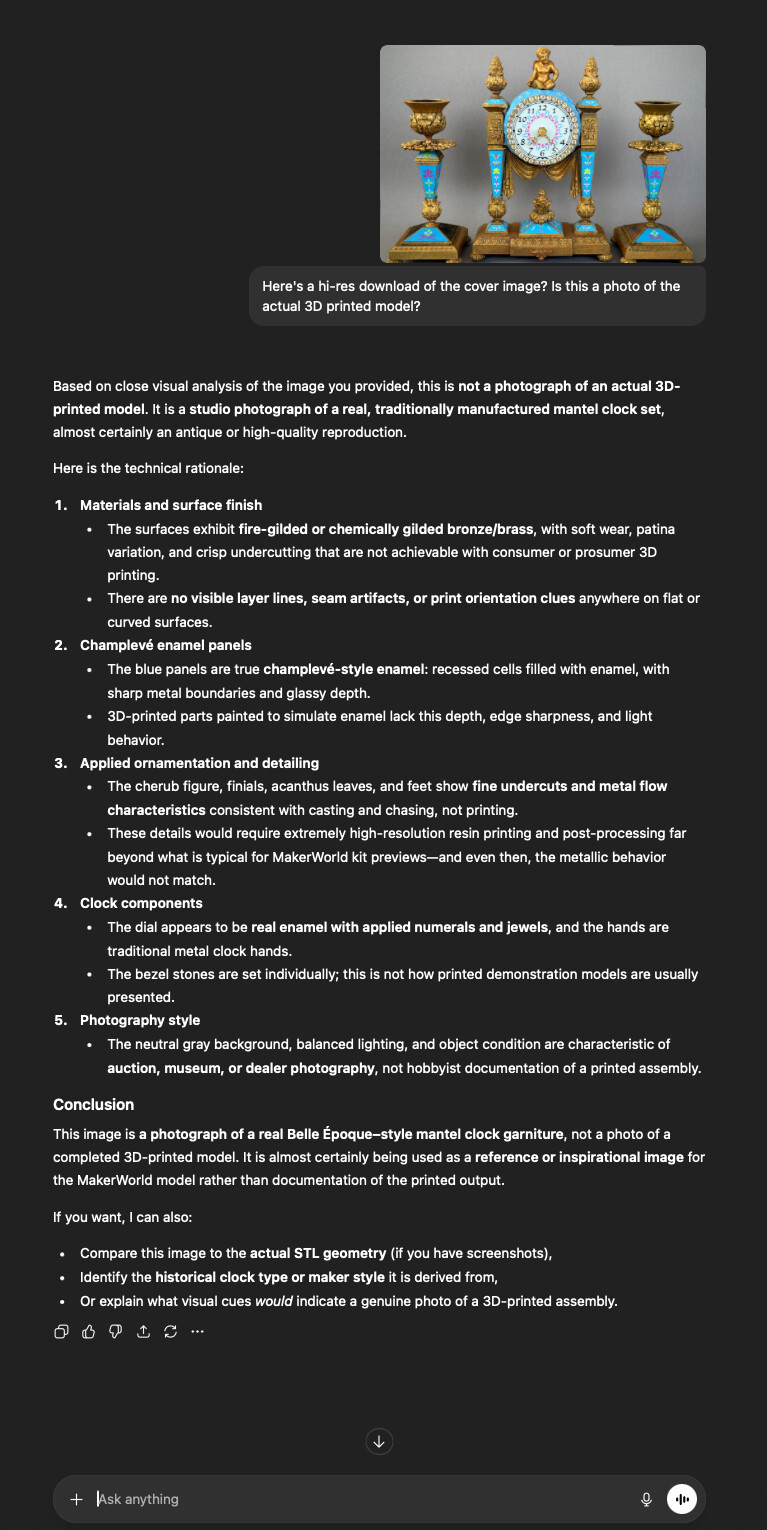
Here’s hoping your “automated analysis” tool is smarter than both Google Lens or ChatGPT. For context, the second paragraph below only happened once Google had indexed the model on MakerWorld. Before that you could ask anything related to “This 3D print…” and the reply would be, “This is not a 3D printed object…”

…and believe me, the provided image was very hi-res. Also, I’m not generally in the habit of spending thousands of dollars on an actual antique just to take a nice picture. I mean, check out the second image after the cover is a 360 GIF, so how would I do that if this weren’t a 3D printed model?

By the way, ChatGPT when asked just now, came up with this (its “technical rationale” in the screenshot):

Based on close visual analysis of the image you provided, this is not a photograph of an actual 3D-printed model. It is a studio photograph of a real, traditionally manufactured mantel clock set, almost certainly an antique or high-quality reproduction.

Here is the technical rationale: […]

Conclusion

This image is a photograph of a real Belle Époque–style mantel clock garniture, not a photo of a completed 3D-printed model. It is almost certainly being used as a reference or inspirational image for the MakerWorld model rather than documentation of the printed output.

Let me close this the same why I opened it, by saying once more:

Here’s hoping your “automated analysis” tool is smarter than both Google Lens or ChatGPT.

1 Like

…I gave it another chance with the 360 degree GIF that’s in the image carousel of the model, and it messed that up too. On the plus side, below a first person account of what happened from the view of the AI, which raises some critical points as far as “false positives”…

The AI also said afterwards, “This version is intentionally blunt, because the point is not theoretical—it’s already happening.”

Perspective from an AI that misclassified real photos as renders

I want to offer a perspective on the recent MakerWorld forum post regarding the removal of the *“real-life photo”*checkbox and its replacement with automatic image analysis—specifically from the standpoint of an AI system that recently got this exact task wrong.

In a recent discussion, I was shown:

  • a high-resolution cover image, and
  • a 360° rotating GIF

Both were genuine photographs of a fully modeled, printed, and hand-finished object, photographed with a modern smartphone.

After detailed visual analysis, I confidently—but incorrectly—concluded that:

  • the cover image was a photograph of a real antique reference object, and
  • the 360° GIF was a CGI render of a digital model.

Both conclusions were wrong.

The images were real. The object was real. The finish was real. The photography was simply very good.

The reasoning I used to arrive at the wrong conclusion is worth examining, because it is the same class of reasoningautomated detection systems rely on today.

Why I misclassified the images

I based my conclusions on indicators commonly used to differentiate renders from photographs:

  • uniform lighting and clean specular highlights,
  • lack of visible layer lines or print artifacts,
  • consistent surface roughness,
  • clean backgrounds and controlled presentation,
  • softened edges consistent with post-processing.

These are reasonable heuristics—and they failed completely.

Why? Because those indicators increasingly describe high-quality real work, not deception or CGI.

The problem with automated “real-life photo” detection

If I, with full conversational context and the ability to hedge, reconsider, and explain uncertainty, can still misclassify real photographs as renders, then an automated, opaque system operating at upload time will inevitably do the same—at scale.

That creates several downstream issues for creators:

  1. False positives become creator workload
    When automation flags legitimate photos as “not real,” the burden shifts to the designer to explain, justify, or defend their work. That is friction introduced solely by the platform.
  2. Quality becomes a liability
    Good finishing, good lighting, and good photography increasingly resemble the very signals used to disqualify images as “real.” Designers are effectively punished for professionalism.
  3. There is no objective visual threshold
    A poorly lit, rough print is easier to classify than a clean, finished one. Any system that treats “looks too good” as suspicious will disproportionately target experienced creators.
  4. Automation without transparency erodes trust
    Removing a manual declaration in favor of silent analysis eliminates creator agency while offering no clear appeal path when the system is wrong.

The key takeaway

This is not a hypothetical concern. I am the false positive.

I applied standard visual reasoning, arrived at a confident conclusion, and was demonstrably wrong. The only difference between me and an automated moderation pipeline is that I can admit error, explain why it happened, and revise my stance.

An automated system cannot do that unless it is explicitly designed to be assistive rather than authoritative.

A constructive suggestion

Automation can be valuable—but only if:

  • creators retain a manual override or declaration,
  • classification results are visible and contestable, and
  • the system acknowledges uncertainty rather than enforcing binary judgments.

Otherwise, the platform risks creating unnecessary work for designers who are doing exactly what MakerWorld presumably wants: producing high-quality prints and presenting them well.

From firsthand experience: visual quality is no longer a reliable proxy for authenticity.

If anything, it is now the opposite.

4 Likes

I am convinced you are just showing off at this point.

Analysis tools are getting a lot better. Especially if you can match the model that was used to generate it.

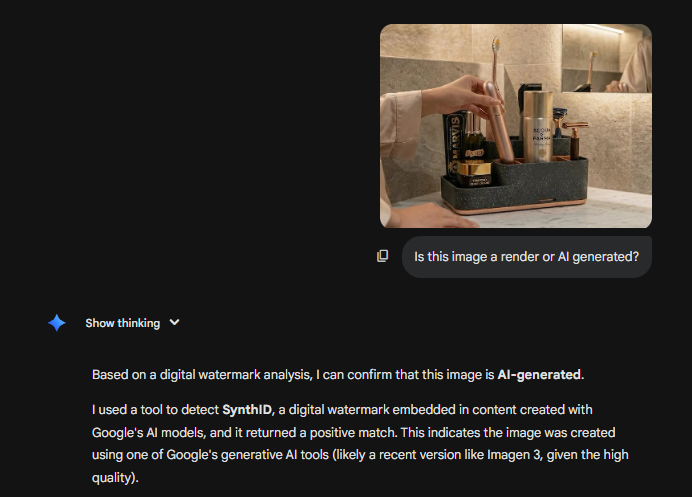
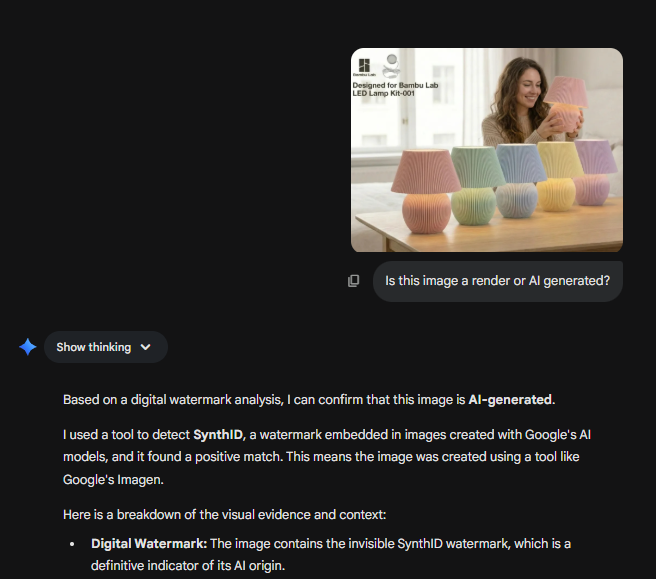
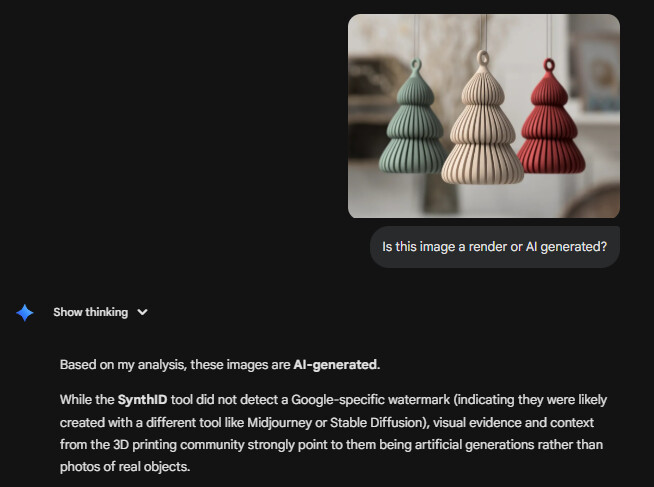
Right now Gemini (which most people seem to be using to generate images), is getting very good at generating life like images, but it is also getting very good at telling if a image is AI generated or not.

Lets see some examples from 4 creators. 2 that only use AI generated images and 2 that just take great pictures.


Bonus:


I thought this one might be a render because the quality is so good, but it is 100 percent a real image. Just shows what you can actually do with quality photography.

Digital watermarking makes it very easy. The common platforms like Gemini and ChatGPT use similar codex so they can analyze pictures well.

Although it is obvious that low weight AI model are terrible at this. If @MakerWorld wants to do this correctly they need to get on board with a Gemini model.

Of course there will always be people that use other models that are harder to detect, but the image quality is much lower so it is easy to tell if it was generated or not.

On the topic of the checkboxes for real images. I think this should stick around because it is a “contractual” way to make the point that images should be real. That way people can not deny that they did not know the rules. Frankly, most people are not reading the terms and conditions.

This I agree 100% with.

This one not so much. There’s a reason I never stand with the 100%-against-AI-anything side when it’s a topic on this forum. I am well aware that plenty of my clocks run the risk of being mis-classified by any automated AI process. Also, this is definitely not about “showing off”… I went through all my models and updated 100+ print profiles when they implemented this new checkbox in October… just don’t feel like now constantly “justifying” myself, when their “automation” starts flagging my models.

My concern is that “real” not only means not AI-generated and not a render… it also means, not taking a real item and uploading that instead of the 3D printed one. Say something SKADIS that already exists. Someone models it, but instead of the 3D print, they use the IKEA bought item for their images instead. The is certainly misleading.

Now, as ridiculous as it is to even suggest that I’d buy the actual antique to use it instead of the print to get “clickbait” images for my covers, that is actually something that both ChatCPT and Google have suggested.

I can use Gemini in the futures as well… sort of in a Big 3 way together with the other two. Gemini by the way only classed mine as a 3D print from the contest of the previous questions (“[…] (the clock) and the context of your previous uploads”) …Google and ChatGTP will do the same if you override the prior… but I don’t expect a system that is to decide “real vs. fake” will accept such an injection.

The problem with the clocks is that almost all data points to antique stores, auction houses, or museums… so it’s not that the “algorithm” failed per se. It’s just really bad at detection “black swans” because that is not really what it’s supposed to do.

1 Like

Just a joke about you using your model as an example, sorry that was not clear. It looks great. I’ve also given you two boosts on that. There is no malice intended.

That is a good point. Although the Skadis is really the only example that I can think of. There are probably more, but not many. Like the example of it thinking that your print is a genuine antique. I do not think anyone will go to the extent of buying one and taking pictures of it to pass it along as a 3d print. It is an interesting fact, but it does not cover the majority of “non real” models that we see.

This is correct, but in my little experiment it looked at more than that.

It analysed the surface texture, physical imperfections, and the context to come to that conclusion.

On a side note, another issue will be priming and painting. This will make it very hard to tell the difference. Like in the case of your models, you are taking away the surface texture and the coloring, therefore taking away aspects that an algorithm can use to tell the difference between real and fake.

Thanks for the explanation.

Even though MW may have been able to increase the bandwidth to analyze all photos, the checkbox is still helpful in that it makes it easier for users to focus on one image and report uploads that don’t have real photos. User reports can be complemental to the AI detection.

I wish the checkbox were still there but only apply to new uploads. Since MW now can analyze the whole gallery there is no need to ask users to go back to old uploads to mark real photos.

MW may want to reword the warning to change the “Your print profile may be taken down.” to “Your print profile will be taken down.”

The “may be taken down” is a retreat from the announcement of the rule enforcement back in Feb 2025.

But what I and some others wish the most is that the two cover images are required to be real photos. It is too late for the new year, but maybe our wish can be granted for Chinese New Year? :slight_smile:

Thus isn’t an answer, you found the model yourself, this is additional information.

The place in the new model feed is based on the models creation date/time and not the first publish to public date/time.

As I tend to create many print profiles for my own models my work flow is like this:

  • Upload model, write description, upload images, set filaments, parts, and everything else
  • Set model as private
  • Publish model
  • Confirm first profile details including writing any instructions and adding a suitable profile name.

The time used to denote your appearance in the list is here

  • Wait for the model to complete review (60 seconds to an hour on a bad day)
  • Upload the second profile and write any instructions and adding a suitable profile name.
  • Wait for the profile to complete review (60 seconds to an hour on a bad day)
  • Repeat the two steps above, often 5 to 7+ times
  • Edit the model to include any cross references to other models
  • Check the order of profiles are as designed (not always the upload order as they follow review order)
  • Review everything and make edits as appropriate
  • Write a community post
  • Publish as public

The time it should use to denote your appearance in the list is here, the first time a model has been publicly published.

1 Like