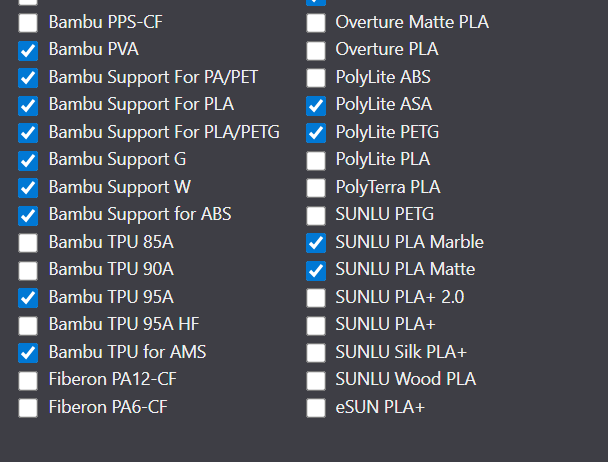
Thanks, but those are of no help. I’ve had Bambu printers for a couple of years and don’t have this issue on the other 4 I have. The P2S is my newest and not like the others. Bambu and Generic are the only choices I have on it. My others have all of my filaments like Polymaker, eSun Sunlu, Overture etc. Was hoping it would sinc after a couple days…but nothing still.
For the time being, there are NO other filament options for the P2S.
I’ve contacted Polymaker and their reply was that they “might” release filament profiles “in the future". The P2S is a relatively new printer, with a different hotend and extruder compared to the P1-series, so -until some filament brands release custom profiles - there are only 3 options:
Bambu filament settings
Generic filament settings
Your own custom filament settings
If it can be any consolation: I’ve received my P2S in October and have used PLA, PETG, PETG-HF and TPU from BBL and Polymaker, BASF, Real, Smart,… and everything printed fine on either the Bambu of Generic settings.
This is most frustrating. Creating your own profiles for filaments can be done, not easily, under the custom tab. When loading a filament you have to select Bambu or Generic on the printer, these are the only profiles on there (no custom profiles are able to be downloaded). Then open Studio and sync, then change all the filaments to your custom profiles. Don’t dare shut down Studio or you’ll have to remember what’s in each slot so you can re-set each slot to it’s correct custom filament type. If you could push these custom profiles to the printer you could select it there, and it would remember no matter how you log into studio (PC or iphone, etc). Since Bambu won’t create profiles they should at least allow your custom profiles to be downloaded to the printer for selection, or at least remember what you had set when you re-open Studio.
By default, User/Custom profiles for filaments are already stored in the Bambu cloud for sync purposes. I have always been astonished that these profiles are not available for use by the printer and Makerworld.