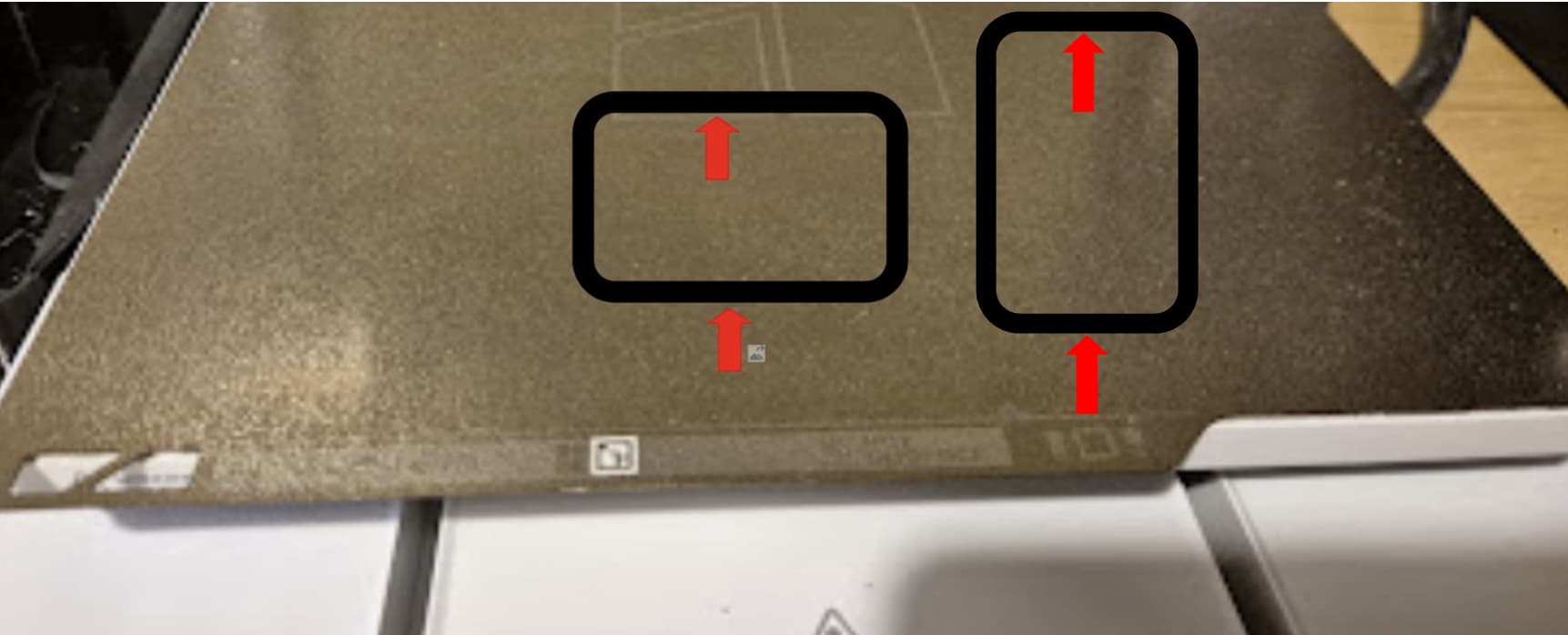
I re-ran the max flow test (yet) again, this time ranging 25 to 35mm³ and it failed as per all the pics show it failing …but at 29mm³
As I am using the same filament for the model that I am using for the test surely that would suggest that it will print up to 29 - and my chosen value of 20 should be well within its’ capable range as the test print was perfect all the way up to and just past 28mm³
I still think there is an underlying problem somewhere as the de-laminated areas on all my prints have been ONLY on the front faces (whether e.g. on a rectangular box that be the inner back or outer front face), everywhere else the layers / walls have stuck solid and if I rotate the model then the failure remains in the same physical printer plane, i.e. it doesnt rotate with the model which would point to poor slicing or design…no, there is definitely something wrong there.
as to your curse…I have wasted more than enough filament to date, the aim of the printer was to be able to make custom designs - boxes, housings and the like…I have enough tut as it is without a rogues gallery of failed prints 
Fair 'nuff 
One of the ways you can “encourage” better higher flow is via higher temps. If you are sure that 20+mm3/s is the goal, you could try increasing nozzle temps anywhere from 10-30C. Temp Increases (in general) will result in more possible flow, better adhesion, shinier finish, but will cause quality of overhangs to reduce, supports may get more fused, and you may get oozing on travels.
You’re entering the MATERIAL SCIENCE zone, from which there is no escape. I still would like to hear from anyone else who has used this supposed turbo-high-flow stuff. 29 is a lot. Like, nearing the max speed on your extruder gear lol.
agreed but…
From the temperature tower we decided that 260 / 250 was the optimum temperature to reduce stringing and overhang issues
regardless of whether this IS hi flow PETG surely the results from the calibration tests should enable me to optimise the settings for the filament I tested…which they have in all but one printing direction and face
I still maintain there is an undiagnosed issue causing JUST that problem…would you not agree that if the temp / flow / max / whatever was wrong it would affect more than the single face that I am having difficulty with?
I have already proved it is not rotation dependent…
Wild thought not based on any 3D experience with this type of problem. Your A1 is open, no case around it? Could it be an environmental issue exacerbating the (flow, speed, etc.) problem? Like a doorway, a window, a mini-split or a forced air vent on that side of the printer? Since the issue does not rotate with the object being printed. Years ago I used to do IT and we had a user who’s CRT monitor would randomly act like it was in degauss mode. This persisted even after he got a new monitor. One day I was talking to him and I saw it happen. The bacteria between my ears gave a weak bioluminescence and I walked next door and asked if anyone had just used the microwave. They had. The MW was right on the other side of a wall. When used it would put out enough EMF that it would impact the monitor which was several inches away from the wall on the other side.
thanks for the suggestion but no, no draughts or anything like that
is there anything on the mechanicals that could cause it ?
Seems like if it was an issue with the bed movement or a warp you would notice “something” even with it rotated (on the new “front”). Sorry if you stated you already tried these, I have looked at the thread several times, have you tried not rotating but moving the object to a different location on the bed? And have you tried using a different filament like PLA just to see if you have the same issue?
havent used PLA as I only (and have only) ever used PETG
Yes, I have rotated the model before slicing it and also moved it to different areas of the bed and it is ALWAYS the same faces that fail - i.e. imagine I am printing a box then it would always be the front nearest face / wall to you (printing left to right) and also the front inner face of the back of the box as here, if I were to rotate the box 90 degrees it would still be the same (red arrowed) faces that are affected so I am happy it is not a slicer or design problem
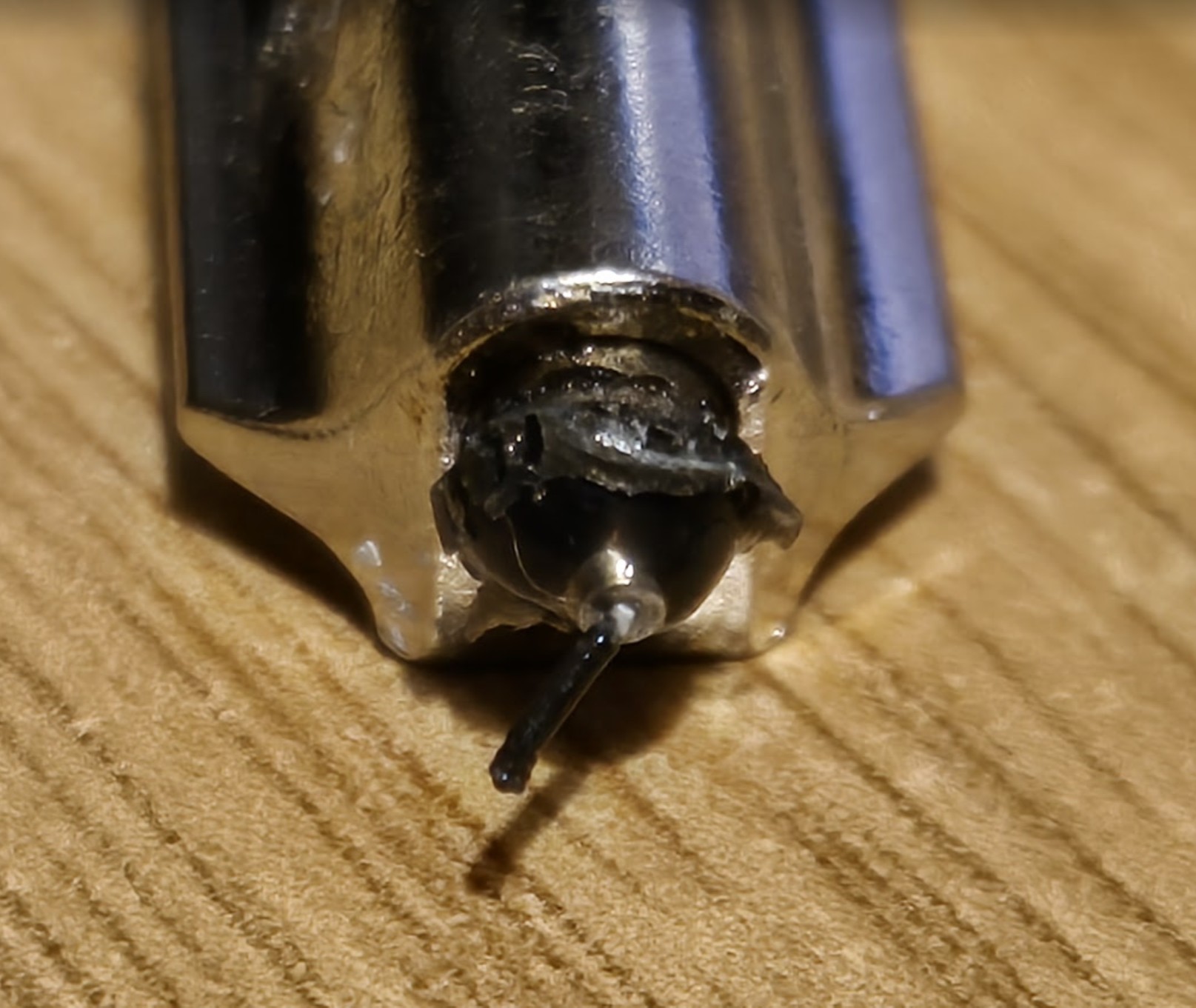
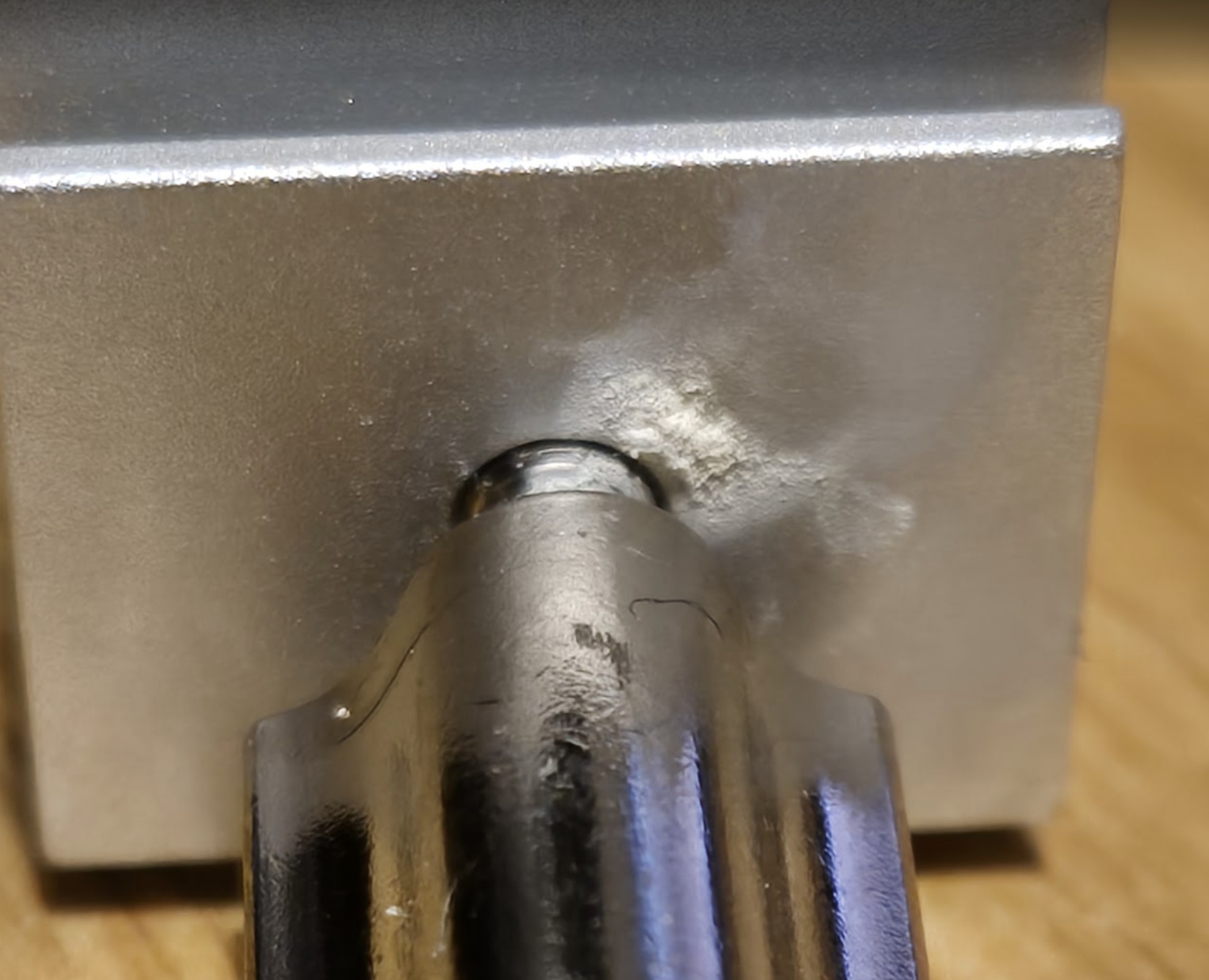
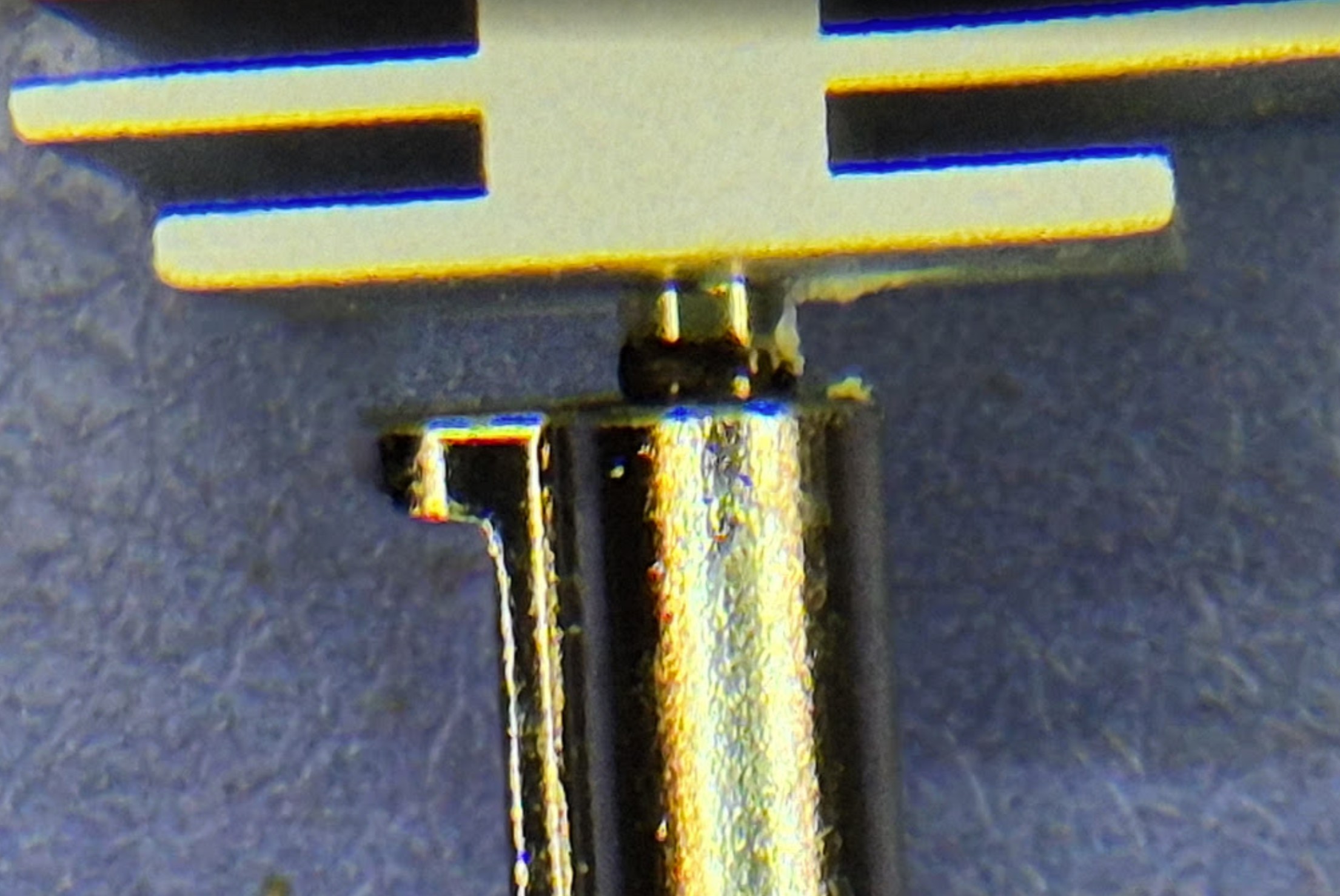
does this look right ?..the extruder head
I have a P1S not an A1 so things are a little different but to me it looks like some kind of blob or build up? Hopefully the A1 users will chime in.
OK, I hadn’t fully understood that you were getting the issue on BOTH front walls. Not that it puts me any closer to understanding what is going on. If you printed a series of walls in the same orientation would they all have the same issue, or is it ONLY the walls from that 3mf?
Looking back, every print I have done is the same…loose / floppy outside front wall(s)
I havent until recently printed anything with significant height hence although I have noticed it, it hasnt been an issue
I removed the extruder unit and also heated and cleaned through and around the nozzle etc…and it certainly printed better, the outer layer IS now stuck and not loose and flappy like it was but can still be peeled away with moderate force, the other faces remain absolutely stuck solid as they should be
I have ordered a new extruder (at under £10 from Bambu it seemed rude not to) but I am doubting it will cure it.
I don’t normally coerce people to go watch some youtube video, but Angus just came out with an incredibly relevant video to the topic of this thread’s volumetric speed topic. The first few mins is relevant to the discussion, and since it looks like you’re interested in going fast, maybe the rest is useful too. https://www.youtube.com/watch?v=5aKl9MYshqY does a decent job of touching on the relation between volumetric flow, speed, flow, reliability, material limits, etc
Thanks… that was quite interesting and informative but not directly addressing or mentioning the problem I am having…
I didnt and dont think I am trying to print too fast…as noted previously if the test/calibration result says it can print at 29mm3 then a setting of 20 should surely be ok whilst also allowing a considerable safety margin
The fact that it prints perfectly on every face bar one would to me, again indicate a problem rather than a generic setting…
I have now replaced the hot end and whilst it SEEMS SLIGHTLY better in that the wall is not loose and flappy, if I slice through the wall it can still be peeled away with moderate force whereas none of the other walls can be peeled off at all
If I’m being honest I don’t think you have a problem, you’re just running your material too fast. 20+ is very fast. I know some company said it can do the thing and it might look like it squirts out visually, but it doesn’t work at that speed, and does at slower speeds… Well part of engineering is dealing with the reality in front of you. Get the right speed for the thing, click save, dont worry about that thing again. Or get a new type of material and start over.
Edit and by speed, I mean a combination of volumetric flow rate limits and speed limits. This is a dance between the motion systems capabilities, the extruder gears precision, the nozzles heat conductivity, the heat output in watts, the polymers material properties in molten and glass phase, etc. the madness will consume all. Or just give it 15 extra mins.
yep, fully appreciate (and thank you for) your comments and help…but, and I ask again… what is the point of having all those calibration functions - which you will recall clearly indicate it will run a max volumetric speed of 29mm3, and my setting it at a considerably lower 20mm3 if they are worthless.
…and, again I ask why it is only the front facing walls that are experiencing the problem…I could perhaps accept it if the rear printed walls were similarly affected but they arent…
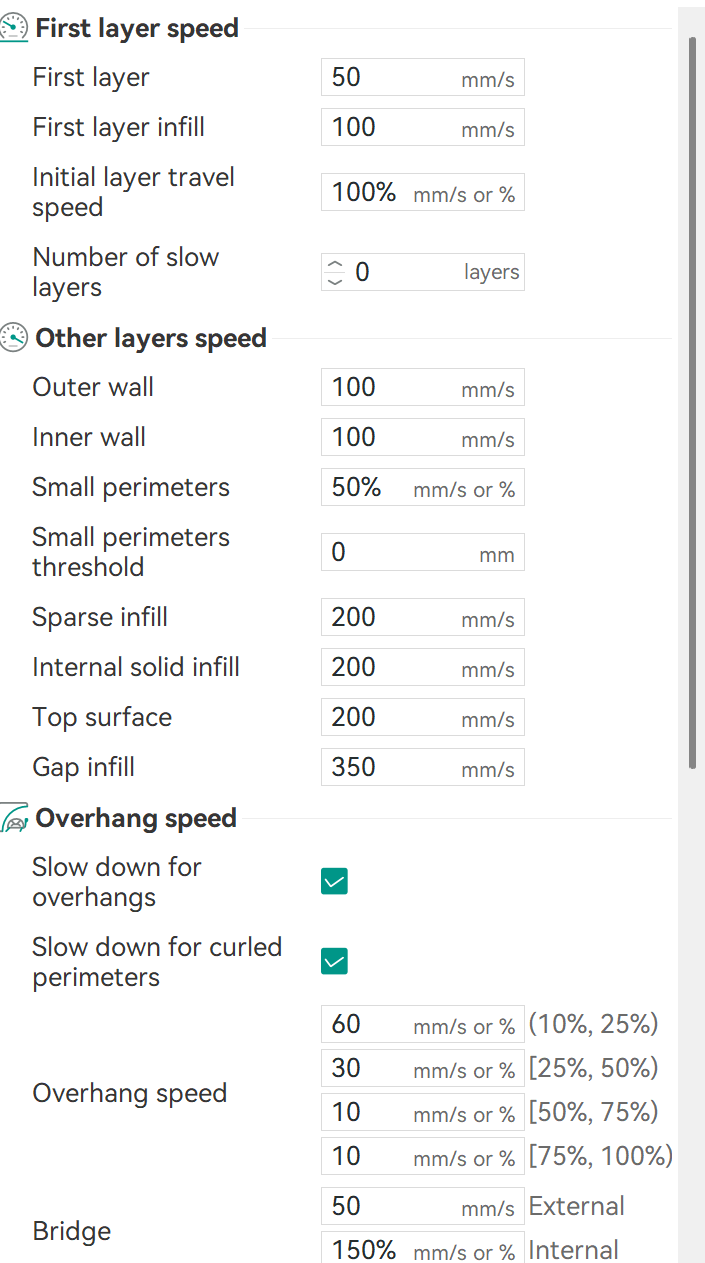
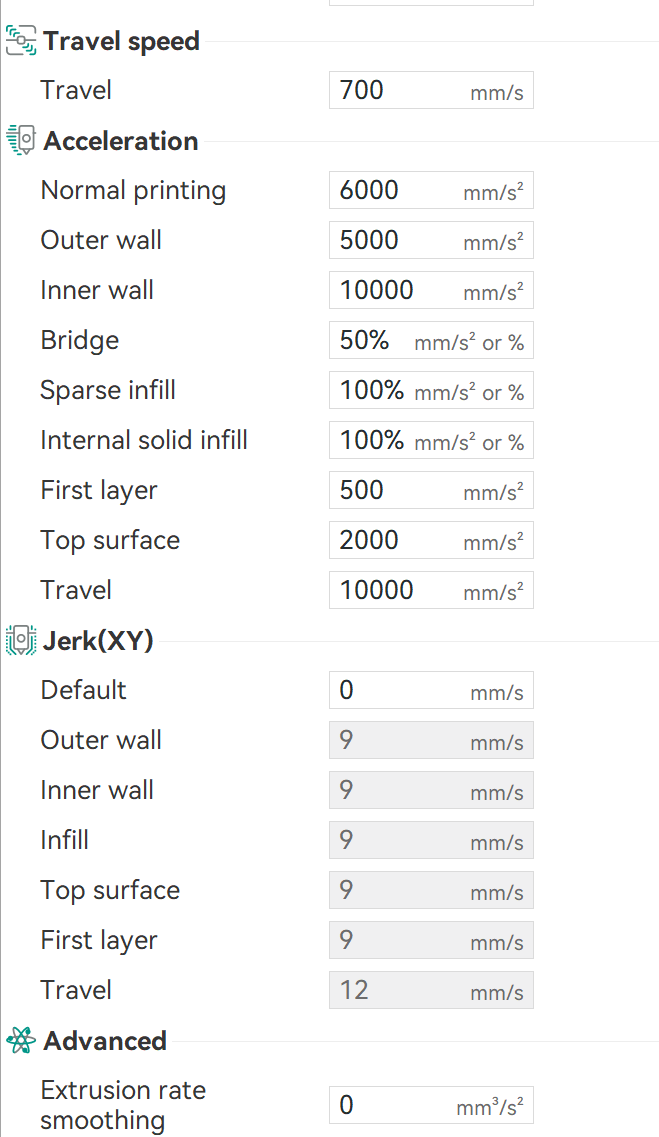
out of interest, I picked a project box and, with the other settings as below set the max vol at 25 and it said 5h 37 min to print, I set it at 15 and it said 5h 39…so I dont even think the max vol speed is affecting it…
Did you test the line width? It should have 0.7mm. If it’s less then there is under-extrusion. Furthermore even if it’s perfect, the test doesn’t have retractions so with your model you have them, retractions affect the nozzle pressure thereby affecting your print.
Also, I may be wrong but the A1 printer seems to have only a 45W heating element.
If it’s important to you, you can try the High Flow nozzle:
It’s for the H2D printer but some people have said it works for the A1 and it let them print faster.
If you only print PLA, then I suggest you don’t bother with this. But if you want to print mainly PETG then give it a try.