After calibrating and successfully loading filament from external it is doing the same thing. Smashes into the front then the back trailing filament as it goes, with error print head cover fell off, which it didnt
Unplugged my panda touch and tried again with external filament and am now printing second project. Not saying the panda caused this, and will try the next print with the AMS reinstalled, then with the panda reconnected.
Now working as normal even withe panda reconnected. Have not updated bios or bambu lab software. So not sure what caused it yesterday, wierd
Hmm so odd. Trying to think of similarities here that I could try but no dice with AMS disable.
I bought a Panda Touch a long time ago and it gave me issues straight out of the box. I removed it the same day and no more trouble.
FWIW, I recommend you pull up a Panda Touch on Amazon and read the disclaimer that BIQU/BTT have posted in the description text relating to firmware support.
I wisI hadn’t updated my firmware out of desperation and had just changed the AP board because: My Bambu touch does NOT work any more the way it was before. It no longer connects to my P1S. I have it reconnected to the AP bpard atm for power and the printer works just fine from the PC and bambu Handy.
You mean Panda Touch I assume?
According to BIQU who makes the Panda Touch you may be able to roll back your firmware to 01.07.00.00 and everything might work.
That is a choice that locks you out of using the AMS HT or AMS 2 Pro because the updates since 01.07.00.00 are (among other things) about configuring the two new AMS types to function in the Bambu ecosystem.
Interesting, Thank You for the Info! TBH tho after not being able to use it the past week or two: I have gotten used to just doing everything through bambu Handy App. The idea a person mentioned earlier by taking an old phone and repurposing it as an interface for all my printers was such a genius and obvious solution that i had to try it. So far so great IMHO. Now I just use the bambu Touch for my power consumption.
I had a tablet from some AT&T phone promotion that I wasn’t using, so repurposed it to stay at the printer. and With Handy installed on it I generally use it when I’m doing things like cleaning the printer, instead of tugging on the toolhead by hand.
Day to day use is with Studio
There is a tiny piece you can print from mkaerworld that holds the print cover cable down so i does not reattach.
Hey all!
Update on my end. Parts from Bambu labs received and installed new front housing assembly and extruder connection board. I actually damaged my filament sensor ribbon in the process (Doh!) and had to replace that too, no biggie though.
As expected, this resulted in no change to the issue, so I’ve reflagged this with the support team and am at a literal loss for what’s causing this. Lucky I have my A1 to still print, but feel I’ve had more issues with my p1s given my A1 is older.
If anyone thinks of other steps to try that can assist, would really appreciate it. Thanks.
When my original P1S printer started doing what you describe, the end result of the back and forth conversation between me and Bambu Labs was a new printer.
They would email me to tell me they have shipped some part for the toolhead and to reach out to them when part arrived at my location. In retrospect they had me change every part on the toolhead in a piecemeal fashion, that didn’t fix it and they opted to swap out my printer for a new one.
Was your issue similar or the same to this? Mine just started doing this weird stuff.
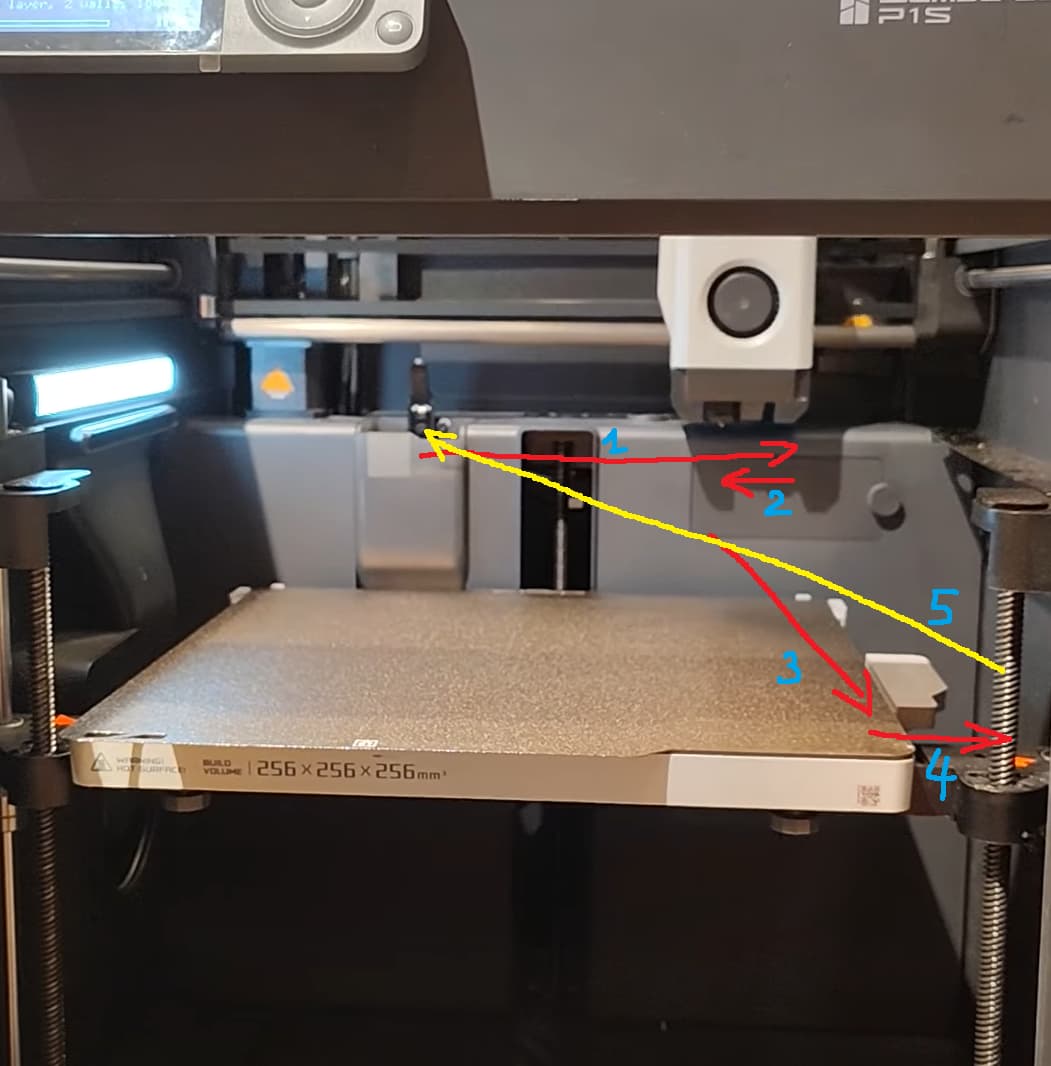
For everyone else, it does movements from 1–5 and repeat
What I think is, the tool head hits something while on path (1) then it reverses to path (2), to avoid obstruction maybe. It continues on homing with path (3), then (4) and (5)
Since path (4) was too long, it thought that there was something obstruct tool head on path (1) and considered homing failed, hence re-did homing again, and again.
Or else it is dancing for 3D Printer God.
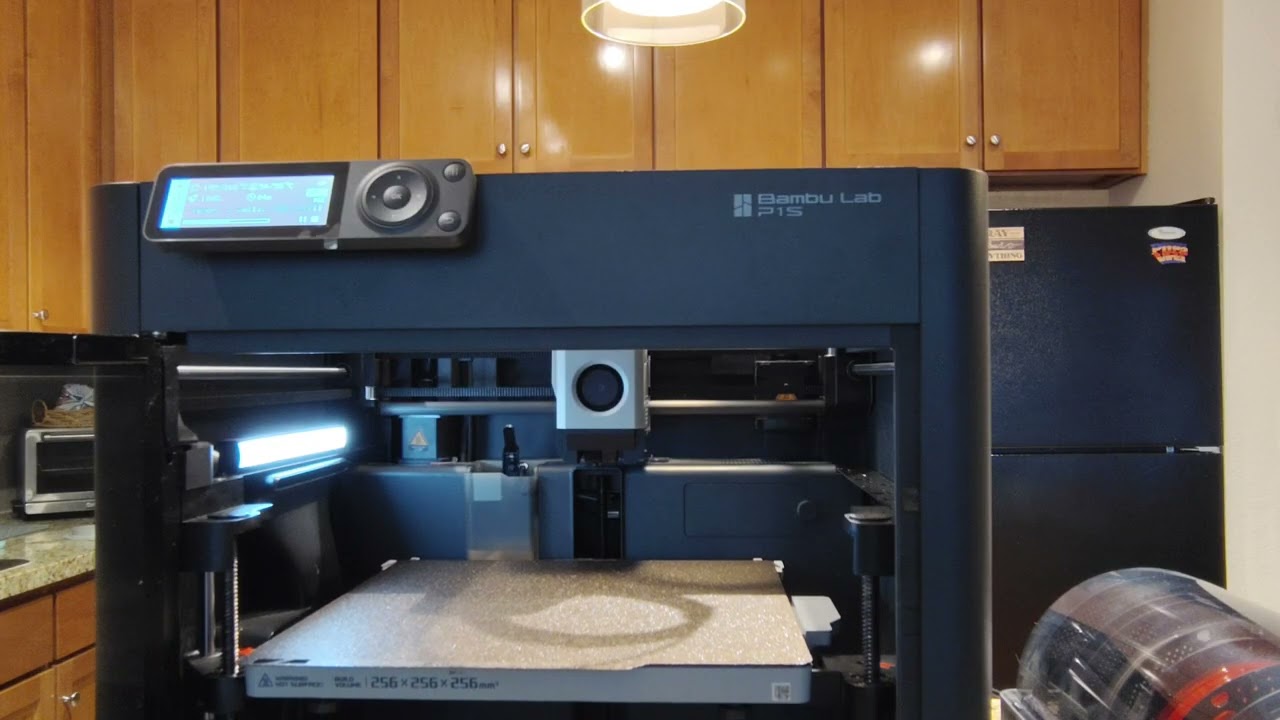
I recorded a full video from start to finish. Right before it actually starts the print it comes from the front right corner and drags a gouge across the build plate. I can run the same file by slicing it and running it directly on the SD card and it runs fine. I have cleaned everything, made sure everything is clear of obstructions, tried with AMS’s disconnected, still the issue persists. Here is the full video.
Hello guys,
Good news, I solved this problem by disabling the “Auto resume after lost steps” function. To do this, you need to:
1 - Go to BambuStudio
2 - Go to Devices
3 - Click on “Print Options”
4 - Disable the “Auto resume after lost steps” function
That definitely fixes the problem.
Happy printing,
Dude! This did it! I was about to pull out my hair with this back and forth with the Bambu guys!
Thanks a million!
Hello,
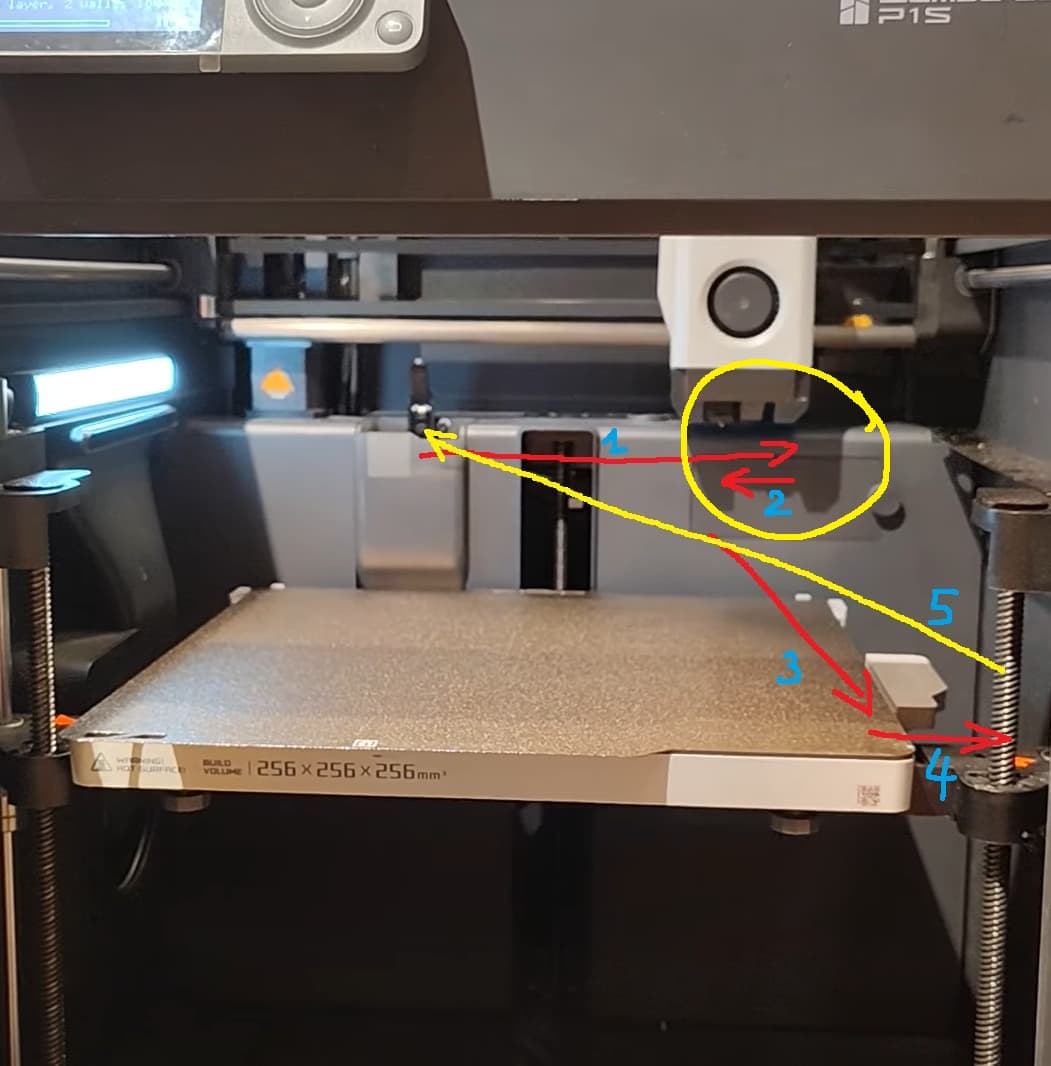
Regarding the missed steps, and after some thought, I have a few hypotheses:
- A bug caused by my mistake with the “Front cover off”
- A software bug
- A real misalignment of the belt inside the machine
To be honest, I think it’s currently impossible for me to determine the exact cause.
This function is meant to perform a homing again if the printer encounters a problem and can’t find its zero position. For now, I haven’t had any issues since disabling this function, so I’ll just keep it that way.
However, I imagine the error might come from the motor encoder no longer being able to fall back exactly on its zero point.
On my side, it doesn’t make any difference, even if I fully understand the concern and share it.
The printer homes at the front right corner. If any debris is present in this area, it may restrict movement and cause the sensoreless homing to trigger incorrectly. As a result, when the toolhead returns to the purge chute, it uses inaccurate homing data, leading to a homing abnormality.
We recommend carefully checking the front of the printer to ensure it is free of debris. Small pieces of filament can sometimes get stuck, causing the X axis end blocks to push against them, incorrectly triggering the homing process.
The same can be done for the back of the printer.
Additionally, it is advisable to clean the carbon rods and re-tension the belts if this maintenance has not been performed recently.