Hi everyone,
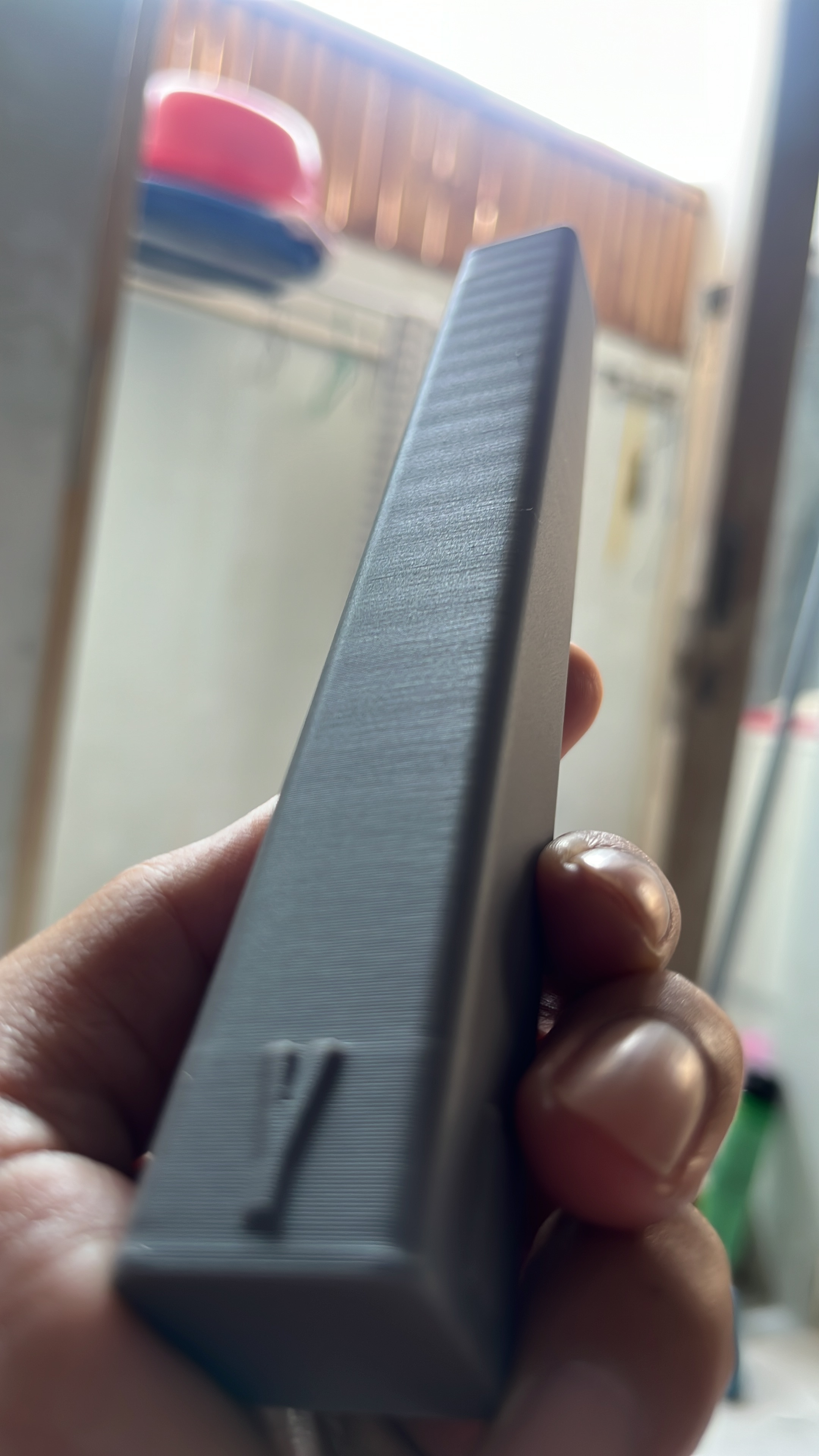
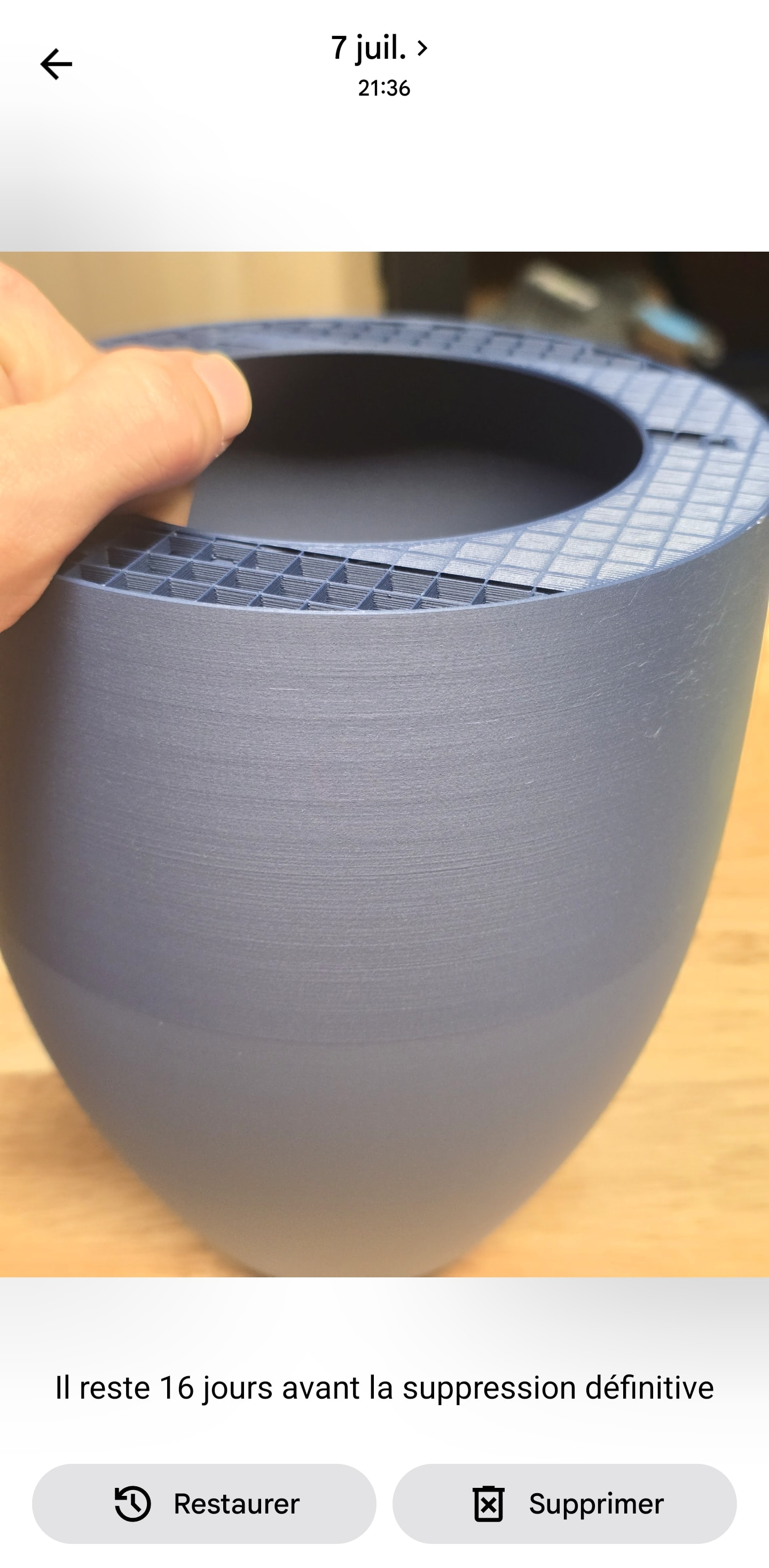
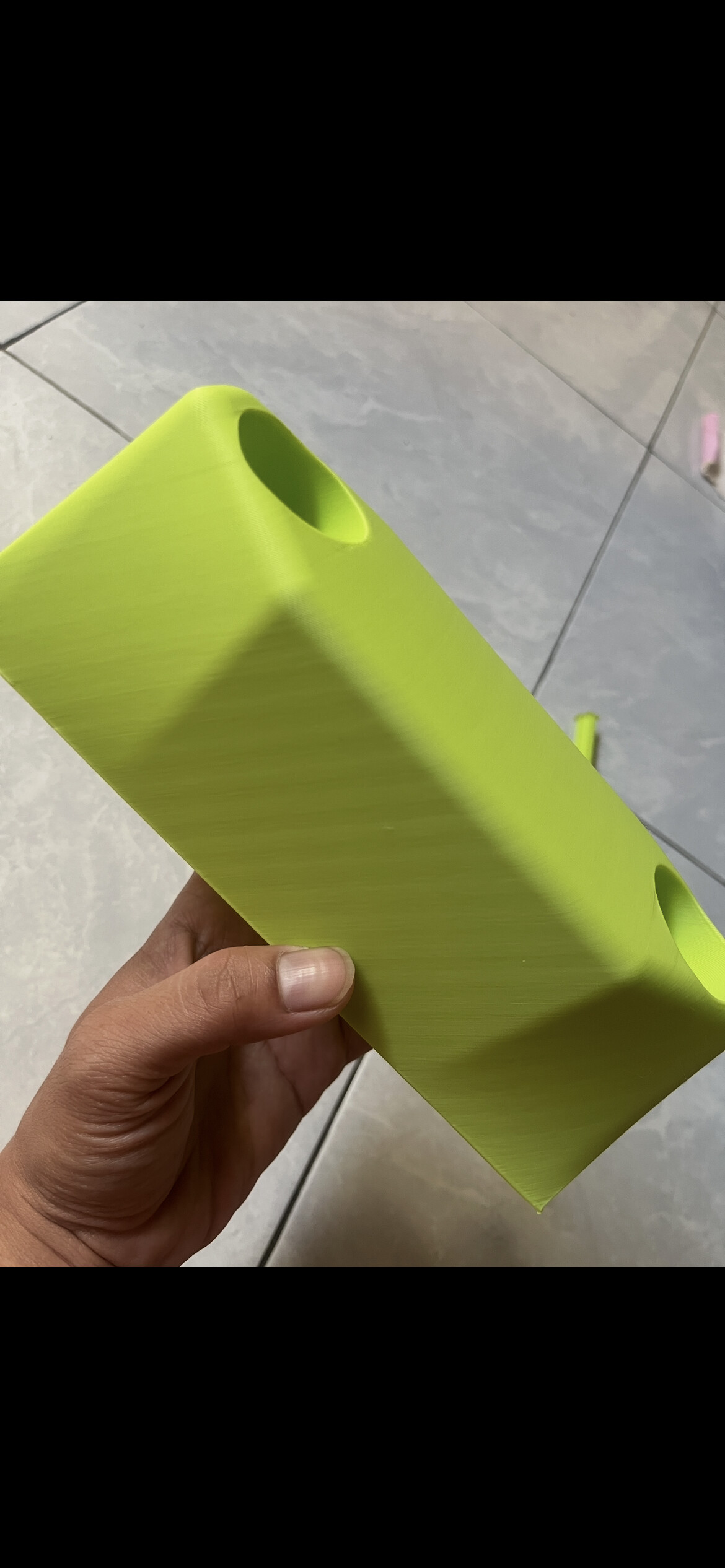
I’m looking for some help diagnosing a persistent Z-banding / Z-wobble-like surface artifact on my Bambu Lab P2S. I have been troubleshooting this issue quite extensively, but so far I still haven’t been able to eliminate it.
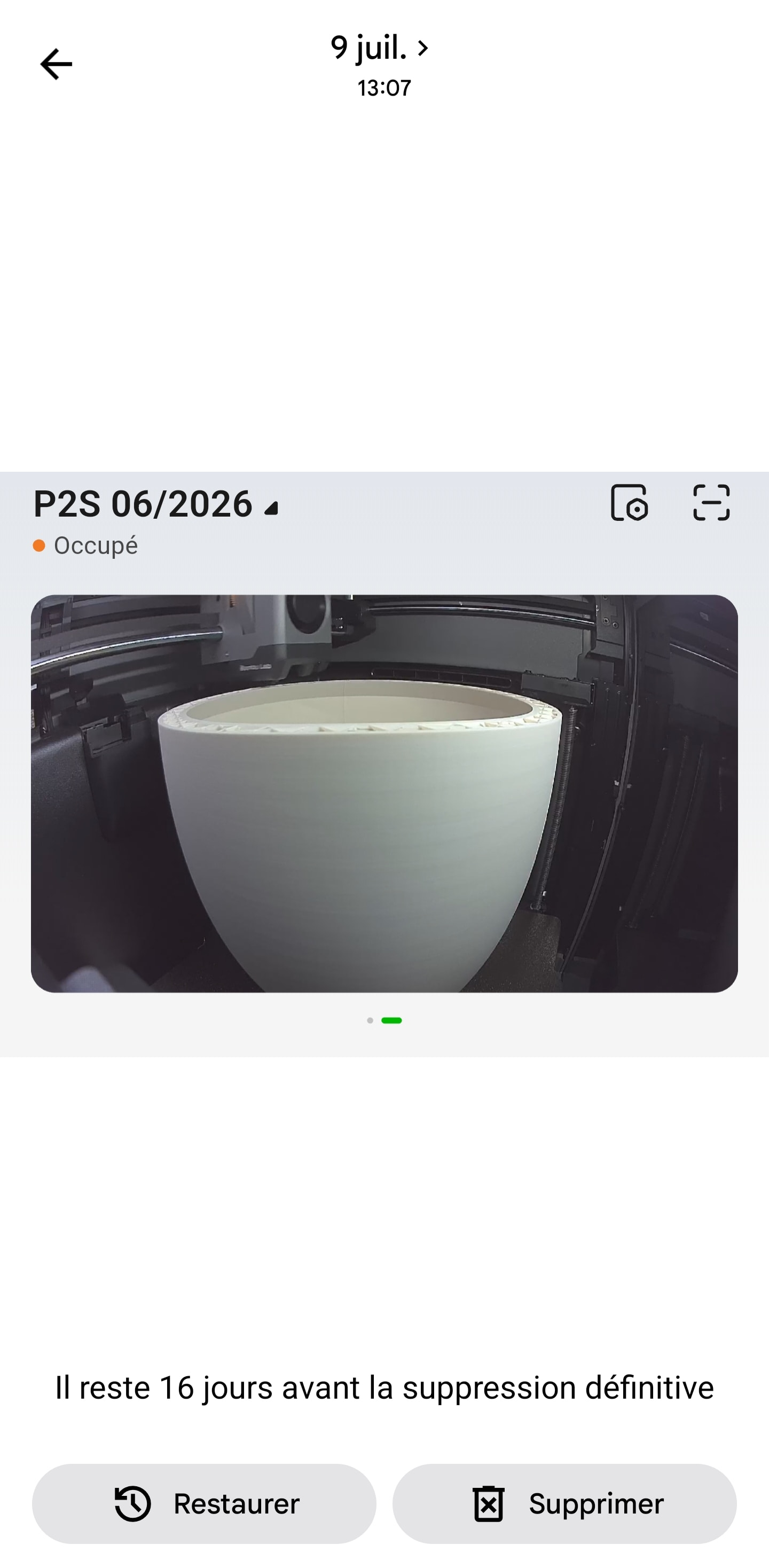
The printed surface has a very consistent repeating wavy pattern along the Z direction. It is particularly noticeable on the Y-facing wall, while it becomes less visible toward the X-facing wall. I am currently printing in Vase Mode, so the artifact is easier to see because there is only an outer wall. If anyone has suggestions for specific tests I can perform, I would really appreciate them.
Thanks in advance!
P2S,Bambu PLA Matte, standard setting.
Hi.
To put this into context, I have three printers: 1 H2D, 1 H2S and the P2S, all equipped with Ams.
I contacted the Bambu Lab service, which somehow did not find the solution to my problem.
They sent me to the senior team with whom I tried to find a solution for 2 months.
Unfortunately, after several changed parts (Z-axis trapezoidal screw, extrusion motor, complete extruder assembly, nozzle and pulley in addition to the heating body), I still have the problem. They ended up saying that this kind of small defect was normal.
Now, I don’t have a problem with H2D and H2D.
I don’t blame Bambu’s team. They took a long time to respond, but I wasn’t stuck in my business.
So the machine was sold, and I’m waiting to buy an extra H2S.
Thanks for sharing your experience. It’s such a shame about the P2S. I had really high expectations for the print quality this printer would deliver. Bambu Lab is currently investigating my case as well, and I’m trying to determine whether the artifact is really coming from the Z-axis or from the XY motion system.
Since you mentioned PLA Matte and Vase Mode — have you ruled out the filament itself? Wet PLA Matte can show up as rough, inconsistent surfaces that look a lot like Z-banding, especially in Vase Mode where there’s no outer shell to hide it.
Worth trying before going down the mechanical rabbit hole: dry the spool properly (PLA Matte absorbs moisture fast) and reprint a test cylinder. Check the drying table in the Bambu wiki for the right PLA Matte parameters. If the wavy pattern disappears after drying, it was the filament, not the Z-axis.
If it’s still there after drying, then yeah, it’s mechanical — check the Z lead screws for dust or binding.
Indeed. I tested with different flats, shiny, and petg. But no improvement was detected. My coils are stored dry and the Ams2 pro turn h24. So there’s no doubt about drying
I’m not using I’m not using vase mode on my side.
For my part I’m not in any problem on the impression of the type benchy dragon and company
Of course, I’ve already done all of that: full calibration, filament tuning, and properly drying the filament. I dry the filament using the AMS HT, and I also print directly from the AMS HT.
I’ve even tested different filaments, including ASA and PETG Basic (Bambu Filament).
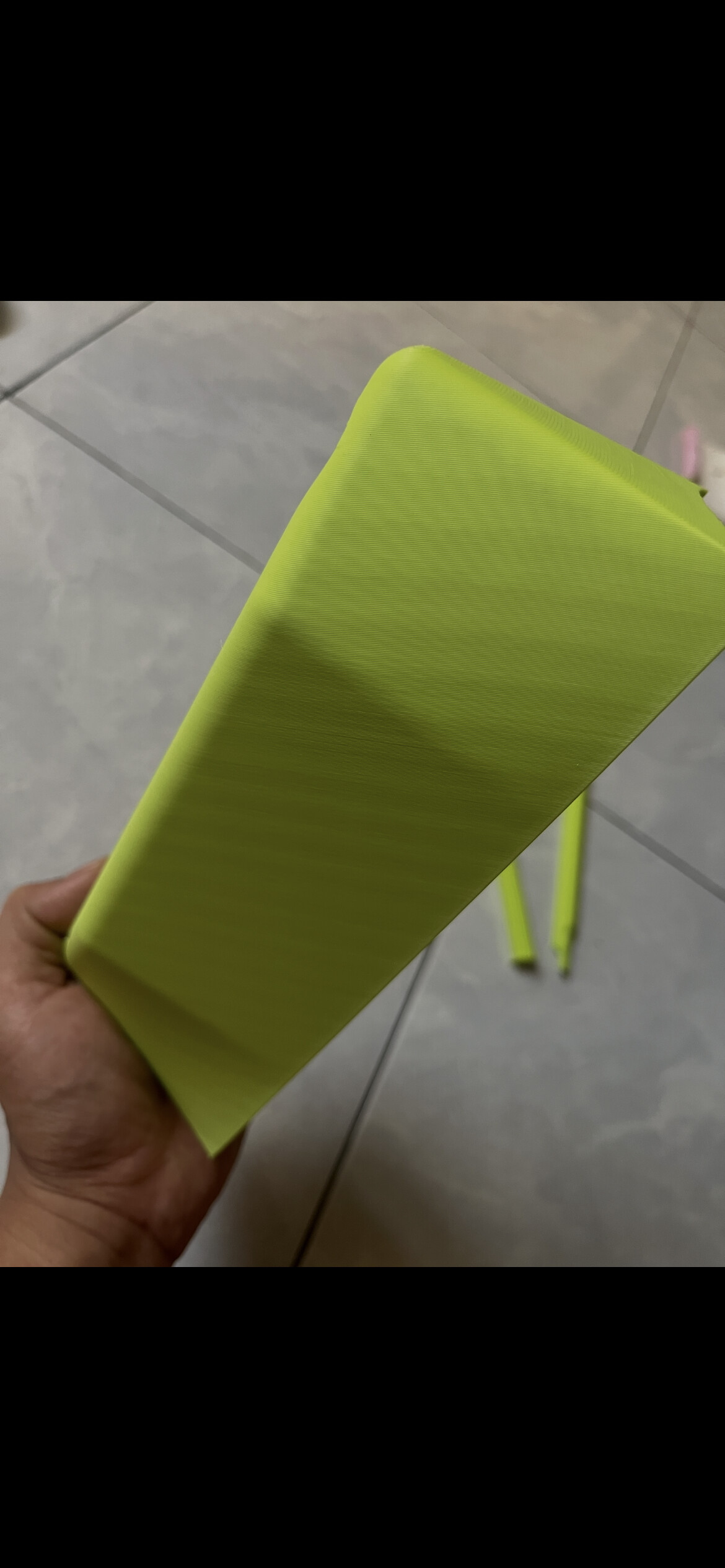
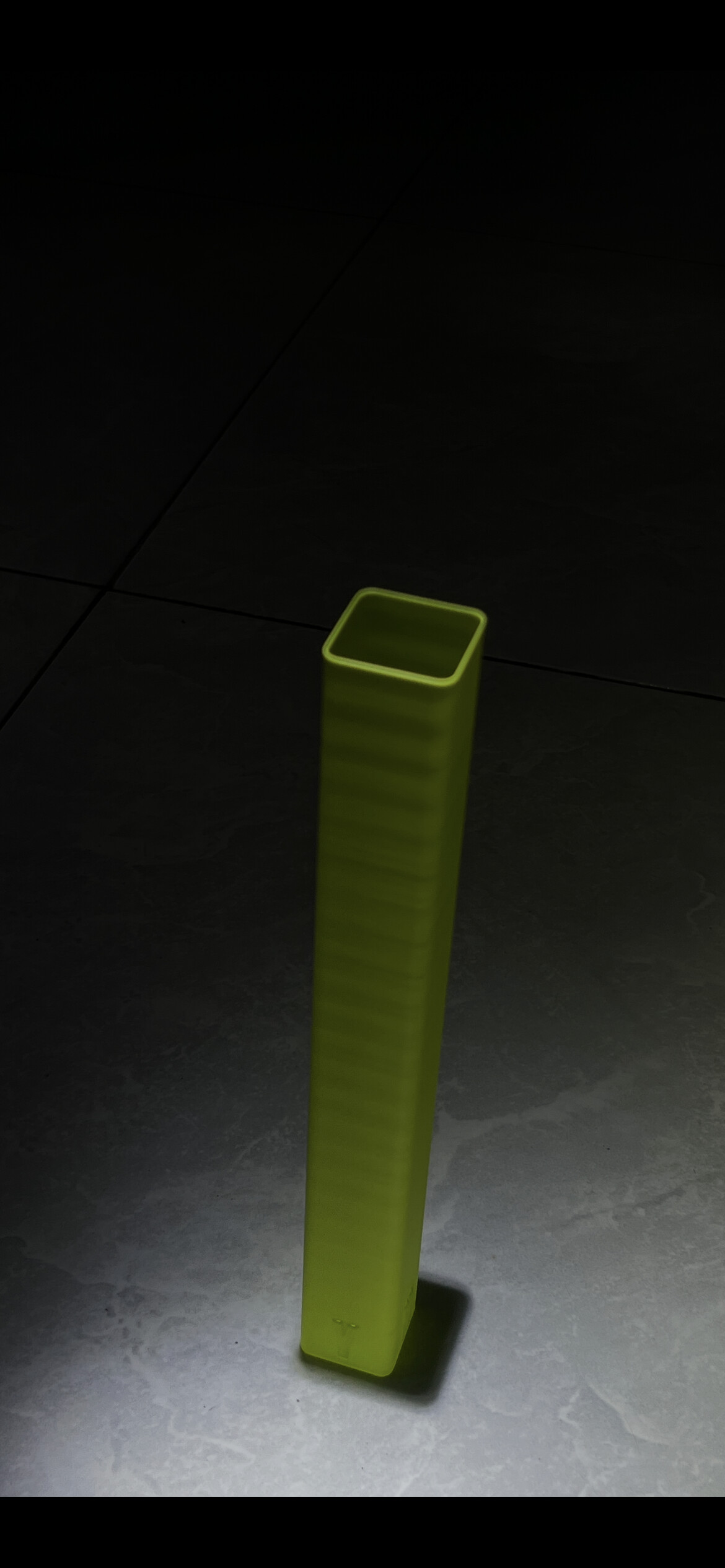
Here are some additional print results that were not printed in Vase Mode. The wavy pattern is very clearly visible and highly consistent.
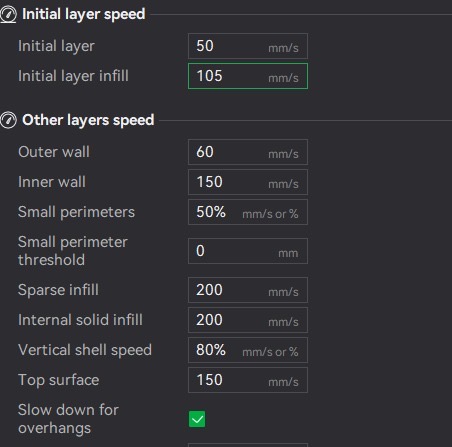
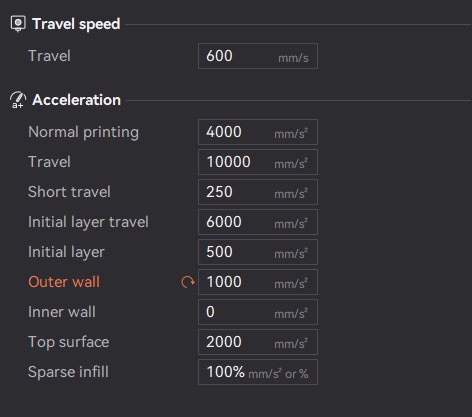
all standard means printing outer walls at 200 mms at full accelerations
Yes, I understand. I’ve already tried lowering both the outer wall speed and acceleration, but the artifacts remain exactly the same. That’s why I suspect this may be a mechanical issue rather than a speed/acceleration setting.
Here are the print results and the 3MF file.
Z_tower_wobble_test_5%_2walls.gcode.3mf (184.3 KB)