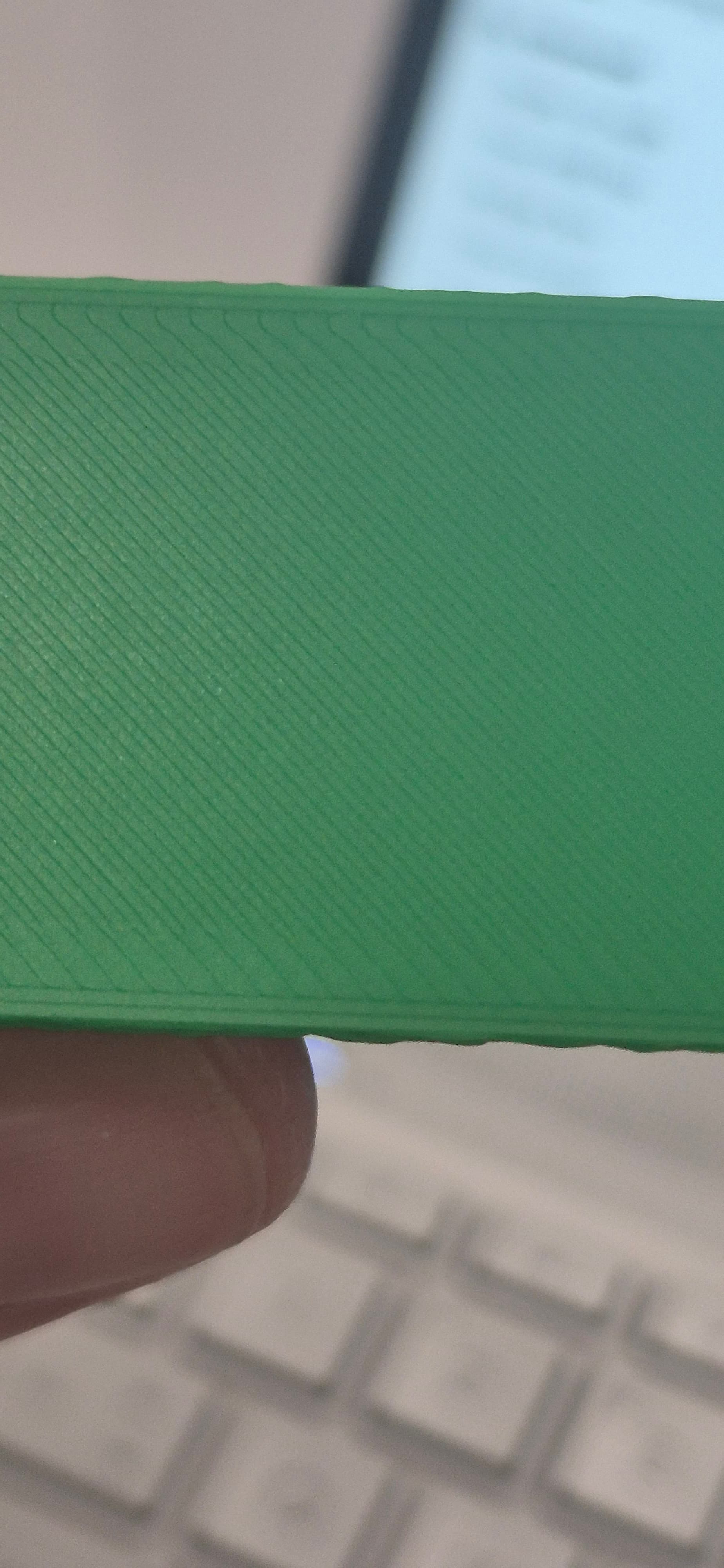
P1s using Bambu basic PLA filament on a high temp smooth PEI plate.
0.4 nozzle, mainly default higher quality settings, 55 bed temp.
Makerworld Minecraft name model.
Model otherwise good apart from base and top (forgot to enable ironing, my bad).
Have spent a lot of time searching on here and via Google but obviously not the right terms to find the solution. Suspect it is initial layer flow or temp related from what I did find but not sure.
The bottom layer of the latest print has distinct lines I would really like to reduce as much as possible. Ignore the green section in the photo, this was clipped on after print. This does have the same issues on the bottom however.
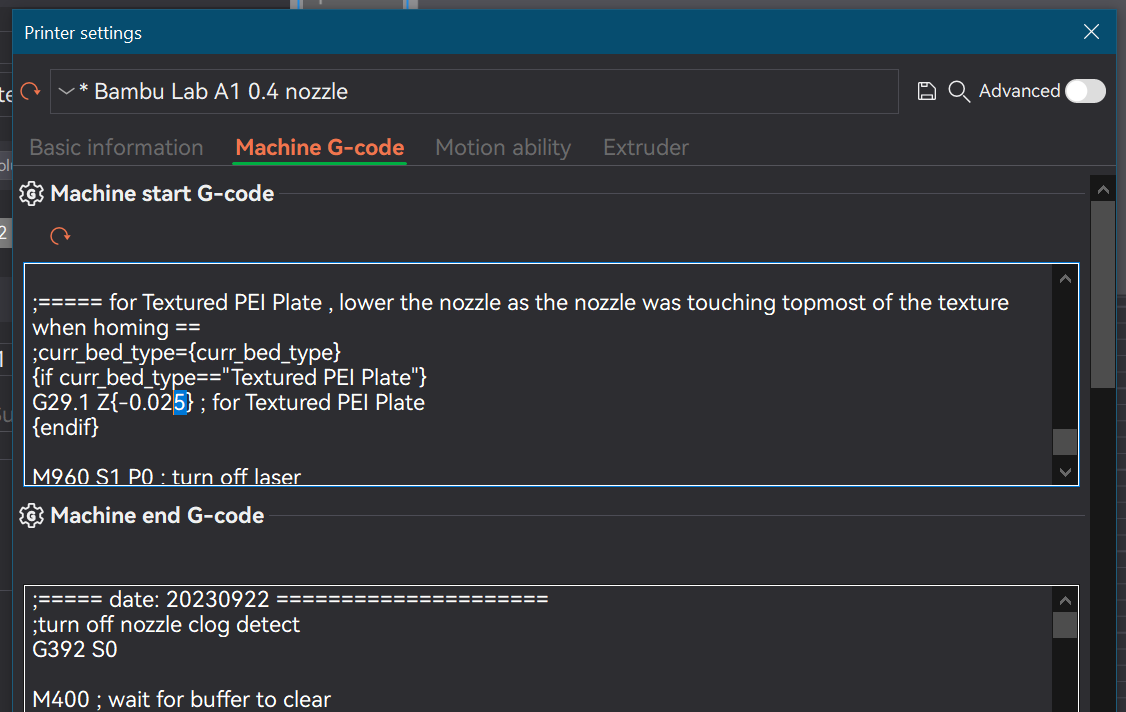
It is not that bad, but I would play with the Z here (find the one that is not for the Textured plate in your case), you can change it slightly and print some samples to see which one you prefer:
Your output is exactly what the default specs will produce, no more, no less.
If you want to experiment, you can try to change the width of the first layer. By making the first layer finer, it will “squeeze” the filament together and make the nozzle pattern less noticeable but it will not go completely away.
I’m using Hilbert infill for illustration purposes.
Try this out with a simple cube primitive and see for yourself. Make it 2mm in height and you’ll use less filament. You can also clone the object multiple times if you want to test multiple settings in one print.
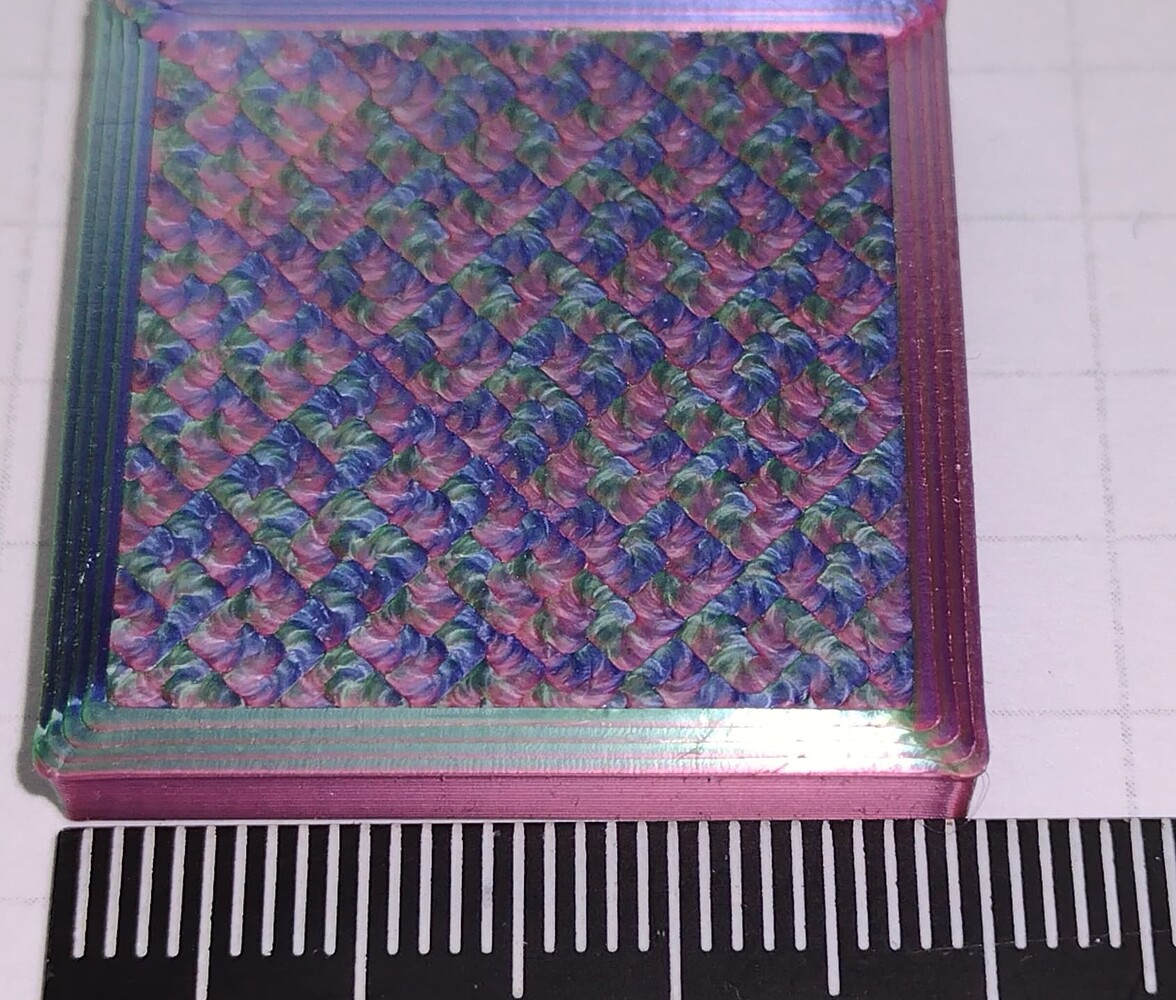
Actually, if you can use a smooth build plate, the trick that I shared in my post above using the Hilbert Curves for the first layer and produce some pretty cool patterns. Same is true for Archimedean cords and concentric. Try it out.
Here’s an example of a printout that I experimented with. In this case it was 4 inner walls, Hilbert Curve for the first layer and what you’re seeing is the result of multicolor silk on a smooth plate. This photo is the plate side up. So you see that it is possible to camouflage the spaces in-between filaments strokes in such a manner as to produce both an aesthetically pleasing pattern and minimize gaps.