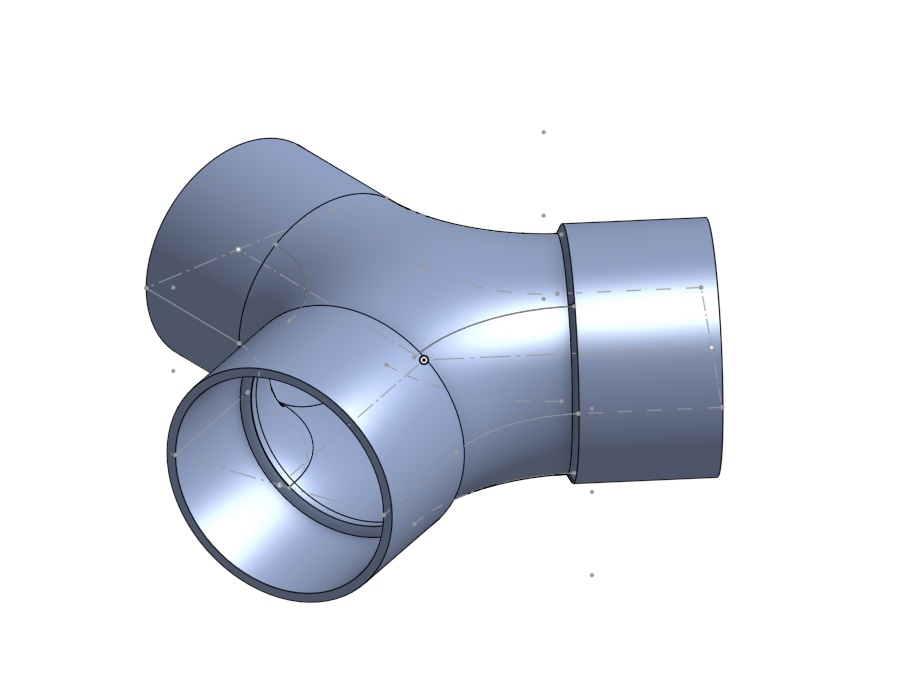
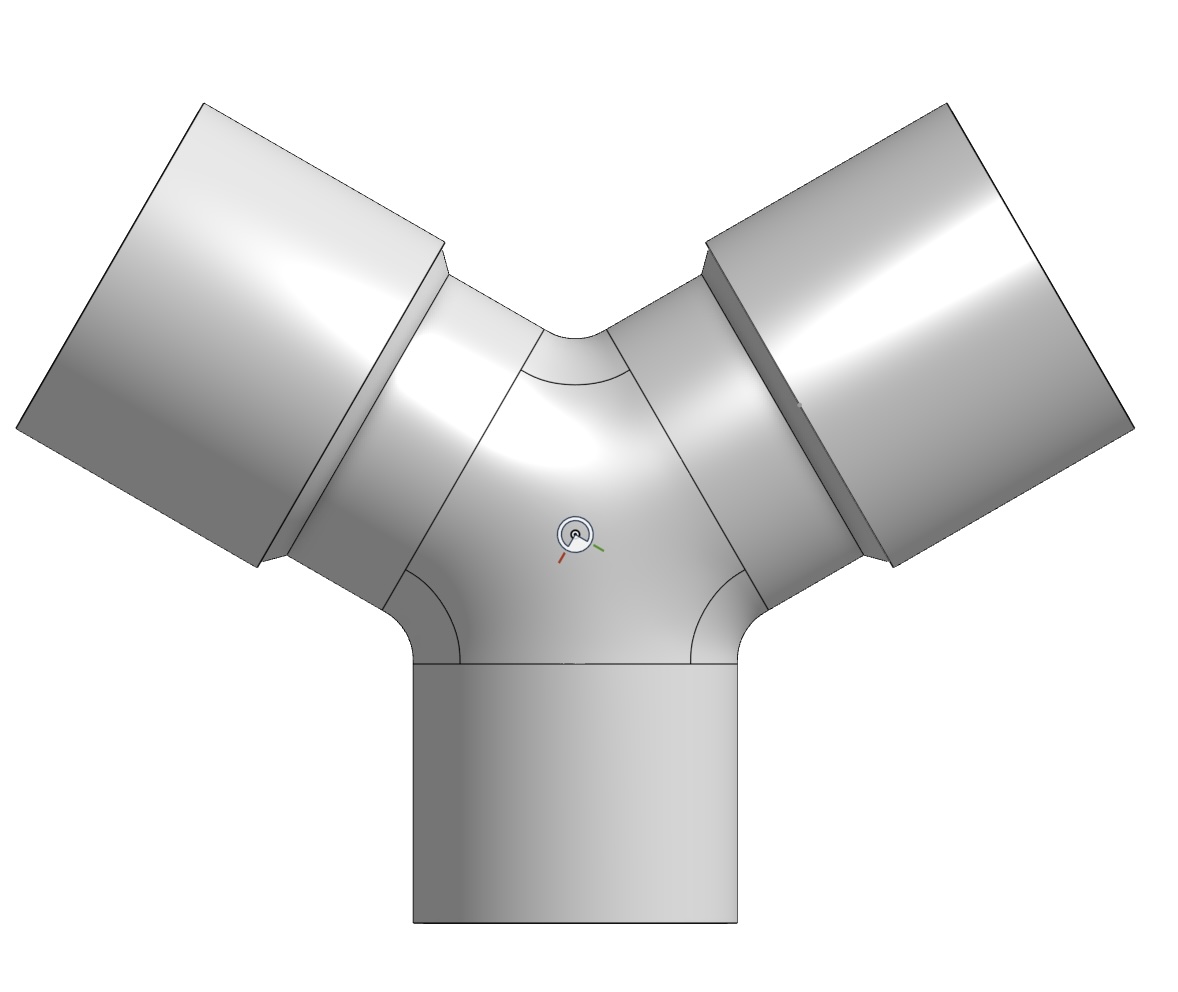
What is the best orientation for printing this Y-tube adapter so that, if possible, no support – or as little as possible – is required?
I find that the support I’ve been using so far is too thick; how should I adjust it so that it’s as delicate as possible, given that it doesn’t really have to bear any weight, and so that it’s easier to remove?
I had a look at a tutorial where PETG was used as support material, but then you’d have to change the filament for every layer, wouldn’t you!?
In my opinion you should orient the lower side of the Y to the build plate, and no support should be needed. Maybe you may need to adjust some settings to have bridging transitions in the center of the Y smooth and clean.
If you want to use support in the center of the Y you should use the same material; this shouldn’t be too difficult to remove …
I would place the single inlet on the build plate with the two outlets pointing upward - depending on the actual part geometry, the filament you use, and your overhang and support settings it won’t require much support.
I’d just suggest running your machine calibrations if you haven’t lately and if this is a part you really want to get right do some temperature towers.
You may also want to experiment with using the aux part cooling fan, in which case placement of the part on the print bed will also matter.
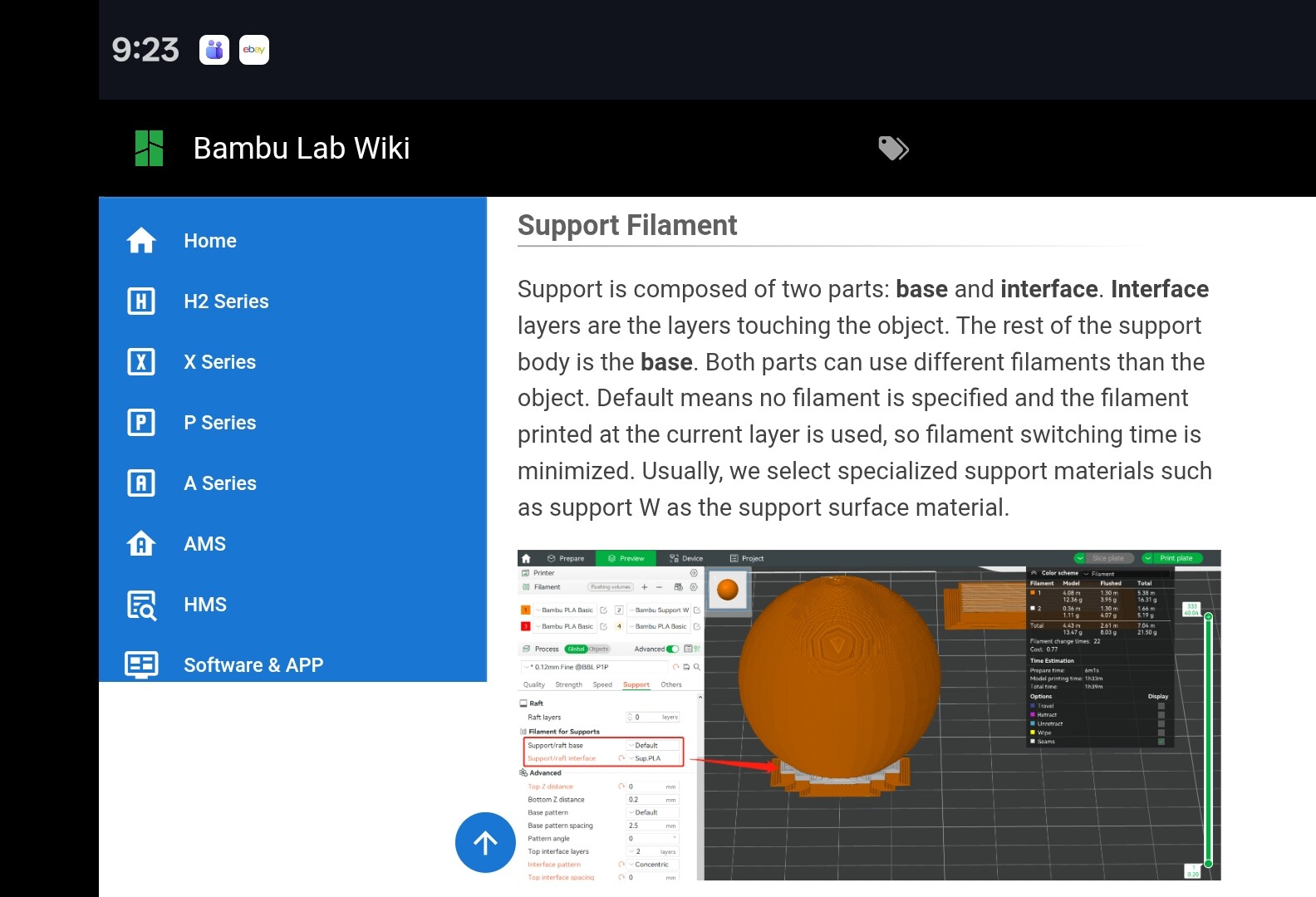
Yes you can use PETG for support if you’re printing the part in PLA, but on a single nozzle printer that’s going to require a lot of purges. Instead, in the supports menu you can set PETG as your interface material only - that will drastically reduce your filament changes and purge waste, but still give you very clean supports.
Here is the wiki on Supports, the specific information you want is down in the Support Filament section. When we’re talking about supports, there is the “structure” of the supports, which is the layers of support that build height up to the overhang, and then interface material is the material that will actually be supporting the overhang - the material that touches the part. If it’s the same as the part itself, it will stick slightly and be tougher (but still possible usually) to remove. If it’s an interface material, like using PETG on a PLA print, then it will support well when everything is hot, but it will come off very easily when the part is cooled.
If thats meant to mate with PVC drain line, it can be rough, because you’re going to need to use a lot more glue than normal anyways to mate it to the next piece. Its likely gonna be an epoxy instead of your normal pvc cement. Glob it on and get it thoroughly worked into the joint surface or those FDM layer line capillaries will like to leak on you
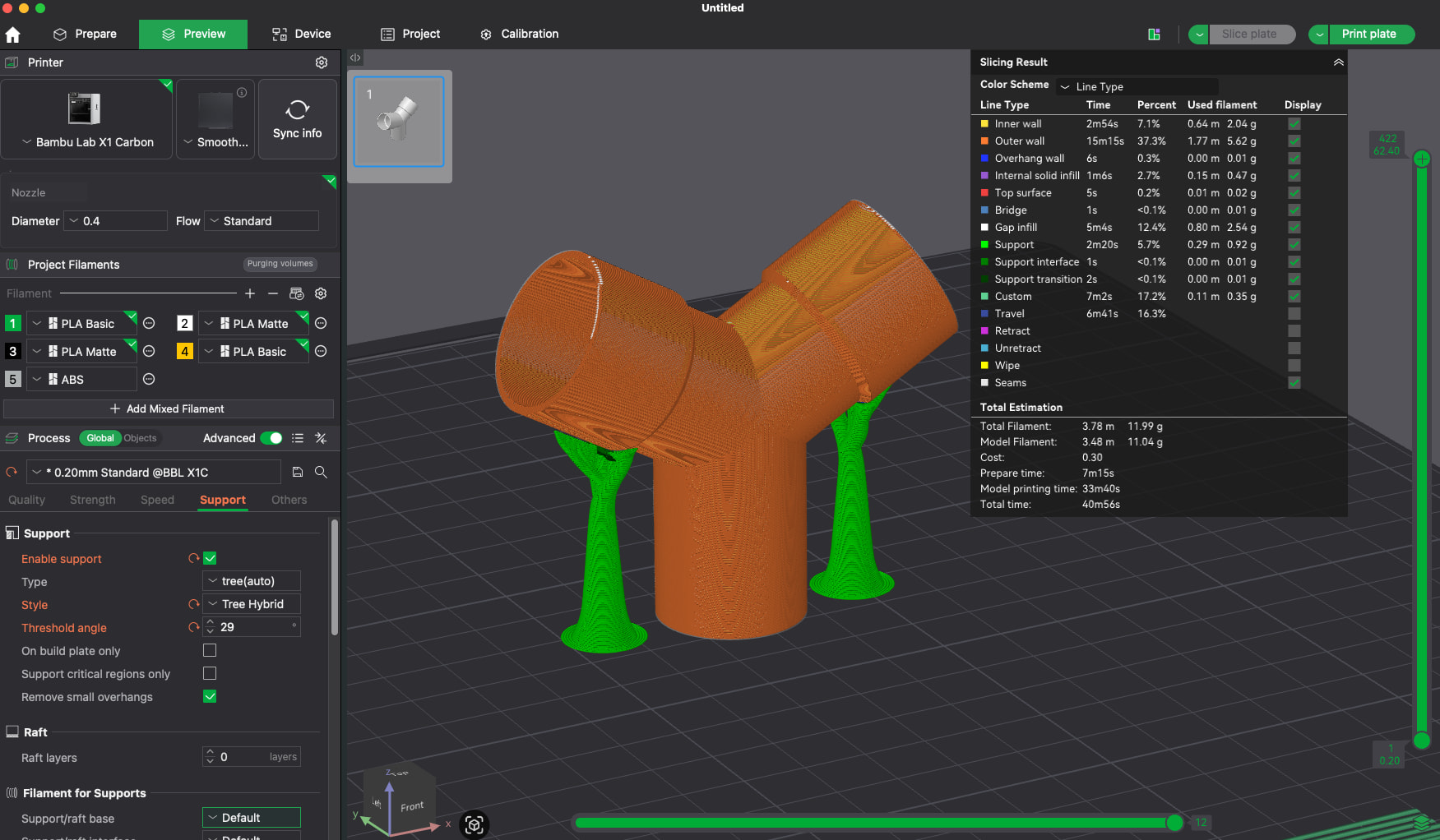
This is the configuration I suggest (please note the support settings that I’ve edited to obtain such three supports. Also note that I didn’t use the different interface material for supports (at the bottom left of the page), but of course you may set it as you like.
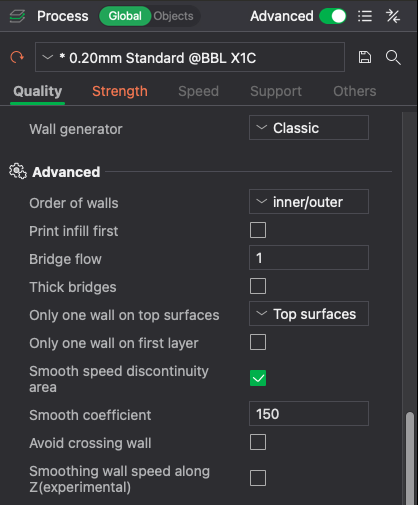
Please notice also that in the Quality settings you have to keep the printing order of the walls inner/outer, this helps to overhang a bit more and let you avoid a certain amount of supports.
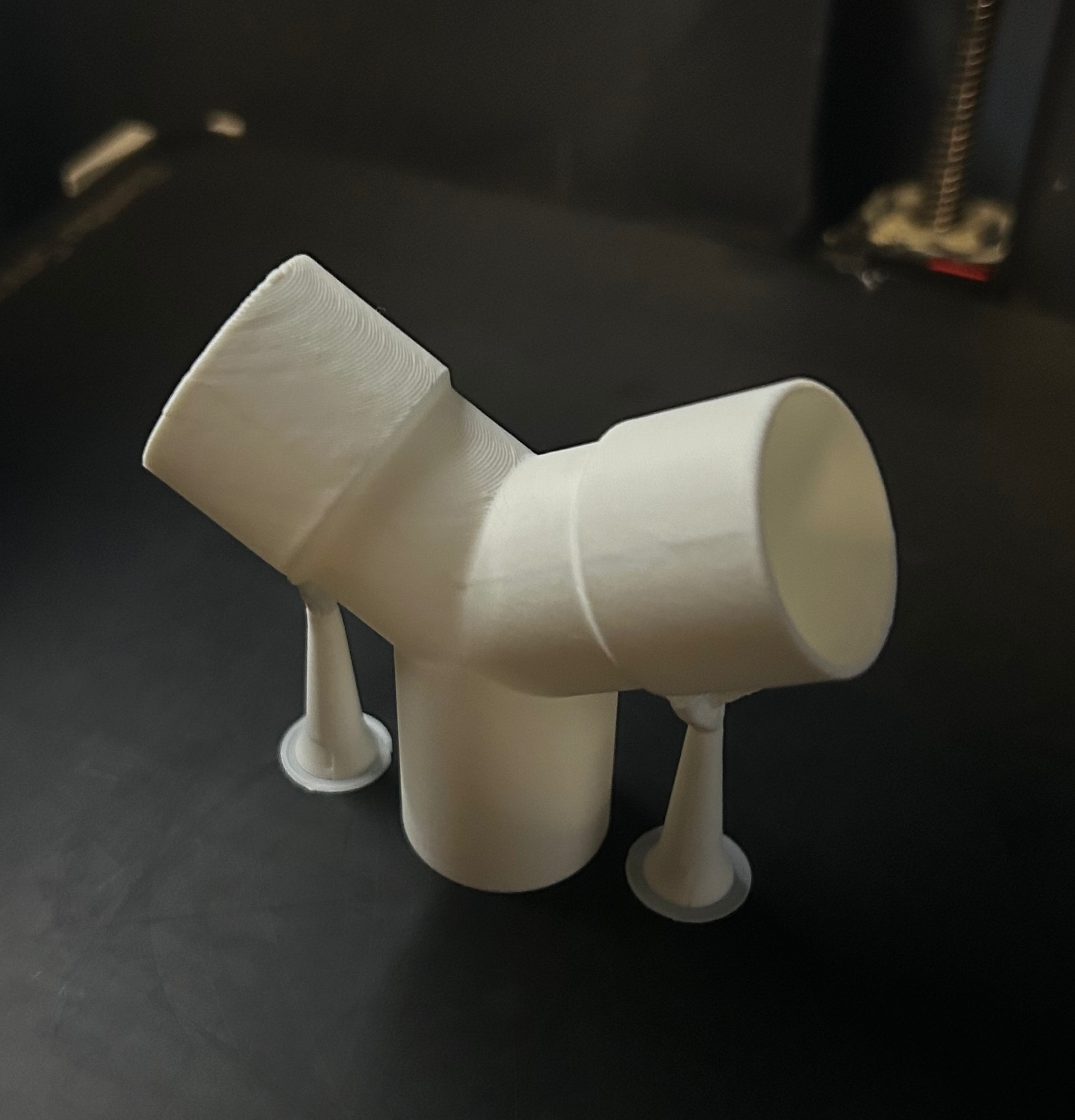
Finally this is the part I’ve printed as a test (this time I didn’t use the support interface material).
Even in the inside of the part there was no need for supports.