@homyak046 Another X2D owner with similar first-layer issues here. Mine is under two months old. After several days tuning dimensional accuracy, flow and top surfaces, I’ve spent the last two days troubleshooting the first layer. Small test patches could look excellent, but full-bed sheets still have localized gaps. A longer print also developed severe damage on its internal top surface; I don’t yet know whether the causes are related.
Already tried:
- Washed/reseated the plates; tested Bambu Textured PEI and BIQU CryoGrip Pro Frostbite; checked nozzle cleanliness and secure installation.
- Full automatic calibrations, including precision calibration with the Vision Encoder plate; first-layer flow and nozzle-gap adjustments.
- Manual bed tramming with Bambu’s G-code/paper procedure, as support requested.
- Replaced the left/main nozzle with a new one, repeated tramming, factory-reset the printer and completed startup calibration again.
Latest comparisons used stock Bambu Studio filament/process profiles with automatic bed leveling enabled:
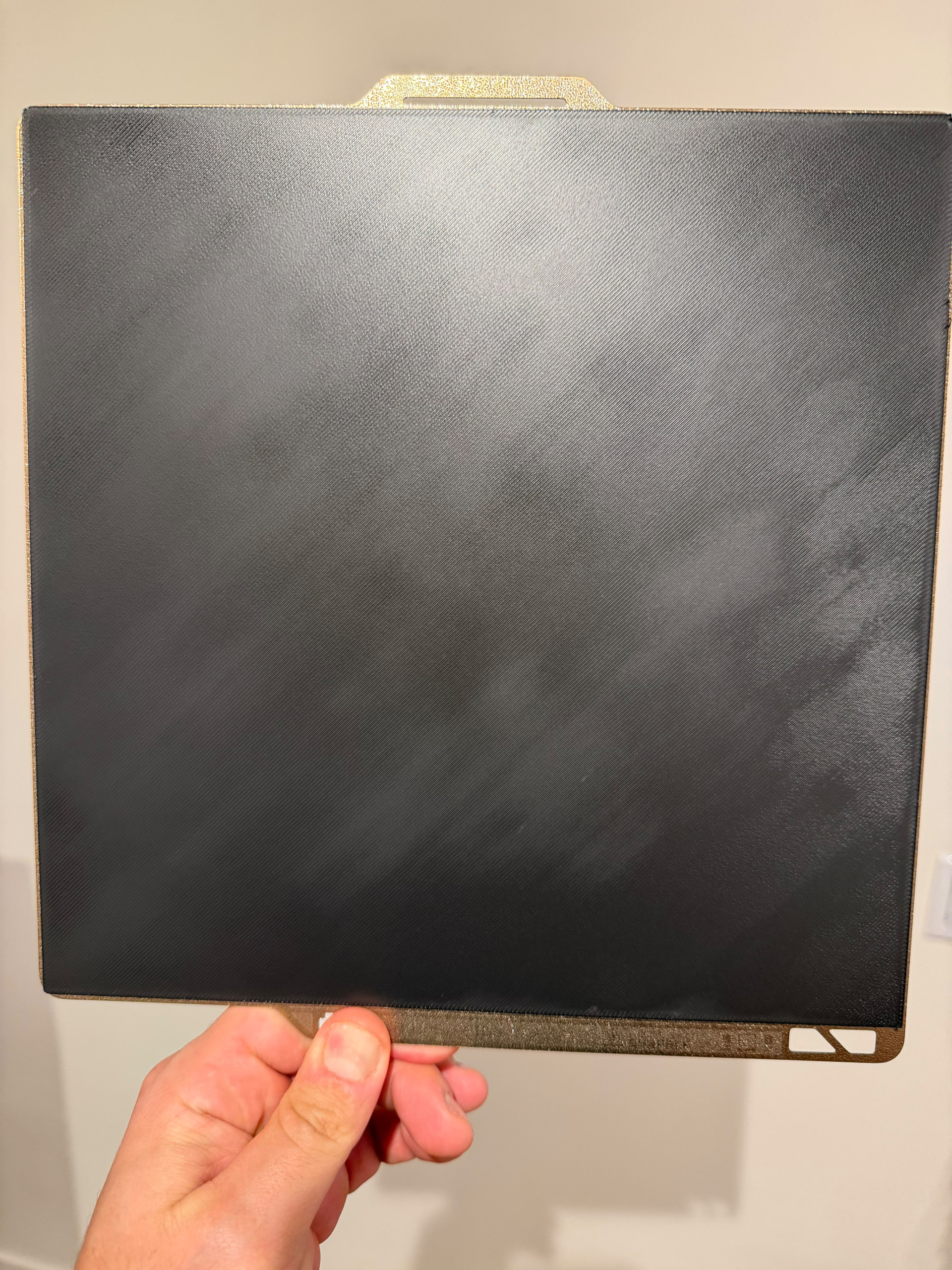
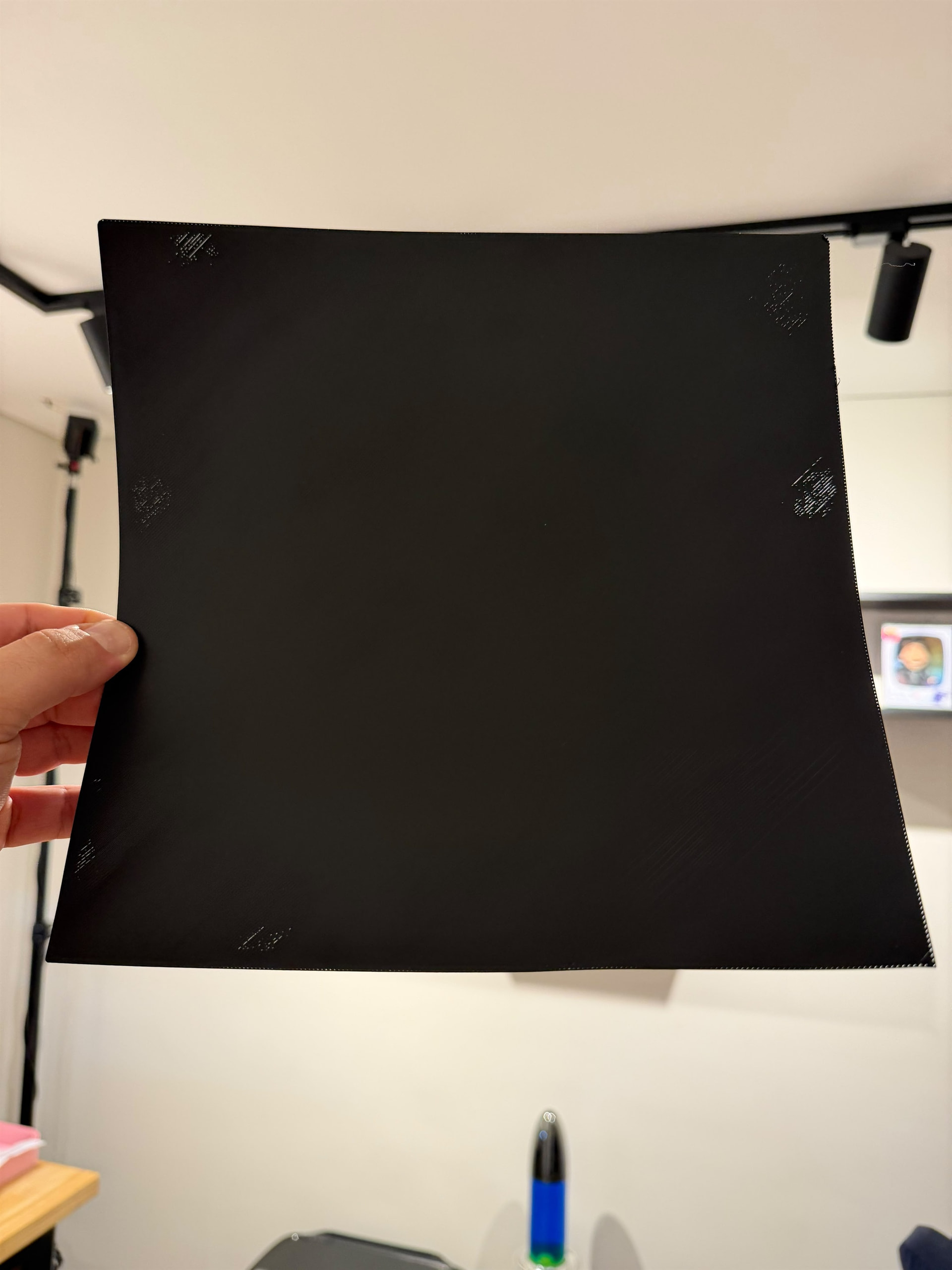
- Left/main, new nozzle + black Bambu PLA Lite: localized open gaps.
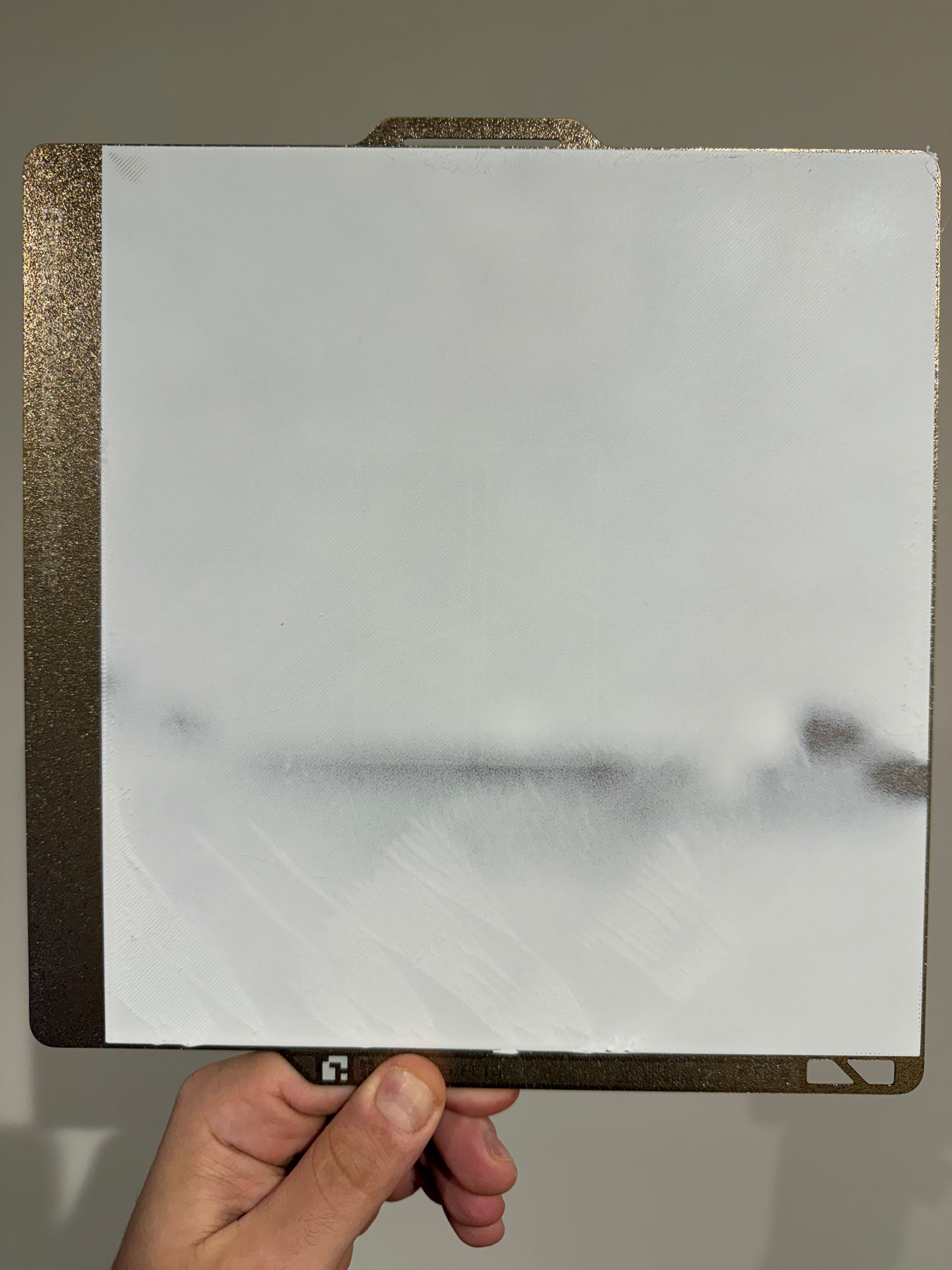
- Right/auxiliary + white Bambu PLA Lite: severely uneven sheet, restricted to that nozzle’s reachable area.
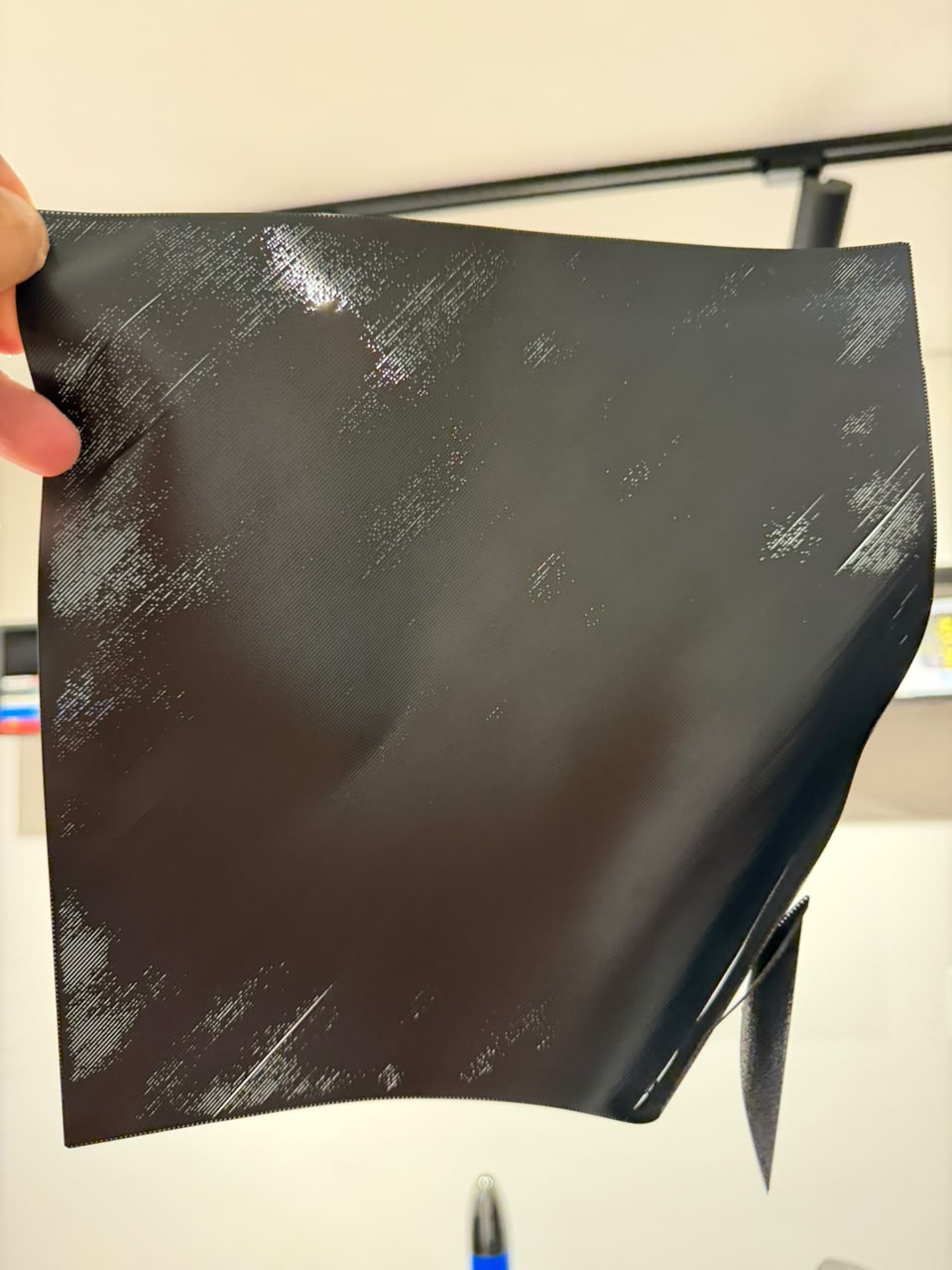
- Left/main + black Bambu PETG: widespread gaps, visible against the light.
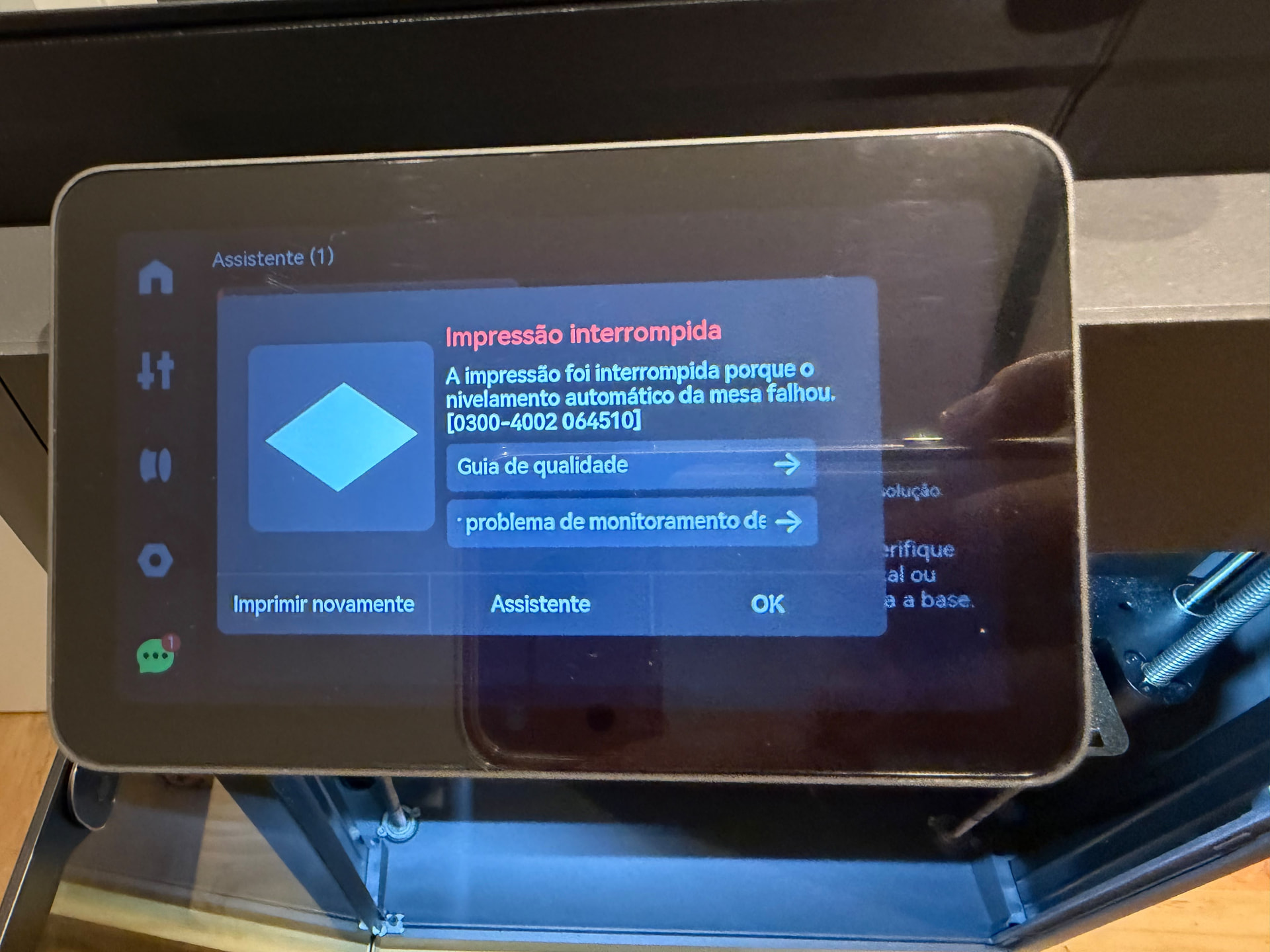
The first auxiliary-nozzle attempt stopped with 0300-4002 064510: automatic bed leveling failed. After the wiki checks, the second attempt repeatedly probed/revisited points for an unusually long time, then printed badly. This was separate from the timed thermal-preconditioning wait.
Support asked for manual tramming, another material (PETG), and comparisons with both nozzles. I’ve completed those tests and sent the photos/results; no diagnosis yet.
I’ve seen hundreds of users showing clean, fully joined first-layer sheets from an A1. Bambu’s own first-layer guide explains how to achieve a high-quality first layer, so I find these results on a new X2D hard to accept. I don’t want to settle for visible open gaps after all this calibration and troubleshooting.
@zmaster I also have plastic squeaking during Z movement. I traced mine to a small cover underneath the printer; tightening it helped but hasn’t eliminated it. Support initially described the noise as normal and suggested lubrication. I don’t know whether it’s connected to the leveling issue. I saw that drying, retightening the heating assembly and adjusting the eddy sensor improved yours: has that improvement held up through subsequent automatic leveling cycles?
1. Left/main, new nozzle — Bambu PLA Lite, black. Sheet on the plate.
2. Left/main, new nozzle — Bambu PLA Lite, black. Removed sheet held against the light, showing the localized gaps.
3. Right/auxiliary — Bambu PLA Lite, white. Sheet on the plate.
4. Left/main, new nozzle — Bambu PETG, black. Sheet held against the light.
5. Error from the first right/auxiliary PLA Lite attempt.