Okay, first:
For some unknown reason, the latest update — Bambu_Studio_win_public-v02.03.00.70 — is/WAS giving me a lot of issues with my H2D. And I mean a lot.
Let’s start with the first (and easiest) one.
ISSUE NUMBER 1
It keeps grouping filaments incorrectly. My print uses 4 filaments: 3 are color-changing by height, and the last one is TPU, which is used from the first to the last layer.
But for some reason, the printer now groups two colors + the TPU on the left nozzle, and puts the last color on the right nozzle. Doing that increases my print time to over 3 hours!
If I group them correctly — the way I know it should be — the print only takes 1 hour and 50 minutes.
So that’s the first issue.
ISSUE NUMBER 2
For some reason, my prints seem to be slightly out of sync, leaving small gaps (a few millimeters wide) where there shouldn’t be any.
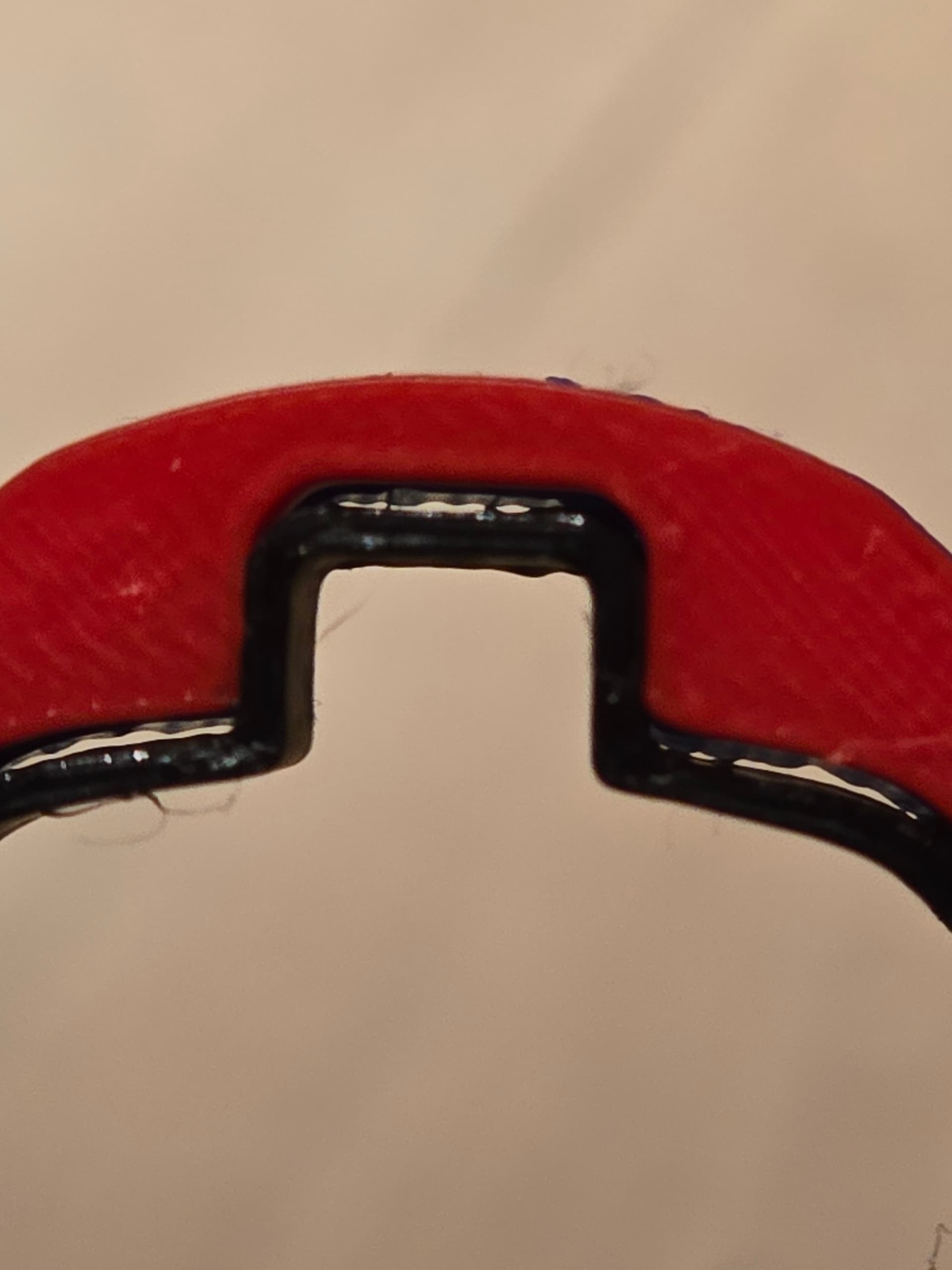
there shouldn’t be any gap between the RED and the BLACK, and this issue only happen on the same spot, redid the print 3 time, get the same issue in the same spot
The file itself is fine, there’s no issue in the preview, and I couldn’t understand why.
At first, I thought this was caused by Studio because of issue number 3.
ISSUE NUMBER 3
At first, I thought this was caused by the latest Studio version, but after rolling back to v02.03.00.56, the problem was still there.
Let me explain.
This is my main print — I’ve done quite a few of them before without any issue (except the last few, which I discovered were due to my TPU filament being around 12% humidity — drying it fixed that).
So, back to the main issue I just discovered:
This print is made up of multiple STL files that I load at the same time so they’re perfectly aligned and appear correctly in Prepare mode.
But once I slice them, some small parts just disappear for no reason.
I can clearly see those parts before slicing — I can select each one individually in Prepare, and their shapes are correct.
But after slicing — poof! — they’re gone, as if Studio decided to simplify or remove them.
My first test was to separate the STL file and slice each part individually.
When I do that, those missing pieces are there.
So why does it work when sliced separately, but not when all files are loaded together?
To visualize what I mean, imagine printing a circle with a hollowed-out star in the middle.
In Prepare, everything looks fine — you can see the star’s points.
But once sliced, the sharp edges vanish for no reason.
That’s exactly what’s happening here — only some details disappear, even though the STL files are fine and error-free.

because of issue number 2, i though something might be wrong with the file so i decided to remake it, i imported all of the STL and guess what…this time all of the bits where thereonce i sliced the file …what in the world is going on …it didn’t do anything with issue 2 but the file was complete for once…so know detective work…why ?
since working and non working file where made with v02.03.00.70 , i thought 70 is the culprit so this is when i dowgraded back to 56, i open the working file made with 70 and it still was ok, remade the file again…and this time not working, missing bits…i was really losing my hair at this point.
but has i open working saved and non working save with 2 instance of studio to so if i was missing something i realised…the placement of the part in the list is not the same !!!
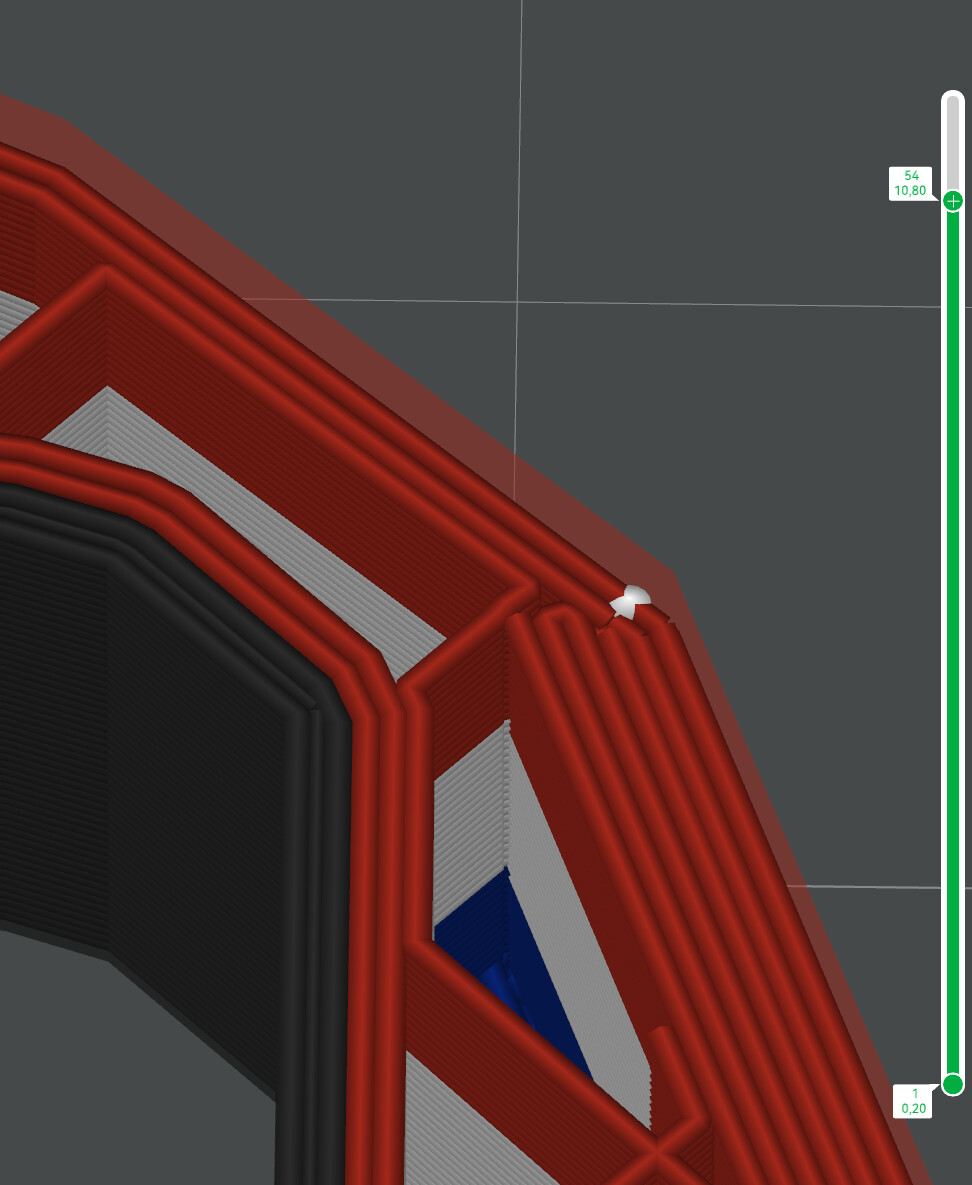
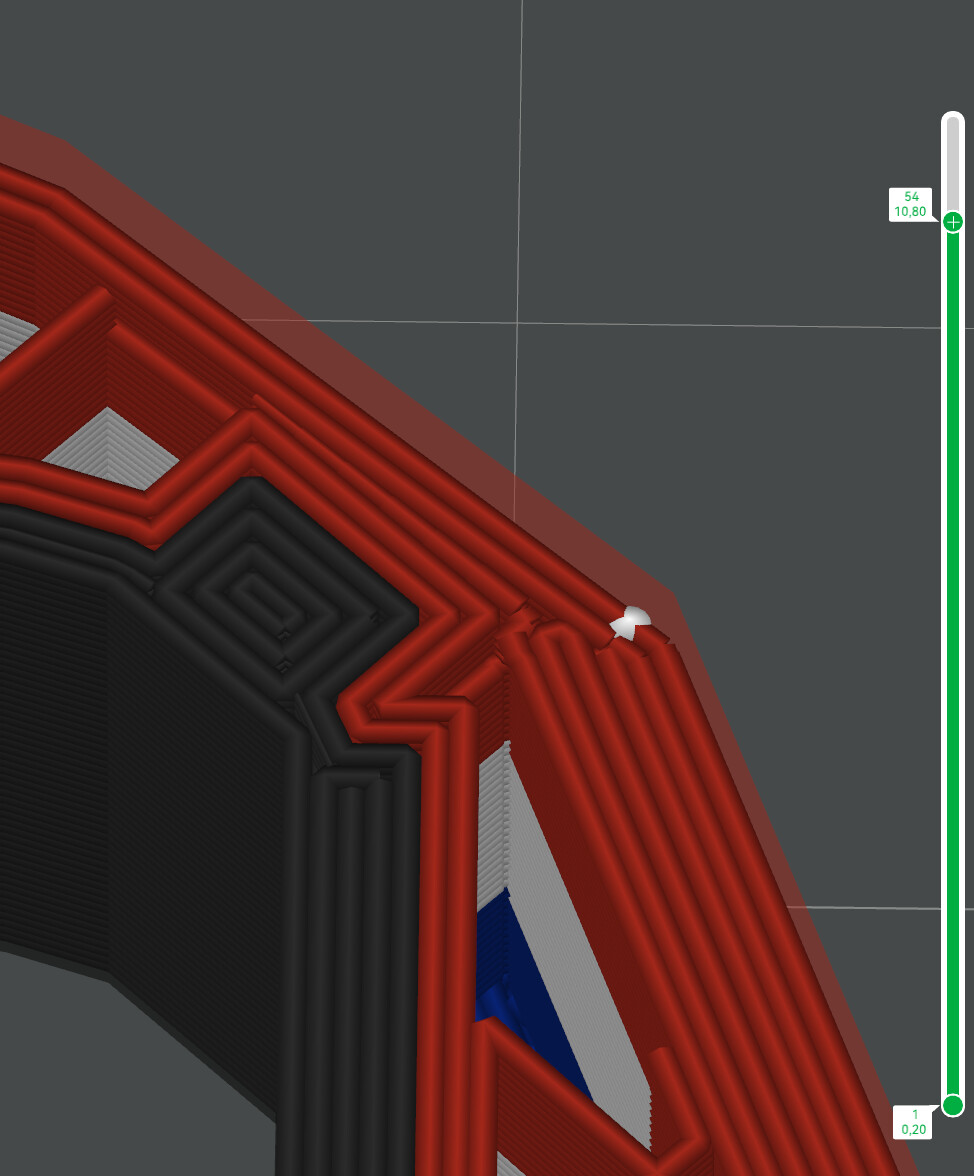
if i place the STL that has issue on the bottom…it slice fine, if i place it 1 part up…its not, and there is no logical reason to this, i don’t move them around on the virtual plate, i just change the position in the list…that doesn’t make any sense !!!
here are screenshot
part with issue NOT at the botom of the list
part with issue AT the bottom of the list
so now having resolved this ( resolve is a big word…i still don’t know why studio behave that way), i was back to issue number 2…and that is when trying to redo all the tuning of the bed and having it failed for no reason i decided to nuke it all, factory reset…boom !!! now tuning the bed…no issue at all, first test print…no issue at all
here is the post where i yell about it
but again there is no logical reason has to why moving part in the list does affect the print @BambuLab you might want to look at that