Great minds think alike.
Thank you @JonRaymond for that. Ordered it and it will be here Thursday. Now I can label all the things!
Funny enough, I own a shirt that says more or less that. “I’m Josh, doing Josh things”
Yeah the D30 as Jon pointed out. Very nice little label marker. I just got some clear labels for it, for this project, and am having fun. Starting to look around and think “what can I label next” haha.
I own that exact same shirt. First time I wore it I was at an amusement park with my family. People kept saying “Hey Josh!” and I was like “How do you know my name!  ”.
”.
Some advice.
I heard the advice once with puns that you should always make the joke, regardless if it’s good or bad. The more you do it, the better you get.
This is the same for 3d modeling, design, all of this. Just make things, model them, practice, explore. Don’t worry about perfection. It’s about building up experience, and the less you get hung up on old designs, the easier it is to learn from them and incorporate that new knowledge into a new design.
I could tell you the goals and mistakes made with each thing I’ve made, and how I’ve improved upon it in the next thing I make. There’s a whole evaluation of screw holes in my models that people probably don’t even realize  With clearances, with print settings, with features in the hole to make it easier to screw into, and features of the hole that make them easier to print in certain situations. I’m still not sure I have it 100%, but my screw holes are much improved from previous versions.
I rarely revisit older models to “fix” these things, because I take a just keep swimming attitude. Keep moving forward. Don’t get bogged down by the past. When you start fresh with lessons learned, it better allows you to incorporate those lessons, and it allows you to work on your general workflow and approach.
I appreciate that. It’s not that I don’t make cool things, it’s that your cool things are on a whole other level than mine. I only seriously started working on learning CAD about 8 months ago, so I’m still a newbie at best. I know enough to appreciate your level of expertise that you’ve shown with your designs.
I killed a lot of filament testing out my designs for a magnetic vent mount system for my X1C and my resin printer, so I understand that. For me it’s a lot of trial and error until I understand what works best or prints better. Fortunately I tend to learn from my mistakes and so those learned things come with me as I move on to the next thing.
Reminds me of the quote from the Disney cartoon Meet the Robinsons “Keep Moving Forward”. Those are some good words to live by. My personal motto is “Nothing is impossible; it just depends on how much time and money you’re willing to spend”. So here I am throwing time and money at my hobby 
Keep at it! It’s about building that experience up. That’s why I push the idea of just keep moving, doing things, don’t get caught up on previous projects. Keep challenging yourself with new things while you incorporate what you’ve learned.
I still go through a fair bit of that. That’s kind of the thing with experience, it can guide you in a lot of ways, but there’s always something to mess up and learn from
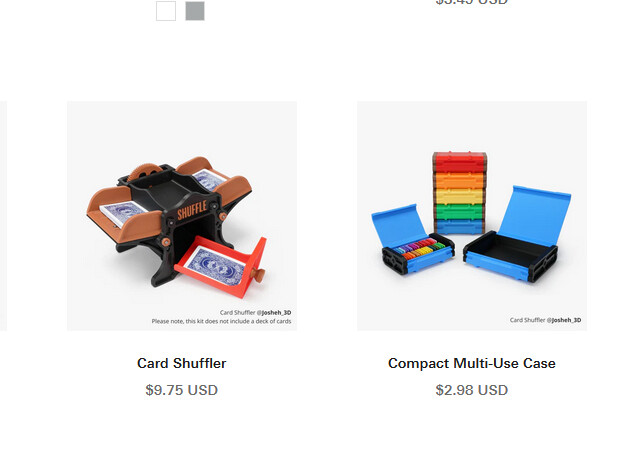
I fumbled the release of my card shuffler a little. I tried a number of new ideas with it, but it had a few big issues out the gate that I wish I had headed off before release. I tell myself that a month from now no one will know, but right now everything has been moving so fast, it’s stressful. I made a major change that greatly improved it, but like Bambu’s recall of the A1, it’s causing some bumps in the road.
As a Jack of all trades type of person, yes, hahaha. It should never be I can’t do that. It should be I haven’t done that… YET.
Haha, and as we talk, I just saw someone posting about their setup that incorporated your magnetic connectors. Nice!
Might have to take a closer look. I want to be setup to print ABS.
The hands of time may sometimes be slow, but explosive design is always around the corner.
I’ve had to put a pause on things for a minute because of the heat, but I got an air conditioner and am back at it! Ahh yeah! Been working on some clock designs.
I got myself a spacemouse, and holy space ghost batman, I’ve been doing 3d professionally for 18ish years, and I feel like I’ve been missing out. Like I’ve been using a screwdriver for 18 years and just today discovered powered drills were a thing. That 3d printed one was a bit too janky to work for me, but it made me realize what I could get out of the real deal.
I blame @JonRaymond on a personal level for not going back in time and convincing me to get one. I saw your name when I was looking up spacemouse and bambu studio! You knew and never thought to invent time travel to tell me!
So, my first two clock designs. I’ve got a few other ideas floating around. The dynamite one uses the lamp kit too. I printed it up in the pink glow. Not sure why I thought all of that was a good idea, but I’m sure it still is 
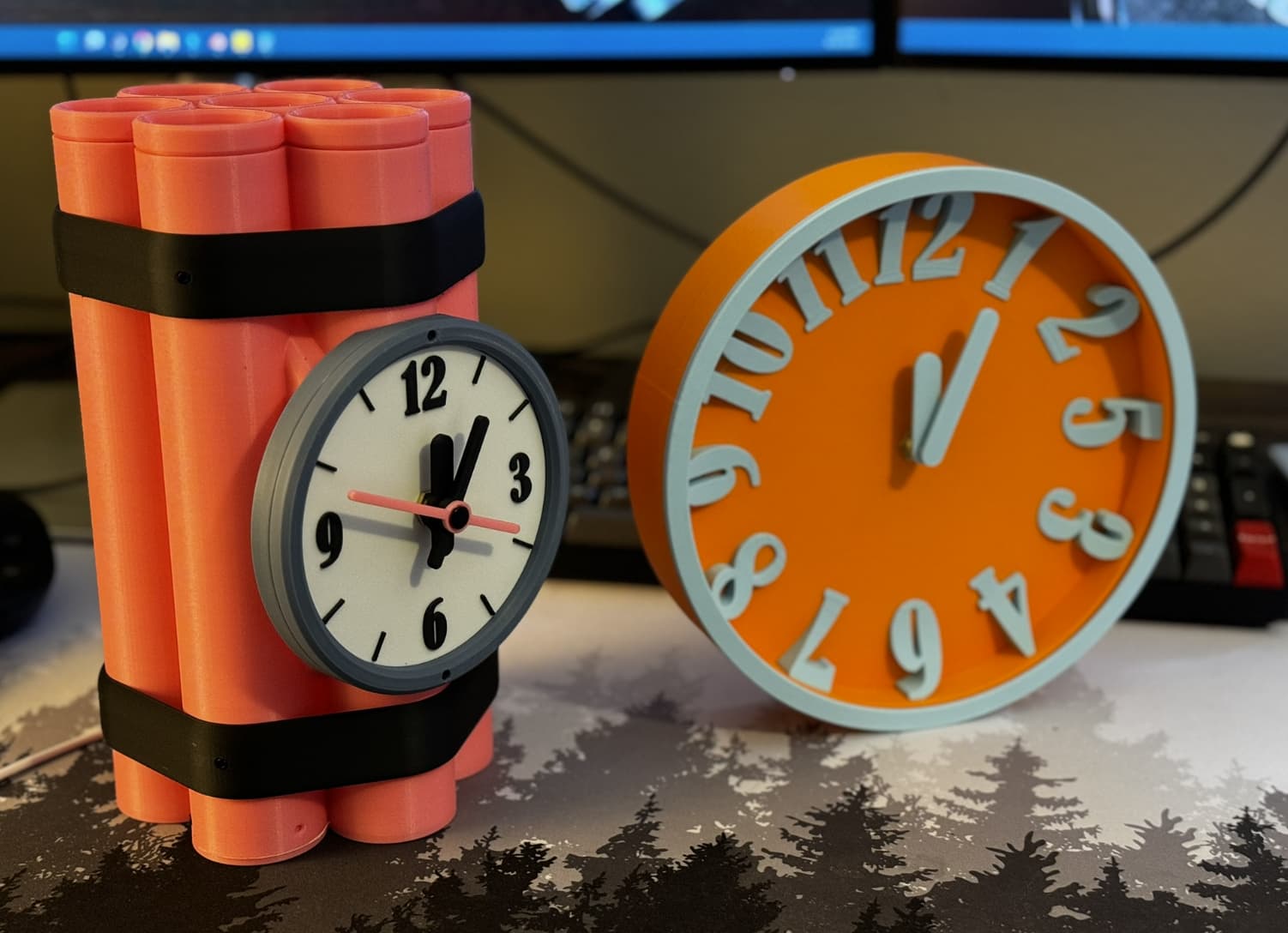
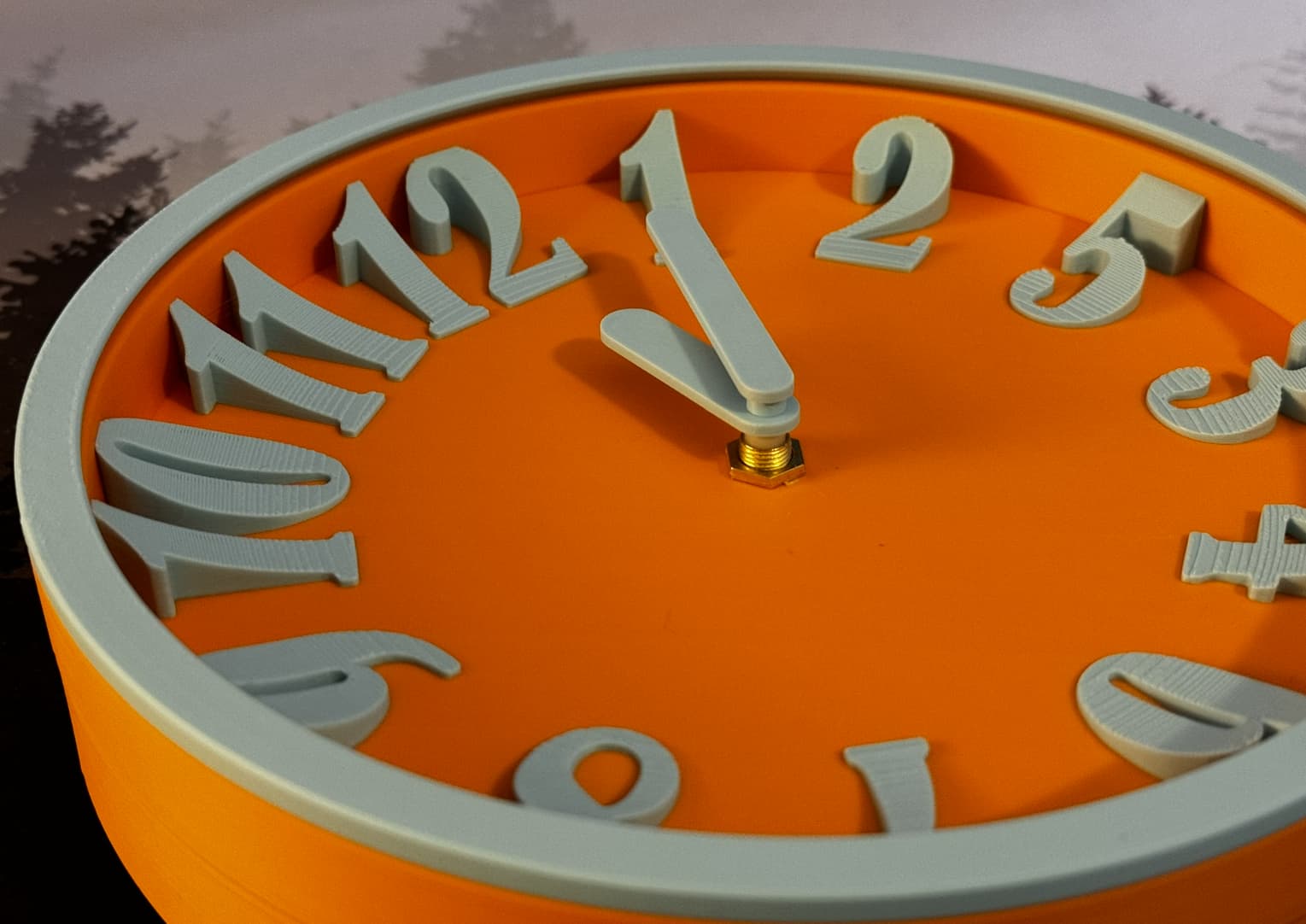
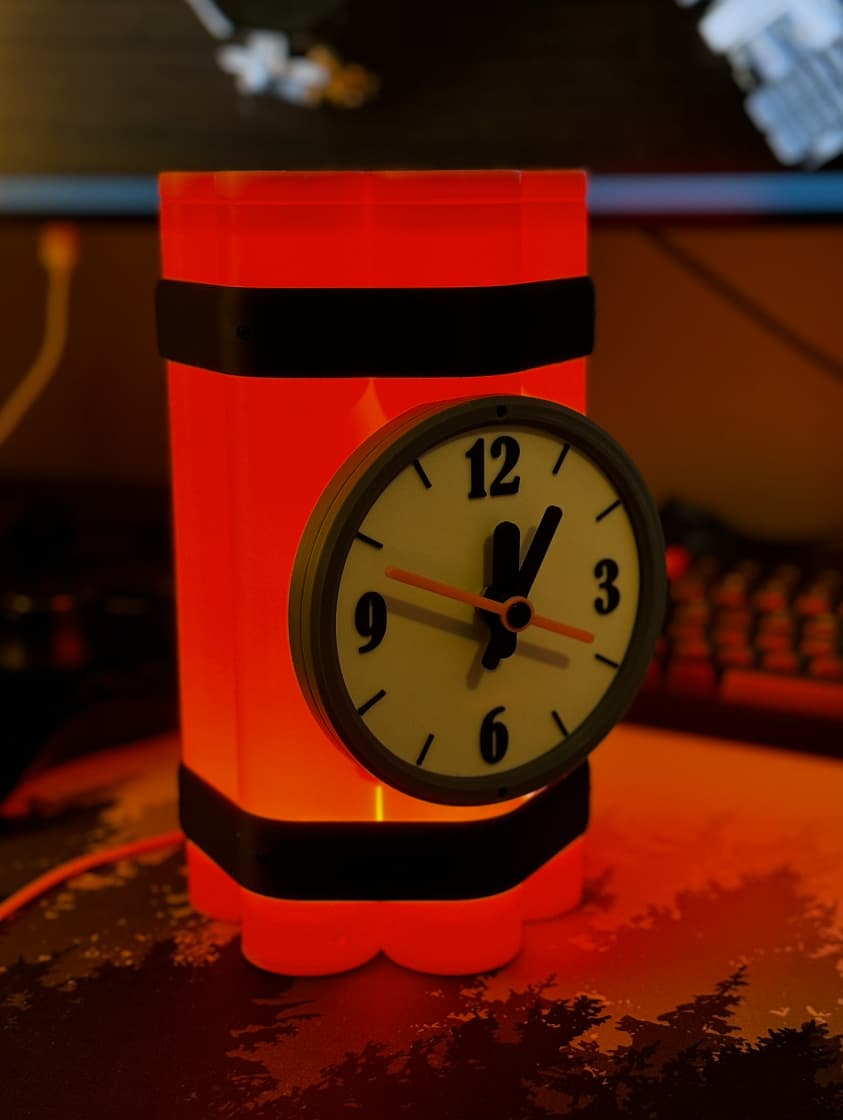
 @ the dynamite one. I might have to do that with the spare light and clock kit I’ve got.
That just gave me an idea. Who’s going to come up with the most kits they can cram into one model?
A light up wireless mouse you can use in the bathtub and tells the time. The motor from the boat kit is specifically to help with your gaming reflexes while taking a bath
We’re so close, ya’ll!
My 3 suggested configurations, haha. A lamp+clock with transparent petg, a lamp+clock with pla glow, and just a regular ol bundle of dynamite shaped clock for those that don’t need additional illumination.
I used the PETG-CF for the non-lamp version, and that stuff looks so good.
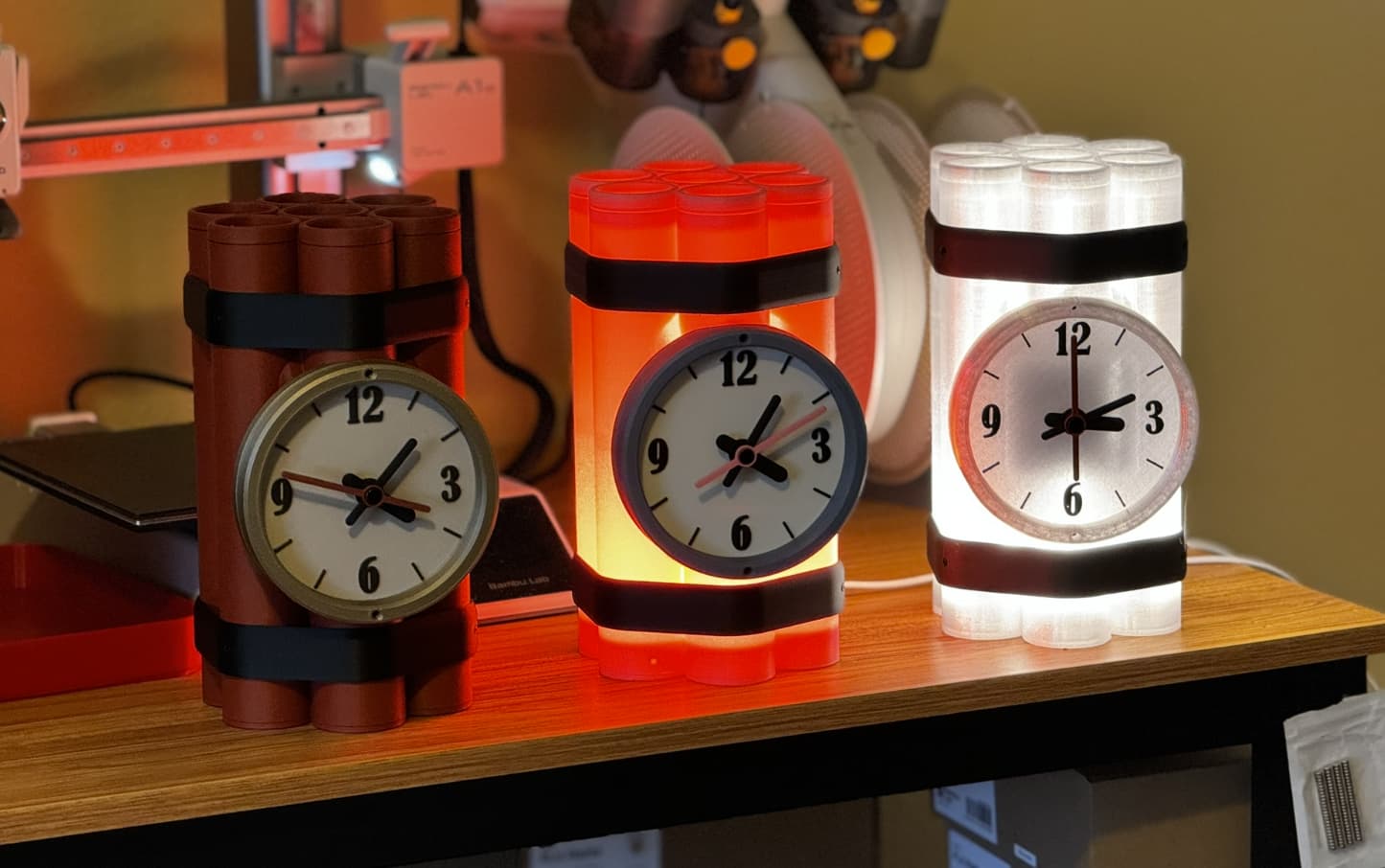
I’ve been thinking a bit about doing a joke clock. Well a normal and joke version. The joke version would have something off about it. So you gift the normal one, then a few months later you swap it for the joke one to mess with the person.
You could get a clock mechanism that runs backwards and reverse the clock face like it’s in a mirror, or just use normal digits but where they are correct for a backwards clock?
After seeing you finally list it today it occurred to me something was missing. Either on one of the bands, the dynamite or the clock face it needs to say ACME.
Alright, I’m gonna need you to go back in time and tell me this
I did think about putting TNT on the sticks, but because of the orientation of printing, it’d be a lot of time/filament poop.
ACME on the face would be ideal though
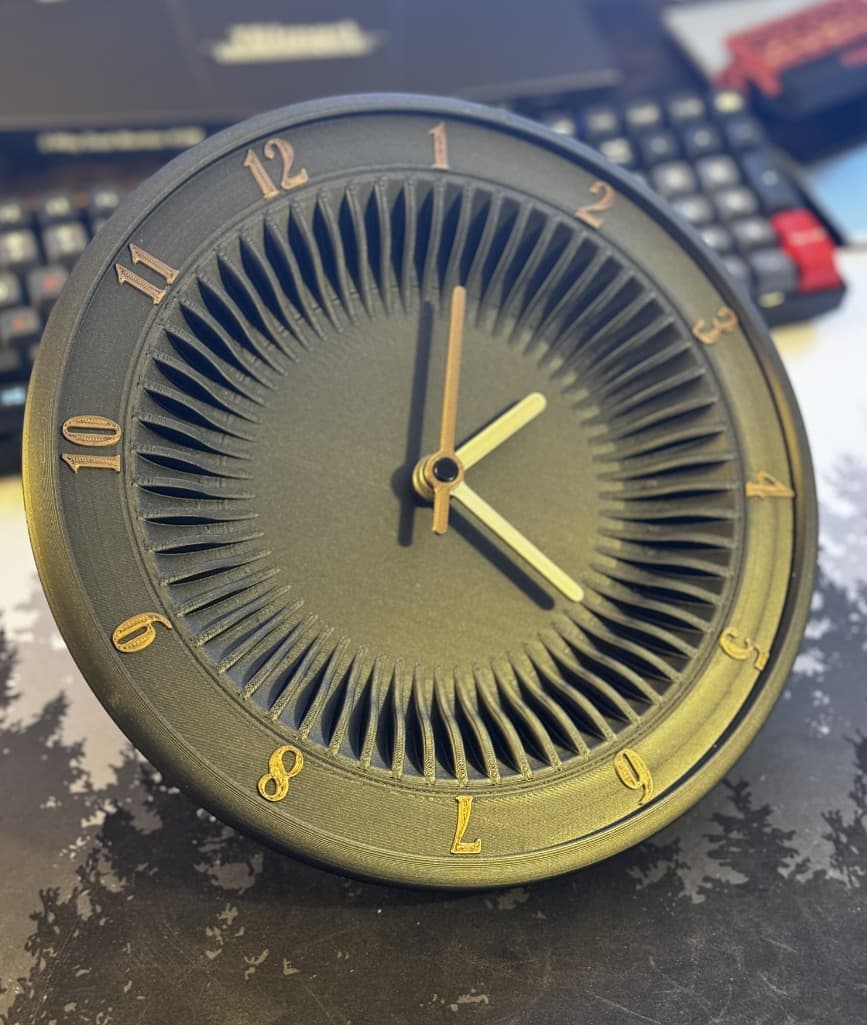
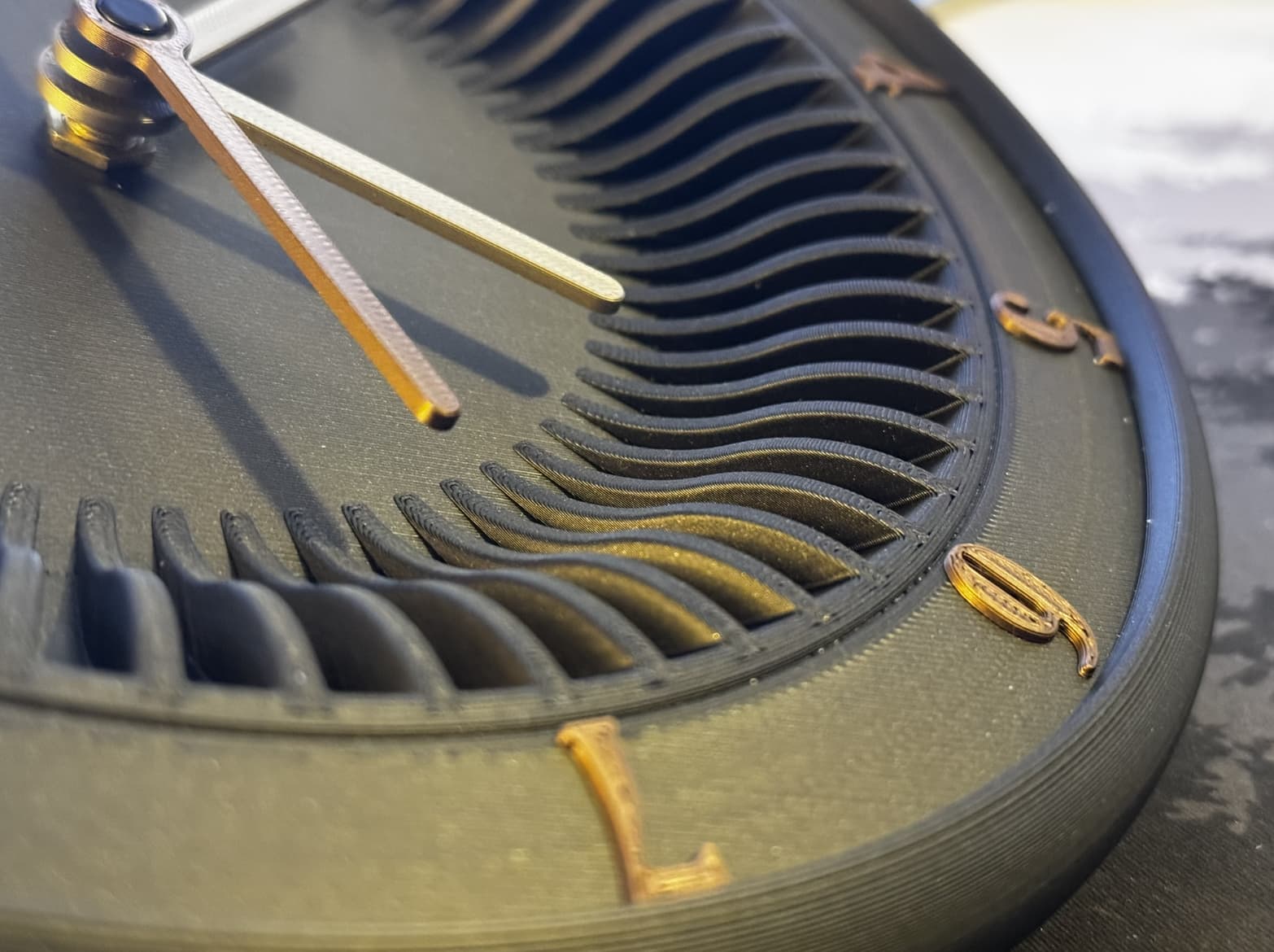
That is plain and simply gorgeous.
Even considered a cursed clock? It turns backwards with a simple modification.

@Josh-3D we have spoken about this.
STOP IT.
JUST f’n stop it.
I have a few clocks (theme) in development, I am annoyed that mine will look like a kid with a crayon next to yours.
The law requires that you make reasonable adjustments to aid the disabled (me, very me).
Your reasonable adjustment is simple; “be $h1t”.
Might have to try this modification later today. Either it will work as intended or I’ll have a pile of misc clock parts on my desk. Odds are in favor of the latter.
Browsing the store today out of boredom and saw they added your shuffler (and cases) as kits- Thats pretty cool. 
(although they goofed it and list the cases as “card shuffler by Josheh_3D” )