How do you set this within Bambu, and why is this requested required.
Haha wait a minute
The actual roll you have in hand is NINJAFLEX? THE ninjaflex??
That material is straight up notorious for unprintability since the ender days. Please, I implore you, stop tearing your hair out and go purchase a roll of SIRAYATECH’s 85A TPU, or maybe bambu’s own brand. I’m not saying it will be trouble-free, you will still need to have an alternate setup, and maybe even the bambu TPU assist thing depending on your printer, but it at least will not carry the spectre of failure over your project
Yes and man I love it is notorious. I wasn’t the one who purchased it - the previous Engineer bought this - but man he managed to print multiple parts without issue! Something went right.
I will purchase the two you recommended - which is best?
Those pic’s do show progress what looks like a really challenging print.
What is immediately apparent is the much larger size when compared to my successful 85A prints. And of course me using Bambu TPU 85A. I can’t really comment on other brands.
Long print times can make particularly difficult for soft filaments and back you into the “coffin corner” where the usable print parameter window just do not exist anymore.
You seem to have already experienced the nozzle clog issue.
Similarly, when needing to use low flow conditions in order to limit filament feed strain, this extends the time the filament is exposed to higher chamber/print head temperatures, further softening the material feed, increasing the likelyhood of filament jams in the hot end and/or extruder.
In such conditions, even a few °C chamber temp can make a hughe difference. It may also explain why at least one prior print by another engineer has been successful.
I’d recommend to have a close look at the nozzle to see if the input feed side of the nozzle is clogged and/or if it is higher up in the extruder. Then of course clear the clog, try again (preferably using a top feed), but keep the chamber cool (open door, open top), monitor the chamber temp and take a timelapse.
It may not resolve the issues. But it’ll help in narrowing down root causes.
 &

The only tpu 85a I’ve used is sirayatechs, and was a good experience [on an A1 and elegoo centauri carbon 1]
One very notable thing about sirayatech’s tpu is that it is straight-walled on the spool, and so without the intrinsic kinks and bends, it doesn’t initially TRY to kink or bend in areas where you really don’t want it to [directly past the extruder gear]
Tough to show on camera, but, black is siraya85a:
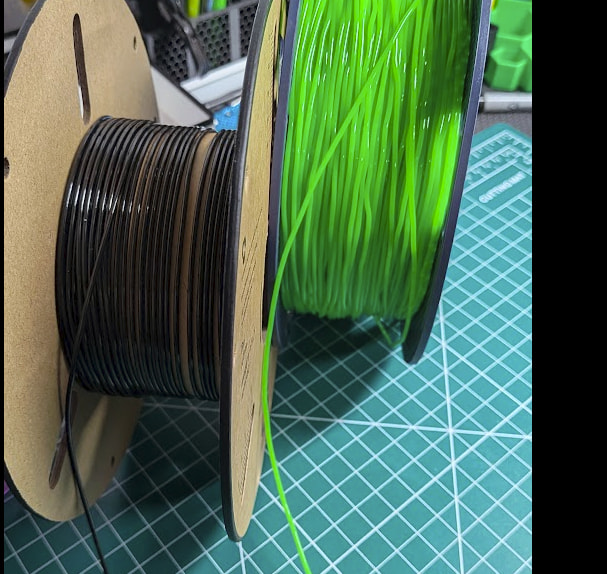
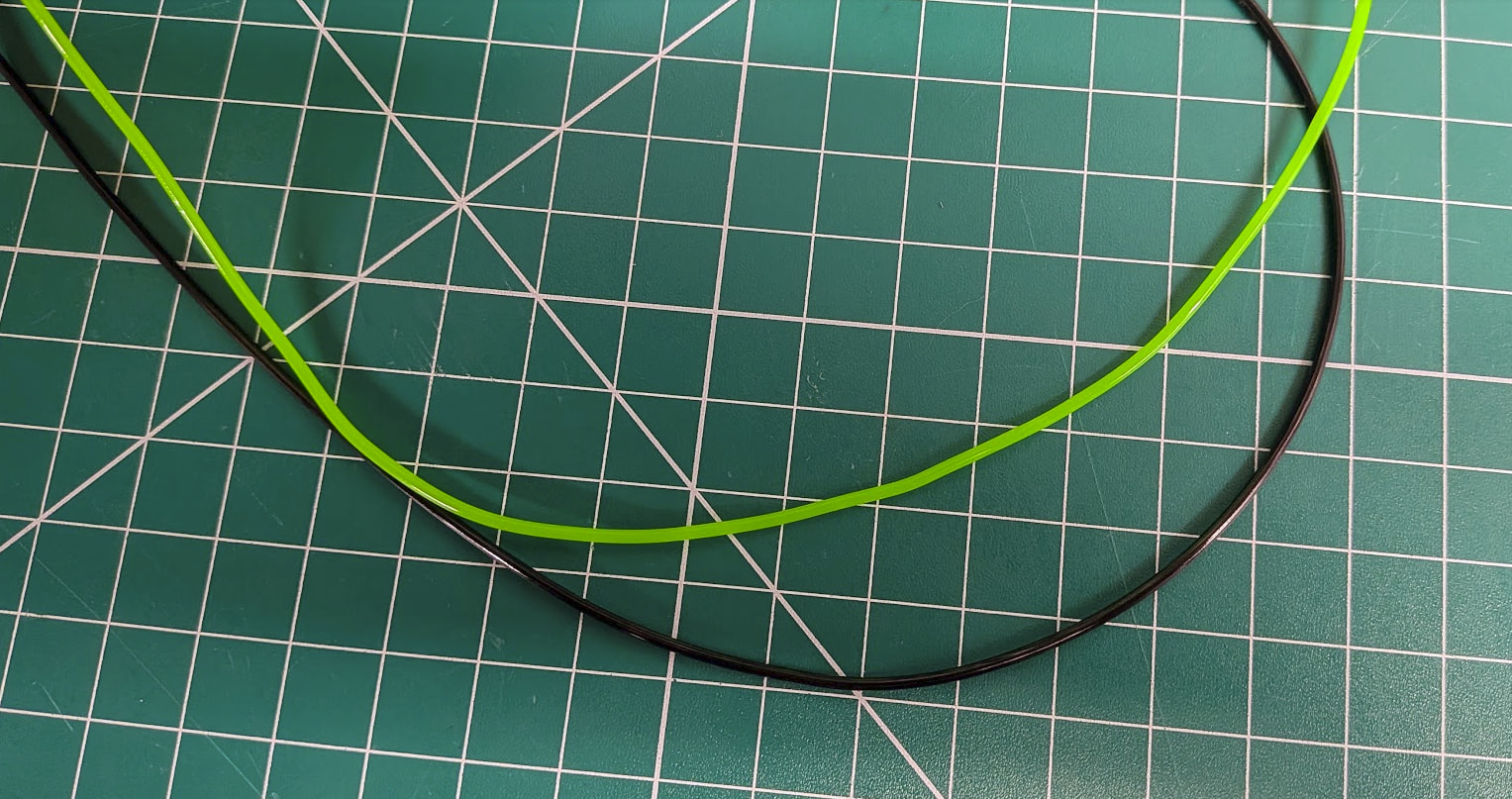
notice how there are no kinks and bends and stretches on the filament itself. It can even tolerate short runs of PTFE although I recommend none. It’s simply made better and it matters [imo]
Yeah good call I didn’t think about that.
So just thinking, is the original file corrupted on all versions or just a newer version that no longer understands it?
Not sure this can be done these days, but can it be opened in a text editor to see the original settings? They used to be at the top as comments.
Just an inquisitive question: does the ambient temperature/humidity change much where the printer is located? For example, was the prior engineer printing in Winter and you are trying to print in Summer, and your work area has lousy HVAC control?
Yeah, I’ve been running into this a ton with 85A tpu on my H2C and X2D, but my P1S is perfect.
There have been a couple firmware updates and it’s somewhat documented in the communities that the firmware ramped up the extruder sensitivity for error triggering on this exact thing.
Pull your speeds down to like 30-32 just to check and make sure you’re max volumetric is lowered too.
Just for a test, set your max volumetric to 3.2, and change your print speeds to 30, run the test and see if it triggers.
You can run the max volumetric flow test, and when the printer triggers that extrusion error, measure up how high in mm it got.
Then switch to Preview mode in slicer, change the view to “flow” and move the right slider down to the same mm height you measured on the failed test.
Then move the bottom slider left and it’ll show you the actual flow rate it was using.
Take about 10% of that value off as a buffer, and then you can save that max volumetric into your filament profile.