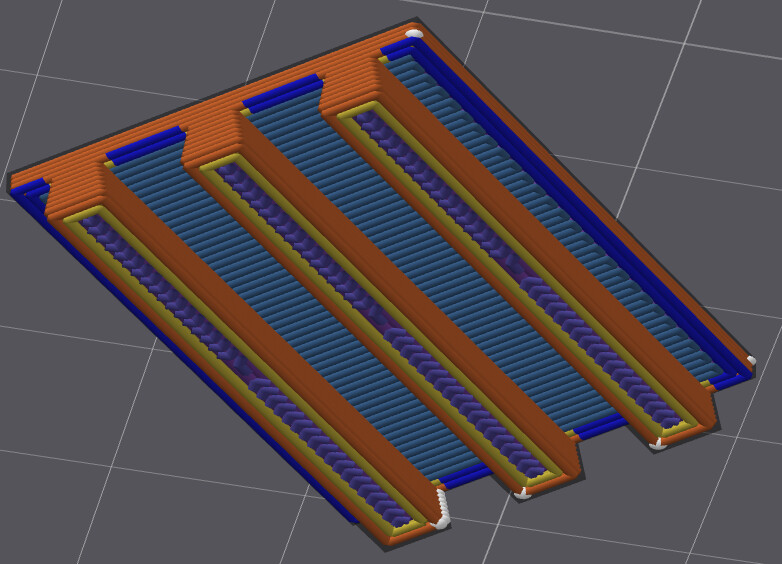
I have a model where there is a thin slot between two sides of the model. I have to print these slots from the bed up, so there is a point above where there is an overhang wall before a solid surface. The issue I am having is that the overhang walls run the same direction as the slots, so some of the lines print over air. It would be better if the overhang wall lines ran perpendicular over the slots, but I can’t figure out any way to do that.


Actually, I “solved” this issue by creating an internal chamfer so that there is a gradual peak instead of a straight overhang.
Try rotating the model 45º on the plate.
That didn’t work. The lines continued to go with the long side of the model.
I have this same issue and I don’t have the vertical space to add a chamfer. No matter my shape’s orientation, Bambu Studio generates the overhang in the long direction.
The part is a plate sitting on top of trapezoidal rails. I can’t just print this upside down because eventually the plate will be replaced by cavities that need to be printed in this orientation.
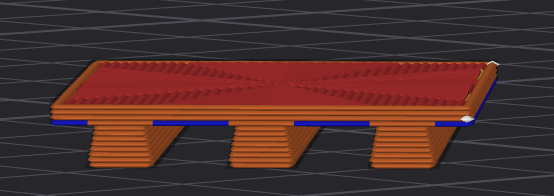
Here’s the view underneath:
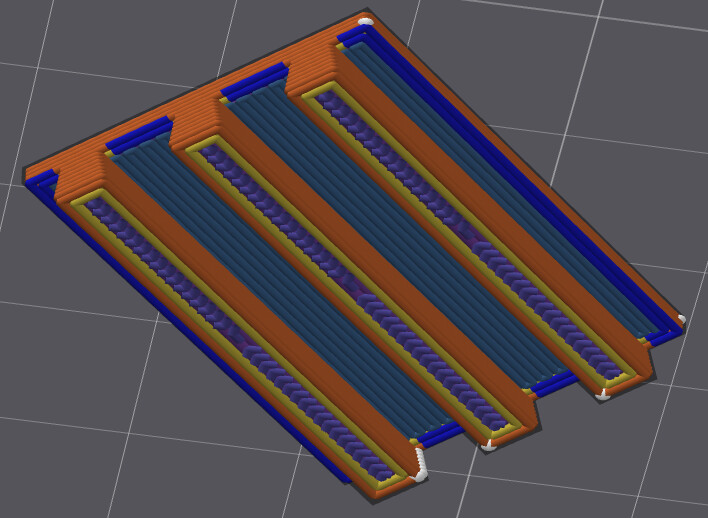
None of the configurable print patterns (top, bottom, solid infill) affect how these lines are put down.
Any suggestions?
Solved it. Advanced setting, Strength tab, Bridge direction = 45 deg. From this post.