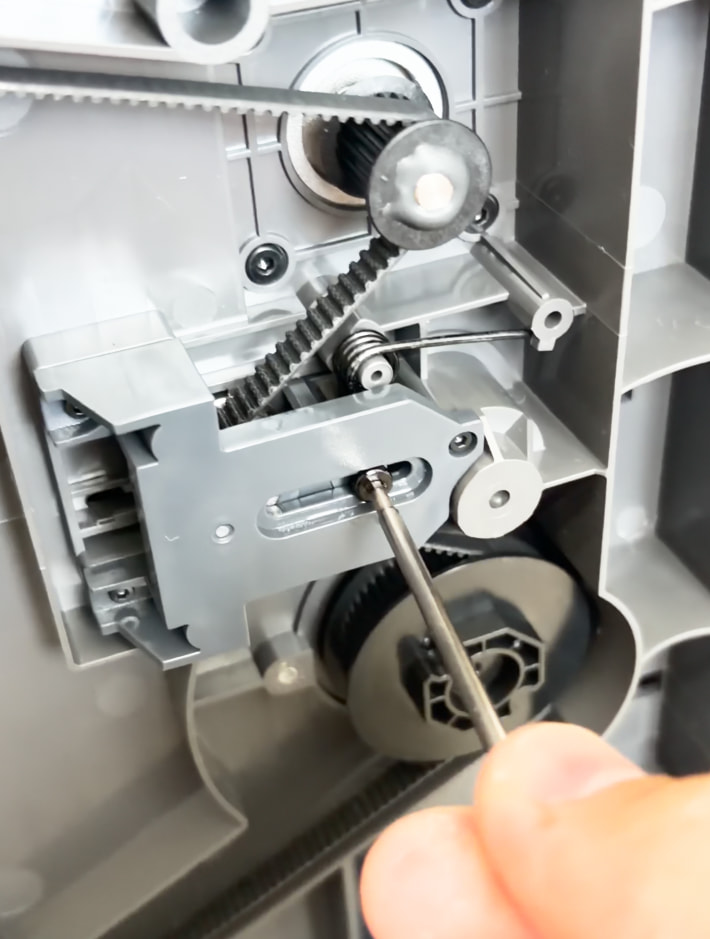
Printer started making a weird “creaking” noise today.
I’m 100% sure it wasn’t doing it before, I started noticing it today and it’s very hard to miss.
Printer is less than a month old. Submitted a ticket but so far no response.
it took me some time but I was able to trace it here but have no idea what is actually causing it.It’s not the belt or the tentioner and to me it sounds like plastic agains plastic. Anyone knows having this issue?
If you do not feel free play in the pulley maybe some how related to the rod, or the other option something in the tensioner? Maybe you can try to get the Z rod from inside and see if you push it round if the sound comes from there. Maybe also not bad idea to cut the power when you do such trials . Does not look very hard to remove the pulley though.
Check the tensioner and the screws around. As you can just unscrew and screw it. It could be plastic but also some bearing noises, or bearing bed. Maybe something get lose because of this swinging of the whole unit.
I saw that second one, that’s how I found the pulleys are down there. I originally thought it was on one of the front screws but twitch that post I narrowed it down to the rear.
Mine doesn’t squeal. Sounds more like “sand” in a bearing kind of noise. Maybe a busted bearing or something. The belt tensioner is pretty strong, I guess those bearings are under load constantly.
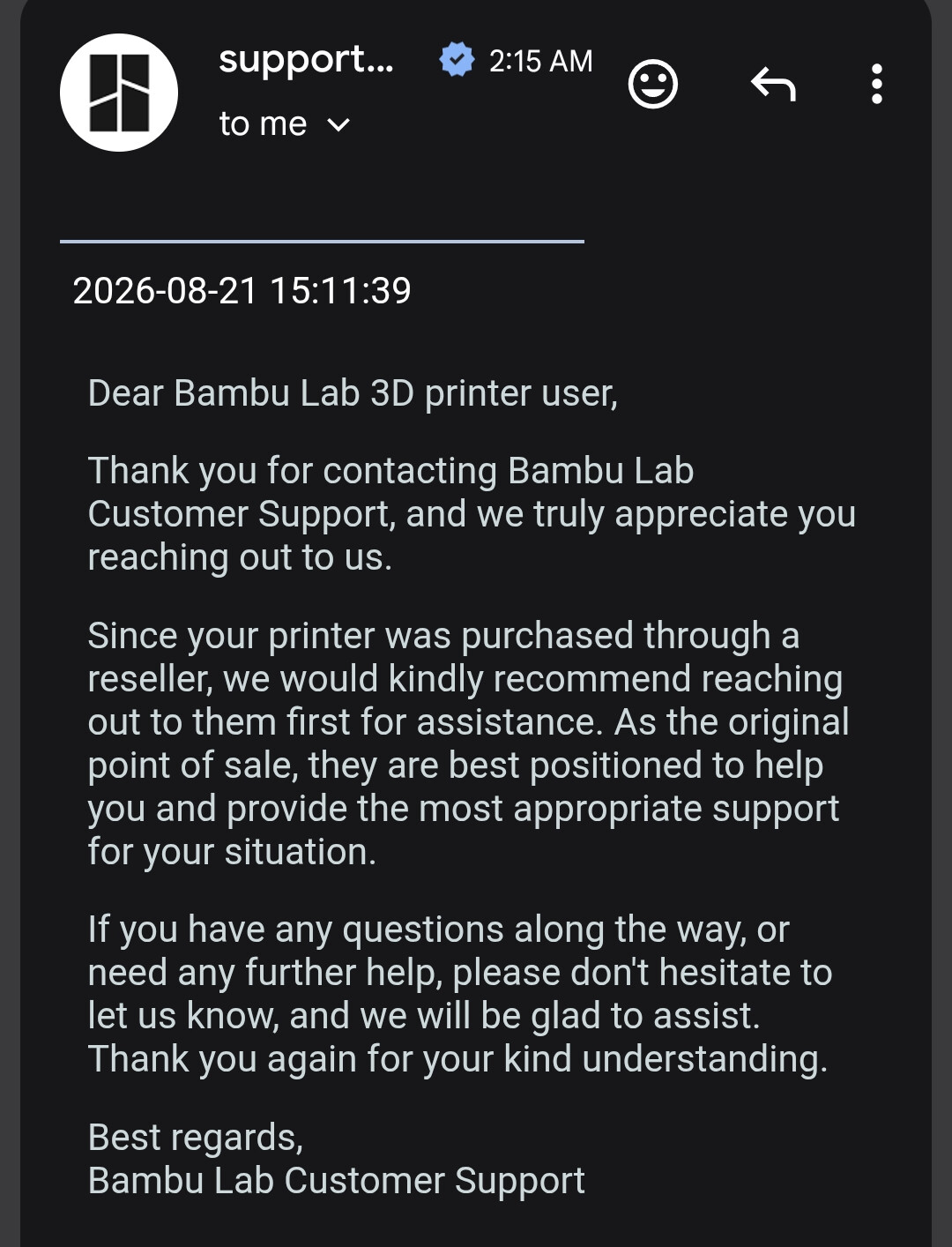
What really baffled me is Bambu response to the support ticket.
You can see in other topics also Bambu replied like that if the printer is bought directly. Which is also the case with mine. So far I did not opened a ticket but who knows.
I tightened the screw for the pulley I was moving in the video and it’s better now. It’s still not perfect and you can still hear some of it on long bed moves but overall when printing I can no longer hear it.
@JAAS
I got the same before and even worse. Because BambuLab is not selling in my country, they rejected from the beginning to send me any replacement parts, even I was still in warranty.
Luckily for me, my “reseller” was willing to help me out and sent me the replacement part for free.
Yeah they seems to have some notes in the warranty:
Now this for the resellers is nowhere to be found. We only this note:
If the product is purchased on a 3rd party website or via other purchasing channels such as a retail purchaser (“Resellers”), you shall follow their individual return and replacement policies.
But nothing about the support/repair and resellers:
Repair Policy
Our support team is ready to assist you with any issues that you might have with our products.
Bambu Lab will gladly provide warranty service if the product is under the warranty window but has the following performance failures:
The product is normally used but has non-customer induced damages or failures.
The product has function failures due to manufacturing errors or workmanship.
But there are strict regional usage restrictions:
The entire range of Bambu Lab’s printers has strict regional usage restrictions. Please purchase the corresponding version of the product according to your country or region before making a purchase. Otherwise, it may result in the inability to bind the account and the inability to use features such as cloud printing, remote control printing outside the local network, and remote video surveillance outside the local network that are associated with the account.
And in this section you can see what is under warranty and for how long:
I think support just jumped to the conclusion that replacement parts were required hence the redirect to your reseller. Just answer the ticket that you don’t think part replacement is required but you simply need some technical support to fix the issue. See how it goes, BL should not disregard technical support and if in the end a part replacement is required under warranty then and only then the reseller is the point of contact.
The noise is coming from the tentioner rubbing or pushing away the plastic mount that holds it , I had this exact problem as well and removing the tentioner mount solved it, I tried tightening the screws and it made it worse, releasing the bolts 1/4 of a turn helped, eventually I greased the spots when there is plastic on plastic tention and it helped
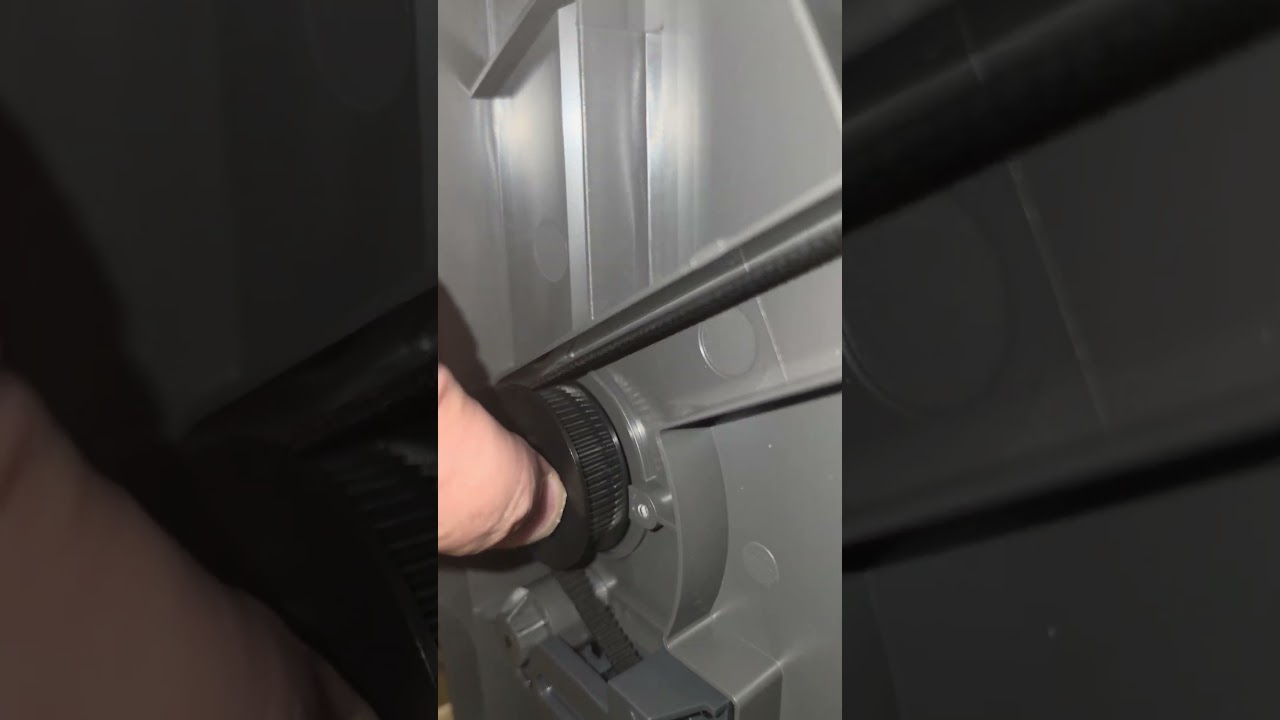
 . Does not look very hard to remove the pulley though.